
This article contains affiliate links. We may earn a commission if you buy through our links, at no extra cost to you.
The best low profile mechanical keyboard isn’t bought for its height. It’s bought for a shorter key travel, and the number that matters sits around 1.3mm of actuation against roughly 2mm on a conventional switch.
That difference is why these boards feel like a hybrid between a laptop keyboard and a full mechanical. You keep the switch feedback and lose the deep press, which lands somewhere between an Apple Magic Keyboard and a traditional MX board.
After comparing travel distances, actuation points, connection modes, keycap materials and long-term owner feedback across more than 20 slim boards, four stand out. One suits most desks, one targets gaming, one covers the office, and one keeps the price down.
Quick Answer
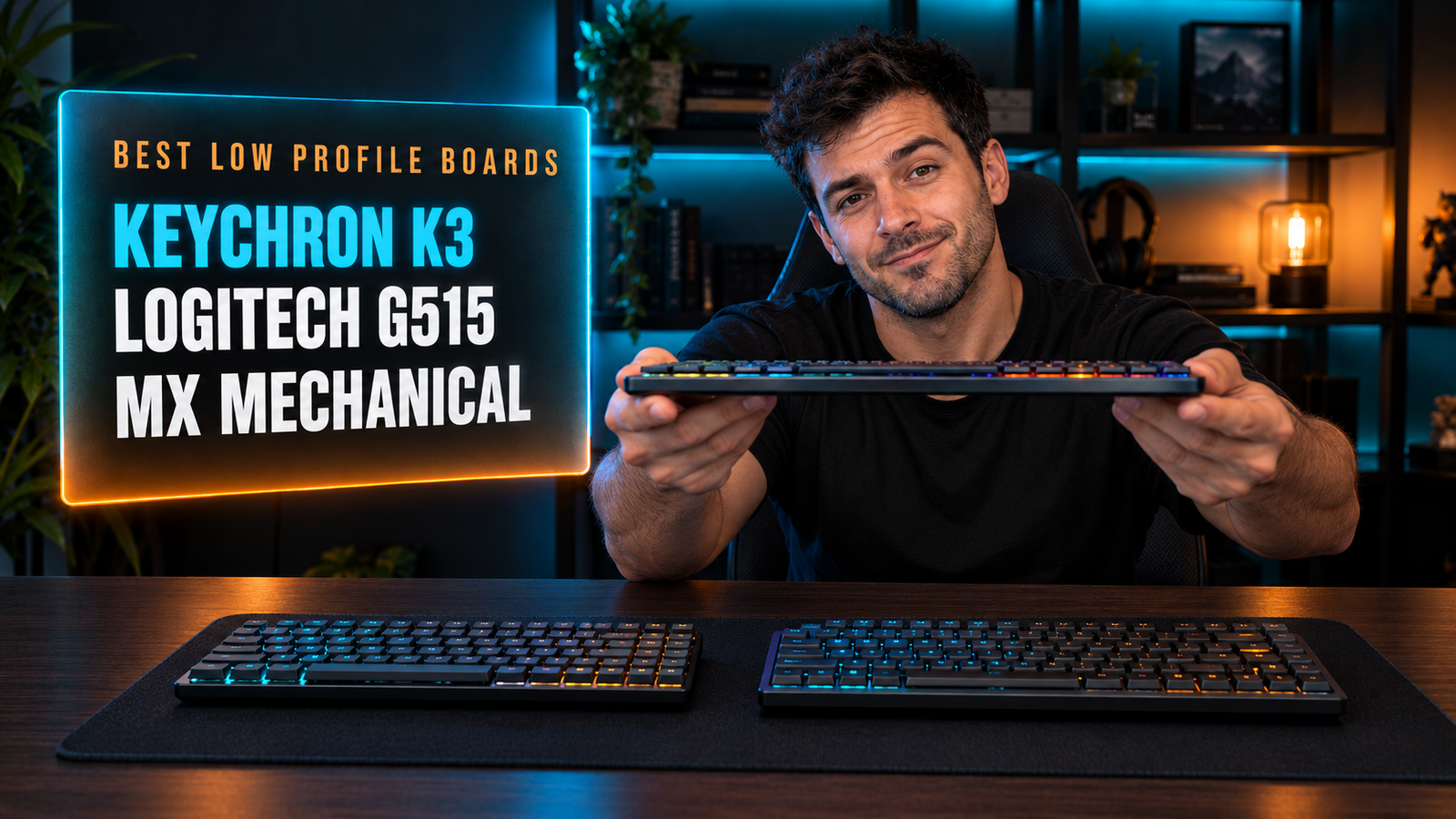
The Keychron K3 Version 2 QMK is the best low profile mechanical keyboard for most people, with a 75% layout, QMK programming and Bluetooth across 3 devices. For gaming, the Logitech G515 Lightspeed TKL stands 22mm tall with 1.3mm actuation, and the Logitech MX Mechanical Mini is the office pick.
What Does Low Profile Actually Change?
Low profile changes the switch, not just the case. Keychron rates its low-profile switches at 3.1mm of total travel with actuation at 1.3mm, against roughly 4mm of travel and 2mm of actuation on a conventional MX-style switch.
The height of the board is the least important part of the spec. A slim case looks better on a desk, but what your fingers register is a key that fires roughly 35% earlier in the press and bottoms out sooner.
Switch height follows from that. Keychron’s low-profile switch measures 11.95mm tall against the 18mm-plus of a standard switch, which is what lets a whole keyboard come in at 22mm like the Logitech G515 Lightspeed TKL.
If you type on a laptop all day and a mechanical board feels like reaching into a hole, this is the format that fixes it. If you came to mechanical keyboards for a long, deliberate press, low profile removes exactly the thing you liked, and we’d steer you back to a standard-height board instead.
Is a Shorter Travel Better for Gaming?
A shorter actuation point registers a keypress earlier, and 1.3mm against 2mm is a real difference in a shooter. Both Keychron and Logitech land on 1.3mm for their low-profile switches, which tells you where the category has settled.
Earlier actuation also means more accidental presses while typing. A key that fires at 1.3mm catches a resting finger more easily than one needing 2mm, which is why low profile divides opinion among people who write for a living.
Factory lubing changes the feel more than the numbers suggest. Logitech ships the G515’s GL switches pre-lubed with a sound-dampening layer underneath, which smooths the stroke that a shallower switch would otherwise make feel abrupt.
If you play fast shooters and also write documents, set a profile for each if the software allows, or accept that the same switch will feel quick in one and twitchy in the other. We’d take 1.3mm for gaming and leave a standard board on a second desk for long writing sessions if you have the space.
Which Layout Should You Pick?
Layout matters more on a slim board than on a standard one, because people buying low profile are usually also buying for a small or shared desk. The two formats here are 75% at 84 keys and tenkeyless at 87.
The slimmest board in this guide is not the smallest one. The G515 is a tenkeyless at 22mm tall, while the Keychron K3 is a 75% board that packs the same key count into a narrower frame by removing the gaps between clusters.
That gap removal is the trade. A 75% layout puts Delete, Page Up and Page Down in a tight column against the arrows, which is compact and easy to mishit until your hands learn it.
If you move the keyboard between a desk and a sofa, 75% is the format that fits a backpack sleeve. If it lives on one desk and you want the spacing of a normal keyboard, TKL is the safer choice, and our guide to the best 65 percent keyboard covers the step below for anyone willing to go smaller still.
Do You Need Hot-Swap and Programming?
Hot-swap is rarer and more valuable on low-profile boards than on standard ones, because the switch choice is far narrower. Keychron’s optical version lets you change switches in seconds; the Gateron mechanical version is soldered.
The feature that matters more here is programming, not swapping. The Keychron K3 Version 2 QMK supports QMK and the Keychron Launcher, so every key can be remapped in a browser without installing software.
Logitech takes the opposite approach. The G515 uses KEYCONTROL inside G HUB, and the Logitech MX Mechanical Mini keeps its customization in Logi Options+, both of which mean a resident application on your machine.
If you work across a Mac, a Windows desktop and a Linux box, browser-based QMK remapping travels with the keyboard rather than with the computer. If you already run G HUB for a Logitech mouse, adding the keyboard to it costs you nothing new, and the choice stops mattering.
What About Connections and Battery?
Three connection modes is the baseline on slim boards now, and the difference is whether 2.4GHz is included. The G515 offers Lightspeed wireless, Bluetooth and wired; the Keychron K3 offers Bluetooth 5.1 for 3 devices and USB-C.
The gaming board is the one you’ll charge least often. Logitech’s 2:1 pairing lets a compatible mouse share the same USB receiver, which frees a port on a laptop that only has two.
Multi-device pairing is the office equivalent of that convenience. Three paired devices on the K3 or the MX Mechanical Mini means one board for a work laptop, a personal machine and a tablet, switched from a key.
If your desk already runs a Logitech mouse, buying a Logitech keyboard collapses two dongles into one, which matters more on a laptop than any RGB feature. If you switch between three machines a day, Bluetooth multi-device is the feature to prioritize, and both Keychron boards include it.
Best Low Profile Mechanical Keyboards: Comparison Table
| Product | Price | Best For | Rating |
|---|---|---|---|
| Keychron K3 Version 2 QMK | ~$85 | Best overall | 9/10 |
| Logitech G515 Lightspeed TKL | ~$140 | Gaming | 8.5/10 |
| Logitech MX Mechanical Mini | ~$150 | Office and multi-OS | 8/10 |
| Keychron K3 Ultra-Slim RGB | ~$75 | Budget with RGB | 8/10 |
Detailed Reviews
Keychron K3 Version 2 QMK — Best Overall
Eighty-four keys in a 75% frame with QMK programming is the combination that makes this the default pick. The K3 Version 2 pairs Keychron’s low-profile switches, rated at 3.1mm total travel with actuation at 1.3mm, with Bluetooth 5.1 across 3 devices, USB-C wired mode, white LED backlighting and support for the browser-based Keychron Launcher. Mac and Windows keycaps come in the box, and the aluminum frame keeps the body thin without feeling hollow.
If you work on a MacBook at a desk and a Windows machine beside it, three-device pairing and dual keycap sets cover both without a second keyboard or a remapping utility.
White backlighting rather than RGB is the visible compromise, and this version’s switches are soldered, so a failed switch is a repair job. The tight 75% cluster around the arrow keys also takes a week to stop mishitting. At this price, with QMK on board, it’s the one we’d buy.
Best for: People switching between a Mac and a PC who want programmable keys.
Real-world detail: Its switches actuate at 1.3mm against roughly 2mm on a conventional mechanical switch.
Pros: QMK and browser-based Launcher, Bluetooth for 3 devices, Mac and Windows keycaps, 75% layout, aluminum frame.
Cons: White backlight rather than RGB, soldered switches, cramped navigation column.
Logitech G515 Lightspeed TKL — Best for Gaming
Twenty-two millimeters of height with a 1.3mm actuation point is Logitech’s answer for players who find standard boards bulky. The G515 runs GL mechanical switches in tactile or linear, factory-lubed, under double-shot PBT keycaps with a sound-dampening layer below the plate. Tri-mode connectivity covers Lightspeed wireless, Bluetooth and wired, and 2:1 pairing lets a compatible Logitech mouse share the same receiver.
If your desk runs a Logitech mouse and a laptop with two USB-C ports, that shared receiver gives you back a port you’d otherwise lose to a second dongle.
PBT keycaps and the dampening layer are what separate it from cheaper slim boards, and both are things you notice daily rather than on a spec sheet. There’s no hot-swap, so the switch you choose at checkout is permanent, and customization lives inside G HUB rather than in a browser. It’s also the pricier of the two gaming-capable boards here.
Best for: Players who want a slim board and already use Logitech peripherals.
Real-world detail: 2:1 pairing lets a compatible mouse run off the keyboard’s receiver, freeing a USB port.
Pros: 22mm height, 1.3mm actuation, factory-lubed GL switches, double-shot PBT keycaps, tri-mode with 2:1 pairing.
Cons: No hot-swap, requires G HUB for customization, priciest gaming option here.
Logitech MX Mechanical Mini — Best for the Office
Office-first design is what sets this apart from everything else in this guide. The MX Mechanical Mini uses low-profile switches in a compact layout aimed at work rather than play, with multi-device pairing, backlighting that adjusts to ambient light and a build that matches Logitech’s MX range on desks where a gaming aesthetic would look out of place.
If you share an office or take video calls at your desk, a muted gray board without RGB is the one that doesn’t need explaining, and the MX range’s proximity sensor lighting means the backlight comes on as your hands approach.
Value is where it struggles. It costs more than the Keychron K3 Pro while offering fewer programming options, no hot-swap switches and no RGB, which is a hard sell on paper. What you’re paying for is Logitech’s ecosystem: Flow for moving between computers, Options+ for settings, and a design language that matches an MX Master mouse. For a corporate desk, that coherence is worth something; for a home setup, we’d take the Keychron.
Best for: Office desks that already run Logitech MX peripherals.
Real-world detail: It costs more than a Keychron K3 Pro while offering fewer programming options and no hot-swap.
Pros: Multi-device pairing, ambient-light backlighting, muted professional design, Logitech Flow support, matches MX range.
Cons: Most expensive here, no hot-swap, no RGB, fewer customization options.
Keychron K3 Ultra-Slim RGB — Best Budget
Same chassis, lower price, full RGB. This version of the K3 keeps the 84-key 75% layout and the ultra-slim body, swapping the QMK model’s white backlight for RGB and fitting low-profile Gateron mechanical red switches, which Keychron describes as 40% slimmer than conventional switches with shorter pre-travel.
If you want the slim format and per-key lighting but never intend to remap a single key, this delivers the typing experience of the model above it for less money.
Gateron reds are soldered here, so switch choice is permanent, and linear switches with a short travel are the combination most likely to produce accidental presses while typing. You also lose QMK and the browser-based Launcher, which is the K3’s standout feature. As a first low-profile mechanical board, especially for someone coming from a laptop keyboard, it’s the cheapest honest entry into the format.
Best for: First-time low-profile buyers who want RGB over programmability.
Real-world detail: Keychron describes its low-profile switches as 40% slimmer than conventional ones, with shorter pre-travel.
Pros: Full RGB backlighting, same 75% ultra-slim chassis, Gateron low-profile switches, cheapest here, Mac and Windows support.
Cons: No QMK, soldered switches, linear reds invite accidental presses.
What to Look for When Choosing a Low Profile Mechanical Keyboard
1. Read the travel and actuation figures, not the case height. Low-profile switches run around 3.1mm total travel with actuation near 1.3mm, against roughly 4mm and 2mm on standard switches. That’s what your fingers feel.
2. Match the switch type to what you do most. Linear switches with short travel suit gaming and invite typos while writing. Tactile versions give a bump that helps you stop short of bottoming out.
3. Check hot-swap availability. Low-profile switch choice is narrower than standard MX, so a soldered board locks you in. Keychron’s optical version is the hot-swap route in this lineup.
4. Decide where customization should live. QMK and Keychron Launcher run in a browser and travel with the keyboard. G HUB and Options+ are applications installed per machine.
5. Count your dongles. Logitech’s 2:1 pairing shares a receiver between a keyboard and mouse. On a laptop with two ports, that’s a port back.
FAQ
Are low profile mechanical keyboards better?
Low profile mechanical keyboards are better for people coming from laptop keyboards or working on tight desks, since they cut total travel to around 3.1mm and actuation to about 1.3mm. They’re worse for anyone who chose mechanical keyboards specifically for a long, deliberate keypress. The format is a compromise between a laptop board and a full-height mechanical.
What is the actuation point on a low profile switch?
Most low-profile mechanical switches actuate at around 1.3mm, compared with roughly 2mm on a standard MX-style switch. Keychron publishes 1.3mm actuation with 3.1mm total travel, and Logitech uses the same 1.3mm figure on its GL switches. That earlier trigger point is the main functional difference.
Are low profile keyboards good for gaming?
Low profile keyboards suit gaming well because the shorter actuation point registers presses earlier, which is why Logitech builds the G515 around a 1.3mm trigger. The trade-off is more accidental presses while typing, since a resting finger reaches 1.3mm more easily than 2mm. Factory-lubed switches and sound dampening help the feel.
Can you hot-swap switches on a low profile keyboard?
Some low-profile keyboards support hot-swapping, though fewer than at standard height, and the switch selection is narrower. Keychron’s optical version of the K3 allows switch changes in seconds, while its Gateron mechanical version and both Logitech boards here are soldered. Check the specific variant before buying, since brands sell both.
Our Final Verdict
For most desks, the Keychron K3 Version 2 QMK is the low profile keyboard to buy: an 84-key 75% layout, switches actuating at 1.3mm with 3.1mm of travel, Bluetooth across three devices and QMK remapping that runs in a browser rather than an installed app.
If you game, the Logitech G515 Lightspeed TKL pairs a 22mm body with PBT keycaps and a receiver your mouse can share. The Logitech MX Mechanical Mini suits an office desk built around MX peripherals, and the Keychron K3 Ultra-Slim RGB delivers the same slim chassis with per-key lighting for less.