As an Amazon Associate we earn from qualifying purchases made through links on this page.
The best mechanical keyboard for programming is the Keychron Q1 Pro for most developers: a heavy, solid board that keeps every key a programmer uses and lets you move any of them wherever you want, without installing anything. The switch inside matters less than the arguments online suggest.
What matters more is the shape. A keyboard with a number pad pushes your mouse four to five inches further out, all day, and a keyboard that is too small hides the keys your debugger depends on.
We compared published specs, current Amazon prices and owner feedback; each of these five wins for a different kind of developer.
Layout settles this one. The Das Keyboard 4 Professional and Logitech MX Mechanical are full-size boards with a number pad, the Keychron V3 and K8 Pro are tenkeyless, which drops the number pad and keeps everything else, and the Q1 Pro is a 75% board that also tucks the navigation keys into one column. Decide which keys you use daily and the list narrows fast.
Quick Answer
The Keychron Q1 Pro is the best mechanical keyboard for programming for most developers: compact, very solid, with the F-keys intact and every key movable to suit your editor. For a wireless board at a fraction of the price, get the Keychron K8 Pro, and the Keychron V3 does the same job with a cable. For a full-size board with USB ports built in, the Das Keyboard 4 Professional; for switching between three computers, the Logitech MX Mechanical.
The Number Pad Costs You Four to Five Inches of Mouse Room
The Das Keyboard 4 Professional is 457 mm wide. The tenkeyless K8 Pro is 355 mm and the 75% Q1 Pro is 327 mm. That difference, 10 to 13 cm, is how much further out your mouse sits every time you reach for it.
The biggest layout decision is not how small to go but whether the number pad stays. Few programmers type from it, and dropping it brings the mouse back toward the middle without losing a key you use in an editor.
If you enter long numeric IDs every day, keep it and accept the reach. If your numbers live in code, a tenkeyless board gives you the same keys minus the block you never touch. Our tenkeyless keyboard guide covers that layout at more price points, and our home office setup under $1,000 shows how the keyboard fits with the rest of the desk.
A 75% Board Keeps Every Key a Programmer Reaches For
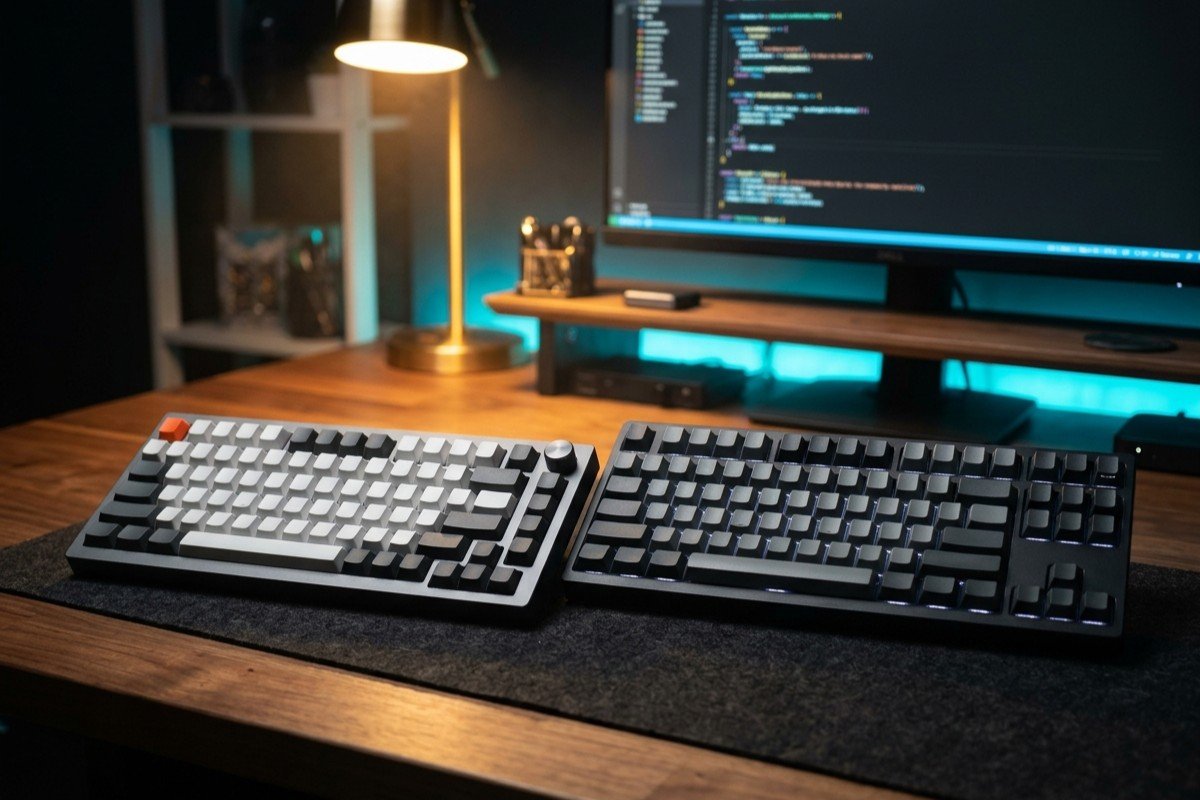
A 75% layout is the smallest one that gives up nothing a programmer uses daily. It keeps the full F-row and the arrows and squeezes the navigation keys into a single column on the right, which is how the Q1 Pro ends up 28 mm narrower than a tenkeyless board.
The F-row is the line not to cross. In VS Code, F5 starts the debugger and F10 and F11 step through code; on a 60% or 65% board, each of those becomes a two-key chord, every time you step a line.
If you would rather not learn a new navigation column at all, the K8 Pro and V3 keep the classic tenkeyless block of Insert, Home, End and Page keys exactly where your hands already expect them.
Remapping Is the Programming Feature, Not the Switch
Moving keys changes a programmer’s day more than any switch. Caps Lock is the best-placed and least-used key on a standard board, and on a remappable keyboard it becomes Escape for Vim, Ctrl for Emacs, or a layer key for symbols.
The Q1 Pro, V3 and K8 Pro all run QMK and remap through Keychron’s web-based Launcher, and the changes are stored on the keyboard itself, so they follow you to a work laptop with no software installed.
The Das Keyboard 4 does not remap at all, and the MX Mechanical customizes keys through Logitech’s Options+ app, which is no help on a locked-down work computer. If you have ever rebound a key in your editor, check this before anything else.
Switch Type Is the Easiest Decision to Undo
On a hot-swap board, the switch is the one choice you can reverse for the price of a bag of switches. The Q1 Pro, the V3 and the K8 Pro all take new switches without soldering.
Brown switches give a small bump as the key registers and suit most programmers; reds are smooth and quieter; blues click, which is fine at home and unwelcome in an open office. For shared spaces, our quiet keyboards for the office go further.
The Das Keyboard 4 and the MX Mechanical have fixed switches; the Das Keyboard here ships with clicky blues. Our guide to choosing a switch explains each type.
Five Keyboards for Programming, and the Developer Each One Doesn’t Suit
Keychron Q1 Pro — Best Overall
A CNC-machined aluminum case on a double-gasket mount is what sets the Q1 Pro apart. The plate floats on soft material instead of being screwed to the case, so keys land softer and sound deeper, and the metal body means it does not move however hard you type. At about $210, it is the most solid board here and the one we would buy.
If you live in an editor, the 75% layout keeps the F-row for debugging, the knob scrolls or adjusts volume, and every key remaps through QMK in a browser. The hot-swap sockets take new switches without soldering, it ships with Keychron brown switches for a light bump on each press, and the KSA-profile keycaps are double-shot PBT, a harder plastic that will not go shiny over years of use.
Wireless is Bluetooth 5.1 to three devices, plus USB-C. The 4,000 mAh battery is rated for up to 100 hours at the lowest backlight setting, which is two to three weeks of workdays, and longer with the light off.
Skip it if you need a 2.4 GHz dongle or a number pad; it has neither, and at more than twice the price of the K8 Pro, it only makes sense if you want the build.
Das Keyboard 4 Professional — Best Full-Size With a USB Hub
If your security key, a headset and a phone all need a USB port, the Das Keyboard 4 puts two USB 3.0 ports at 5 Gb/s on the keyboard itself, within reach, instead of behind a laptop. That is the reason to buy it.
It is a full-size, 104-key board with Cherry MX Blue switches, an anodized aluminum top, dedicated media keys and an oversized volume knob. It weighs 1.32 kg, comes with a 1.98 m cable, and needs no software at all, which suits a work machine you are not allowed to install things on.
The trade-off is twofold. At 457 mm wide, it is the board that pushes your mouse furthest out, and the Blue switches click on every press, satisfying in a home office and loud enough to be heard across a shared room or on a call. They are soldered, so the clicks are permanent, and the board cannot remap keys. At about $200, you are paying for the hub and the build, not for flexibility.
Skip it if you share an office or take calls at your desk; the clicky switches will be the first thing your colleagues notice.
Keychron V3 — Best Wired Value
About $85 buys the programming features that matter in a tenkeyless board: QMK remapping, hot-swap switches, pre-lubed red switches rated for 50 million presses, years of daily typing, and double-shot PBT keycaps in OSA profile. That is most of what the Q1 Pro offers for about 40% of its price, with the full F-row and navigation block.
If you are buying your first mechanical keyboard for work and want to remap Caps Lock on day one, the V3 is a sensible start. A system toggle switches between Mac and Windows layouts, and the switches can be swapped later if red turns out to be the wrong feel for your hands.
What you give up is the build and the cable. The case is plastic, so it sounds firmer and slightly hollower than the gasket-mounted Q1 Pro, and it is wired only, which is fine at a fixed desk and limiting if you move between machines.
Skip it if you work from more than one computer during the day: the K8 Pro below adds Bluetooth and, at current prices, costs about $5 less.
Logitech MX Mechanical — Best for Switching Between Computers
Choosing the MX Mechanical means giving up deep remapping and hot-swap in exchange for the smoothest multi-device setup here. Easy-Switch keys move it between three computers with one press, over Logitech’s Bolt receiver or Bluetooth, so a work laptop and a personal desktop share one keyboard.
If your day is split between a MacBook and a Windows machine, that one button replaces a second keyboard on the desk. The low-profile switches travel 3.2 mm and register at 1.3 mm, which makes it quieter than the Keychrons and closer to a laptop in feel, and the 1,500 mAh battery is rated for up to 15 days with the backlight on, or up to 10 months with it off.
The full-size layout keeps the number pad, which brings back the long reach at 434 mm wide. At about $150, it costs nearly twice the K8 Pro and remaps less, since its customization depends on an app you need to install.
Skip it if you prefer a classic deep keypress or want to change switches later; its keys are short and fixed. Developers on one machine get more from a Keychron.
Keychron K8 Pro — Best Wireless Tenkeyless
The K8 Pro is the wrong board for anyone who needs a wireless dongle. It connects over Bluetooth 5.1 to three devices or by USB-C, with no 2.4 GHz receiver, so the wireless link is made for typing, not for games.
For everyone else, it is the best-value board here at about $80, a 30-day low on Amazon against a list price of about $115. It keeps all 87 keys, runs QMK, ships with hot-swappable Gateron G Pro red switches, and adds sound-absorbing foam inside the case. At 355 mm wide, it brings the mouse four inches closer than the Das Keyboard, and switching between a laptop and a desktop takes a single key combination.
The trade-off is the mount. The plate is screwed to the case rather than floating on a gasket, so it types firmer and sounds less deep than the Q1 Pro, and the RGB lighting is more gaming than office.
Skip it if you want the softer, deeper sound of a gasket-mounted aluminum board; that is exactly what the extra $130 for the Q1 Pro buys.
Before You Buy
What switch type is best for programming?
Brown tactile switches are the safest choice for most programmers, because the small bump tells you each key has registered without a loud click. Red linear switches suit people who prefer smooth keys, and on a hot-swap board you can change your mind later.
Is a 60% or 65% keyboard good for programming?
It can be, if you rarely use the F-keys or will remap them onto a layer. If you step through code with F10 and F11, a 75% or tenkeyless board keeps those keys in reach.
Do I need QMK or VIA support?
Not to type, but most programmers end up using it: it moves keys like Escape or Ctrl and stores the change on the keyboard. Boards without it, such as the Das Keyboard 4, keep the standard layout.
The Call
The Keychron Q1 Pro is the one we would buy for programming: a gasket-mounted aluminum 75% board with the F-row intact and remapping built in, for about $210. If that is more than you want to spend, the K8 Pro gives you the same layout logic and wireless for about $80.