
This article contains affiliate links. We may earn a commission if you buy through our links, at no extra cost to you.
Best Silent Mouse for Office in 2026
Mouse click noise is one of those things you stop noticing until someone on a video call asks you to stop clicking — or until you realize you’ve been the loudest person in a quiet shared office for months. Standard mouse switches produce 50-60 decibels of click noise, which is picked up clearly by most microphones and is genuinely distracting in open-plan home offices where a partner or family member is working nearby. The best silent mouse for office use reduces that noise to 20-30 dB through dampened switch mechanisms while maintaining the click feel and precision that makes a mouse usable for 8-hour workdays.
After researching and comparing the silent mouse category specifically for office and remote work use, here is what actually works in 2026 — and what just claims to be silent. For a complete overview of what makes a great home office mouse beyond silence, see our guide on the best mouse for home office.
Quick Answer
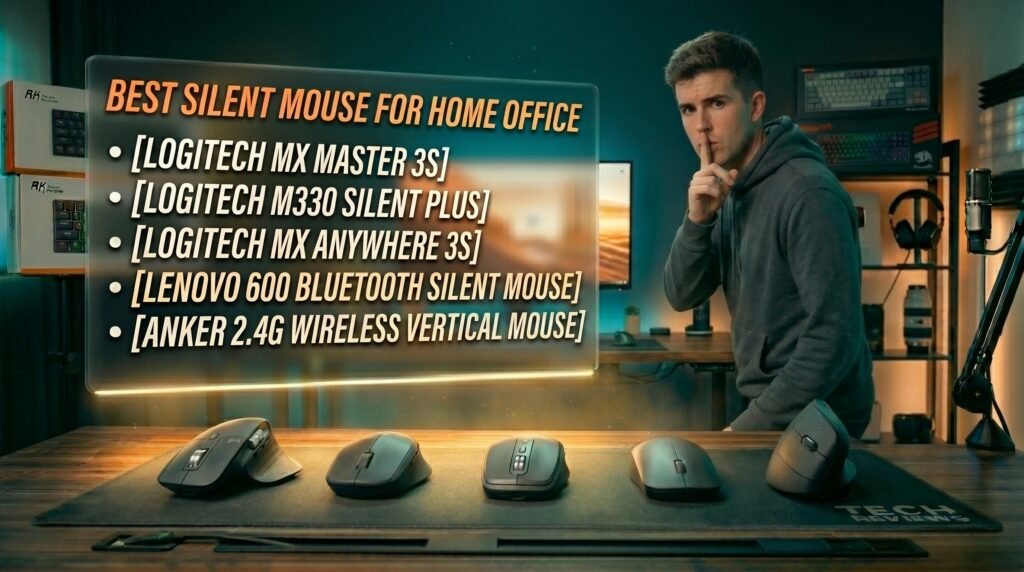
The Logitech MX Master 3S is the best silent mouse for office use for most people — genuinely inaudible clicks from dampened switches, MagSpeed electromagnetic scroll wheel, and full programmability through Logi Options+. For a budget silent option that doesn’t cut corners on the silence itself, the Logitech M330 Silent Plus delivers true quiet clicks at $30. Compact users should consider the Logitech MX Anywhere 3S. Multi-platform Bluetooth users should look at the Lenovo 600. Users with wrist pain should try the Anker Vertical Silent Mouse.
How Silent Mouse Technology Actually Works
Not all “silent” mice are equally quiet — and understanding the mechanism helps you identify which products are genuinely silent versus just quieter than average.
Standard mouse switches use a physical plastic-on-plastic impact when the button depresses and returns. That impact produces the characteristic click sound at 50-60 dB. Silent mouse technology addresses this through dampened switches — a rubber or silicone dampening layer absorbs the impact energy that would otherwise produce audible click noise. The click still happens mechanically, you still feel the tactile feedback, but the sound energy is absorbed rather than transmitted.
The result varies by implementation. Well-engineered silent switches — like those in Logitech’s SilentTouch technology — reduce click noise to approximately 20 dB, which is below the ambient noise floor of most rooms. Poorly implemented “silent” switches from budget brands reduce noise to 35-40 dB — quieter than standard, but still audible in quiet environments and still picked up by sensitive microphones.
The counterintuitive point: the click feel of a good silent mouse is often better than a standard mouse, not worse. The dampening layer that absorbs sound also smooths the click response, eliminating the sharp plastic snap that makes cheap standard switches feel harsh. The MX Master 3S’s silent switches consistently receive better click-feel reviews than its predecessor’s standard switches — silence improved the tactile experience rather than compromising it.
For context on how the full desk environment affects focus and video call professionalism, see our guide on the best desk mat for home office — peripheral noise is one component of a workspace optimized for focus.
Why Silent Mice Matter More Than Most Office Workers Realize
Video calls are the clearest use case. Standard mouse clicks are audible through most laptop microphones at typical desk distances of 30-60cm. On a Zoom call with 10 people where you’re clicking through slides or navigating documents, your mouse noise is transmitting to everyone on the call. Attendees don’t always mention it, but it registers as background noise that reduces perceived audio quality and professionalism.
Shared home office spaces are the second major context. Partners or family members working in adjacent rooms experience mouse click noise as a repeated auditory interruption throughout the workday. At 50-60 dB, standard mouse clicks are in the range of a quiet conversation — not dramatic, but persistent and cumulative over an 8-hour day.
Late-night work is the third scenario most guides miss. A home office worker finishing a project at midnight while a partner sleeps nearby navigates with a standard mouse at their peril. Silent mice in this context aren’t a luxury — they’re basic household courtesy.
Deep focus work benefits from silence in a different way. In our experience, switching to a silent mouse noticeably reduces the sense of auditory busyness during concentrated work sessions — particularly during long document writing or coding sessions where click frequency is high.
The 5 Best Silent Mice for Office Use in 2026
1. Logitech MX Master 3S — Best Overall (~$100)
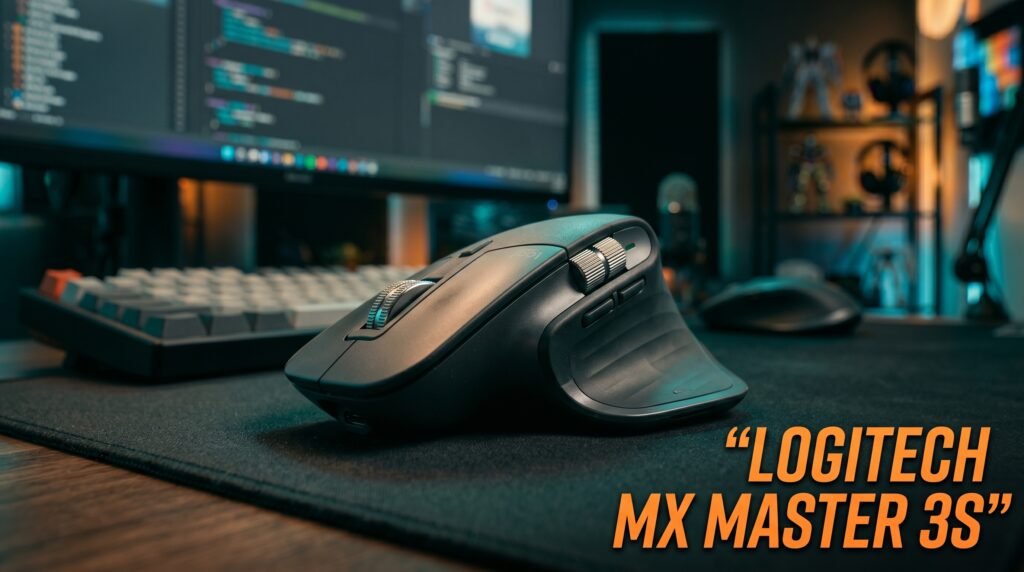
The Logitech MX Master 3S is the silent mouse that makes every other feature feel like a bonus rather than a compromise. Logitech’s SilentTouch technology reduces click noise to approximately 20 dB — below the ambient noise floor of most rooms — without any reduction in click tactile feedback. In practice, the clicks feel more refined than standard switches, not worse.
Beyond the silence: the MagSpeed electromagnetic scroll wheel covers 1000 lines per second in free-spinning mode, 7 programmable buttons with per-application profiles through Logi Options+, Logi Bolt 2.4GHz receiver plus Bluetooth, 70-day battery, and glass-compatible sensor. Hold the MX Master 3S next to any competing “silent” mouse in a quiet room and click both — the difference in noise floor is immediately apparent.
Pros: 20 dB SilentTouch clicks, MagSpeed scroll wheel, 7 programmable buttons with per-app profiles, Logi Bolt plus Bluetooth, 70-day battery, glass surface compatible. Cons: $100 price point, right-hand only, requires Logi Options+ for full customization, size suits medium to large hands only.
2. Logitech M330 Silent Plus — Best Budget Silent Mouse (~$30)
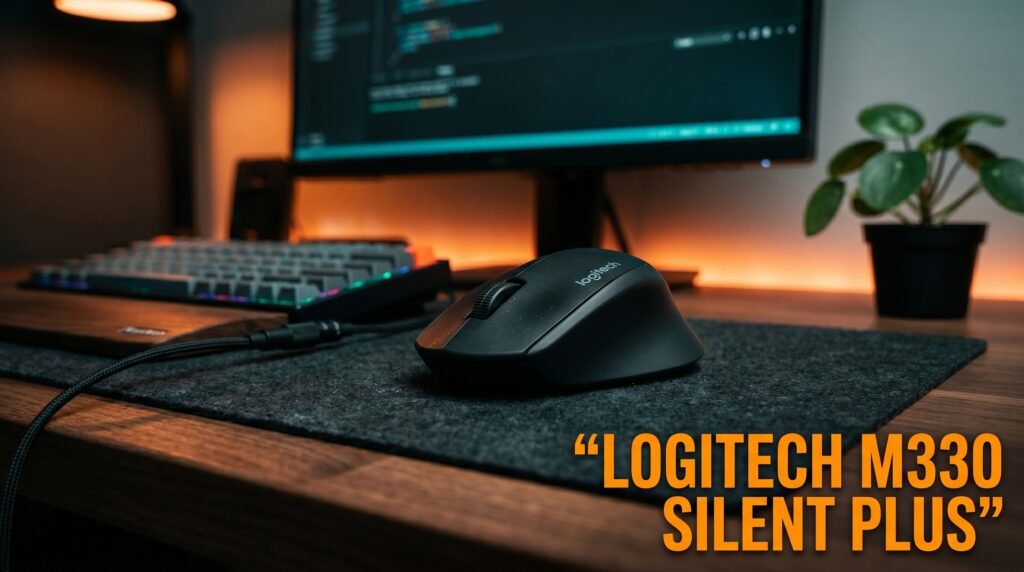
The Logitech M330 Silent Plus is the recommendation for anyone who needs genuine quiet clicks without the $100 premium. SilentTouch technology from the same family as the MX Master 3S — the noise reduction mechanism is equivalent even if the overall mouse is simpler — at approximately 30% of the price.
Three buttons, standard scroll wheel, 2.4GHz Unifying receiver, 24-month battery life on a single AA battery. No Bluetooth, no programmable buttons, no free-spinning scroll wheel. What it does deliver is the same class of click silence as Logitech’s premium lineup in a basic, reliable, ergonomic right-hand mouse that fits medium hands comfortably. The honest comparison: the silence quality is comparable to the MX Master 3S, every other feature is not.
Best for: Students, remote workers on a tight budget, or anyone who needs a silent second mouse for travel or a secondary workstation.
Pros: Genuine SilentTouch silence at $30, 24-month battery on one AA battery, ergonomic right-hand shape, Unifying receiver, reliable Logitech build quality. Cons: No Bluetooth, standard scroll wheel only, no programmable buttons, right-hand only, no software customization.
3. Logitech MX Anywhere 3S — Best Compact Silent Mouse (~$60-70)
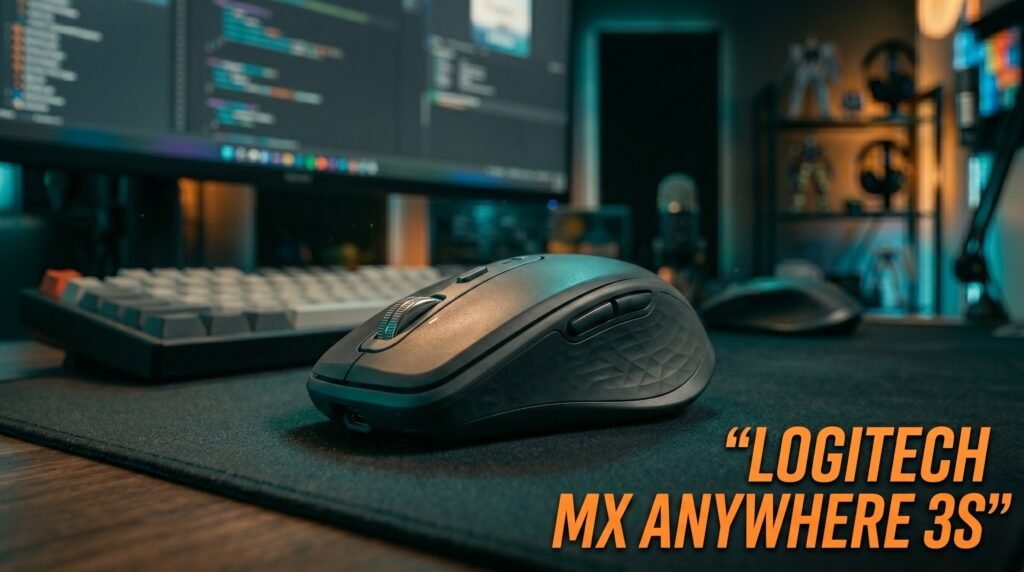
The Logitech MX Anywhere 3S brings MX Master-level silence and the MagSpeed scroll wheel to a compact form factor that works on any surface and fits in a jacket pocket. Silent clicks at 20 dB, MagSpeed electromagnetic scroll wheel, Logi Bolt plus Bluetooth, and 6 programmable buttons — all in a mouse roughly 60% the size of the MX Master 3S.
For home office workers who split time between a primary desk and a laptop used in other locations — kitchen table, couch, coffee shop — the MX Anywhere 3S is the mouse that covers both contexts silently without compromise. The MagSpeed wheel in this compact body is the same mechanism as the full-size MX Master — the scroll speed and free-spinning behavior are identical.
Best for: Home office workers who move between locations and need quiet clicks everywhere they work.
Pros: MagSpeed scroll wheel in compact body, 20 dB silent clicks, works on any surface including glass, Logi Bolt plus Bluetooth, pocketable. Cons: Too small for large hands as a primary desktop mouse, 6 buttons versus 7 on MX Master 3S, premium price for a compact mouse.
4. Lenovo 600 Bluetooth Silent Mouse — Best for Multi-Platform (~$25-30)
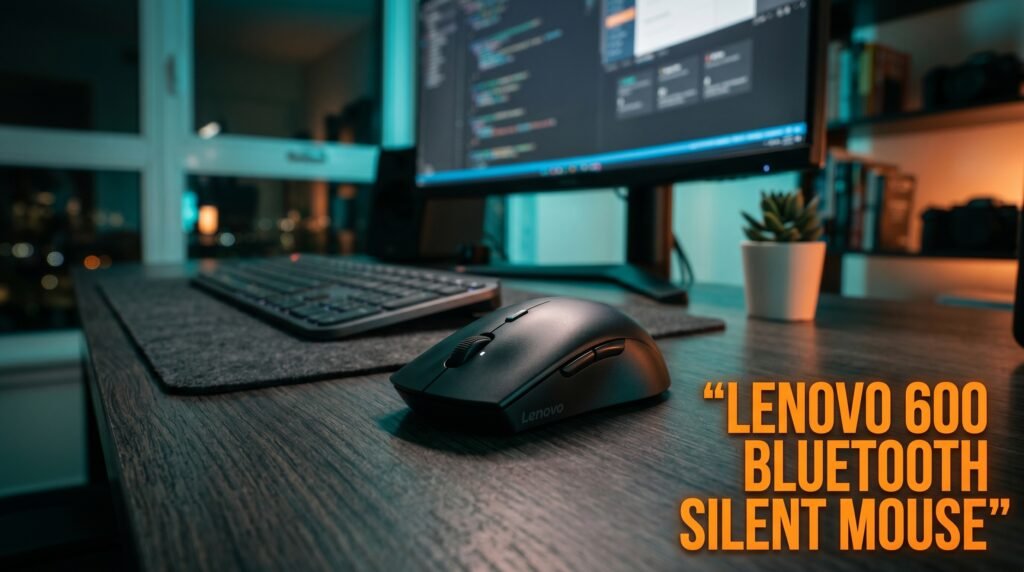
The Lenovo 600 Bluetooth Silent Mouse is the recommendation for office workers who need a silent Bluetooth mouse compatible across Windows, macOS, and Chrome OS without a USB dongle. Pure Bluetooth 5.0 with Microsoft Swift Pair, two-device pairing, and silent clicks at a noise level comparable to the Logitech M330 — all without occupying a USB port.
At $25-30, it undercuts the M330 slightly while adding the Bluetooth dongle-free connectivity that the M330 lacks. The blue optical sensor tracks on virtually any surface. Battery life runs approximately 12 months on a single AA battery. The specific scenario where the Lenovo 600 wins: a professional who uses a work laptop (Windows) and personal laptop (Mac) and wants one silent Bluetooth mouse that switches between them with a single button toggle.
Pros: Bluetooth without dongle, two-device pairing via Swift Pair, cross-platform compatibility, silent clicks, affordable at $25-30, compact low-profile design. Cons: Build quality below Logitech at similar price, ambidextrous shape less comfortable for all-day use, standard scroll wheel only, no software customization.
5. Anker Vertical Silent Mouse — Best Silent Ergonomic Option (~$30-35)
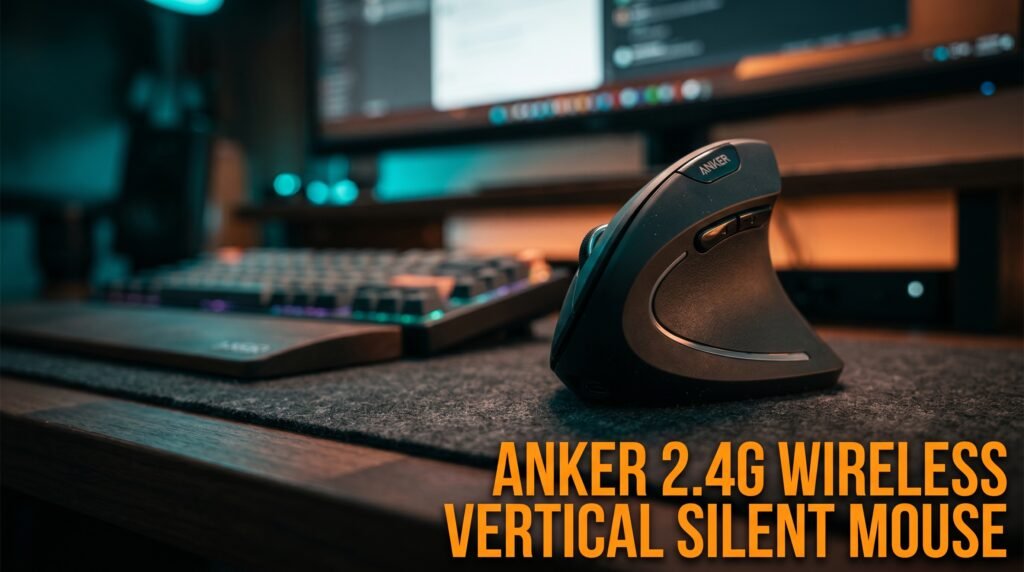
The Anker 2.4G Wireless Vertical Silent Mouse combines the vertical ergonomic angle that reduces forearm pronation with silent click technology — a combination that most ergonomic mice don’t offer. If wrist or forearm fatigue is your primary concern alongside mouse noise, this is the only product on this list that addresses both simultaneously.
The vertical 57-degree angle holds your hand in a natural handshake position rather than the pronated flat position of standard mice, reducing the muscle load that causes end-of-day wrist fatigue. At $30-35, it’s a low-risk way to test whether vertical ergonomics help your wrist while also solving the office noise problem. The silent implementation reaches approximately 30 dB — quieter than standard, effective for most office environments, though not as refined as Logitech’s SilentTouch.
Pros: Vertical ergonomic angle plus silent clicks in one product, affordable, wireless 2.4GHz, right-hand ergonomic shape. Cons: Silent implementation less refined than Logitech SilentTouch (~30 dB vs ~20 dB), budget build quality, no software customization, right-hand only.
Comparison Table
| Product | Price | Click Noise | Best For | Rating |
|---|---|---|---|---|
| Logitech MX Master 3S | ~$100 | ~20 dB | Best overall silent office mouse | 9.5/10 |
| Logitech M330 Silent Plus | ~$30 | ~20 dB | Best budget silent mouse | 9/10 |
| Logitech MX Anywhere 3S | ~$65 | ~20 dB | Best compact silent mouse | 8.5/10 |
| Lenovo 600 Bluetooth | ~$28 | ~25 dB | Best dongle-free Bluetooth | 7.5/10 |
| Anker Vertical Silent | ~$32 | ~30 dB | Best silent ergonomic option | 8/10 |
What to Look for When Choosing a Silent Office Mouse
1. Actual dB rating — not just “silent” on the label “Silent” is unregulated marketing language — any mouse can be labeled silent. The meaningful specification is the decibel reduction. Logitech’s SilentTouch specifies approximately 90% noise reduction reaching ~20 dB, which is genuinely inaudible in most environments. Budget “silent” mice often reduce noise to 35-40 dB — quieter but still audible to nearby microphones. Look for specific dB claims or independent reviews that measure actual noise levels before trusting a silent label.
2. Silent scroll wheel — often overlooked Mouse click noise gets all the attention, but scroll wheel noise is equally present in a quiet office environment. Standard ratchet scroll wheels produce a mechanical ticking sound with each scroll increment. The MX Master 3S and MX Anywhere 3S offer free-spinning mode that is essentially silent. If your work involves frequent scrolling, a noisy scroll wheel defeats part of the purpose of buying a silent mouse.
3. Connection type matched to your setup 2.4GHz receivers produce the most reliable wireless connection but require a USB port. Bluetooth works without a dongle and supports multi-device pairing but is slightly more susceptible to interference. For a fixed desktop setup, 2.4GHz is the more reliable daily driver. For a laptop-primary setup where multi-device pairing is valuable, Bluetooth may be worth the minor reliability tradeoff.
4. Ergonomic shape for all-day comfort A silent mouse you use for 8 hours per day needs to fit your hand as well as be quiet. Right-hand ergonomic shapes support the natural curve of the right hand for sustained palm grip and are more comfortable for long sessions than ambidextrous designs. Ambidextrous mice are necessary for left-handed users but represent a compromise for right-handed users.
5. Software for video call workflow integration Programmable buttons that let you mute/unmute or trigger shortcuts without reaching for the keyboard extend the value of the silent mouse beyond just quiet clicks. Logi Options+ allows button programming for Zoom and Teams specifically — a mute toggle on a side button with a silent click is a meaningfully better video call experience than the alternative.
FAQ
Are silent mice actually silent or just quieter?
Quality silent mice using SilentTouch or equivalent dampened switch technology — like the Logitech MX Master 3S and M330 — produce approximately 20 dB of click noise, which is below the ambient noise floor of most rooms. They are effectively inaudible in normal environments. Budget “silent” mice with less refined dampening typically produce 30-40 dB — genuinely quieter than standard but still audible in quiet rooms.
Will a silent mouse show up on my microphone during video calls?
A quality silent mouse using SilentTouch technology at ~20 dB will not be picked up by typical laptop microphones or most USB desk microphones at normal desk distances. Standard mouse clicks at 50-60 dB are frequently audible on calls. The difference is significant enough that switching to a quality silent mouse is one of the most impactful single changes you can make to your video call audio quality without any microphone upgrade.
Do silent mice feel different from regular mice?
Well-engineered silent mice — particularly Logitech’s SilentTouch implementation — often feel better than standard switches, not worse. The dampening layer that absorbs sound also smooths the click response, eliminating the sharp plastic-on-plastic impact that makes cheap standard switches feel harsh. Most users who switch from a standard mouse to a quality silent mouse report that the click feel is comparable or improved within a few days.
Can I make my existing mouse silent?
Not practically. Silent switch technology requires replacing the internal switches — a soldering job that’s technically possible but not worth the effort for most people. At $30 for the Logitech M330, the cost of a proper silent mouse is lower than the time and risk involved in attempting to modify an existing one.
Our Final Verdict
The best silent mouse for office use in 2026 is the Logitech MX Master 3S for most professionals — the 20 dB SilentTouch clicks are genuinely inaudible, and the MagSpeed scroll wheel and programmable buttons make it the most complete office mouse available regardless of the silence feature. Budget buyers should go straight to the Logitech M330 Silent Plus — the same class of silence at $30 with no meaningful compromise on the quiet part. Multi-platform users who want dongle-free Bluetooth should consider the Lenovo 600. If wrist fatigue is alongside noise as a concern, the Anker Vertical Silent Mouse covers both at $32. Check current pricing on Amazon for all five options.