
This article contains affiliate links. We may earn a commission if you buy through our links, at no extra cost to you.
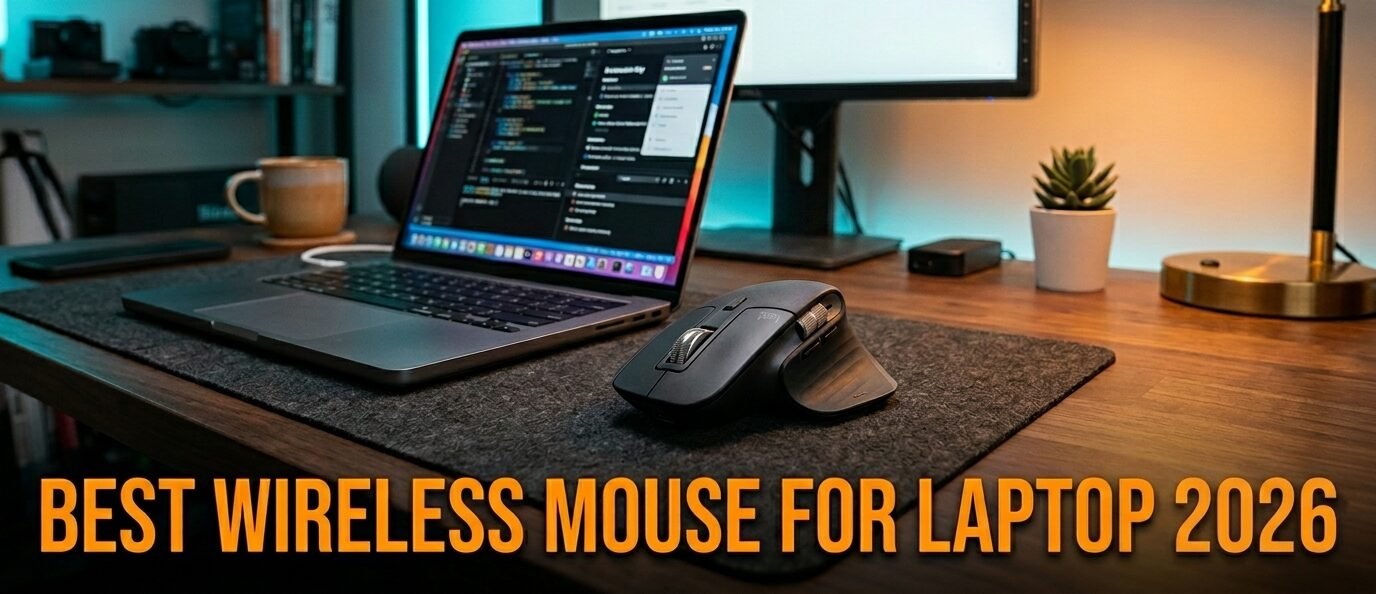
Your laptop’s trackpad is holding you back. That’s not an opinion — it’s a productivity fact that most people don’t realize until they make the switch. The best wireless mouse for laptop use transforms how you work, reducing wrist strain, speeding up navigation, and making everything from spreadsheets to video editing feel noticeably faster. After researching and comparing dozens of wireless mice across every price range, here is what actually works for laptop users in 2026 — and more importantly, what to skip.
This guide is for remote workers, students, and anyone who spends serious time on a laptop and wants a wireless mouse that doesn’t compromise on precision, battery life, or portability. Pair your new mouse with the best mechanical keyboard under $100 for a complete desk upgrade.
Quick Answer
The Logitech MX Master 3S is the best wireless mouse for laptop use for most people — silent clicks, precise tracking on any surface, and enough customization to genuinely change how you work. If portability is your top priority, the Logitech MX Anywhere 3S fits in any bag and performs nearly as well at half the size. Mac users should consider the Apple Magic Mouse for seamless gesture integration. Budget-conscious buyers wanting gaming-grade precision should look at the Razer Pro Click Mini. For maximum portability, the Microsoft Arc Mouse folds completely flat for travel.
Why a Wireless Mouse Makes Such a Difference for Laptop Users
Here’s the thing nobody tells you: the quality gap between a good wireless mouse and your laptop’s trackpad is enormous. Not 10% better — more like 3-4x faster for certain tasks, particularly anything involving precise selection, scrolling through long documents, or navigating between windows.
A good wireless mouse also reduces fatigue significantly. Using a trackpad for 8 hours puts your wrist in an awkward position that accumulates over weeks and months. A proper wireless mouse keeps your hand in a more natural position, which most ergonomics specialists would describe as a meaningful improvement for daily computer users.
The wireless part matters too. No cable means no drag, no desk clutter, and the freedom to use your laptop from a couch, a conference table, or a coffee shop without dealing with a wire that gets in the way. In 2026, wireless mice have zero perceptible lag at 1000Hz polling rates — the “wired is better for precision” argument is effectively dead for productivity use.
The 5 Best Wireless Mice for Laptops in 2026
1. Logitech MX Master 3S — Best Overall (~$100)
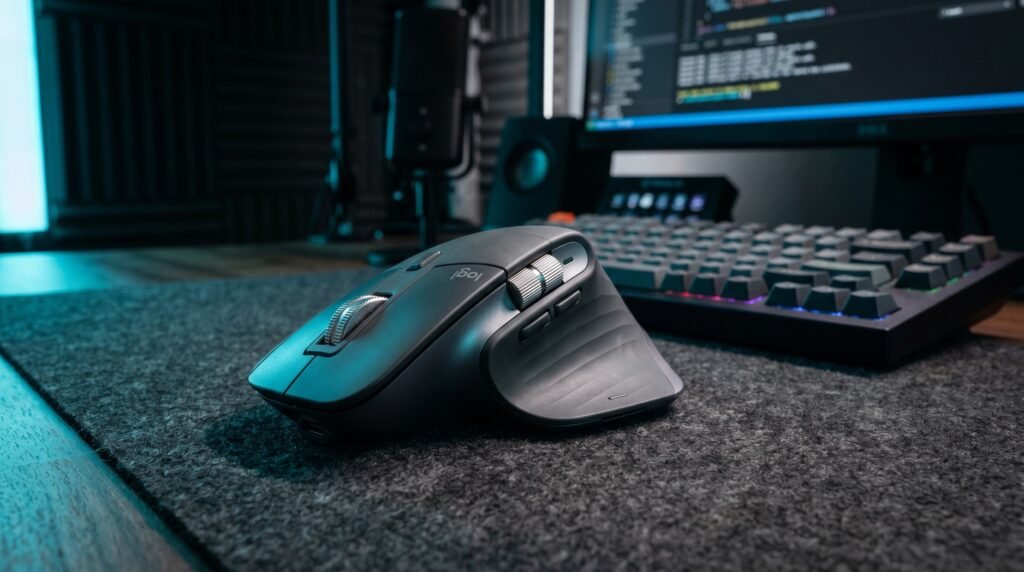
The Logitech MX Master 3S is the benchmark for wireless mice, and it earns that reputation every day. The MagSpeed electromagnetic scroll wheel is genuinely one of the best features on any peripheral — it switches between precise click-to-click scrolling and free-spinning mode automatically depending on your scroll speed. Scroll through a 500-page PDF in about 2 seconds. We’ve used this mouse daily for extended periods and it’s the one recommendation we’d make without hesitation.
Silent clicks, Bluetooth or 2.4GHz via USB receiver, and battery life of up to 70 days on a single charge. Tracks on glass. Works across three devices simultaneously with easy switching via Logitech’s Flow feature.
Real-world detail: The MagSpeed wheel switches from click-to-click to free-spin automatically — flick it once and a 500-page PDF flies past in about 2 seconds, then it re-engages precision mode the moment you slow down. It’s the feature you stop noticing because you can’t imagine working without it.
Best for: Remote workers and power users who spend 6+ hours daily on a laptop and want a mouse that does everything well.
Pros: MagSpeed scroll wheel, silent clicks, multi-device support, tracks on any surface including glass, ergonomic shape, 70-day battery life.
Cons: Large size isn’t ideal for travel, $100 price point, right-hand only design.
2. Logitech MX Anywhere 3S — Best for Portability (~$60)
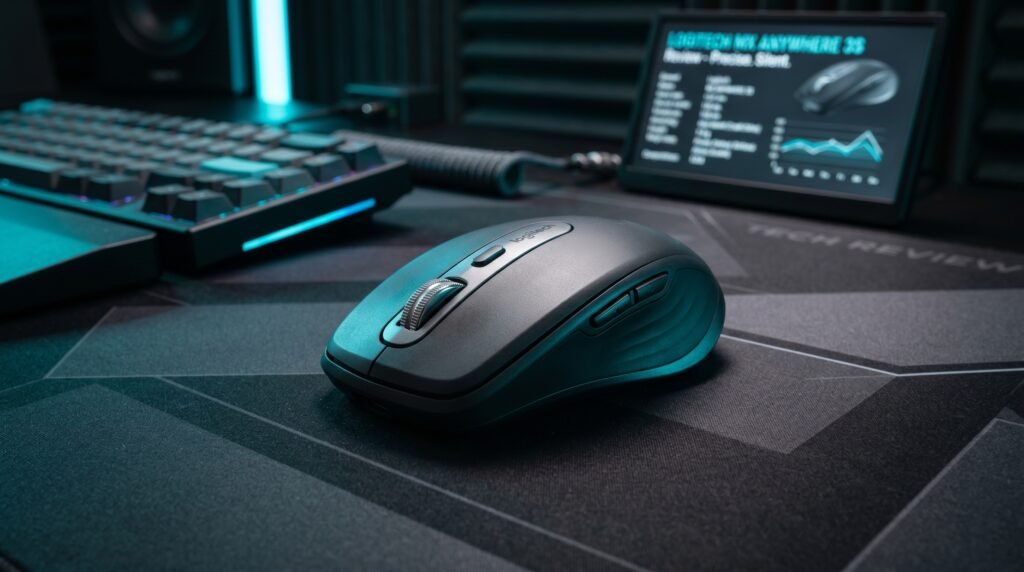
The MX Anywhere 3S takes everything that makes the MX Master 3S great and puts it in a form factor that actually fits in a laptop bag. Same MagSpeed scroll wheel. Same quiet clicks. Same multi-device support via Bluetooth. The difference is size — the Anywhere 3S is genuinely compact at 99g, about 60% the size of the Master 3S.
Real-world scenario: if you commute daily and your laptop bag is already full, the MX Anywhere 3S is the mouse you’ll actually take with you — unlike the bulkier Master 3S that tends to get left at home. Three hours of use from a one-minute quick charge covers emergency situations perfectly.
Best for: Frequent travelers, commuters, and laptop users who split time between home and office.
Pros: Compact at 99g, MagSpeed scroll, quiet clicks, multi-device Bluetooth, tracks on glass, quick charge.
Cons: Smaller size means less palm support for extended use, fewer programmable buttons than the Master 3S, USB receiver not included in base model.
3. Apple Magic Mouse — Best for Mac Users (~$79)
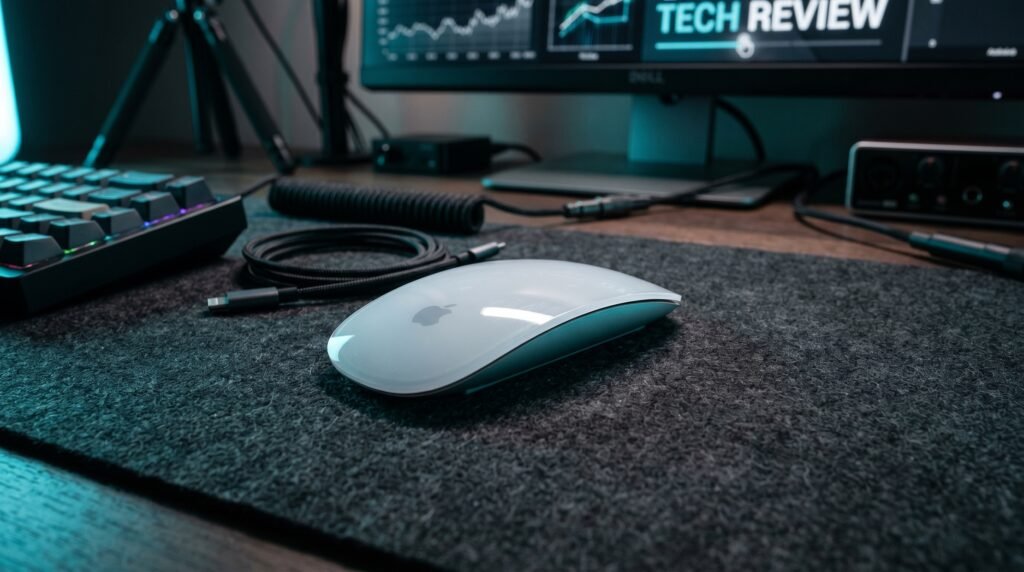
The Apple Magic Mouse is a controversial recommendation. The honest truth is that it’s both the best and worst mouse depending on who’s using it. For Mac users deeply embedded in the Apple ecosystem, the seamless integration — gesture support, momentum scrolling, automatic pairing — is genuinely excellent. The flat surface doubles as a trackpad for two-finger gestures that no other mouse can replicate.
The 2024 USB-C version finally fixes the most criticized design flaw of previous models — it now charges via USB-C like the rest of Apple’s lineup. Still charges on the bottom and remains unusable while charging, but at least you’re not hunting for a Lightning cable anymore.
Real-world detail: The flat top surface reads two-finger swipes like a trackpad — swipe between full-screen Mac desktops without lifting your hand. No other mouse replicates this, and it’s the single reason committed Mac users tolerate the charging quirk.
Best for: Mac users who value gesture integration and already own Apple devices.
Pros: Perfect Mac integration, gesture support, automatic pairing, slim profile, USB-C charging on 2024 model.
Cons: Charges via USB-C on the bottom — unusable while charging, uncomfortable for extended sessions, limited Windows support.
4. Razer Pro Click Mini — Best Precision (~$70)
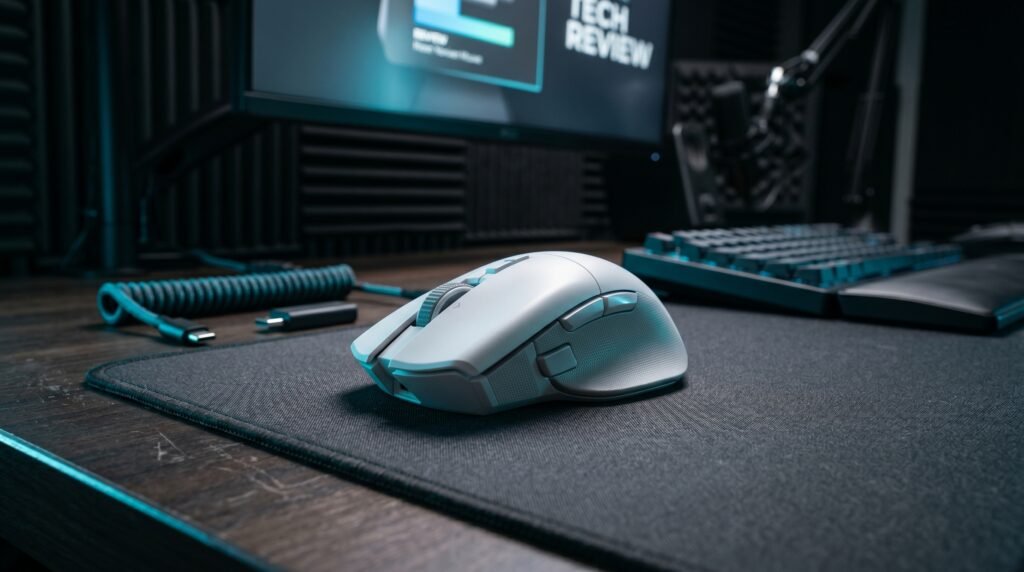
The Razer Pro Click Mini sits in an interesting middle ground — designed for productivity but built on gaming mouse technology. The result is a 10,000 DPI sensor that offers precision pure productivity mice can’t match, in a compact ambidextrous body that works for both left and right-handed users.
Four-way scroll wheel, seven programmable buttons, and Razer’s HyperSpeed wireless technology that delivers 1000Hz polling rate — on par with dedicated gaming mice. Battery life runs around 465 hours on a single AA battery. If you occasionally do design work or photo editing alongside regular productivity tasks, the precision here is immediately noticeable.
Best for: Designers, photo editors, and users who want productivity features with gaming-grade precision.
Pros: Ambidextrous design, 465-hour battery life, 10,000 DPI sensor, HyperSpeed wireless, four-device connectivity.
Cons: AA battery rather than rechargeable, Razer software can be intrusive, smaller size less comfortable for large hands.
5. Microsoft Arc Mouse — Most Portable (~$60)
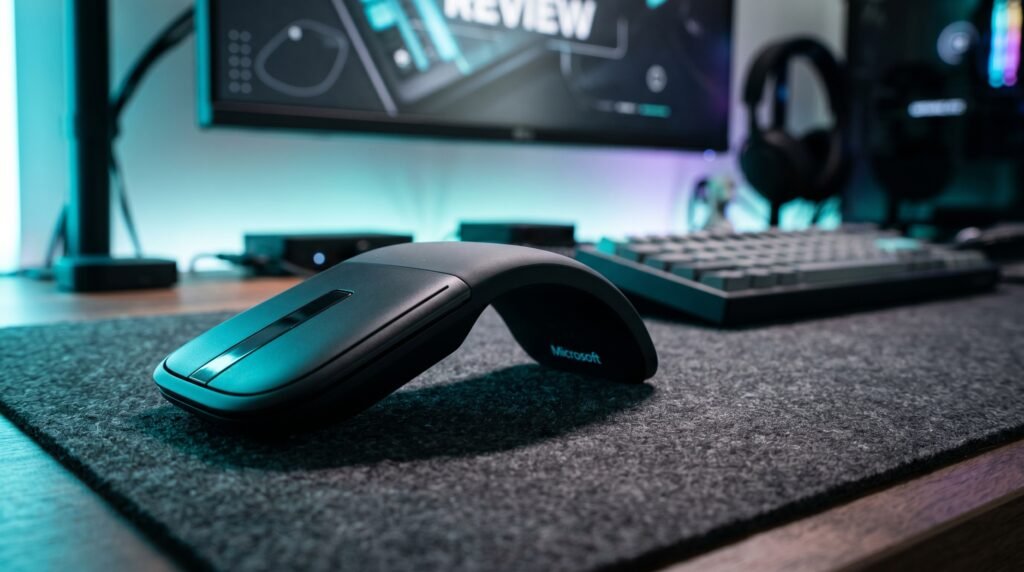
The Microsoft Arc Mouse earns its place not through raw performance but through a genuinely clever design. It folds flat for transport — completely flat, thin enough to slip into any laptop sleeve — and snaps into a curved ergonomic shape when you’re ready to use it. The snap activates the mouse automatically. No power button needed.
What most reviews won’t tell you is that the touch scroll strip is the Arc Mouse’s biggest adjustment. It replaces a traditional scroll wheel with a touch-sensitive surface — takes 2-3 days to adapt but works well once it’s internalized. For users who prioritize travel convenience above everything else, nothing packs smaller.
Best for: Ultra-minimalist travelers who want the most packable wireless mouse available.
Pros: Folds completely flat for travel, elegant design, automatic power on/off, Bluetooth, works with Mac and Windows.
Cons: Touch scroll strip takes adjustment, no physical scroll wheel, less ergonomic than traditional mice for all-day sessions.
Comparison Table
| Product | Price | Best For | Rating |
|---|---|---|---|
| Logitech MX Master 3S | ~$100 | Best overall | 9.5/10 |
| Logitech MX Anywhere 3S | ~$60 | Best for travel | 9/10 |
| Apple Magic Mouse | ~$79 | Best for Mac | 8/10 |
| Razer Pro Click Mini | ~$70 | Best precision | 8.5/10 |
| Microsoft Arc Mouse | ~$60 | Most portable | 7.5/10 |
What to Look for When Choosing a Wireless Mouse for Your Laptop
1. Connection type: Bluetooth vs 2.4GHz USB receiver This is the first decision to make. Bluetooth connects directly to your laptop without using a USB port — ideal if your laptop only has two or three ports. A 2.4GHz USB receiver offers slightly more reliable connection and lower latency, but occupies a USB port permanently. Most premium mice offer both options. If you regularly connect your laptop to external monitors and peripherals, 2.4GHz is the better choice.
2. Battery life and charging The range is enormous — from 30 days to 465+ hours depending on the mouse. Rechargeable mice via USB-C are more convenient than AA battery mice, though AA models often last longer between changes. Check whether your preferred mouse supports quick charge — the MX Master 3S and MX Anywhere 3S both deliver 3 hours of use from a one-minute charge, which effectively eliminates battery anxiety.
3. Size and ergonomics matched to use pattern This is where most people go wrong. They buy a compact travel mouse and use it as their daily driver — leading to hand fatigue within weeks. Match the mouse size to your use pattern: compact mice for travel, full-size mice for desk use. If you’re going to use it primarily at a desk, get a full-size ergonomic option like the MX Master 3S. Save the small mouse for the bag.
4. DPI and sensor quality For standard laptop productivity use, anything above 1000 DPI is more than sufficient. Sensor quality matters more than the number — a good sensor tracks consistently on wood desks, fabric mouse pads, and glass surfaces. The Logitech MX Master 3S and MX Anywhere 3S both use Darkfield sensors that track reliably on glass — relevant if you work on a glass desk.
5. Multi-device support If you use multiple computers — a work laptop and a personal laptop, for example — multi-device support lets you switch between them with a button click rather than re-pairing every time. Logitech’s Easy-Switch is the gold standard. It’s a small feature that becomes essential once you’ve used it.
FAQ
Do wireless mice have lag compared to wired mice?
In 2026, not for most users. Gaming-focused wireless mice operating at 1000Hz polling rate are effectively indistinguishable from wired mice in everyday and competitive gaming scenarios. The 2.4GHz connection on mice like the Logitech MX Master 3S has a reported latency of around 1ms — identical to wired alternatives. Bluetooth is slightly slower but still imperceptible for productivity use.
How long do wireless mouse batteries last?
Battery life varies significantly by mouse and connection type. The Razer Pro Click Mini lasts up to 465 hours on a single AA battery. The Logitech MX Master 3S runs 70 days on a full charge with typical use. Both the MX Master 3S and MX Anywhere 3S support quick charge — one minute of charging delivers 3 hours of use, which covers most emergency situations.
Can I use a wireless mouse with any laptop?
Yes, with very few exceptions. Any laptop with Bluetooth can use a Bluetooth mouse. Any laptop with a USB-A or USB-C port can use a 2.4GHz USB receiver. Mac users should note that some mice have better macOS support than others — Logitech’s Options+ software offers the most comprehensive Mac integration outside of Apple’s own Magic Mouse.
Is it worth spending $100 on a wireless mouse for a laptop?
For users who spend 6+ hours daily on a laptop, yes. The MX Master 3S at $100 costs less per day over 3 years than a daily coffee. The productivity gains — faster scrolling, better precision, reduced wrist fatigue — are real and consistent. For occasional users who use their laptop a few hours per week, a $40-50 option delivers 80% of the experience at 40% of the cost. Match your budget to your usage intensity.
Our Final Verdict
The best wireless mouse for laptop use in 2026 is the Logitech MX Master 3S — and it’s not particularly close. The MagSpeed scroll wheel alone justifies the price for anyone who works with long documents or web pages. For travel-focused users, the MX Anywhere 3S delivers 90% of that experience in a pocket-sized package. Mac users have a legitimate case for the Apple Magic Mouse despite its ergonomic limitations. Whatever your budget, upgrading from your laptop’s trackpad to any of these options will make an immediate, noticeable difference. Check current pricing on Amazon for all five picks.