
This article contains affiliate links. We may earn a commission if you buy through our links, at no extra cost to you.
Best Ergonomic Mouse for Wrist Pain in 2026
Wrist pain from mouse use is not a minor inconvenience — for people who work at a computer 8 hours a day, it’s a career-threatening problem that gets worse the longer you ignore it. The best ergonomic mouse for wrist pain addresses the root cause: a standard flat mouse forces your forearm into an unnatural pronated position that strains tendons and compresses nerves over time. After researching and comparing dozens of ergonomic mice across every design category — vertical, trackball, pen-style, and contoured — here is what actually works for people dealing with real wrist discomfort.
This guide covers the top picks for 2026, explains the science behind why certain designs help, and gives you a clear framework to choose the right ergonomic mouse for your specific situation. Not sure whether to go wired or wireless? Our guide to the best wireless mouse for laptop covers everything you need to know.
Quick Answer
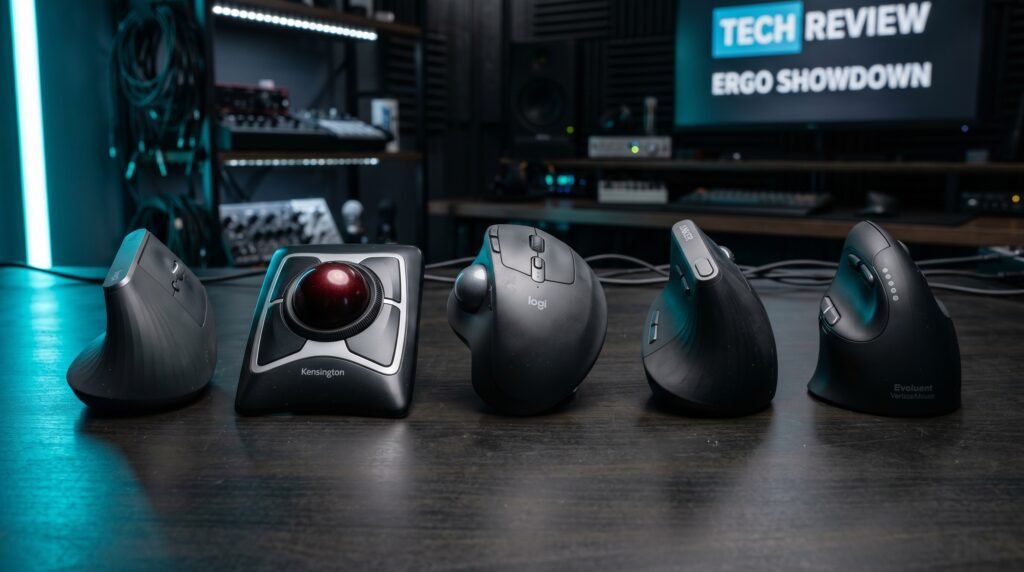
The Logitech MX Vertical is the best ergonomic mouse for wrist pain for most people — the 57-degree vertical angle reduces forearm muscle strain by up to 10% compared to a standard mouse, and it works on any surface with Logitech’s precise sensor. For users with severe wrist issues or RSI, the Kensington Expert Wireless Trackball eliminates mouse movement entirely, making it the most therapeutic option available. Users who want adjustable trackball comfort should look at the Logitech MX Ergo. Budget-conscious buyers can test the concept with the Anker Vertical Mouse. Large-handed and left-handed users should consider the Evoluent VerticalMouse 4.
Why Standard Mice Cause Wrist Pain — And What Actually Fixes It
Most people assume wrist pain from mouse use comes from clicking too much or moving the mouse too far. The real culprit is forearm pronation — the rotation of your forearm that puts your palm face-down on a standard mouse. Hold your arm naturally at your side: your palm faces inward, toward your body. Now put it on a flat mouse: your forearm rotates 180 degrees. That rotation is held for hours at a time, and the muscles that maintain it — the pronator teres and pronator quadratus — fatigue and inflame over weeks and months.
The fix isn’t rest. The fix is changing the angle. Vertical mice hold your hand in that natural “handshake” position, reducing the muscular load significantly. Trackball mice eliminate arm movement entirely. Pen-style mice distribute grip pressure differently.
The counterintuitive truth is that switching to an ergonomic mouse feels awkward for the first 5-7 days. Most people try one for two days, decide it’s uncomfortable, and go back to what hurts them. Push through the adjustment period — nearly every user who sticks with a vertical mouse for two weeks reports noticeably less end-of-day wrist fatigue.
The Different Types of Ergonomic Mice Explained
Not all ergonomic mice solve the same problem. Understanding which type addresses your specific pain is more important than picking any individual product.
Vertical mice hold your hand at a 57-90 degree angle, eliminating forearm pronation. Best for people whose pain is in the forearm, wrist, or who have been told they have early RSI symptoms. This is the most popular ergonomic mouse category and the best starting point for most people.
Trackball mice keep your hand completely stationary — you move the cursor by rolling a ball with your thumb or fingers. Zero arm or wrist movement required. Best for people with shoulder pain, severe RSI, or anyone who needs to completely eliminate repetitive arm motion.
Contoured ergonomic mice are oversized, carefully shaped standard mice designed to support your palm and fingers in a more natural resting position. Less radical than vertical mice but easier to adapt to. Best for people with mild discomfort who aren’t ready for a full ergonomic switch.
Pen-style mice hold like a pen, distributing grip pressure across fingers rather than palm. Niche category — excellent for illustrators and designers but less practical for general office use.
In our experience, vertical mice solve the problem for roughly 70% of people with wrist pain. If you’ve tried one and it didn’t help, a trackball is usually the next step.
The 5 Best Ergonomic Mice for Wrist Pain in 2026
1. Logitech MX Vertical — Best Overall (~$100)
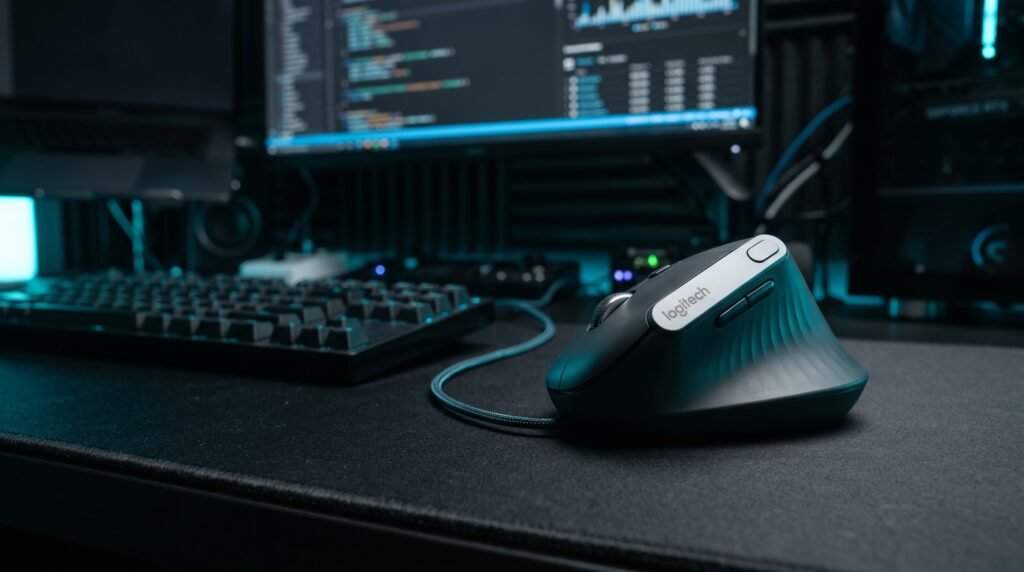
The Logitech MX Vertical is where most people with wrist pain should start. The 57-degree angle is precisely engineered — not arbitrary — and Logitech’s research indicates it reduces muscle strain by up to 10% compared to standard mice. The build quality is excellent, the sensor is precise enough for any office task, and the Logitech Options+ software lets you customize the four buttons to your workflow.
Wireless via Bluetooth or 2.4GHz USB receiver, 4-month battery life on a full charge with 3 hours of use from a one-minute quick charge, and a textured grip that keeps your hand in the correct position rather than letting it slip. Works on Mac and Windows equally well.
Best for: Office workers, developers, and writers dealing with wrist or forearm pain from daily mouse use.
Pros: Clinically studied 57-degree angle, excellent build quality, wireless, 4-month battery life, Logitech ecosystem integration, tracks on any surface.
Cons: Takes 7-10 days to fully adapt, right-hand only, $100 price point.
2. Kensington Expert Wireless Trackball — Best for Severe RSI (~$85)
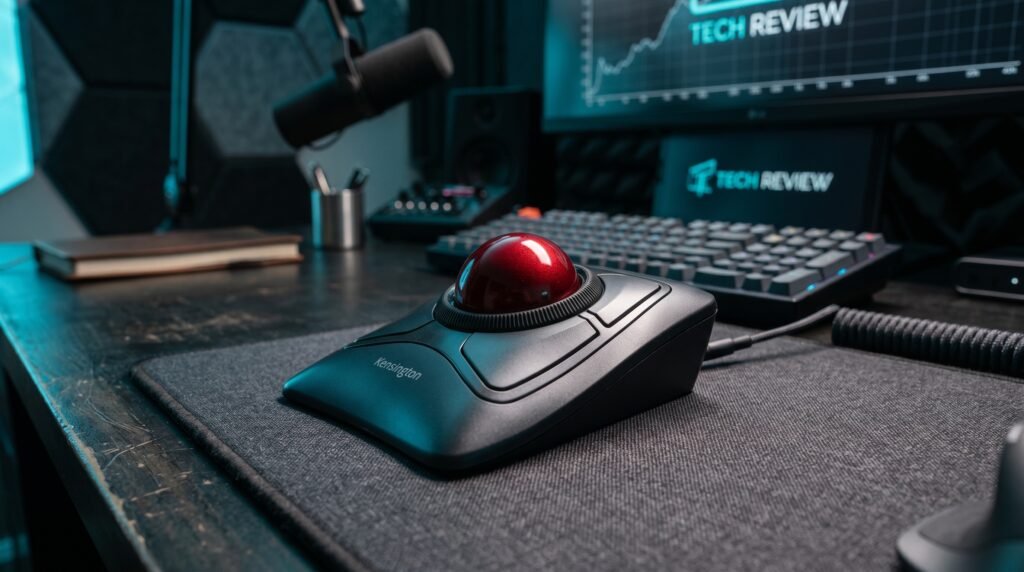
The Kensington Expert Wireless Trackball is the recommendation for anyone whose wrist pain has progressed beyond mild discomfort. By eliminating arm movement entirely — you control the cursor with your fingers rolling a 55mm ball — it removes the repetitive motion that causes RSI to develop and worsen. Real-world scenario: a graphic designer who couldn’t use a standard mouse for more than 20 minutes without sharp pain reported being able to work a full 8-hour day within two weeks of switching to this trackball.
The scroll ring around the ball is a Kensington-specific feature that makes scrolling genuinely comfortable without any thumb strain. Connects via Bluetooth 4.0 or USB nano receiver — ambidextrous design works for both hands.
Best for: Users with RSI, carpal tunnel symptoms, or anyone who needs to eliminate arm and wrist movement entirely.
Pros: Eliminates arm movement, scroll ring design, ambidextrous, 4-button layout, wireless, detachable wrist rest included.
Cons: Steep learning curve (10-14 days), requires cleaning the ball and socket regularly, less intuitive for fast cursor movements.
3. Logitech MX Ergo — Best Trackball for Comfort (~$100)
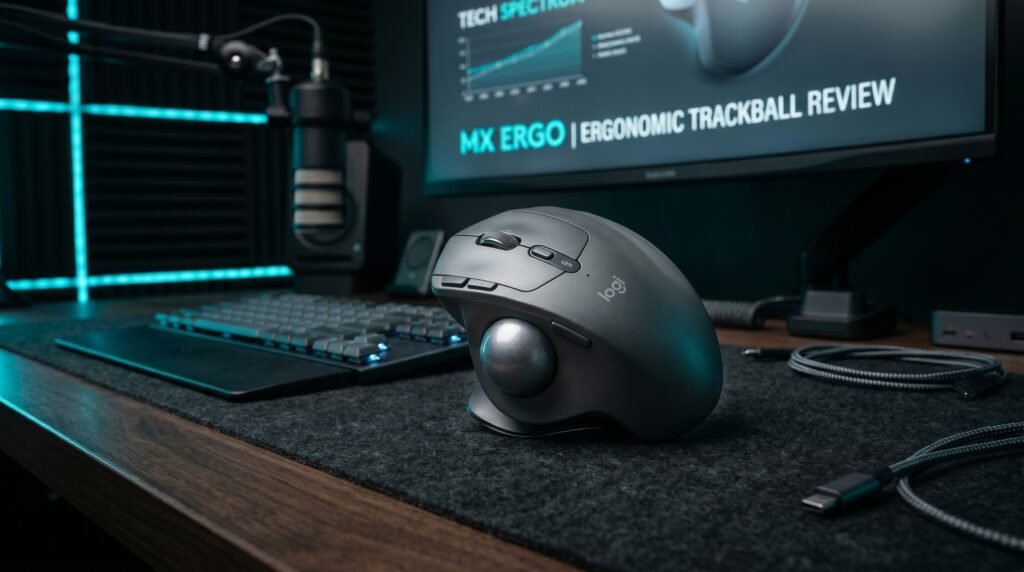
The Logitech MX Ergo is a trackball mouse with one feature that sets it apart from every competitor: an adjustable tilt angle of 0 or 20 degrees. This lets you start at the flatter position while you adapt, then tilt to 20 degrees as your wrist improves — effectively using it as a recovery tool with adjustable intensity.
We found this adjustability particularly valuable for users who are transitioning from a standard mouse and want to ease into ergonomic positioning rather than making an abrupt switch. Logitech Flow enables seamless multi-computer control across two devices, and battery life runs up to 70 days on a full charge.
Best for: Users who want trackball ergonomics with the ability to customize the angle as they adapt.
Pros: Adjustable 0-20° tilt, 70-day battery life, multi-device support, premium build quality, Bluetooth or USB receiver.
Cons: Right-hand only, $100 price point, trackball learning curve applies, larger footprint than standard mice.
4. Anker Vertical Ergonomic Mouse — Best Budget Pick (~$25)
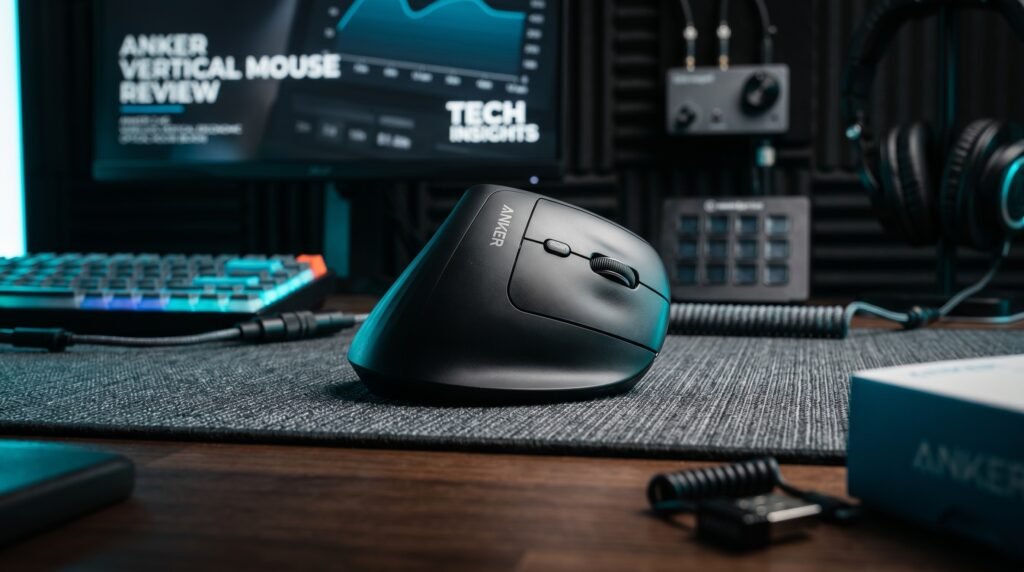
The honest truth about vertical mice is that the ergonomic benefit comes primarily from the angle, not the brand. The Anker Vertical Ergonomic Mouse delivers that same vertical handshake angle at a fraction of the price of the Logitech MX Vertical. For someone who isn’t sure whether a vertical mouse will work for them, spending $25 to test the concept before committing to a $100 premium option is entirely sensible.
Build quality is noticeably lower — the plastic feels cheaper, the buttons have less satisfying feedback — but the core ergonomic function works. 800/1200/1600 DPI, 2.4GHz wireless via USB receiver, and 5 buttons. If you try this and it helps, upgrade to the MX Vertical. If it doesn’t help, you’ve only spent $25 to find out.
Best for: Budget-conscious buyers testing vertical mice for the first time before committing to a premium option.
Pros: Same ergonomic angle as premium options, wireless, 3 DPI settings, affordable, 18-month warranty.
Cons: Cheaper build quality, shorter battery life, less precise sensor, no software customization, AAA batteries required.
5. Evoluent VerticalMouse 4 — Best for Large Hands (~$90)
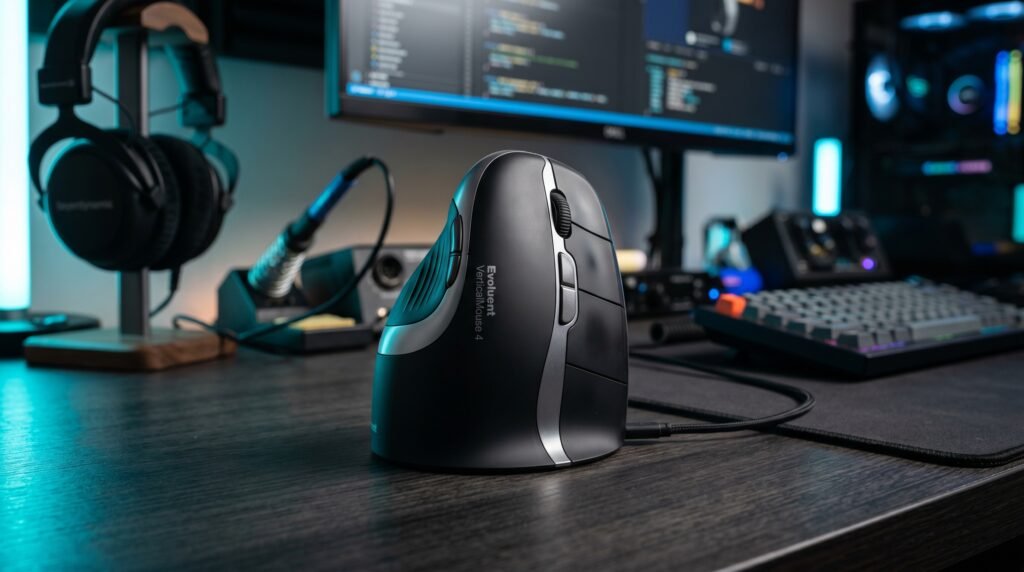
The Evoluent VerticalMouse 4 solves a problem the Logitech MX Vertical ignores: hand size. The MX Vertical fits medium hands well but leaves large-handed users with fingers hanging off the back. The VerticalMouse 4 is specifically designed with a taller profile that accommodates larger hands properly — and Evoluent makes both right and left-handed versions, making it one of the few premium ergonomic mice that works for left-handers.
The LED indicator showing current DPI setting is a small but genuinely useful feature for switching between precise work and fast navigation. Optional Evoluent Mouse Manager software for Windows allows deep button customization.
Best for: Users with large hands, left-handed users, and anyone the MX Vertical doesn’t fit comfortably.
Pros: Available in left and right-handed versions, accommodates large hands, DPI indicator, solid precision sensor, pinky support.
Cons: Wireless version costs more (~$110), older design aesthetic, less software support than Logitech on macOS.
Comparison Table
| Product | Price | Best For | Rating |
|---|---|---|---|
| Logitech MX Vertical | ~$100 | Best overall ergonomic mouse | 9.5/10 |
| Kensington Expert Trackball | ~$85 | Severe RSI and no arm movement | 9/10 |
| Logitech MX Ergo | ~$100 | Adjustable trackball comfort | 9/10 |
| Anker Vertical Mouse | ~$25 | Budget testing option | 7.5/10 |
| Evoluent VerticalMouse 4 | ~$90 | Large hands and left-handers | 8.5/10 |
What to Look for When Choosing an Ergonomic Mouse for Wrist Pain
1. Mouse type matched to your pain location Wrist pain specifically — especially at the base of the thumb or along the outside of the wrist — responds best to vertical mice. Forearm and elbow pain often indicates the problem is further up the kinetic chain, and a trackball may help more by eliminating arm movement. Finger pain or numbness suggests nerve compression and warrants a visit to a doctor alongside any equipment change — no mouse will fix a genuine carpal tunnel diagnosis on its own.
2. Hand size compatibility Most ergonomic mice are designed for medium hands. Measure your hand from wrist crease to middle fingertip: under 17cm is small, 17-19cm is medium, over 19cm is large. The Logitech MX Vertical fits medium hands well. Large hands need the Evoluent or similar. Small hands may find the Anker Vertical more comfortable than the bulkier premium options.
3. Right or left-handed The majority of ergonomic mice are right-hand only — an oversight that affects 10% of the population significantly. Left-handed users have limited options: the Kensington Expert Trackball, the Evoluent VerticalMouse 4 left-hand version, or ambidextrous designs. Check hand orientation before purchasing.
4. Wireless vs wired For ergonomic mice specifically, wireless is strongly preferable. A cable creates drag that causes you to subtly adjust your grip and arm position to compensate — exactly the kind of micro-tension that aggravates wrist pain. Every premium ergonomic mouse recommendation on this list is wireless for this reason.
5. Adjustment period expectations Every ergonomic mouse manufacturer recommends a 2-week adaptation period. The first 3-5 days will feel awkward and you’ll be slower than usual. Days 6-10 it starts to feel normal. By day 14, most users report they’d struggle to go back to a standard mouse. If you evaluate at day 3 and decide it “doesn’t work,” you’re evaluating too early.
FAQ
How long does it take for an ergonomic mouse to reduce wrist pain?
Most users notice a reduction in end-of-day wrist fatigue within 2-3 weeks of consistent use. Acute pain from an existing injury won’t disappear from a mouse switch alone — you’re preventing further damage and reducing daily strain, not treating an injury. If you’re experiencing sharp or persistent pain, combine the ergonomic mouse switch with rest periods every 30-45 minutes and consult a medical professional for assessment.
Is a vertical mouse or a trackball better for wrist pain?
It depends on the source of the pain. A vertical mouse is better for most people — it addresses forearm pronation, which is the most common cause of mouse-related wrist discomfort. A trackball is better for people whose pain comes from repetitive arm motion rather than forearm rotation, or those with more advanced RSI symptoms. We’d recommend starting with a vertical mouse and moving to a trackball if you don’t see improvement after 3 weeks.
Can an ergonomic mouse fix carpal tunnel syndrome?
No. Carpal tunnel syndrome is a medical condition involving nerve compression that typically requires medical treatment — sometimes including surgery in advanced cases. An ergonomic mouse can reduce the strain that contributes to carpal tunnel symptoms and may slow progression, but it cannot reverse nerve damage or fix an existing condition. If you suspect carpal tunnel, see a doctor before relying on equipment changes alone.
Are cheap ergonomic mice worth buying?
For testing whether a vertical design works for your anatomy — yes, absolutely. The Anker Vertical Mouse at $25 delivers the same ergonomic angle as the $100 Logitech MX Vertical. If the angle helps, upgrade to the premium version for better build quality and sensor precision. If it doesn’t help, you’ve spent $25 to narrow down your options rather than $100. What most reviews won’t tell you is that the ergonomic benefit is primarily geometric — the angle matters more than the brand on the box.
Our Final Verdict
Wrist pain from mouse use is entirely preventable with the right equipment. The Logitech MX Vertical is the clearest recommendation for most people — the 57-degree angle, excellent build quality, and wireless convenience make it the standout choice. For severe RSI or carpal tunnel symptoms, the Kensington Expert Trackball eliminates arm movement entirely. Budget-conscious buyers should start with the Anker Vertical Mouse to confirm the design works before upgrading. Give any ergonomic mouse a full two weeks before evaluating. Check current pricing on Amazon and make the switch before the pain gets worse.