
This article contains affiliate links. We may earn a commission if you buy through our links, at no extra cost to you.
The best hall effect keyboard under $100 is decided by layout, not by brand. Below that price the magnetic switch technology is close to identical across models: adjustable actuation, rapid trigger and 8,000Hz polling now come standard on boards costing less than a decent mouse.
That wasn’t true two years ago, when hall effect meant $150 and up. The technology trickled down fast, and the competitive advantage it once bought is now a $40 purchase.
After comparing actuation ranges, polling rates, switch materials, software support and owner feedback across more than 20 magnetic boards, five stand out. One wins for most players, three cover the layouts the winner doesn’t, and one proves how cheap this category has become.
Quick Answer
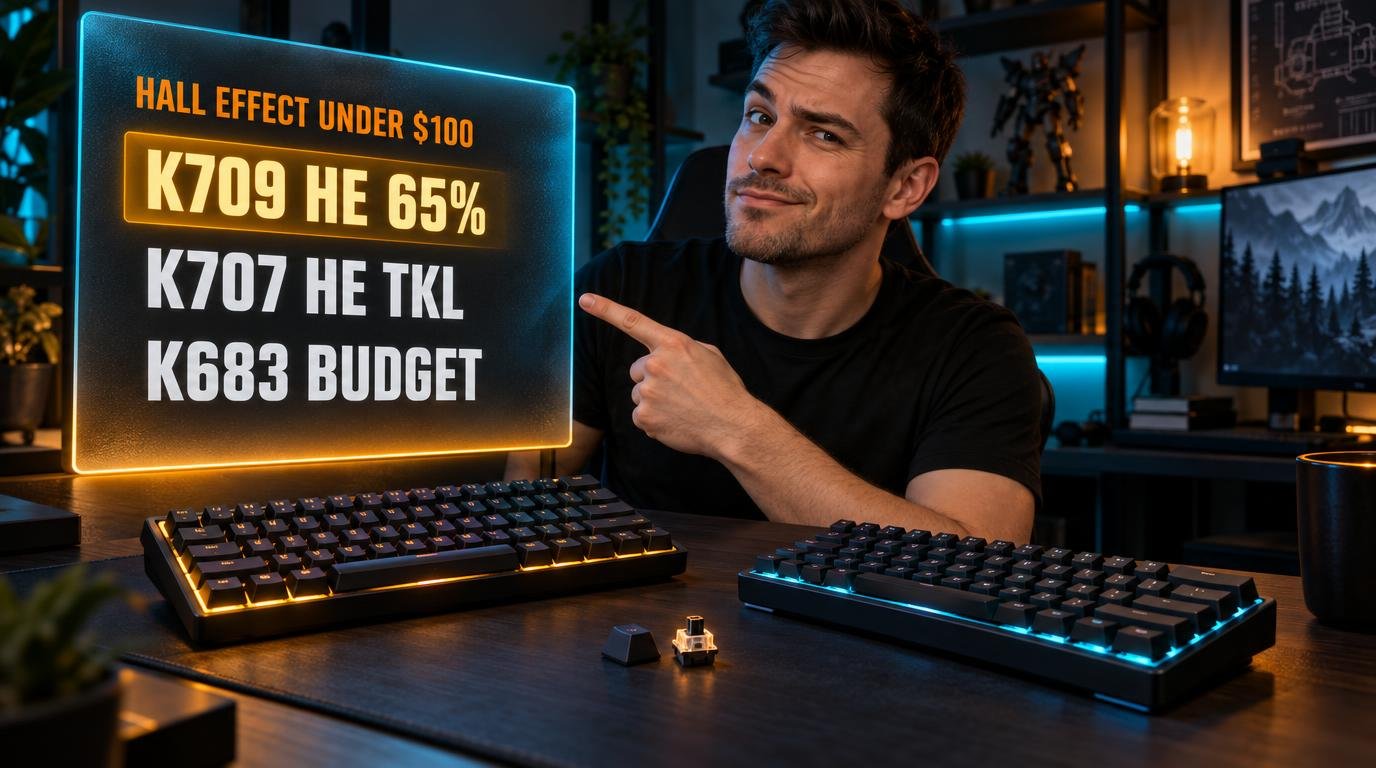
The Redragon K709 HE is the best hall effect keyboard under $100 for most people, with UltraMag POM switches and actuation adjustable from 0.1 to 3.4mm. If you need arrow keys, the Redragon K707 HE is the TKL version, the Redragon K686 HE adds a numpad and a control wheel, and the Redragon K683 brings 8K polling in at around $35.
What Does a Hall Effect Keyboard Actually Do Differently?
A hall effect keyboard senses key position magnetically instead of closing a physical contact, so the board knows exactly how far down each key sits at any moment. That single difference produces every feature this category sells.
Adjustable actuation comes first. Instead of a fixed trigger point, you choose where the key registers: the Redragon K709 HE ranges from 0.1mm to 3.4mm, so the same board can be feather-light for gaming and deliberately deep for typing.
Rapid trigger is the feature people actually buy it for. The key resets the instant you start lifting it rather than waiting to pass a fixed reset point, which matters for counter-strafing in shooters.
The technology does nothing for typing speed. If you write code or emails all day, a magnetic board offers no advantage over a good mechanical one, and a light actuation point produces more typos rather than fewer. For that job, the boards in our guide to the best mechanical keyboard for typing remain the better buy.
Is a 0.1mm Actuation Point Real?
The advertised 0.1mm precision is a software resolution, not a guarantee. Redragon’s own listings state that the actual effect at 0.1 to 0.2mm may be affected by normal component tolerances, which is an unusually honest admission from a spec sheet.
The most extreme setting is the one you should avoid. At 0.1mm, resting a finger on a key can register it, so a single-pixel adjustment in a shooter becomes a stray input in chat.
Most players settle somewhere between 0.5mm and 1.2mm for gaming, deep enough to avoid ghost presses while still triggering earlier than a standard mechanical switch at 2mm.
Treat the range as the useful spec, not the minimum. A board that adjusts from 0.1 to 3.4mm lets you set a shallow gaming profile and a deeper typing profile and switch between them, which is worth more than any number at the bottom of the scale. The Redragon K683 covers 0.3 to 4.0mm, a wider deep end that suits anyone who bottoms out hard.
Which Layout Should You Buy?
Layout is the only meaningful decision left under $100, because the switch technology barely varies between these boards. Pick the size first and let the rest follow.
The cheapest option is also the least practical for daily use. A 60% board like the Redragon K683 drops arrow keys, the function row and the navigation cluster, so every one of those inputs becomes a key combination you have to remember.
Gaming is what makes 60% defensible. A 61-key board frees roughly 10 centimeters of desk for mouse movement, which matters at low sensitivity.
If the same computer handles work and games, a 65% or TKL layout is the safer buy. The Redragon K709 HE keeps arrow keys at 68 keys, and the Redragon K707 HE adds the full function row at 87. For spreadsheets, the 98-key Redragon K686 HE keeps the numpad, and our guide to the best tenkeyless mechanical keyboard covers the same size question in standard mechanical boards.
Does 8000Hz Polling Matter on a Keyboard?
An 8,000Hz polling rate reports key state 8,000 times per second, cutting latency from 1ms to 0.125ms. Every board in this guide offers it, which tells you how little it costs to implement.
The number has less effect on a keyboard than on a mouse. A mouse reports continuous movement, so more samples produce visibly smoother tracking; a key is either down or up, and the gain is a fraction of a millisecond on a single event.
There’s also a cost. At 8,000Hz your CPU processes eight times as many reports, which shows up on older processors running demanding games.
If your PC is recent and you play competitively, leave it on and forget it. If you’re on a six-year-old build and frame times stutter, drop the keyboard to 1,000Hz before you blame the game. We’d never choose between two boards on polling rate alone at this price, because all of them list the same figure.
What Do You Give Up Under $100?
Under $100, you give up build quality and wireless, not features. These boards ship with the full software feature set, then save money on the case, the stabilizers and the connection.
Every hall effect board in this price range is wired. Magnetic switches draw continuous power to sense position, so a wireless magnetic board costs considerably more, and that’s the clearest line between this category and the $150 tier.
Quality control is the other gap. Redragon’s own product pages carry owner reports of RGB lighting failing on the K686 HE within months, which is the kind of issue that appears at this price and rarely at twice it.
Keycaps and sound are where the money shows. The K709 HE includes five layers of noise dampening and POM switches, which is generous at this price, while cheaper boards sound hollow. If a keyboard has to look and sound good on a desk you show people, we’d spend the full $100 rather than $35.
Best Hall Effect Keyboards Under $100: Comparison Table
| Product | Price | Best For | Rating |
|---|---|---|---|
| Redragon K709 HE | ~$55 | Best overall | 9/10 |
| Redragon K707 HE | ~$70 | Best TKL | 8.5/10 |
| Redragon K686 HE | ~$80 | Numpad users | 8/10 |
| Redragon K683 | ~$35 | Best budget | 8/10 |
| DAREU 60% Hall Effect | ~$40 | 60% alternative | 7.5/10 |
Detailed Reviews
Redragon K709 HE — Best Overall
Sixty-eight keys with arrow keys intact is the layout most people should buy, and the K709 HE builds it around Redragon’s UltraMag magnetic switches. Those use a full-POM construction with a dual-module floating structure that reduces key wobble, and actuation adjusts in 0.1mm steps anywhere from 0.1 to 3.4mm. Native 8,000Hz polling gives 0.125ms latency over USB-C, and five layers of noise dampening sit between the plate and the case.
If your desk hosts both work and games, this is the size that avoids compromise: you keep arrow keys for spreadsheets and documents, and still free desk space a full-size board would eat.
Its driver was Windows-only until recently, and now runs in a browser, which is the fix Mac and Linux users needed. There’s no function row, so F-keys are a Fn combination, and it’s wired only. At around $55 it’s the one we’d buy without hesitating.
Best for: Players who want one board for gaming and daily work.
Real-world detail: Actuation adjusts from 0.1 to 3.4mm, so one profile can be set at 0.6mm for gaming and another at 2mm for typing.
Pros: POM UltraMag switches, 0.1-3.4mm actuation range, 8,000Hz polling, five-layer dampening, browser-based driver.
Cons: No function row, wired only, RGB software depth limited next to premium brands.
Redragon K707 HE — Best TKL
Eighty-seven keys is the layout that stops you memorizing shortcuts. The K707 HE runs the same hall effect magnetic switches with adjustable actuation and native 8,000Hz polling as the smaller boards, but keeps the full function row and a dedicated arrow cluster, finished with side-printed PBT gradient keycaps that resist shine.
If you use F-keys for anything, from renaming files to bindings in a flight sim or an MMO, a TKL removes the daily friction that a 60% or 65% board creates. It still saves the roughly 15 centimeters of desk that a numpad occupies.
The trade is mouse space: a TKL sits wider than the 65% K709 HE, so low-sensitivity players lose some of the lane they were buying a compact board to get. PBT keycaps and the side-printed legends also divide opinion, since legends on the front of the keycap are harder to read in dim light. For the extra $15 over the K709 HE, the function row is worth it if you actually use it.
Best for: Players who need F-keys and arrow keys without a numpad.
Real-world detail: At 87 keys it keeps the full function row, which the 65% and 60% boards here move behind an Fn layer.
Pros: Full function row, dedicated arrows, 8,000Hz polling, adjustable actuation, PBT keycaps.
Cons: Wider than a 65%, side-printed legends hard to read in low light, wired only.
Redragon K686 HE — Best With a Numpad
Accountants and spreadsheet users get one option here. The K686 HE packs 98 keys, including a full numpad, into a compact full-size frame, with UltraMag POM magnetic switches, rapid trigger, 8,000Hz polling and a multi-function control wheel for volume and media. Snap Tap and SOCD handling are included in the PRO software for competitive FPS play.
If your work involves data entry and your evenings involve shooters, this is the only layout here that serves both without a separate number pad on the desk.
Quality control is the reason it isn’t ranked higher. Redragon’s own product page carries owner reports of RGB backlighting flickering or failing across the bottom rows within months, and it uses two layers of noise dampening rather than the five in the K709 HE, so it sounds harder. It’s also the largest board here, which undoes the desk-space argument for a compact gaming keyboard. Buy it for the numpad, not for the feel.
Best for: Spreadsheet work and gaming on the same keyboard.
Real-world detail: It uses two layers of noise dampening against five on the K709 HE, so it sounds noticeably harder.
Pros: Full numpad in 98 keys, control wheel, POM magnetic switches, Snap Tap and SOCD support.
Cons: Reported RGB failures, less dampening than cheaper models here, largest footprint.
Redragon K683 — Best Budget
Around $35 buys the same core technology the $100 boards use. The K683 is a 61-key 60% board with hall effect magnetic switches, native 8,000Hz polling at 0.125ms latency, and actuation adjustable in 0.1mm steps across a 0.3 to 4.0mm range, the deepest maximum in this guide. Its software also supports two actions on one key depending on how far you press.
If you play at low sensitivity and want maximum mouse room, a 61-key board frees roughly 10 centimeters compared with a TKL, and at this price you can treat it as a dedicated gaming board rather than your only keyboard.
The 60% layout is the cost, and it’s a real one: no arrow keys, no function row, no navigation cluster, all behind Fn combinations. Build quality matches the price, with a lighter case and simpler keycaps than the K709 HE. For a second keyboard used only for games, it’s hard to argue against.
Best for: Low-sensitivity players who want a cheap dedicated gaming board.
Real-world detail: Its 0.3 to 4.0mm range has the deepest maximum here, which suits players who bottom out hard.
Pros: Around $35, 8,000Hz polling, 0.3-4.0mm actuation, dual-action keys, tiny footprint.
Cons: No arrow keys or function row, basic build, wired only.
DAREU 60% Hall Effect — Best Non-Redragon Option
Buying outside one brand has value in itself. DAREU’s 60% magnetic board offers the same headline features as the Redragon boards, with hall effect switches, adjustable actuation and rapid trigger mode, at a price that usually lands near $40 once the listing coupons are applied.
If you already own Redragon peripherals and want to avoid running a second piece of software, or you simply prefer not to buy four devices from one brand, this covers the 60% slot with a different driver and a different support line.
Documentation is thinner than Redragon’s. DAREU publishes less detail about its actuation range and switch materials, so you’re buying on the category’s standard features rather than on published specs, and long-term owner feedback is sparser. It’s a 60% board, so the same missing arrow keys and function row apply. We’d pick the K683 first on documented specs, and this second if brand diversity matters to you.
Best for: Buyers who want a magnetic 60% board from a brand other than Redragon.
Real-world detail: Its listing price moves with stacked coupons, so the figure you see first is rarely the checkout price.
Pros: Rapid trigger and adjustable actuation, compact 60% layout, frequent coupon pricing, alternative to a single-brand setup.
Cons: Less published spec detail, sparse long-term feedback, no arrow keys or function row.
What to Look for When Choosing a Hall Effect Keyboard Under $100
1. Choose the layout first. Under $100 the switch technology barely varies, so the size is the decision. 60% for maximum mouse room, 65% for arrows, TKL for F-keys, 98 keys for a numpad.
2. Read the actuation range, not the minimum. A 0.1mm floor is marketing; component tolerances affect anything below 0.2mm. What matters is the spread between the shallow gaming setting and a deeper typing setting.
3. Check the software platform. Some boards were Windows-only until browser-based drivers arrived. If you use a Mac or Linux, confirm that a web driver exists before buying.
4. Expect wired. Magnetic switches draw continuous power to sense key position, so wireless models sit well above this price range.
5. Look at dampening layers and switch material. POM switches and five layers of foam are what separate a $55 board from a $35 one, since both list the same features.
FAQ
Is a hall effect keyboard worth it under $100?
Yes, a hall effect keyboard under $100 now delivers the same core features as premium models: adjustable actuation, rapid trigger and 8,000Hz polling. What you give up at this price is build quality, wireless connectivity and consistent quality control, not functionality. For competitive shooters, the value is high.
What is rapid trigger on a keyboard?
Rapid trigger resets a key the instant you begin lifting it, rather than waiting for it to pass a fixed reset point. That lets you press the same key again much faster, which matters most for counter-strafing in shooters. It only works on magnetic hall effect switches, not standard mechanical ones.
Are hall effect keyboards better for typing?
Hall effect keyboards offer no typing advantage over good mechanical boards, and a very shallow actuation point tends to increase typos. Their benefit is gaming-specific: adjustable actuation and rapid trigger. If you mostly type, choose a mechanical keyboard on feel and sound instead.
Are there wireless hall effect keyboards under $100?
Wireless hall effect keyboards are rare under $100, because magnetic switches need continuous power to sense key position, which shortens battery life and raises cost. Nearly every board in this price range is wired over USB-C. Expect to pay well above $100 for a wireless magnetic keyboard.
Our Final Verdict
For most players, the Redragon K709 HE is the hall effect keyboard to buy under $100: UltraMag POM switches, a 0.1 to 3.4mm actuation range, 8,000Hz polling and five layers of dampening in a 65% layout that keeps arrow keys.
If you need the function row, the Redragon K707 HE is the same board at 87 keys. The Redragon K686 HE is the only option here with a numpad, the Redragon K683 delivers the same core technology at around $35, and the DAREU 60% covers the same slot from a different brand.