
This article contains affiliate links. We may earn a commission if you buy through our links, at no extra cost to you.
Best Mechanical Keyboard for Typing in 2026
Most people don’t realize how much their keyboard is slowing them down until they type on a good one. The difference between a membrane keyboard and the best mechanical keyboard for typing isn’t subtle — it’s the difference between fighting your equipment and flowing through it. Tactile feedback that tells your fingers exactly when a key registers. Sound that confirms each keystroke without requiring you to bottom out every key. A typing experience that’s measurably faster and significantly less fatiguing over long sessions. After researching and comparing dozens of mechanical keyboards specifically for typing performance — not gaming, not aesthetics — here is what actually works for writers, developers, and professionals who type for hours daily in 2026.
This guide covers every price point from budget to premium. For context on which switch type suits your typing style before choosing a keyboard, see our in-depth guide on how to choose a mechanical keyboard switch — the switch decision is as important as the keyboard itself.
Quick Answer
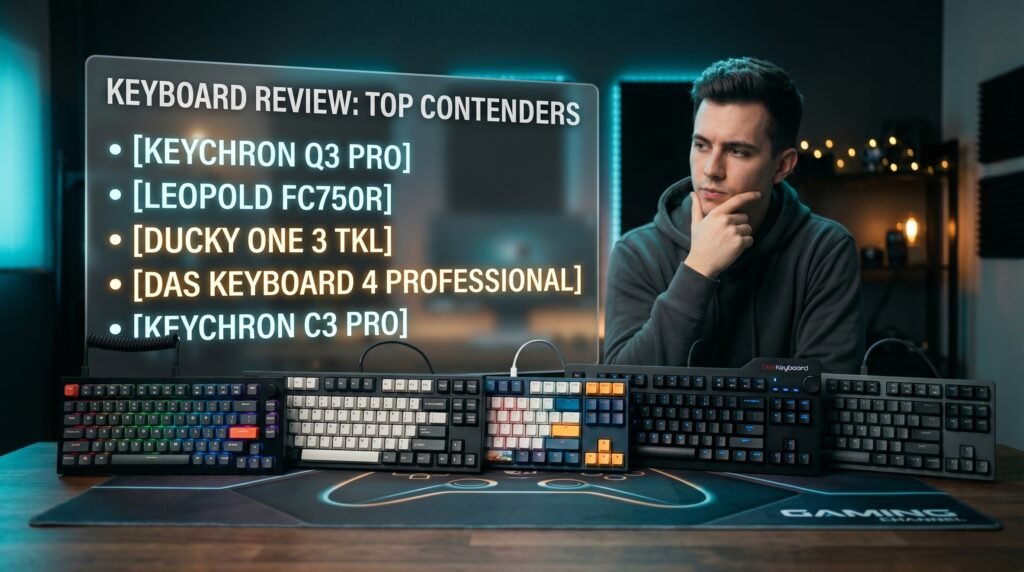
The Keychron Q3 Pro is the best mechanical keyboard for typing for most people — full aluminum construction with double-gasket mounting produces the most comfortable, cushioned typing experience available under $200, and wireless plus QMK makes it genuinely versatile. For the best stock typing feel without wireless, the Leopold FC750R remains the benchmark. Budget buyers who type all day should start with the Keychron C3 Pro. Keycap enthusiasts should consider the Ducky One 3 TKL. Writers who want a full-size keyboard with premium build should look at the Das Keyboard 4 Professional.
Why Typing Performance Is Different From Gaming Performance
The mechanical keyboard market is dominated by gaming marketing — high polling rates, RGB lighting, low actuation force, and fast linear switches. Most of these features are irrelevant or actively counterproductive for serious typing use. Understanding this gap helps explain why the best mechanical keyboard for typing is almost never the best-reviewed gaming keyboard.
Typing performance is about two things: tactile feedback accuracy and fatigue reduction over long sessions. A good typing keyboard tells your fingers exactly when a key has registered — through a tactile bump, an audible click, or a combination of both — so you don’t need to bottom out every keystroke. Bottoming out is what causes finger fatigue during long writing sessions. Typists who learn to actuate without bottoming out are noticeably faster and significantly less fatigued than typists who bottom out every key — but that technique requires a keyboard that provides clear feedback at the actuation point.
Sound dampening is the second differentiator that gaming keyboards undervalue. A keyboard that sounds good to type on — deep, consistent, without the harsh clatter of cheap stabilizers — makes long sessions more pleasant and less mentally fatiguing. The best typing keyboards achieve this through gasket mounting, foam dampening, and high-quality stabilizers, not through acoustic isolation gimmicks.
The counterintuitive point: the clicky Blue switches that most people associate with typing keyboards are not necessarily the best choice for professional typists. In shared offices, on calls, or with a microphone nearby, clicky switches create friction that tactile switches eliminate. The best switch for typing depends on your environment as much as your preference.
What Makes a Keyboard Good for Typing Specifically
Before comparing specific keyboards, the variables that most directly affect typing performance are worth establishing — because marketing specs rarely highlight the ones that matter most for writers and developers.
Mounting style is the most impactful build quality variable for typing feel. Tray-mounted keyboards transmit every keystroke vibration directly through the case to the desk, producing a sharp, hard typing feel. Gasket-mounted keyboards — where the PCB is suspended in a flexible material — absorb that vibration and produce a softer, more cushioned feel that reduces finger impact over thousands of keystrokes per day. For someone typing 6-8 hours daily, the difference between tray and gasket mounting accumulates into real fatigue reduction over weeks.
Stabilizer quality determines how the large keys feel — spacebar, shift, backspace, enter. Poor stabilizers rattle and wobble on every keystroke, disrupting the typing rhythm that good keyboards establish. Quality stabilizers — screw-in designs lubed from the factory — feel identical to the alphanumeric keys. Most typists bottom out the spacebar significantly harder than other keys, which means stabilizer quality is felt on every sentence.
Switch actuation force and tactile profile determine how much work your fingers do per keystroke. This connects directly to how to choose a mechanical keyboard switch for your specific typing style — see our full guide on the best tenkeyless mechanical keyboard for context on how layout interacts with typing performance.
The 5 Best Mechanical Keyboards for Typing in 2026
1. Keychron Q3 Pro — Best Overall for Typing (~$180-200)
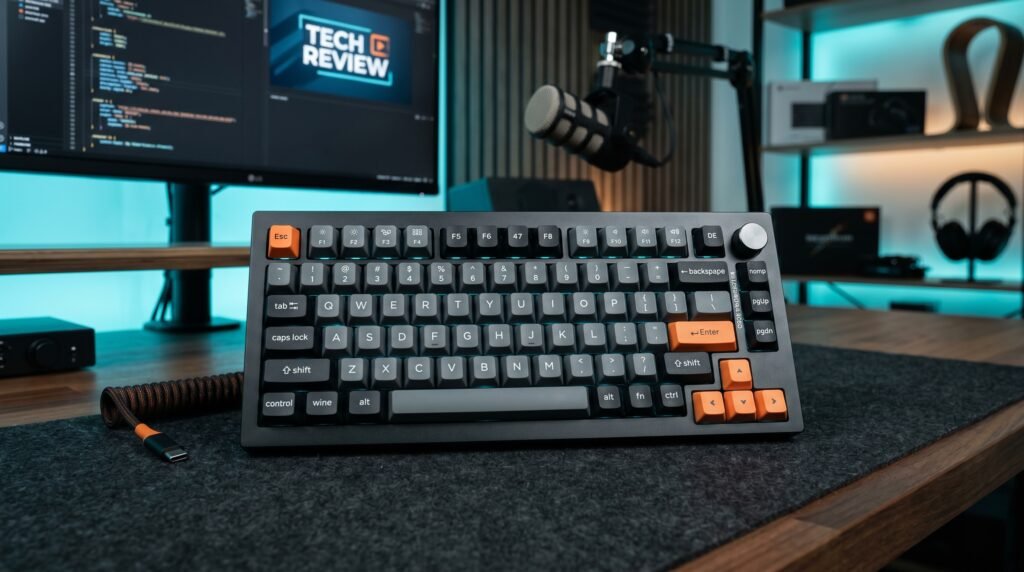
The Keychron Q3 Pro is the typing keyboard that makes everything else feel like a compromise once you’ve used it. Full 6063 aluminum CNC-machined body, double-gasket mounting with silicone pads between top and bottom cases, screw-in PCB-mounted stabilizers, and Keychron’s K Pro switches pre-lubed from the factory. The double-gasket implementation specifically is the standout feature — two separate gasket layers produce a typing feel that’s meaningfully softer and more cushioned than single-gasket competitors, which translates to less finger fatigue during full workdays.
Bluetooth 5.1 with three-device pairing means it transitions from desk to couch to conference room without a cable, and QMK/VIA firmware means every key is remappable in a way that persists across any computer you connect to.
Real-world scenario: a developer who writes code 8 hours daily on a standard tray-mounted board typically notices the fatigue difference from the Q3 Pro within the first week — not dramatically on day one, but cumulatively as the softer typing feel reduces the micro-tension that adds up across thousands of keystrokes.
Pros: Double-gasket mounting for exceptional typing comfort, full aluminum CNC body, QMK/VIA, Bluetooth 5.1 wireless, hot-swappable, pre-lubed switches, screw-in stabilizers, Mac/Windows compatibility. Cons: $180-200 price point, heavier than plastic-body alternatives at 1.7kg, requires QMK familiarity for full customization.
2. Leopold FC750R — Best Stock Typing Feel (~$110-130)
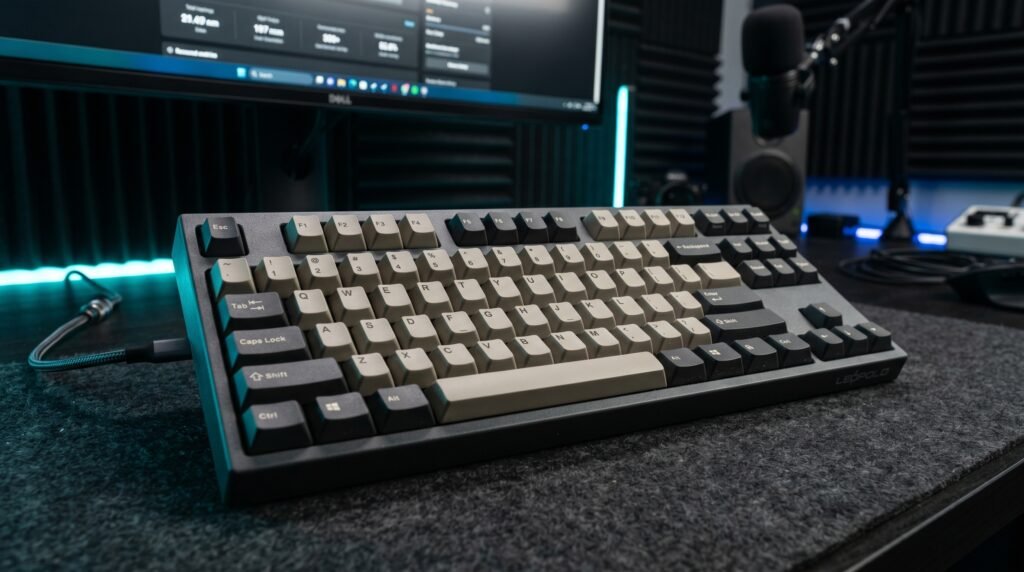
The Leopold FC750R has been the reference point for stock typing quality for nearly a decade, and nothing at its price has displaced it. Soldered Cherry MX switches — no hot-swap — with PBT doubleshot keycaps at 1.5mm thickness that resist shine and maintain their texture through years of daily use. The build tolerances on the FC750R are tighter than any hot-swappable board at this price, which produces a more consistent keystroke feel from key to key and a more uniform sound profile across the board.
Leopold’s case dampening — foam layers added between PCB and case — produces a deeper, quieter typing sound than most competitors achieve without aftermarket modifications. The FC750R sounds finished out of the box.
Best for: Typists who have decided on their switch preference and want the most refined, consistent stock typing experience available without modifying anything.
Pros: Tightest build tolerances in the price range, PBT doubleshot keycaps standard, Cherry MX switches, pre-dampened case, consistent sound profile, proven longevity. Cons: Soldered — no hot-swap, no wireless, no RGB on most models, less community support than Keychron, limited availability outside specialty retailers.
3. Ducky One 3 TKL — Best for Typing Feel + Keycap Customization (~$120-140)
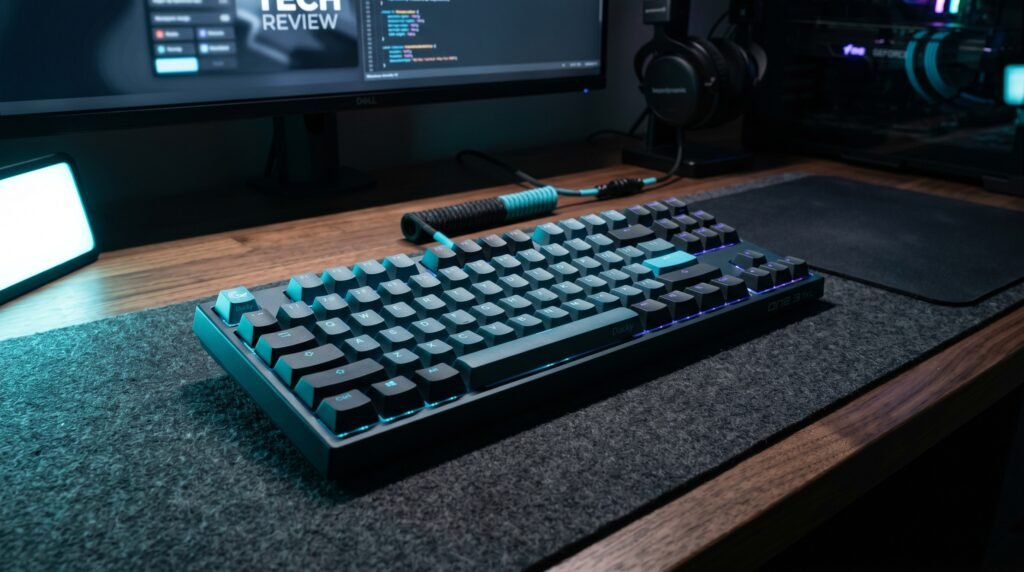
The Ducky One 3 TKL occupies an interesting position — it delivers the QUACK Mechanics sound dampening system (silicone plate dampener plus EVA foam case dampener) that produces a quieter, more cushioned typing experience than most keyboards at this price, while simultaneously offering the most keycap-compatible TKL PCB available for users who plan to install aftermarket keycap sets.
Software-free configuration is the feature that makes the Ducky genuinely practical for serious typists — all RGB effects and macro programming happen through key combinations, with no background software consuming RAM. For a keyboard used during focused writing sessions, zero software overhead is a meaningful quality-of-life detail.
Best for: Typists who want excellent dampened sound and feel alongside the flexibility to change keycaps as their aesthetic preferences evolve.
Pros: QUACK Mechanics dampening for quiet typing, software-free configuration, hot-swappable, PBT tripleshot keycaps, multi-layout PCB, strong build quality. Cons: $120-140 is harder to justify versus the V3 for pure typing use, less Mac-friendly out of the box than Keychron, regional availability varies.
4. Das Keyboard 4 Professional — Best Full-Size Typing Keyboard (~$130-150)
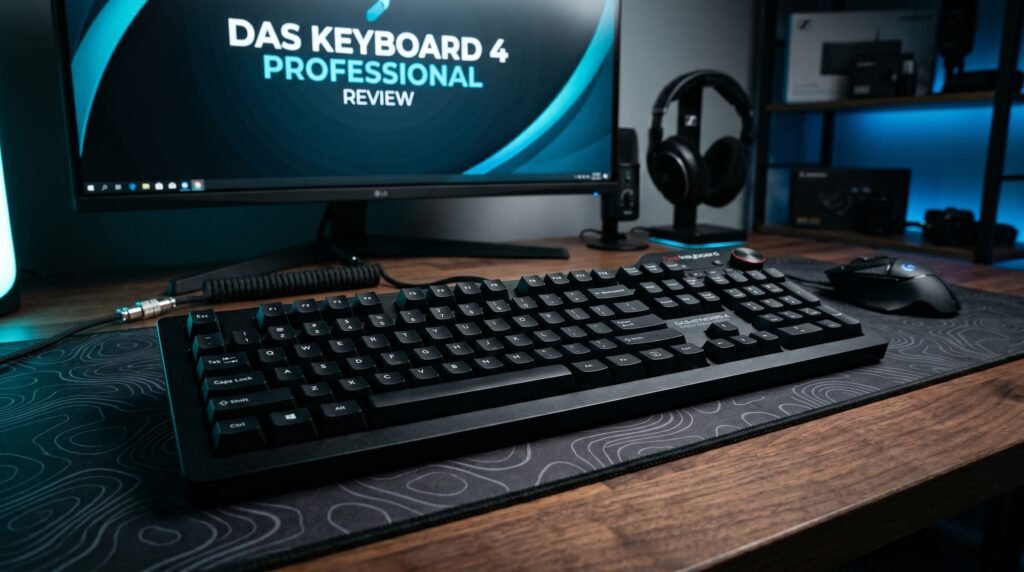
The Das Keyboard 4 Professional is the recommendation for writers and professionals who need a numpad and refuse to compromise on typing quality to get one. Anodized aluminum top panel, Cherry MX Brown or Blue switches, factory-lubricated stabilizers on large keys, and a USB 3.0 hub built into the keyboard body — two additional ports at desk level without reaching behind your computer.
The oversized volume knob — machined aluminum, smooth and weighted — is one of those details that sounds minor until you use it daily. Adjusting volume without taking your hands off the desk is a small but consistent workflow improvement for anyone who listens to music while writing.
In our experience, the Das Keyboard 4 Professional is the keyboard that writers who insist on a numpad should buy — everything else in the full-size premium segment requires significantly more spending to reach equivalent typing quality.
Pros: Anodized aluminum top panel, Cherry MX switches, factory-lubed stabilizers, built-in USB 3.0 hub, oversized volume knob, full-size layout with numpad. Cons: No wireless, no hot-swap, aging design without RGB, heavier than most full-size alternatives at 1.4kg, no QMK/VIA support.
5. Keychron C3 Pro — Best Budget Typing Keyboard (~$44)
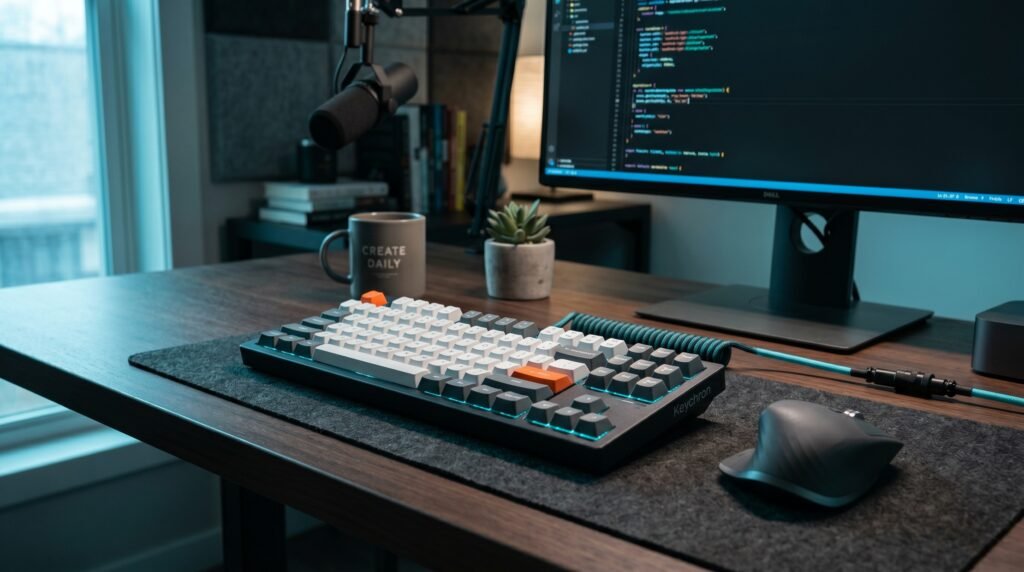
The Keychron C3 Pro answers the question of how good a dedicated typing keyboard can be at $44. Gateron switches — noticeably smoother than the Outemu switches in most competing budget boards — QMK/VIA support for complete key remapping, and Keychron’s consistent quality control. A hot-swappable version is available at a modest premium.
What most reviews won’t tell you is that the Keychron C3 Pro competes with keyboards costing $80-100 purely on typing performance. The Gateron switches, the south-facing RGB, and the QMK support are all features that disappear or degrade significantly in true budget alternatives. The C3 Pro gives them to you at $44.
Best for: Typists on a budget who don’t want to compromise on switch quality or firmware flexibility, and anyone who wants to test whether a dedicated typing keyboard improves their daily workflow before investing in a premium option.
Pros: Gateron switches at $44, QMK/VIA support, south-facing RGB, Mac/Windows compatible, Keychron quality control, hot-swap version available. Cons: Wired only, tray mounting (no gasket), base model not hot-swappable, ABS keycaps on most color variants.
Comparison Table
| Product | Price | Best For | Rating |
|---|---|---|---|
| Keychron Q3 Pro | ~$190 | Best overall typing experience | 9.5/10 |
| Leopold FC750R | ~$120 | Best stock typing feel | 9/10 |
| Ducky One 3 TKL | ~$130 | Best typing + keycap flexibility | 8.5/10 |
| Das Keyboard 4 Professional | ~$140 | Best full-size for writers | 8.5/10 |
| Keychron C3 Pro | ~$44 | Best budget typing keyboard | 8.5/10 |
What to Look for When Choosing a Mechanical Keyboard for Typing
1. Mounting style — gasket over tray for long sessions Gasket mounting is the single most impactful build variable for typing comfort during long sessions. If you type 4+ hours daily and your keyboard is tray-mounted, switching to a gasket-mounted board produces a noticeable reduction in finger fatigue within the first week. Check the mounting style specification before any other spec — it matters more than switch brand, layout, or price tier.
2. Switch type matched to your environment Brown tactile switches are the safe default for most typing environments — they provide feedback without the audible click that makes blue switches inappropriate for open offices and video calls. Blue switches are satisfying for typists who work alone and prioritize aural feedback. Red linear switches suit touch typists who have developed the technique of actuating without bottoming out. Match your switch to where you actually type, not just how you prefer typing to feel.
3. Stabilizer quality on large keys The spacebar is the most-pressed key on any keyboard — typically 15-20% of total keystrokes in standard typing. A rattling, inconsistent spacebar disrupts rhythm in ways that become distracting over time. Check for screw-in stabilizers (more secure than clip-in), factory lubrication (reduces rattle immediately), and PCB-mounted stabilizers (more stable than plate-mounted). Every keyboard on this list passes this check; many budget alternatives don’t.
4. Keycap material for long-term use ABS keycaps develop shine within 3-6 months of daily typing — the surface becomes slick and shiny where your fingers contact it most. PBT keycaps maintain their texture for years of daily use. For a keyboard you plan to use as your primary typing tool for 2-3+ years, PBT keycaps are worth the preference. All five keyboards on this list ship with PBT or equivalent keycaps at their respective price points.
5. Layout matched to your workflow TKL keyboards — the format of four of the five boards on this list — are the optimal layout for most typists who don’t do constant numerical data entry. The removed numpad brings your mouse 4-5 inches closer to the home position, reducing shoulder extension during every mouse movement across the day. If you regularly use a numpad for data entry, the Das Keyboard 4 Professional’s full-size layout is the justified exception.
FAQ
Are brown switches or blue switches better for typing?
It depends primarily on your environment. Brown switches provide tactile feedback without audible click — appropriate for shared offices, open plans, and setups with a microphone. Blue switches add an audible click at the actuation point that many typists find satisfying and accurate, but the sound carries clearly enough to disrupt others within several feet. For most home office typists, brown switches are the better default. For solo writers who type in a private space, blue switches are worth trying.
Does a more expensive mechanical keyboard actually improve typing speed?
Yes, with an important caveat. The improvement comes from reduced bottoming-out frequency as better tactile feedback allows typists to actuate without full depression — which is a learnable technique rather than an automatic benefit. Most typists who switch from a membrane keyboard to any quality mechanical keyboard notice improved speed within 2-3 weeks of consistent use as their technique adapts. Upgrading from a budget mechanical to a premium mechanical produces smaller improvements — primarily in comfort and fatigue rather than raw speed.
How long does it take to adapt to a new mechanical keyboard?
Most typists adapt to a new mechanical keyboard’s feel and layout within 5-10 days of daily use. The first 2-3 days often feel slower as muscle memory recalibrates. By day 7, most users are at or above their previous typing speed. By day 14, the new keyboard feels natural and the old one feels noticeably worse. The adaptation period is longer when switching between significantly different switch types — from linear to tactile, or from low-profile to standard height.
Is a tenkeyless layout better for typing than full-size?
For most typists, yes — the ergonomic benefit of bringing the mouse closer to the keyboard’s center reduces cumulative shoulder strain during mixed typing-and-mousing sessions. The numpad is genuinely necessary only for users doing constant numerical data entry — accounting, data processing, financial modeling. For writers, developers, and general office workers, the number row handles numerical input adequately and the reduced desk footprint is a consistent advantage. If you’re uncertain, try TKL for 30 days — most users don’t miss the numpad after 2 weeks.
Our Final Verdict
The best mechanical keyboard for typing in 2026 is the Keychron Q3 Pro for anyone who types 6+ hours daily and can justify the investment — the double-gasket aluminum construction produces typing comfort that cheaper boards simply can’t replicate. For the best stock experience at a lower price, the Leopold FC750R remains the benchmark it’s been for years. Budget typists should go directly to the Keychron C3 Pro — at $44, it outperforms alternatives costing twice as much on the metrics that matter for typing. Your keyboard is something you interact with for thousands of keystrokes per day. Getting it right is worth the research. Check current pricing on Amazon for all five options before deciding.