
This article contains affiliate links. We may earn a commission if you buy through our links, at no extra cost to you.
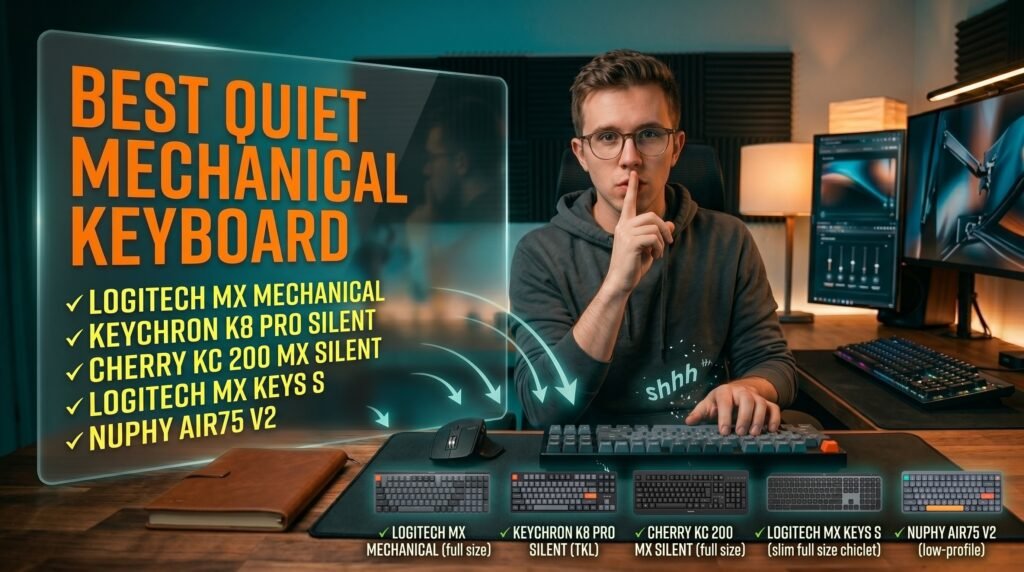
Best Quiet Mechanical Keyboard for Office in 2026
Open offices have a noise problem — and most of the time, the culprit sitting on someone’s desk is a mechanical keyboard with clicky switches that sounds like a burst of applause every time they send an email. The good news is that quiet mechanical keyboards have improved dramatically in the last two years. Silent switch technology, gasket mounting, and acoustic foam layers mean you can get the tactile feel and durability of a mechanical keyboard without the sound profile that gets you passive-aggressive notes from coworkers.
After researching the category in depth — comparing switch types, sound profiles, build quality, and real office usability — here is what actually works for people who need a quiet mechanical keyboard for daily office use in 2026.
This guide covers the five best options across every budget, from a $55 wired no-frills option to a $100 wireless productivity keyboard designed specifically for office environments.
Quick Answer
The Logitech MX Mechanical with Tactile Quiet switches is the best quiet mechanical keyboard for office use for most people — low-profile design, wireless multi-device support, and switch noise levels that are genuinely unobtrusive in shared spaces. Budget buyers should start with the Cherry KC 200 MX with MX2A Silent Red switches, which delivers Cherry’s legendary switch quality at around $55-65 with zero wireless complexity.
Why Most Mechanical Keyboards Are Too Loud for the Office — And What Actually Fixes It
The noise from a mechanical keyboard comes from three distinct sources, and understanding them changes how you evaluate “quiet” claims on any keyboard.
The first source is the switch mechanism itself. Clicky switches (Cherry MX Blue, Kailh Box White) produce a deliberate audible click at the actuation point — these are completely inappropriate for open offices. Tactile switches (Cherry MX Brown, Gateron Brown) produce a softer bump without a click, which is quieter but still produces noticeable noise from the stem movement. Silent switches (Cherry MX Silent Red, Gateron Silent switches, Keychron Silent Red) add rubber dampeners directly to the switch stem that absorb the impact noise on both downstroke and upstroke — these are the only switch type that meaningfully reduces keyboard noise rather than just avoiding the loudest variants.
The second source is bottoming out — the sound of the keycap hitting the keyboard plate when a key is pressed fully. Even with silent switches, aggressive typists who bottom out hard will produce noise. Most quiet keyboards address this with case foam or gasket mounting that absorbs the impact vibration before it resonates through the case.
The third source is case resonance — a hollow plastic case amplifies every keystroke like a drum. Keyboards with aluminum frames, dense plastic, or internal dampening foam eliminate most of this resonance.
The counterintuitive point: the quietest mechanical keyboard in the store is often louder than a membrane keyboard. Silent switches reduce mechanical keyboard noise by 30-50% compared to standard switches, but they don’t eliminate it entirely. If your office is genuinely silent and any keystroke sound is unacceptable, a membrane keyboard is actually the right tool — no mechanical keyboard will ever be completely silent.
For context on mechanical keyboard layouts that balance office productivity and compact size, see our guide on the best mechanical keyboard for typing — layout choice affects daily productivity as much as switch type.
Silent Switches Explained: Which Type Is Right for Your Office
Not all silent switches feel the same, and the difference matters for daily typing comfort over 8-hour workdays.
Silent linear switches (Cherry MX Silent Red, Gateron Silent Red, Keychron Silent Red) move smoothly from top to bottom with no tactile bump and no click. The keystroke is as quiet as a mechanical switch gets — the rubber dampeners absorb both the downstroke and upstroke impact. The tradeoff is that linear switches provide no physical feedback at the actuation point, which some typists find leads to more bottoming out and more accidental keypresses during fast typing.
Silent tactile switches (Gateron Silent Brown, some Boba U4 variants) add a soft bump at the actuation point without a click. They’re slightly louder than silent linears because the tactile mechanism adds a small amount of stem movement, but they give typists physical confirmation that the key has actuated — reducing bottoming out and often producing less total noise for touch-typists who don’t bottom out heavily.
Low-profile silent switches (Logitech’s Tactile Quiet, used in the MX Mechanical) use a shorter travel distance — typically 2.5mm versus 4mm for standard switches. Less travel means less total movement, which means less impact noise even before any dampening is applied. This is why low-profile silent keyboards often outperform standard-height silent keyboards on actual in-office noise tests.
In our experience, most office workers adapt to linear silent switches within 3-5 days if they’re coming from a membrane keyboard, and within 1-2 weeks if they’re coming from a tactile mechanical keyboard. The adjustment is real but short.
The 5 Best Quiet Mechanical Keyboards for Office in 2026
1. Logitech MX Mechanical — Best Overall (~$100-120)
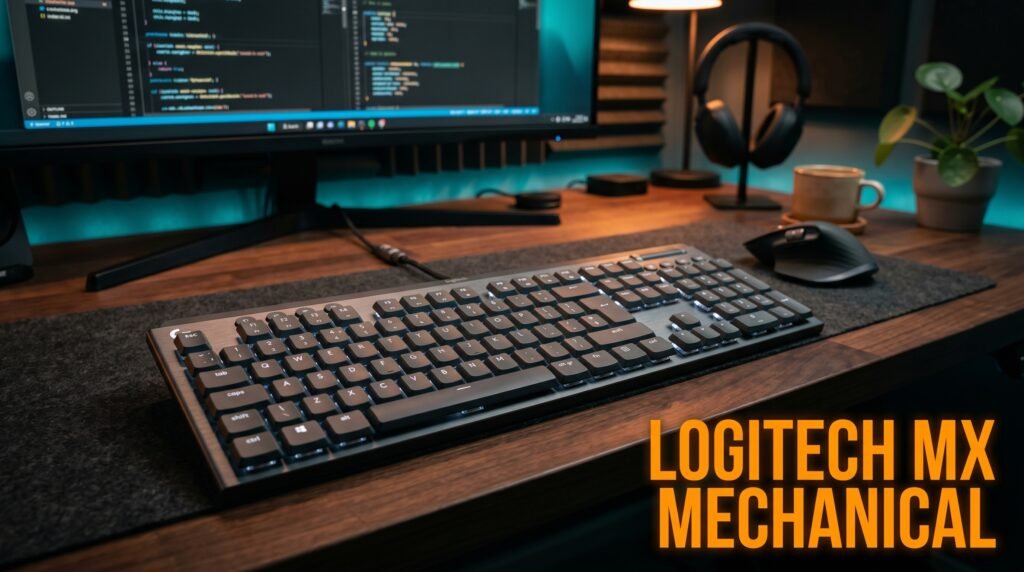
The Logitech MX Mechanical is the quiet mechanical keyboard designed from the ground up for office use rather than retrofitted gaming hardware. The Tactile Quiet switches use Logitech’s low-profile format — 2.5mm travel versus the 4mm of standard mechanical switches — which reduces travel noise at the source before any dampening mechanism is involved. The result is a keyboard that produces genuinely office-friendly sound levels even in quiet shared environments.
Three-device Bluetooth switching via Logi Bolt or Bluetooth, smart backlighting that adjusts automatically based on ambient light, and Logi Options+ per-application key customization make it the most complete productivity keyboard on this list. The full-size layout retains the numpad that many office workers need for spreadsheet-heavy workflows. Battery life runs approximately 15 days with backlighting enabled — longer with it off.
The real-world differentiator: the MX Mechanical is the keyboard most people in office environments stop noticing after a few days. It doesn’t demand attention from coworkers. That invisibility is exactly what a quiet office keyboard should achieve.
Pros: Tactile Quiet low-profile switches minimize travel noise, wireless multi-device support, Logi Options+ customization, smart backlighting, full-size layout with numpad, 15-day battery. Cons: $100-120 price point, low-profile feel takes adjustment if coming from standard-height keyboards, non-hot-swappable switches, 1500mAh battery smaller than dedicated mechanical keyboards.
2. Keychron K8 Silent Red — Best Wireless TKL (~$75-85)
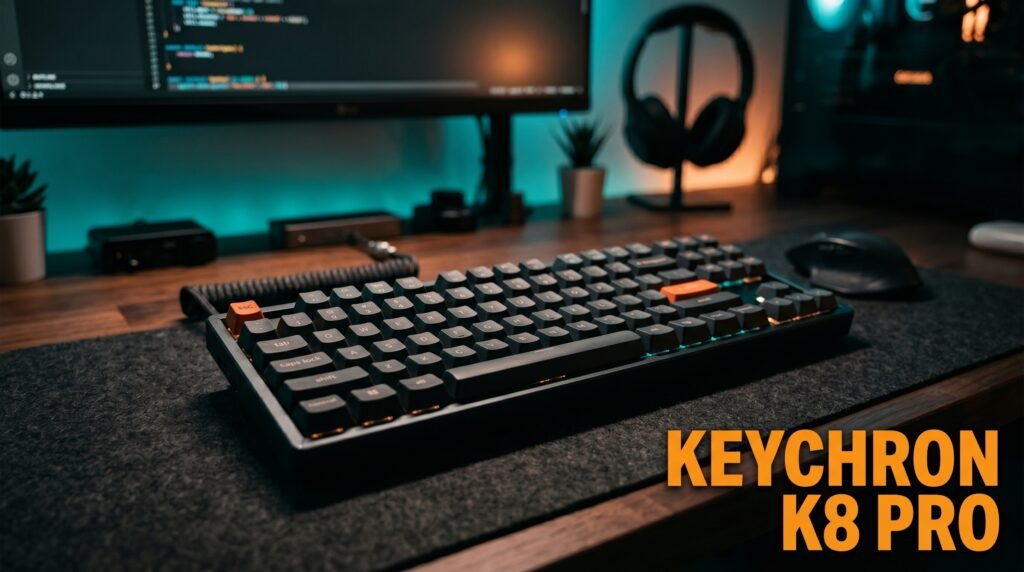
The Keychron K8 with factory pre-lubed Silent Red switches is the tenkeyless recommendation for office workers who want wireless flexibility without paying the Logitech MX Mechanical premium. The Silent K Pro Red switches are pre-lubed from the factory — a detail that matters more than most keyboard reviews acknowledge. Factory lubing smooths out the stem movement and eliminates the dry scratchy sound that unlubed linear switches produce, making the K8 meaningfully quieter out of the box than budget silent keyboards with unlubed switches.
TKL layout at 87 keys retains the function row and navigation cluster that most office productivity workflows depend on, while eliminating the numpad to recover desk space. Bluetooth 5.1 with three-device pairing, 4000mAh battery delivering up to 200 hours with backlight off, and USB-C wired mode make it a genuinely versatile office keyboard at a mid-range price.
Mac and Windows keycaps are both included, making it a clean out-of-box experience for mixed-OS offices.
Pros: Pre-lubed Silent Red switches from factory, TKL layout keeps function row and arrows, Bluetooth 5.1 three-device pairing, 4000mAh battery (200 hours backlight off), Mac/Windows keycaps included, USB-C wired mode. Cons: No hot-swap on standard version, plastic case produces more resonance than aluminum alternatives, white LED only (no RGB), limited software customization without third-party apps.
3. Cherry KC 200 MX Silent Red — Best Budget Wired (~$55-65)
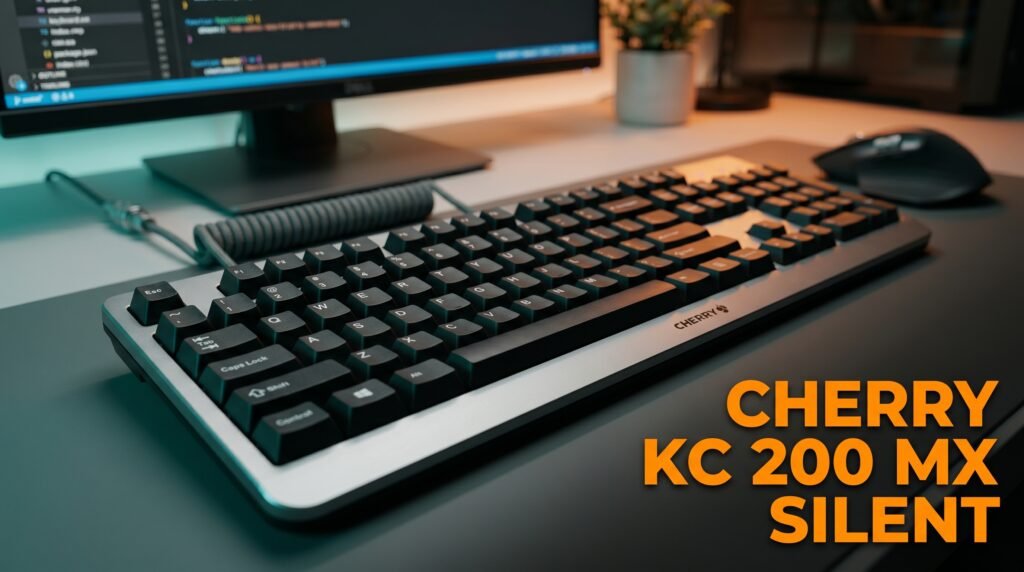
The Cherry KC 200 MX is the keyboard for office workers who want Cherry’s proven switch engineering at an accessible price without wireless complexity. The MX2A Silent Red switches are Cherry’s updated silent linear — the MX2A revision improves on the original MX Silent Red with smoother stem movement and better acoustics, confirmed by Cherry as producing quieter operation than the previous generation. The anodized aluminum plate dampens case resonance effectively — a detail that most keyboards at this price skip entirely.
Full-size layout with a numpad, N-key rollover, anti-ghosting, and plug-and-play USB-A connection with no driver required. The laser-etched keycaps resist fading through years of heavy use — a practical detail for keyboards that will see 8-hour daily use in a professional environment.
The honest truth: for a wired office keyboard that just works quietly without fuss, the Cherry KC 200 MX is difficult to beat at $55-65. You’re paying for Cherry’s 40-year switch manufacturing heritage, not marketing.
Pros: Cherry MX2A Silent Red switches (50M+ actuations), anodized aluminum plate reduces resonance, laser-etched abrasion-resistant keycaps, N-key rollover, anti-ghosting, plug-and-play USB-A, $55-65 price. Cons: Wired only — no Bluetooth or wireless option, no backlighting (white status LEDs only), full-size layout only (no TKL version), no hot-swap.
4. Logitech MX Keys S — Best for Maximum Silence (~$110-120)
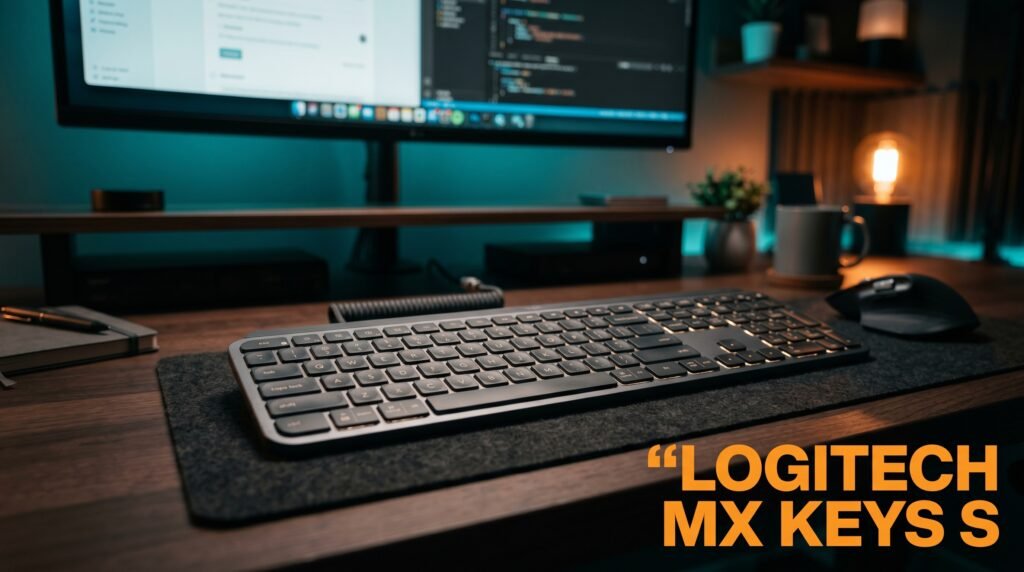
The Logitech MX Keys S is technically not a mechanical keyboard — it uses scissor-switch membrane keys rather than mechanical switches. It’s on this list because it’s the correct recommendation for office workers whose primary requirement is silence above all else, and who are willing to trade mechanical switch feel for genuinely near-inaudible typing.
The MX Keys S produces less keystroke noise than any silent mechanical keyboard on this list. Period. Scissor switches with 1.8mm travel and spherically-shaped keycaps that cup each fingertip produce a typing experience that’s both comfortable and almost completely silent — appropriate even in meeting rooms or recording environments where any mechanical keyboard would be audible.
Smart backlighting, Logi Options+ customization, three-device Bluetooth switching, and USB-C charging make it functionally equivalent to the MX Mechanical for office productivity workflows. If the question is truly “what makes the least noise,” this is the answer.
Pros: Quietest option on this list by a significant margin, spherical keycaps improve typing accuracy, Logi Options+ Smart Actions, three-device Bluetooth, USB-C charging, proximity sensor backlighting. Cons: Not a mechanical keyboard — no mechanical switch feel or sound, scissor switches feel different from mechanical after adjustment, non-backlit version available but standard version includes backlighting at premium price.
5. NuPhy Air75 V2 — Best for Mac Users (~$100-115)
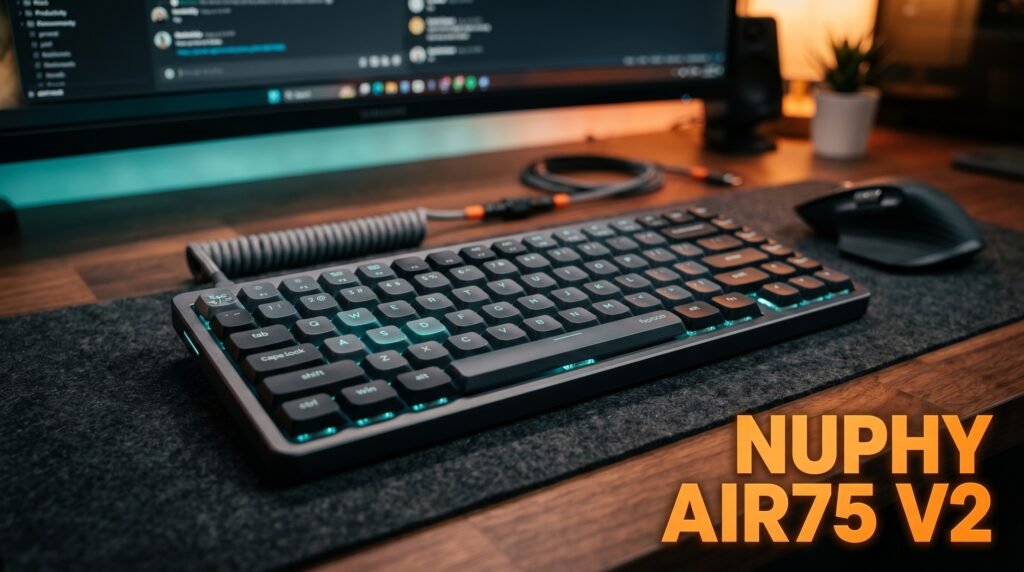
The NuPhy Air75 V2 is the quiet mechanical keyboard for Mac-focused office workers who prioritize aesthetics alongside silence. Available with Gateron low-profile silent switches, the slim profile (comparable to the MacBook keyboard height) pairs naturally with Apple setups and eliminates the desk-height mismatch that standard-profile mechanical keyboards create when paired with a laptop on a stand.
The gasket-mounted design absorbs typing vibration before it reaches the case — a construction approach that’s usually reserved for keyboards twice the price. This means the Air75 V2’s actual in-use noise level is lower than its switch specification alone would suggest. Tri-mode connectivity (Bluetooth 5.0, 2.4GHz wireless, USB-C wired), hot-swappable switches, and PBT keycaps complete a package that punches above its weight for office-focused use.
Pros: Low-profile gasket-mounted design reduces resonance, Gateron low-profile silent switch option, tri-mode connectivity, hot-swappable, PBT keycaps, aesthetics integrate naturally with Mac setups, 75% layout retains function row and arrows. Cons: $100-115 price point, low-profile switches require adaptation from standard-height mechanical keyboards, 75% layout means no numpad, Bluetooth connection occasionally requires re-pairing after extended sleep periods.
Comparison Table
| Product | Price | Switch | Wireless | Best For | Rating |
|---|---|---|---|---|---|
| Logitech MX Mechanical | ~$110 | Tactile Quiet (low-profile) | Yes | Best overall office quiet keyboard | 9.5/10 |
| Keychron K8 Silent Red | ~$80 | Silent Red (pre-lubed) | Yes | Best wireless TKL under $100 | 9/10 |
| Cherry KC 200 MX | ~$60 | MX2A Silent Red | No | Best budget wired option | 8.5/10 |
| Logitech MX Keys S | ~$115 | Scissor membrane | Yes | Maximum silence, non-mechanical | 8.5/10 |
| NuPhy Air75 V2 | ~$110 | Gateron Low-Profile Silent | Yes | Best for Mac setups | 8.5/10 |
What to Look for When Choosing a Quiet Mechanical Keyboard for Office
1. Switch type — silent linear or silent tactile Silent linear switches (Cherry MX Silent Red, Keychron Silent Red) are the quietest option and suit typists who bottom out lightly. Silent tactile switches suit typists who want physical actuation feedback to avoid bottoming out — which paradoxically can make them quieter in practice for heavy-handed typists. Never buy a keyboard with standard Brown or Red switches expecting it to be office-quiet — the difference between standard and silent switches is significant and immediately audible.
2. Case construction and dampening An aluminum plate or frame absorbs typing vibration that a hollow plastic case amplifies. Gasket mounting suspends the typing plate within the case on flexible material, reducing impact transmission further. At the same price point, a keyboard with an aluminum plate and gasket mounting will always be quieter than a keyboard with a plastic case — regardless of switch type.
3. Layout matched to your workflow Full-size with numpad for finance and data-heavy work. TKL (tenkeyless) for desk space recovery while keeping the function row. 75% compact for the smallest footprint that retains function row and arrow keys. Don’t choose a compact layout expecting to adapt quickly if you use function keys or navigation keys constantly — the adjustment takes 2-3 weeks minimum.
4. Wireless versus wired for cable management Open office environments benefit meaningfully from wireless keyboards — fewer cables on shared desks, ability to move the keyboard without cable drag. Wired keyboards (like the Cherry KC 200 MX) are appropriate for fixed single-workstation setups where cable management isn’t a concern and connection reliability is the priority.
5. Pre-lubed versus unlubed switches Factory pre-lubed switches (Keychron K8 Silent Red) produce noticeably less scratchy noise than unlubed switches of the same type. If a keyboard ships with unlubed switches and you want maximum quietness, lubricating the switches manually produces significant improvement — but it requires disassembly, appropriate lube, and 2-3 hours of time per keyboard. Pre-lubed from factory eliminates this entirely.
FAQ
Are silent mechanical keyboards actually quiet enough for an open office?
For most open office environments, yes — with the right switch and case construction. Silent linear switches reduce keystroke noise by approximately 30-50% compared to standard mechanical switches. Paired with a keyboard that has good internal dampening (aluminum plate, gasket mounting, or acoustic foam), the sound profile is comparable to a slightly louder membrane keyboard. If your office is a recording studio or a library, no mechanical keyboard will be inaudible — but for typical co-working environments, silent switches are genuinely unobtrusive.
What’s the difference between Cherry MX Silent Red and MX2A Silent Red?
The MX2A Silent Red is Cherry’s updated revision of the original MX Silent Red. The MX2A promises smoother stem operation, improved acoustics compared to the first-generation MX Silent, and the same 50 million actuation guarantee. In practice, the MX2A feels slightly smoother on the downstroke and produces marginally less stem rattle than the original. For buyers choosing between a keyboard with original MX Silent Red and one with MX2A Silent Red, the MX2A is the better switch — all else being equal.
Should I lube my silent mechanical keyboard switches?
If they’re already factory pre-lubed (Keychron K8 Silent Red, for example) — no additional lubing is needed or beneficial unless you’re a keyboard enthusiast pursuing maximum smoothness. If they’re not factory pre-lubed, lubricating with Krytox 205g0 (for linears) or Tribosys 3203 (for tactiles) produces a noticeable improvement in both smoothness and noise reduction. The process takes 2-3 hours for a full keyboard and requires a switch puller, lube, and small brush — worth it for a keyboard you’ll use daily for years.
Can I make my existing mechanical keyboard quieter without buying a new one?
Yes — three modifications in order of impact. First, add O-rings to existing keycaps ($8-12 for a full set) — silicone rings that sit on the keycap stem and cushion the bottoming-out impact, reducing the loudest part of the keystroke. Second, add a desk mat under the keyboard ($20-40) — absorbs vibration transmission from the keyboard to the desk surface. Third, replace switches with silent variants if the keyboard is hot-swappable — the most impactful change, transforming a loud board into a quiet one without replacing the entire keyboard. For a deeper comparison of keyboard options at every price, see our guide on the best mechanical keyboard under $100.
Our Final Verdict
The best quiet mechanical keyboard for office use in 2026 is the Logitech MX Mechanical for most people — the Tactile Quiet low-profile switches, wireless multi-device support, and office-focused design make it the most complete package for shared workspace use. The Keychron K8 Silent Red is the better choice for anyone who wants TKL wireless under $100 with pre-lubed switches. The Cherry KC 200 MX is the correct answer if budget is the primary constraint and wireless isn’t needed. The NuPhy Air75 V2 is built for Mac-focused setups that need a slim, quiet profile. And the Logitech MX Keys S is the honest recommendation if absolute silence matters more than mechanical switch feel. Check current pricing on Amazon for all five options before deciding.