
This article contains affiliate links. We may earn a commission if you buy through our links, at no extra cost to you.
Both keyboards carry the Keychron name, sit near the same desks, and get recommended in the same breath — yet they solve completely different problems. If you’re stuck choosing between the Keychron K2 vs Q2, the honest truth is that most comparisons treat them as rivals when they’re really two answers to two different questions.
One is a wireless, grab-and-go compact board built for people who bounce between a MacBook and an iPad. The other is a heavy, gasket-mounted slab meant to sit on one desk and feel incredible every single day.
After researching and testing dozens of mechanical keyboards in this price range, here’s what actually separates them — beyond the spec sheets everyone copies. This guide is for anyone who wants a genuinely premium typing experience but hasn’t figured out whether portability or build quality matters more to them.
By the end, you’ll know exactly which one fits your desk, your workflow, and your budget.
Quick Answer
Buy the Keychron K2 if you need wireless freedom and want to switch between multiple devices — it’s the better everyday driver for most people. Choose the Keychron Q2 only if you sit at one desk, crave a dense, gasket-mounted feel, and don’t care about Bluetooth. The K2 wins on flexibility; the Q2 wins on pure typing feel.
Keychron K2 vs Q2: The Core Difference
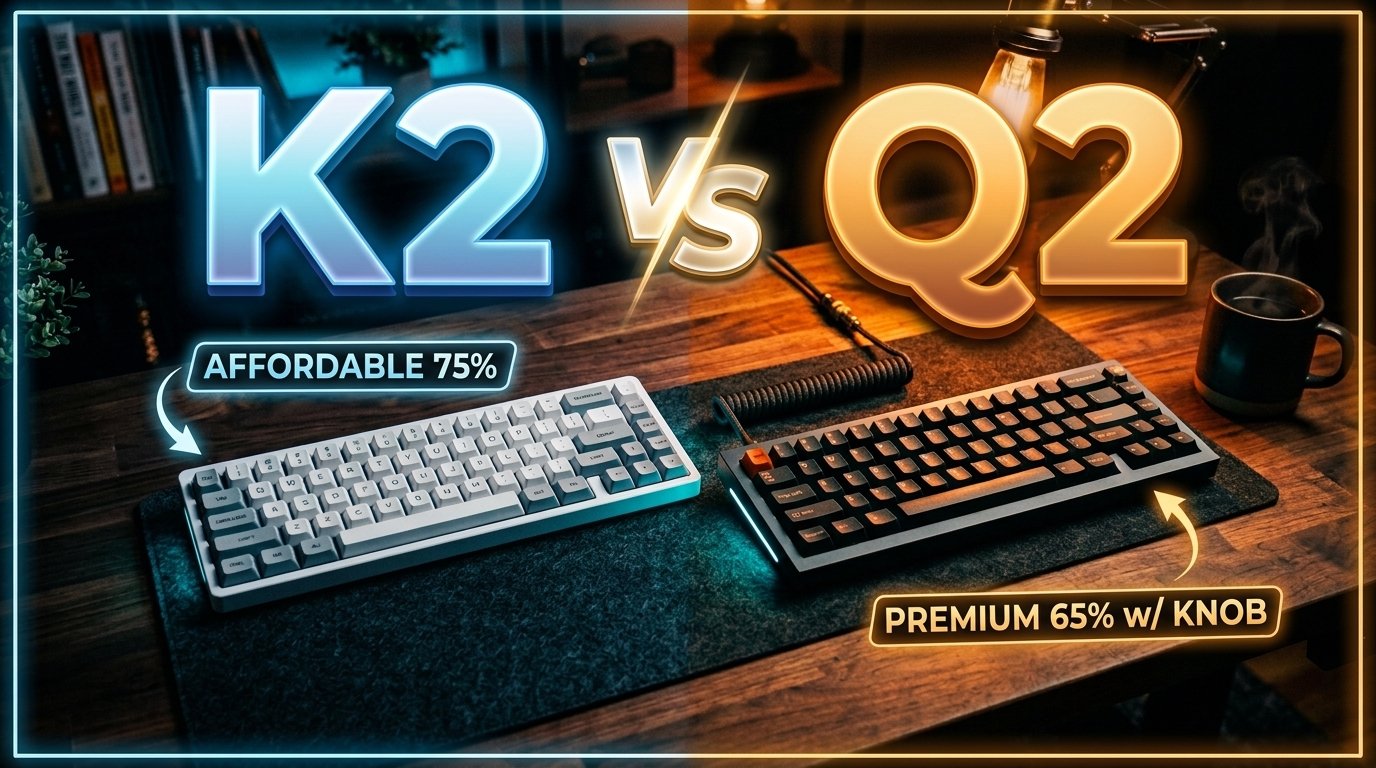
Here’s the split nobody states plainly: the K2 is a wireless keyboard with a plastic-and-aluminum frame, and the Q2 is a wired-only keyboard machined from a single block of aluminum. That one fact drives almost every other decision.
The K2 runs on a 4000mAh battery — one of the largest in any mechanical keyboard — rated at up to 240 hours with the backlight off, or around 72 hours with the RGB lighting on. It pairs with up to three devices over Bluetooth 5.1. You can be answering email on your laptop, tap a key combo, and be typing on your iPad two seconds later. That’s the whole appeal.
The Q2 throws all of that out. No battery, no Bluetooth, just a detachable USB-C cable and a 1000Hz polling rate. In our experience, what you get in return is a keyboard that feels like it costs three times what it does. The double-gasket mount and full metal body absorb impact in a way the K2 simply can’t.
If you’re deciding between the Keychron K2 vs Q2, start here — everything else is secondary.
Build Quality and Typing Feel
This is where the Q2 earns its price. The board weighs roughly 1.6 kg (about 3.5 lbs) of solid aluminum, and it does not move on your desk. Ever. You could slam a coffee mug down next to it and it wouldn’t budge.
The Q2 uses a double-gasket design, meaning the plate sits between two layers of silicone rather than screwing rigidly into the case. The result is a softer, deeper typing sound and a slight cushioned bounce on each keystroke. Enthusiasts chase this feel for years and hundreds of dollars — the Q2 delivers it out of the box.
The K2, by comparison, is perfectly good but conventional. Its aluminum frame surrounds a plastic base, and it produces a brighter, clackier sound. It’s satisfying, just not special.
Here’s the counterintuitive part: for most people typing eight hours a day, the K2’s lighter, higher board is more comfortable, not less. The Q2’s density is glorious for enthusiasts, but its taller front height means you’ll want a wrist rest to type on it all day. Premium feel and all-day ergonomics aren’t the same thing.
Wireless vs Wired: The Deal-Breaker
If you own a MacBook and an iPad, this section decides your purchase.
The K2 connects to three devices at once and swaps between them with a two-key shortcut. A concrete scenario: you’re writing a report on your laptop, a Slack notification pops on your work desktop, you hit Fn+2, and you’re typing there — no unplugging, no re-pairing. That workflow is the entire reason the K2 exists, and it nails it.
The Q2 cannot do this at all. It’s wired-only. Plug it into one machine and that’s your machine. For a desktop PC or a single-monitor setup, that’s a non-issue — you were never going to move it anyway.
What most reviews won’t tell you: Bluetooth on the K2 drops to 6-key rollover in wireless mode versus full N-key rollover when wired. For 99% of typing and office work, you will never notice. Fast-paced gamers might, which is one of the few cases where the Q2’s always-wired connection is a genuine advantage rather than a limitation. If switch choice matters to you here, our guide on how to choose a mechanical keyboard switch is worth a read.
If wireless matters even a little, the K2 is the only real answer here.
Price and Value
The K2 typically runs in the $80–$100 range depending on switch and configuration, while the Q2 (knob version, fully assembled) usually sits between $170 and $200. That’s roughly double.
The question isn’t which is cheaper — obviously the K2 — it’s whether the Q2’s extra cost buys something you’ll actually feel. And it does: the gasket mount, the aluminum body, the screw-in stabilizers, and the programmable knob are all real, tangible upgrades.
But value is about fit, not features. Spending $190 on a keyboard you’ll unplug and shove in a bag every week is a waste — the K2 does that job better for half the money. Spending $90 on the K2 when you wanted the deepest, most premium typing feel on the market means you’ll be shopping again in three months.
Buy the one that matches how you actually work, not the one with the longer spec sheet.
Keychron K2 vs Q2 vs Q2 Pro: Comparison Table
| Product | Price | Best For | Rating |
|---|---|---|---|
| Keychron K2 | $80–$100 | Wireless multi-device users | 9/10 |
| Keychron Q2 | $170–$200 | Single-desk enthusiasts | 9.5/10 |
| Keychron Q2 Pro | $200–$220 | Wireless + premium build | 9.5/10 |
Detailed Reviews
Keychron K2 — Best for Wireless Multi-Device
The Keychron K2 is Keychron’s most popular board for a reason: it does the most common thing — wireless typing across devices — better than almost anything at its price. It’s a 75% layout with 84 keys, hot-swappable switches, and that big 4000mAh battery that reaches up to 240 hours with the lighting off.
Who it’s for: anyone splitting time between a laptop, a tablet, and a desktop who wants one keyboard for all three. If you’re specifically on Apple hardware, it also earns a spot in our roundup of the best wireless mechanical keyboard for Mac.
Real-world detail: The K2 ships with extra keycaps for both Mac and Windows layouts in the box, so switching operating systems doesn’t leave you with wrong-labeled keys.
Pros: Wireless across three devices with fast switching, hot-swap sockets let you change switches without soldering, compact 75% layout keeps arrow and function keys, big 4000mAh battery.
Cons: Plastic base feels less premium than all-metal boards, tall front height benefits from a wrist rest, wireless mode drops to 6-key rollover.
Keychron Q2 — Best for Single-Desk Enthusiasts
The Keychron Q2 is a different animal. This is a fully customizable, gasket-mounted, all-aluminum 65% board aimed at people who care about how typing feels more than how portable it is. QMK/VIA support means you can remap every key and the knob itself.
Who it’s for: desk-bound typists and enthusiasts who want an endgame feel without building a keyboard from parts.
Real-world detail: The Q2’s Gateron G Pro Brown switches have a 55±15 gf operating force with screw-in PCB stabilizers, so the spacebar feels tight and thocky rather than hollow. That stabilizer quality is normally a mod you’d do yourself.
Pros: Full aluminum body with double-gasket mount for a premium feel, programmable knob for volume or custom actions, screw-in stabilizers reduce spacebar rattle out of the box, QMK/VIA fully programmable.
Cons: Wired-only with no Bluetooth at all, heavy and tall so not made to travel, taller front needs a wrist rest.
Keychron Q2 Pro — Best of Both Worlds
The Keychron Q2 Pro is what happens when Keychron fixes the Q2’s one real weakness. It keeps the full-metal, gasket-mounted body and adds wireless — 2.4GHz plus Bluetooth 5.1 — so you get the premium feel and the multi-device freedom.
Who it’s for: people who want the Q2’s build quality but refuse to give up wireless.
Real-world detail: It’s the only board of the three that doesn’t force a compromise between feel and flexibility — same aluminum gasket-mounted build as the Q2, but you can also pair it wirelessly across devices.
Pros: All the Q2 build quality plus 2.4GHz and Bluetooth, QMK/VIA programmable including the knob, double-shot PBT keycaps that resist shine, gasket-mounted aluminum body.
Cons: Most expensive of the three, same weight and height as the Q2 so still not portable, overkill if you never go wireless.
What to Look for When Choosing Between the K2 and Q2
1. Connectivity This is the first filter. Need wireless or multi-device switching? The K2 or Q2 Pro. Happy on one wired desk? The Q2 saves you money and feels better.
2. Build and weight Aluminum boards feel premium but don’t travel. If your keyboard ever leaves the desk, weight works against you. The K2 is the only genuinely portable option of the three.
3. Switch feel and hot-swap All three are hot-swappable, so you’re never locked in. But the Q2 and Q2 Pro ship with screw-in stabilizers, which matter more for typing feel than the switch itself.
4. Layout The K2 is a 75% (84 keys) with a dedicated function row; the Q2 is a tighter 65% (68 keys). If you use F-keys constantly, the K2’s layout wins. If you want maximum desk space, the 65% is cleaner.
5. Budget honesty Don’t buy more keyboard than your workflow needs. The single biggest mistake here is paying for build quality you’ll never sit still long enough to appreciate.
FAQ
Is the Keychron Q2 worth double the price of the K2?
Only if you sit at one desk and prioritize typing feel over portability. The Q2’s aluminum body and gasket mount are a real upgrade, but if you need wireless or ever move your keyboard, the extra money is wasted.
Can the Keychron Q2 connect wirelessly?
No. The standard Q2 is wired-only via USB-C. If you want the Q2’s premium build with wireless, you need the Q2 Pro, which adds 2.4GHz and Bluetooth 5.1.
Which is better for a Mac setup?
The K2 is the easier Mac choice thanks to Bluetooth and included Mac keycaps, letting you pair it with a MacBook and iPad at once. For a stationary Mac desktop, either works.
Are the K2 and Q2 hot-swappable?
Yes, both are. You can change switches without soldering, using most 3-pin and 5-pin MX-style switches including Cherry, Kailh, and Gateron.
Our Final Verdict
For most people, the Keychron K2 is the smarter buy: it’s wireless, flexible, portable, and costs roughly half as much. Unless you have a specific reason to go wired, it’s the one to get. See the full breakdown of connectivity and build quality above.
Choose the Keychron Q2 if you’re a desk-bound enthusiast who wants the deepest typing feel available out of the box — and grab the Keychron Q2 Pro if you want that feel without giving up wireless. There’s no wrong answer here, only the wrong match for your setup.
Ready to decide? Check current pricing on Amazon and pick the board that fits how you actually work.