
This article contains affiliate links. We may earn a commission if you buy through our links, at no extra cost to you.
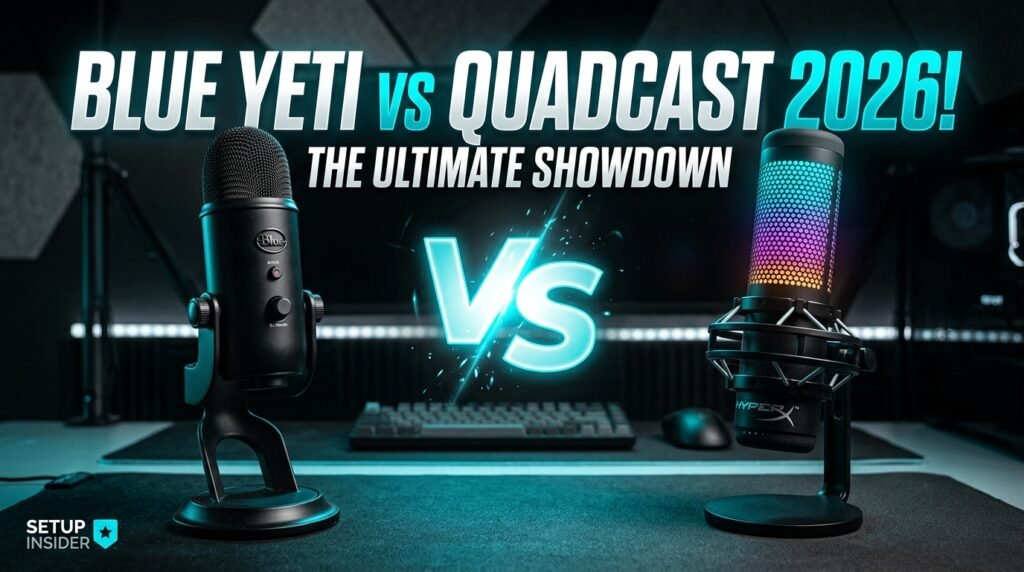
Blue Yeti vs HyperX QuadCast: Which Mic Wins 2026?
Two microphones dominate the USB condenser market for home office workers, streamers, and content creators — and the choice between them trips up a lot of buyers who focus on the wrong specifications. The Blue Yeti vs HyperX QuadCast comparison comes down to a fundamental question: do you need versatility and proven audio quality across multiple recording scenarios, or do you need a plug-and-play microphone that sounds excellent immediately with zero configuration? After researching and comparing both microphones across every relevant use case for remote workers and content creators, here is what actually works in 2026.
This guide is for home office professionals, remote workers on daily video calls, and creators who want USB microphone audio quality without XLR complexity or audio interface investment.
Quick Answer: The Blue Yeti wins for versatility — four polar patterns cover podcasting, interviews, and group recording that the QuadCast can’t match. The HyperX QuadCast S wins for plug-and-play simplicity and RGB aesthetics — it sounds excellent immediately without any software configuration and fits gaming and streaming setups better visually. For most home office workers who only need cardioid mode, the QuadCast S is the easier recommendation.
The Core Difference Most Reviews Miss
Every Blue Yeti vs HyperX QuadCast comparison eventually covers frequency response, sample rate, and bit depth — specifications that matter less than reviewers imply for the actual use cases these microphones serve. A 48kHz/16-bit recording is indistinguishable from a 48kHz/24-bit recording in a video call or podcast at typical streaming bitrates. Both microphones capture voice audio that far exceeds the quality ceiling of most delivery formats.
The difference that actually matters in daily use is the polar pattern situation. The Blue Yeti offers four polar patterns: cardioid (front-facing), bidirectional (two-sided), omnidirectional (all directions), and stereo. The HyperX QuadCast S offers cardioid only — the pattern appropriate for solo voice recording. For 90% of home office workers doing video calls, podcasting solo, or recording voiceovers, cardioid is the only pattern they’ll ever need. That 90% will never use the Blue Yeti’s additional patterns — and for them, paying the same price for features they won’t use while getting a more complicated setup isn’t a better deal.
The counterintuitive conclusion: the Blue Yeti’s feature advantage is real but irrelevant for most buyers. The QuadCast S’s apparent limitation — cardioid only — is not a limitation for the majority of use cases these microphones are purchased for. The choice should be made on software, aesthetics, and room noise handling rather than polar pattern count.
For home office workers setting up a complete audio solution, see our guide on the best USB microphone for desk — this comparison covers two of the top options in a broader field.
Sound Quality — How They Actually Compare
Both microphones use large-diaphragm condenser capsules and produce professional-quality voice audio that outperforms any laptop or webcam microphone by a significant margin. The meaningful differences between them are subtle enough that most listeners can’t reliably distinguish them in blind tests at typical podcast or video call quality levels.
The Blue Yeti uses a triple-capsule array — three capsules that activate in different combinations to produce its four polar patterns. In cardioid mode, the voice character is warm and full with a slight proximity effect boost in the low-mids that flatters most male voices. It handles gain well at moderate speaking distances (6–12 inches) and has a headphone output for zero-latency monitoring that the QuadCast S doesn’t include.
The HyperX QuadCast S uses a single cardioid-optimized capsule tuned specifically for voice at close range. The sound character is slightly brighter and more present in the upper-mids than the Blue Yeti — some users prefer this for clarity and intelligibility in video calls and streaming. The built-in pop filter is a genuine differentiator: it’s integrated into the capsule housing and effectively eliminates plosive sounds without requiring a separate $20–30 accessory.
We found the QuadCast S slightly easier to get good-sounding recordings from immediately — the integrated pop filter and cardioid optimization mean less setup and less post-processing needed for a clean voice capture. The Blue Yeti requires a separate pop filter and slightly more attention to positioning to avoid plosive buildup.
Software and Control — Where the Gap Widens
Software is where the Blue Yeti vs HyperX QuadCast S comparison produces the clearest winner for specific user profiles — and it goes differently than most buyers expect.
Blue Yeti uses Blue Sherpa / Logitech G Hub software. The controls are comprehensive but the software experience is inconsistent — G Hub has a reputation for stability issues and interface complexity that frustrates users who just want to adjust gain without navigating a full gaming peripheral management suite. Physical controls on the microphone are good: a gain knob, a mute button with LED indicator, a headphone volume knob, and a polar pattern selector. For users who prefer hardware controls over software, the Blue Yeti’s physical interface is the better choice.
HyperX QuadCast S uses HyperX NGENUITY software for RGB control — the audio settings are minimal because the microphone handles gain and pattern selection on the device itself via a rotating base sensitivity dial and tap-to-mute function. For audio settings specifically, what you see is largely what you get. This simplicity is a genuine advantage for users who want to set it and forget it — there’s no software to learn, no driver to manage, and no software stability to worry about.
The tap-to-mute function on the QuadCast S is a specific differentiator worth highlighting. Tapping the top of the microphone mutes it and illuminates the capsule red — immediately visible across a room. A developer on a daily standup who needs to mute quickly without hunting for a software button finds this feature genuinely useful multiple times per day.
Build Quality and Desk Presence
Both microphones are desktop-oriented with integrated stands — no boom arm required, though both support standard 5/8″ threading for arm mounting if preferred.
The Blue Yeti is substantial — approximately 1.2 lbs without the stand, 3.5 lbs total with the heavy yoke mount stand. The all-metal construction feels premium and the weight keeps it stable on the desk without movement during use. The yoke mount design allows angle adjustment that the QuadCast S’s fixed integrated stand doesn’t offer. Available in Blackout, Midnight Blue, Silver, and Teal colorways that complement most desk aesthetics without the gaming-centric appearance of the QuadCast S.
The HyperX QuadCast S stands out — literally. The RGB lighting cycles through the capsule housing and produces a distinctive visual signature that photographs well and reads clearly in streaming setups. For dark mode desk setups where RGB elements are part of the aesthetic, this is a genuine design advantage. The shock mount integrated into the stand reduces low-frequency vibration transmission from the desk surface — a practical feature for users who type while recording, as keyboard vibration reaches condenser capsules through desk surfaces easily.
At approximately the same weight, the QuadCast S’s integrated shock mount provides meaningful vibration isolation that the Blue Yeti’s rigid yoke mount lacks without a separate shock mount accessory ($20–40).
Who Should Buy Each Microphone
The choice between the Blue Yeti and HyperX QuadCast S is clear when mapped to specific user profiles rather than abstract specifications.
Buy the Blue Yeti if: You record interviews or podcasts with a guest in the same room — the bidirectional polar pattern captures two voices facing each other, a use case the QuadCast S simply can’t cover. You need zero-latency headphone monitoring for mixing or music recording. You prefer physical hardware controls over software management. You want a more neutral desk aesthetic without RGB lighting.
Buy the HyperX QuadCast S if: You record solo voice content exclusively — video calls, streaming, solo podcasting, voiceovers. You want the cleanest plug-and-play experience with minimal setup time. Your desk setup includes gaming peripherals or RGB elements and you want visual cohesion. You type while recording and need the vibration isolation the integrated shock mount provides. You want the tap-to-mute function for quick muting during calls.
Buy neither if: You’re in a room with significant background noise — both are large-diaphragm condensers that pick up room noise readily. In untreated rooms with HVAC, street noise, or mechanical background noise, a dynamic microphone like the Audio-Technica ATR2100x handles noise rejection far better than either condenser.
Detailed Reviews
Blue Yeti — Best for Versatility (~$99–129)
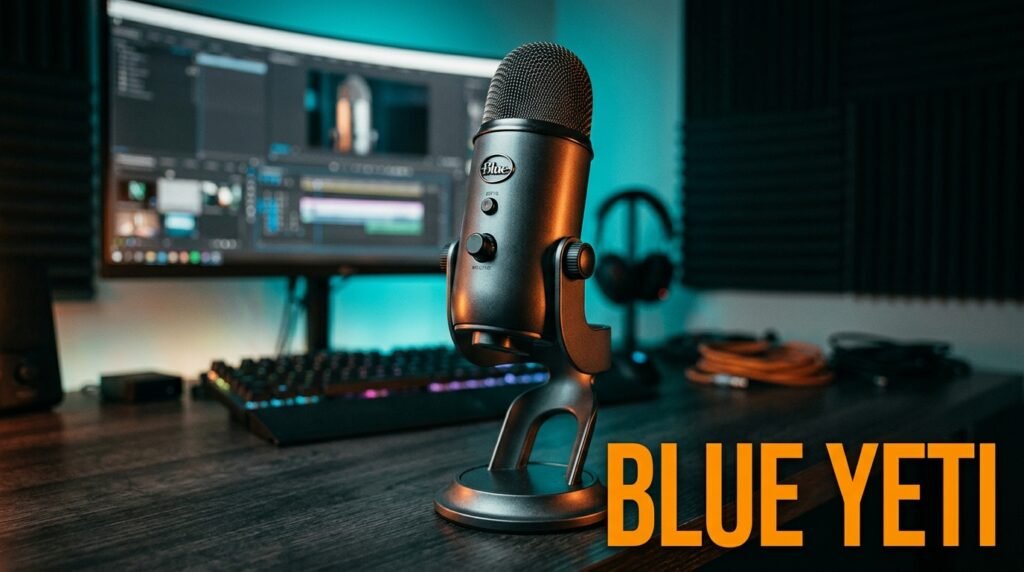
The Blue Yeti has been the benchmark USB condenser microphone since its introduction and remains the recommendation for users who need multiple polar patterns or zero-latency headphone monitoring. Four polar patterns — cardioid, bidirectional, omnidirectional, stereo — cover every recording scenario a home studio or home office might encounter. The 20Hz–20kHz frequency response and 48kHz/16-bit sample rate exceed the quality ceiling of virtually every delivery format.
The honest truth about the Blue Yeti is that its reputation is slightly ahead of its current value proposition — at $99–129, it competes with microphones that have improved significantly in the past three years while the Blue Yeti’s design has remained essentially unchanged since 2009. It remains excellent but no longer dominant.
Pros: Four polar patterns, zero-latency headphone monitoring, proven audio quality, hardware controls, multiple colorways, broad third-party accessory support. Cons: No integrated pop filter required separately ($20–30), software (G Hub) has stability issues for some users, yoke mount transmits desk vibration, no integrated shock mount, aging design.
HyperX QuadCast S — Best Plug-and-Play (~$139–159)
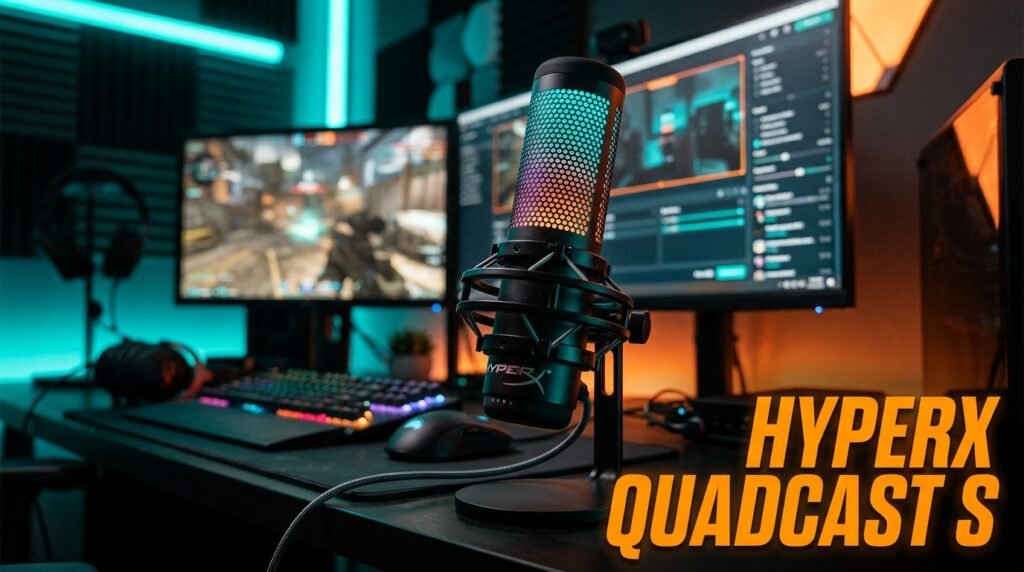
The HyperX QuadCast S is the evolution of the QuadCast original with RGB lighting added — a microphone specifically optimized for solo voice recording with a setup experience that takes under two minutes from box to recording. The integrated pop filter eliminates plosives without accessories, the shock mount base reduces desk vibration transmission, and the tap-to-mute with visual LED indicator is the most practical mute implementation of any USB microphone at this price.
At $139–159, it’s priced slightly above the Blue Yeti, which is only justified if the integrated features — pop filter, shock mount, RGB, tap mute — are relevant to your specific setup. For streaming desks and gaming setups where these features are standard expectations, the premium is reasonable. For minimalist home office setups, the Blue Yeti’s lower base price and neutral aesthetics may be preferable.
Pros: Integrated pop filter, integrated shock mount, tap-to-mute with visual indicator, RGB lighting, excellent cardioid sound quality, plug-and-play simplicity. Cons: Cardioid only — no pattern flexibility, no headphone monitoring output, premium pricing relative to Blue Yeti, RGB may not suit minimalist desk aesthetics.
Comparison Table
| Feature | Blue Yeti | HyperX QuadCast S |
|---|---|---|
| Price | ~$99–129 | ~$139–159 |
| Polar Patterns | 4 (cardioid, bi, omni, stereo) | 1 (cardioid) |
| Integrated Pop Filter | No | Yes |
| Shock Mount | No (separate required) | Yes (integrated) |
| Headphone Monitoring | Yes (zero-latency) | No |
| Tap-to-Mute | No | Yes |
| RGB Lighting | No | Yes |
| Best For | Versatility, interviews | Solo voice, streaming |
| Rating | 9/10 | 9/10 |
What to Look for When Choosing Between These Microphones
1. Polar pattern requirements If you ever record more than one voice in the same room, the Blue Yeti’s bidirectional mode is a genuine differentiator — the QuadCast S simply cannot do this. If you only record your own voice for calls, streaming, or solo podcasting, cardioid-only is not a limitation. Identify your recording scenarios honestly before letting polar pattern count influence your decision.
2. Room acoustic treatment Both are large-diaphragm condensers that pick up room noise. A home office with carpet, bookshelves, and soft furnishings produces significantly better recordings than a bare room with hard surfaces. If your recording space is acoustically untreated, both microphones will pick up room reverb and background noise — dynamic microphones handle this scenario better than either condenser. Assess your room before committing to either option.
3. Desk setup integration The QuadCast S’s RGB lighting and gaming-oriented design coheres naturally with setups featuring mechanical keyboards, gaming mice, and ambient RGB elements. The Blue Yeti’s more neutral visual profile fits minimalist and professional desk aesthetics better. Aesthetic coherence in a workspace matters more than most productivity-focused buyers admit — a microphone that looks out of place on your desk creates minor daily friction.
4. Boom arm compatibility Both support standard 5/8″ threading for boom arm mounting — which is the correct way to use either microphone for serious recording. A boom arm positions the microphone at the optimal 6–10 inch distance from the mouth without cluttering the desk surface. If you plan to add a boom arm, both microphones work equally well with standard arms like the Rode PSA1 or Blue Compass.
5. Software tolerance If you’re comfortable navigating peripheral management software and want fine-grained control over EQ, compression, and polar patterns, the Blue Yeti’s G Hub integration is functional despite its reputation for instability. If you want to plug in, adjust a single dial, and start recording without any software interaction, the QuadCast S is the better choice.
FAQ
Is the Blue Yeti still worth buying in 2026?
Yes — particularly for users who need multiple polar patterns or zero-latency headphone monitoring. Its design hasn’t changed significantly since 2009 but neither has its core audio quality, which remains competitive with current alternatives at its price point. For solo cardioid recording only, newer options including the HyperX QuadCast S offer equivalent audio quality with practical advantages like integrated pop filters and shock mounts.
Which microphone is better for video calls and remote work?
Both produce significantly better audio than any laptop or webcam microphone — either is a meaningful upgrade for daily video calls. The HyperX QuadCast S’s tap-to-mute function is a practical advantage for remote workers who mute and unmute frequently throughout calls. The Blue Yeti’s headphone monitoring is more relevant for podcasting and music than video calls. For video calls specifically, the QuadCast S is the more convenient choice.
Do I need a boom arm for either microphone?
Both include desktop stands and work adequately without a boom arm. A boom arm is strongly recommended for any serious recording — it allows precise positioning at the optimal 6–10 inch mouth-to-capsule distance, keeps the desk surface clear, and eliminates desk vibration transmission that integrated stands allow. At $1800–2500 total home office spend, adding a $60–80 boom arm is a meaningful audio quality upgrade for either microphone.
Which microphone is better for streaming?
The HyperX QuadCast S for most streamers — the RGB lighting matches streaming desk aesthetics, the tap-to-mute provides quick visual mute feedback visible in stream, and the plug-and-play simplicity means less audio troubleshooting during live sessions. The Blue Yeti is the better streaming choice for users who interview guests on stream in the same room, where the bidirectional polar pattern captures both voices without requiring two microphones.
Our Final Verdict
The Blue Yeti vs HyperX QuadCast comparison resolves differently depending on your use case — and that’s the honest answer rather than a cop-out. The Blue Yeti is the right choice for users who need multiple polar patterns, zero-latency monitoring, or prefer hardware controls over software.
The HyperX QuadCast S is the right choice for solo voice recording, streaming setups, and anyone who values integrated pop filter, shock mount, and tap-to-mute convenience over pattern flexibility. For most home office workers on daily video calls or solo podcasting — the majority of buyers considering either microphone — the QuadCast S is the easier recommendation. Check current pricing on Amazon for both options and choose based on your specific setup.