
This article contains affiliate links. We may earn a commission if you buy through our links, at no extra cost to you.
Logitech C920 vs Razer Kiyo: Which Webcam Wins 2026?
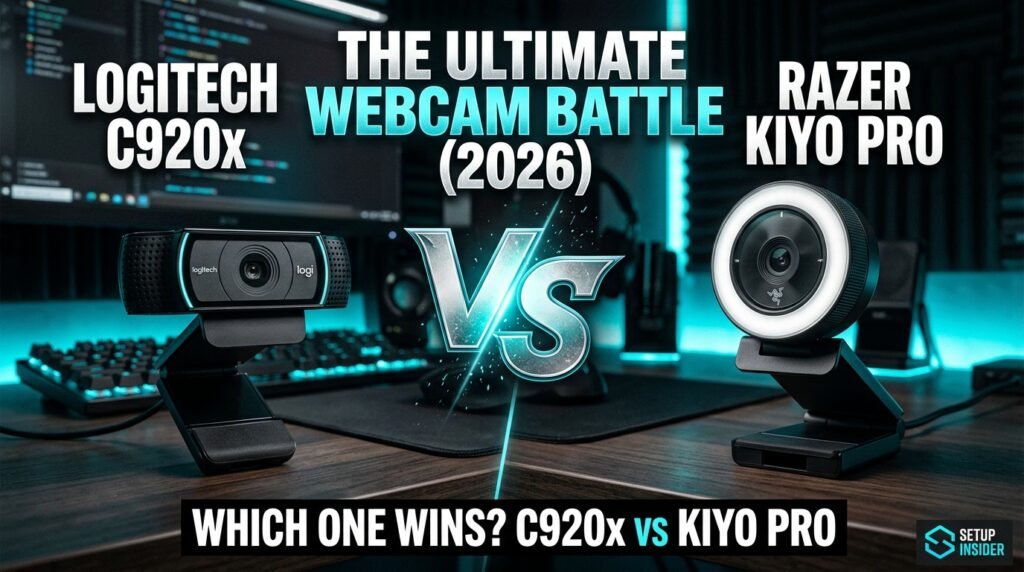
The Logitech C920 vs Razer Kiyo comparison has been one of the most searched webcam decisions for the past five years — and for good reason. Both sit in the $70–100 range that represents the entry point for genuinely good video quality, both are widely recommended, and both produce results that make your video calls look significantly more professional than any laptop camera. After researching and comparing both webcams across every relevant use case for home office workers, streamers, and remote professionals, here is what actually works in 2026.
This guide is for anyone choosing between the C920x and the Razer Kiyo Pro for video calls, streaming, content creation, or daily home office use.
Quick Answer: The Logitech C920x wins for most home office workers — proven 1080p/30fps image quality, plug-and-play reliability, and the widest compatibility of any webcam at this price. The Razer Kiyo Pro wins for low-light environments and streaming — its larger sensor and adaptive light sensor produce noticeably better image quality in dim or uncontrolled lighting conditions. Choose based on your room lighting, not the brand name.
Why This Comparison Still Matters in 2026
Both webcams have been on the market long enough that most reviews treat them as settled questions. They’re not. The Logitech C920 remains the most consistently recommended webcam for remote work because it works correctly every time with every piece of video software on the market. The Razer Kiyo Pro continues to differentiate itself with sensor hardware that produces genuinely better low-light performance than the C920 can match.
The relevant context in 2026: the remote work webcam market has gotten significantly more competitive. Logitech has released the MX Brio and Brio 500 above the C920x. Razer has refined the Kiyo Pro’s software. Both webcams represent mature, proven options at their price point — but buying the right one for your specific situation still matters.
What most reviews won’t tell you is that the C920x and Kiyo Pro fail in different situations. The C920x struggles in dim lighting — the autofocus can hunt and the image quality drops noticeably without adequate room lighting. The Kiyo Pro’s software has had historical stability issues that frustrated early adopters. Understanding which failure mode matters more for your setup determines which webcam to buy.
For home office workers building a complete audio-video setup, see our guide on the best USB microphone for desk — a quality microphone paired with either webcam produces the complete professional video presence that video calls require.
Image Quality — The Real Differences
Both webcams advertise 1080p video, which makes spec-sheet comparison misleading. The meaningful differences are in sensor size, light sensitivity, and how each camera processes the image it captures.
The Logitech C920x uses a 1/3″ CMOS sensor with a fixed focus set at approximately 5 feet — the standard desk-to-monitor distance for most users. It captures 1080p at 30fps with H.264 compression built into the hardware, which reduces CPU load compared to software-encoded alternatives. Color accuracy is warm and slightly saturated — flattering for most skin tones under standard office lighting. In well-lit rooms (natural light or a desk lamp), the C920x produces clean, sharp images that look professional on any video platform.
The Razer Kiyo Pro uses a larger 1/2.8″ CMOS sensor — the same sensor size used in cameras one tier above this price range. Larger sensors capture more light per pixel, which directly translates to better low-light performance. The Kiyo Pro shoots at 1080p/60fps (versus the C920x’s 30fps) and includes an adaptive light sensor that adjusts exposure in real-time rather than locking in at the start of a call. In a dim home office or a room where lighting varies throughout the day, the quality difference between these two webcams is immediately visible.
The counterintuitive finding: in a well-lit room, the C920x and Kiyo Pro produce images that most viewers on a video call cannot reliably distinguish. The Kiyo Pro’s sensor advantage becomes significant specifically in suboptimal lighting — which, for most home offices with variable natural light, is a meaningful real-world scenario.
Low-Light Performance — Where the Gap Is Largest

Low-light performance is the technical specification that most meaningfully separates these two webcams in daily use — and it’s the variable most buyers underestimate when they’re shopping in a brightly lit store or comparing product photos.
The Logitech C920x needs adequate lighting to perform well. Under a standard desk lamp or good overhead lighting, it’s excellent. In a room lit primarily by a monitor, with curtains drawn, or in the late afternoon as natural light fades, it produces noticeably grainy footage with hunting autofocus that adjusts repeatedly during calls. A developer who works with a dark monitor background on an overcast day will frequently notice the C920x struggling — the image looks acceptable but noticeably worse than in good lighting.
The Razer Kiyo Pro handles low light considerably better. The larger sensor combined with an aperture of f/2.0 — versus the C920x’s f/2.0, notably identical — means the sensor size does most of the heavy lifting. The Kiyo Pro’s adaptive light sensor is the differentiating feature: rather than exposing once at the start of a session, it continuously adjusts. A content creator recording in a room with mixed natural and artificial light who switches on the Kiyo Pro sees consistent, automatically corrected exposure throughout the session without manual adjustment.
In our experience, the low-light gap between these cameras is the most practically significant difference for the majority of real home office environments — where controlled studio lighting is not a realistic setup.
Software and Compatibility — Where the C920x Dominates
Software and driver reliability are where the Logitech C920x has a structural advantage that no sensor spec overcomes for professional users.
The Logitech C920x works with literally every video platform — Zoom, Teams, Google Meet, Slack, OBS, Webex, GoToMeeting — without configuration. Plug it in via USB, select it as the camera input, and it works. Logitech’s driver ecosystem is the most mature in the consumer webcam category. Zero reported compatibility issues with macOS, Windows 10, Windows 11, ChromeOS, or Linux with standard webcam drivers. For a professional whose livelihood depends on being present on a video call without technical issues, this reliability has real value.
The Razer Kiyo Pro uses Razer Synapse software for configuration — adjusting brightness, contrast, and the adaptive light sensor behavior. Razer Synapse is resource-intensive and has had documented stability issues on some Windows configurations. Without Synapse installed, the Kiyo Pro functions as a standard webcam with default settings, which are good but don’t take advantage of the adaptive light technology. Mac compatibility is functional but less refined than on Windows.
A consultant who travels and uses a work-provided laptop will find the C920x significantly easier to manage — it requires no software installation and no configuration across different machines. The Kiyo Pro’s advantages are most accessible to users on a single consistent Windows setup where Synapse remains installed.
For home office setups where webcam reliability is critical, see our guide on the best webcam for home office — the C920x and Kiyo Pro both appear in a broader comparison that includes higher-tier options.
Detailed Reviews
Logitech C920x — Best for Reliability (~$70–80)

The Logitech C920x is the webcam that remote work professionals buy when they need something that works correctly every single time. 1080p at 30fps, dual stereo microphones with automatic noise reduction, glass lens for sharper image than plastic alternatives, and H.264 hardware encoding that reduces CPU load during video calls. Plug-and-play with every major video platform on every operating system.
The C920x is the x-variant of the C920 — it removes the bundled security software that originally came with the C920 and otherwise offers identical hardware. A consultant running back-to-back client calls on Zoom, Teams, and Google Meet across a single day who needs zero technical issues uses the C920x — not because it’s the most impressive webcam, but because it never fails.
Pros: Universal compatibility, zero software required, H.264 hardware encoding, glass lens, dual microphones, 10-year proven track record, most-reviewed webcam in the category. Cons: Struggles in low light, 30fps only, no 4K option, aging design, autofocus can hunt in dim conditions, no HDR.
Razer Kiyo Pro — Best for Low Light (~$99–129)
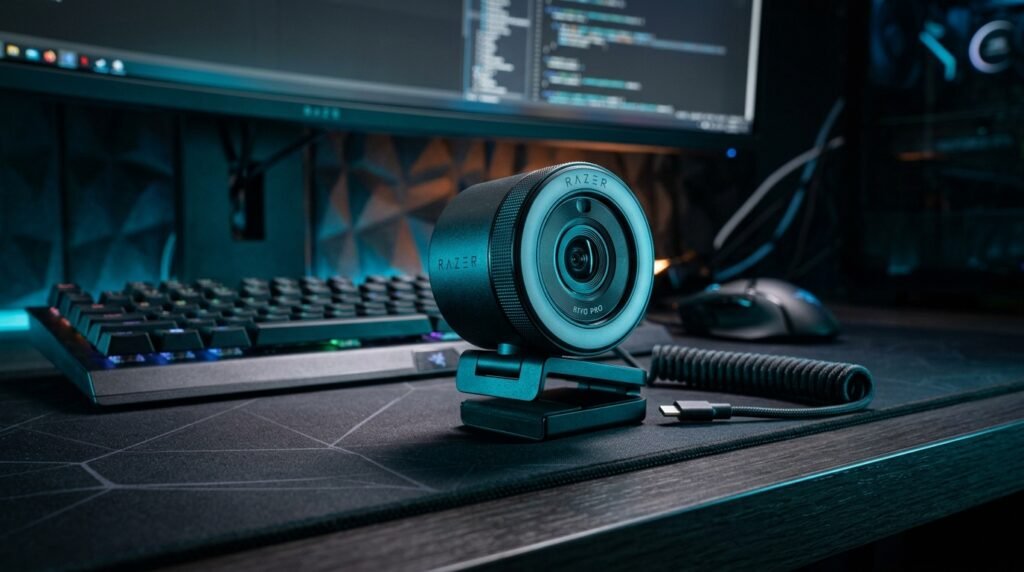
The Razer Kiyo Pro is the webcam for users whose primary pain point is poor image quality in less-than-ideal lighting conditions. The 1/2.8″ CMOS sensor, 1080p/60fps, HDR support, and adaptive light sensor combine to produce the best image quality of any webcam under $130 in low-light and variable-light environments. A streamer working in a gaming room with RGB lighting and no dedicated key light uses the Kiyo Pro because it handles the challenging mixed-light environment better than any alternative at this price.
The uncompressed USB video output (no built-in compression like the C920x’s H.264) requires more CPU overhead but gives video editors and OBS users more flexibility in post-processing. The privacy cover built into the design is a practical addition that the C920x lacks.
Pros: Superior low-light performance, 1080p/60fps, HDR support, adaptive light sensor, larger 1/2.8″ sensor, privacy cover, uncompressed output for editing flexibility. Cons: Razer Synapse required for full features, higher CPU usage without hardware compression, less universal compatibility than Logitech, more expensive at ~$99–129.
Comparison Table
| Feature | Logitech C920x | Razer Kiyo Pro |
|---|---|---|
| Price | ~$70–80 | ~$99–129 |
| Resolution | 1080p/30fps | 1080p/60fps |
| Sensor Size | 1/3″ CMOS | 1/2.8″ CMOS |
| Low Light | Adequate | Excellent |
| Software Required | No | Yes (Synapse) |
| HDR | No | Yes |
| Compatibility | Universal | Windows best |
| Best For | Reliability, calls | Low light, streaming |
| Rating | 9/10 | 8.5/10 |
What to Look for When Choosing Between These Webcams
1. Assess your room lighting honestly This is the decision that matters most. Set up your typical work environment — time of day, curtains open or closed, desk lamp on or off — and evaluate how bright the room actually is. If you work in a well-lit room with consistent natural light and a desk lamp, the C920x performs excellently and costs $20–50 less. If you work in a dim room, with variable lighting, or without a dedicated desk lamp, the Kiyo Pro’s larger sensor will produce meaningfully better image quality every day.
2. Software tolerance and IT constraints If you use a work-provided laptop with IT restrictions that prevent software installation, the C920x is the only viable option — it requires nothing beyond a USB connection. If you use a personal machine where you can install Synapse, the Kiyo Pro’s adaptive features become accessible. The software requirement isn’t a minor inconvenience for users on managed or restricted machines — it can make the Kiyo Pro non-functional beyond basic default settings.
3. Frame rate requirements For standard video calls, 30fps is indistinguishable from 60fps — the human eye doesn’t perceive the difference in a talking-head video call context. For streaming where fast motion (gaming, demos, presentations with rapid screen changes) is part of the content, 60fps produces noticeably smoother footage. For pure video call use, the Kiyo Pro’s 60fps advantage is irrelevant. For any streaming or recording where motion matters, it’s a genuine differentiator.
4. Budget flexibility The $20–50 price gap between these webcams is meaningful at this tier. The C920x at $70–80 is the better value for users whose lighting situation doesn’t require the Kiyo Pro’s sensor advantage. Spending $50 more for sensor capability that your well-lit room doesn’t require is a poor allocation. Spending $50 more to eliminate the low-light issues that are currently affecting your daily video calls is worth it.
5. Future-proofing If your video setup is likely to grow — adding a dedicated key light, moving to a better-lit space, upgrading to 4K — the C920x is a sensible current-gen purchase with the understanding that the next upgrade will be a significant jump in capability. The Kiyo Pro represents the ceiling of what this price tier can offer in sensor quality — you’d need to step up to $170+ (Logitech MX Brio) for a meaningful next-tier upgrade.
FAQ
Is the Logitech C920 still worth buying in 2026?
Yes, specifically the C920x variant. Its hardware design hasn’t changed significantly since 2012, but its image quality in adequate lighting remains competitive with cameras released in 2024, its compatibility is unmatched, and its price has dropped to $70–80. For remote workers who need reliability above all else, it remains a strong recommendation. For users who want the best possible image quality in any lighting condition, newer alternatives like the Kiyo Pro or Logitech MX Brio are worth considering.
Which webcam is better for Zoom calls?
The C920x for most users — Zoom compatibility is perfect, setup takes 30 seconds, and the image quality in a normally lit room is excellent. The Kiyo Pro produces better Zoom call quality in dim environments thanks to its larger sensor, but requires Synapse for its adaptive light features to function. For a no-configuration Zoom upgrade from a laptop camera, the C920x is the correct choice.
Does the Razer Kiyo Pro work on Mac?
Yes, with limitations. The Kiyo Pro functions as a standard UVC webcam on macOS without Synapse — video quality is good but the adaptive light sensor’s continuous adjustment doesn’t function without the Windows-only software. Mac users get the benefit of the larger sensor in fixed settings but miss the key differentiating software feature. For Mac-first users, the C920x’s full macOS compatibility is a practical advantage.
What’s the difference between the Razer Kiyo and Kiyo Pro?
The original Razer Kiyo was discontinued and is no longer in production. The Kiyo Pro replaced it with a larger 1/2.8″ sensor, 1080p/60fps, HDR support, and the adaptive light sensor. The original Kiyo had a built-in ring light as its defining feature — the Kiyo Pro removed the ring light and instead improved the sensor to handle low light without supplemental lighting. The Kiyo Pro is the current product; the original Kiyo is unavailable new and not recommended.
Our Final Verdict
The Logitech C920 vs Razer Kiyo comparison resolves clearly when you focus on the right variable — your room lighting. The Logitech C920x is the right choice for well-lit rooms, universal compatibility requirements, and users who prioritize reliability over maximum image quality.
The Razer Kiyo Pro is the right choice for dim or variable lighting environments, streaming setups, and users who are willing to manage Synapse for better automatic exposure. For the majority of standard home office setups with a desk lamp or adequate natural light, the C920x delivers everything needed at a lower price. In a dark room, the Kiyo Pro justifies its premium immediately. Check current pricing on Amazon for both options and choose based on your actual lighting situation.