
This article contains affiliate links. We may earn a commission if you buy through our links, at no extra cost to you.
Keychron K2 vs Anne Pro 2 in 2026
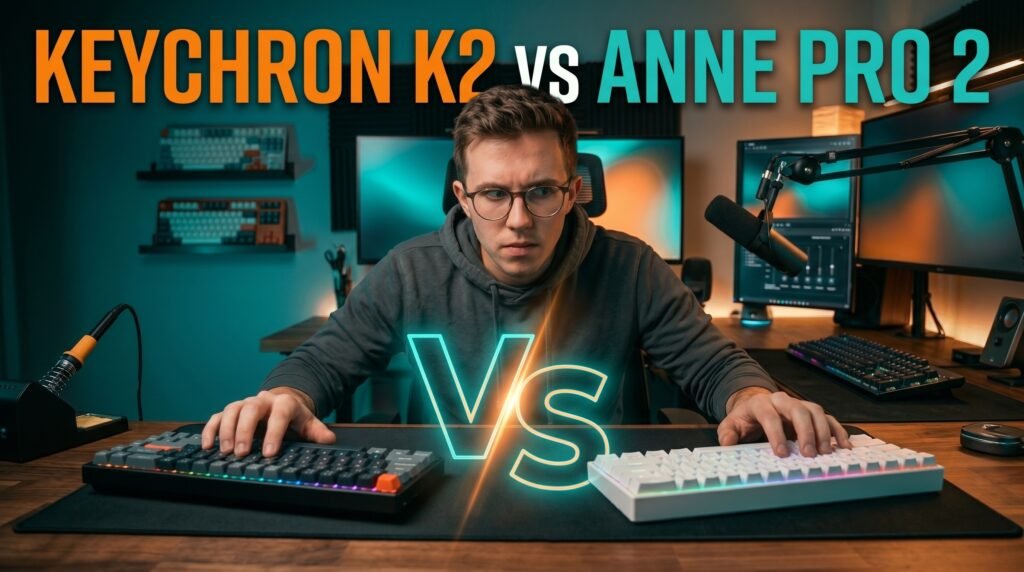
Two keyboards dominate the budget wireless mechanical keyboard conversation more than any others — and for good reason. The Keychron K2 and Anne Pro 2 have been the default recommendations in this category for years, sitting at similar price points while taking fundamentally different approaches to what a compact wireless mechanical keyboard should be. Choosing between them isn’t about which one is objectively better. It’s about which one is better for your specific layout preference, connectivity needs, and how much you care about software customization.
After researching both keyboards in depth and comparing them across every variable that matters for home office and productivity use, here is what actually settles this comparison in 2026.
This guide is for anyone stuck between these two and wanting a clear, honest framework for choosing.
Quick Answer
The Keychron K2 wins for most home office users — the 75% layout retains arrow keys and the function row that productivity workflows depend on, Mac and Windows compatibility is seamless out of the box, and the 4000mAh battery lasts up to 72 hours of typing. The Anne Pro 2 wins for users who specifically want a 60% layout and prioritize the most customizable RGB and tap-layer firmware available at this price.
Layout — The Decision That Should Come First
Before comparing any other spec, the layout difference between these two keyboards is the most important factor — and it’s one that most comparison articles bury in the middle rather than leading with.
The Keychron K2 uses a 75% layout — it removes the numpad from a full-size keyboard but keeps the function row (F1-F12), arrow keys, and a small navigation cluster (Delete, Page Up, Page Down, Home, End). For home office users, this layout is nearly transparent — the keys you use constantly in document work, spreadsheets, and system shortcuts are all present in their standard positions. Switching from a full-size keyboard to the K2 requires almost no adaptation.
The Anne Pro 2 uses a 60% layout — it removes the numpad, function row, arrow keys, and navigation cluster entirely. These keys exist on secondary layers accessible through key combinations (Fn + WASD for arrow keys, Fn + number row for F1-F12). For users who’ve internalized these combinations, 60% is a genuinely freeing format — the smallest possible footprint with full functionality through layers. For users who haven’t, the learning curve is 2-3 weeks of retraining muscle memory and frequent accidental wrong keystrokes.
The counterintuitive point: most people who think they’ll be fine without arrow keys discover within the first week that they use them far more frequently than they realized — in code navigation, spreadsheet work, text editing, and dozens of daily actions that feel natural with dedicated keys and awkward through function layers. If you’re not certain you want 60%, the K2’s 75% is the safer choice.
For context on how these layouts fit into the broader compact keyboard landscape, see our guide on the best tenkeyless mechanical keyboard — TKL sits between these two formats and is worth considering if neither 75% nor 60% feels right.
Connectivity and Wireless Performance
Both keyboards offer Bluetooth wireless connectivity — but the implementation, reliability, and additional connection options differ in ways that matter for daily use.
The Keychron K2 supports Bluetooth 5.1 with three-device pairing and includes a USB-C wired connection. Three-device pairing means you can pair a desktop, laptop, and tablet simultaneously and switch between them with a single key combination (Fn + 1, 2, or 3). Bluetooth 5.1 reconnection from sleep is consistent at under 2 seconds on both Windows and macOS — one of the more reliable implementations in this price range. The 4000mAh battery delivers up to 72 hours of typing time, or 7 days of normal use at 8 hours per day — one of the largest batteries in this keyboard category.
The Anne Pro 2 supports Bluetooth 4.0 with four-device pairing — one more device than the K2 but on the older Bluetooth standard. The practical difference: Bluetooth 4.0 wake-from-sleep reconnection takes 3-8 seconds versus under 2 for the K2’s Bluetooth 5.1. For a keyboard you use all day, unlocking your computer and waiting several seconds for the keyboard to reconnect is a daily friction point that adds up. The Anne Pro 2’s 1900mAh battery delivers up to 8 hours of use with RGB on — significantly shorter than the K2. With RGB off, battery life extends considerably, but the gap versus the K2’s 4000mAh is substantial. The Anne Pro 2 also includes USB-C wired mode.
The K2 wins on wireless performance. Bluetooth 5.1 is the more modern standard, the faster reconnection time is a genuine daily quality-of-life improvement, and the battery capacity difference is meaningful for users who don’t want to charge daily.
For Mac users specifically, both keyboards work well — but the K2 ships with Mac-specific keycaps already installed, making it the cleaner out-of-box experience for Apple users. See our full guide on the best wireless mechanical keyboard for Mac for deeper context on Mac compatibility considerations.
Build Quality and Typing Feel
This is the category where the price similarity between these keyboards is most deceptive — they don’t feel like equivalently-priced products.
The Keychron K2 uses a plastic case with an aluminum frame option available at a modest premium. The base plastic version has good density — it doesn’t flex or rattle — and the case dampening reduces typing vibration effectively. The aluminum frame version feels substantially more premium and significantly reduces case resonance. Switch options include Keychron Super Red, Brown, and Silent Red across different configurations.
The Anne Pro 2 uses a plastic case throughout — no metal option available. The case is lighter than the K2 and introduces more flex under aggressive typing. Per-switch stability varies more between units than the K2, and the switches ship unlubed — the typing sound is louder and less consistent than the K2 at equivalent switch types. For users who plan to mod the keyboard (lubing switches, adding foam dampening), this matters less — the Anne Pro 2 is a popular modding base precisely because of its low starting cost and hot-swappable PCB. For users who want a good typing experience out of the box, the K2 delivers more without any modification.
In our experience, the tactile difference between these keyboards at stock configuration is larger than the $10-15 price difference suggests. The K2 feels like a finished product; the Anne Pro 2 feels like a platform.
Software, Customization, and Firmware
This is where the Anne Pro 2 closes the gap — and for a specific type of user, surpasses the K2 entirely.
The Anne Pro 2 runs open-source QMK-compatible firmware through the ObinsKit software. Every key is fully remappable, tap-hold configurations allow keys to function differently when tapped versus held, and the RGB lighting has more granular control than Keychron’s standard implementation. The Anne Pro 2’s lighting effects are widely considered the more visually impressive of the two. For users who want to deeply customize keyboard behavior — custom macros, complex layer configurations, tap-dance key functions — the Anne Pro 2’s firmware flexibility is genuinely superior at the standard product price.
The Keychron K2 uses Keychron’s own software for basic remapping on Windows and macOS. The standard K2 has more limited software customization than the Anne Pro 2. The K2 Pro — a variant at a slightly higher price — adds full QMK/VIA support that matches or exceeds the Anne Pro 2’s firmware capabilities. If software customization matters and you’re choosing between the standard K2 and Anne Pro 2, the Anne Pro 2 wins on this specific point.
Head-to-Head: Keychron K2 — Best for Home Office (~$85-100)
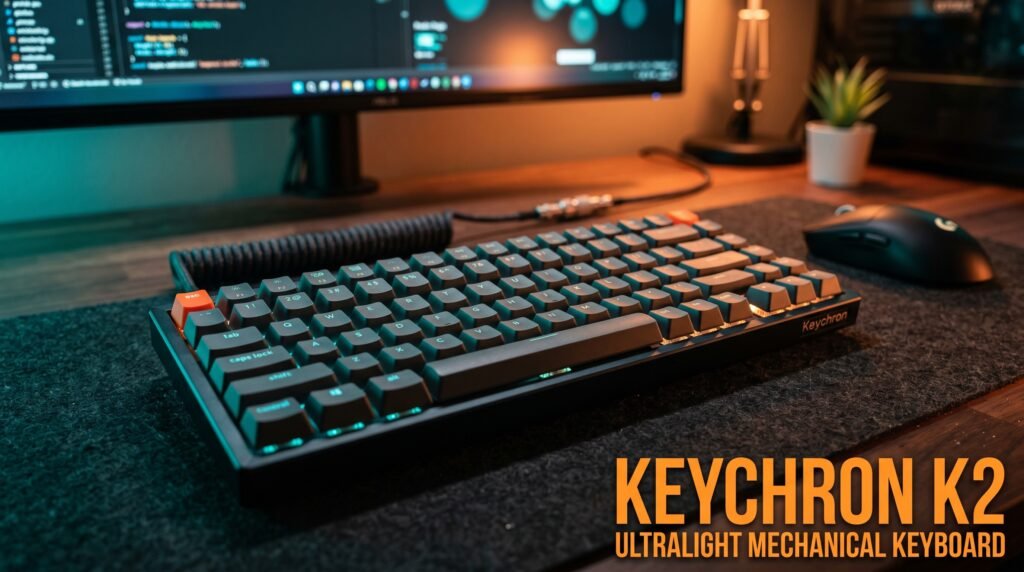
The Keychron K2 is the keyboard we’d recommend to the majority of home office users comparing these two. The 75% layout covers the keys that productivity workflows actually use, the Bluetooth 5.1 implementation is more reliable than the Anne Pro 2’s Bluetooth 4.0, the 4000mAh battery lasts up to 72 hours versus the Anne Pro 2’s 8 hours with RGB on, and the Mac/Windows dual compatibility with correct keycaps pre-installed eliminates the layout friction that makes some competing keyboards frustrating for Apple users.
The hot-swap version — available at a modest premium — allows switch replacement without soldering, making the K2 a long-term platform rather than a fixed purchase. Three-device Bluetooth pairing with sub-2-second reconnection covers the multi-device workflow that most remote workers manage daily.
Pros: 75% layout retains arrow keys and function row, Bluetooth 5.1 with fast reconnection, 4000mAh battery (72 hours typing), three-device pairing, Mac/Windows keycaps included, hot-swap option available, solid build quality. Cons: Standard K2 has limited software customization (K2 Pro required for full QMK), plastic case without aluminum upgrade has some resonance, heavier than Anne Pro 2.
Head-to-Head: Anne Pro 2 — Best for Compact Setups (~$80-95)
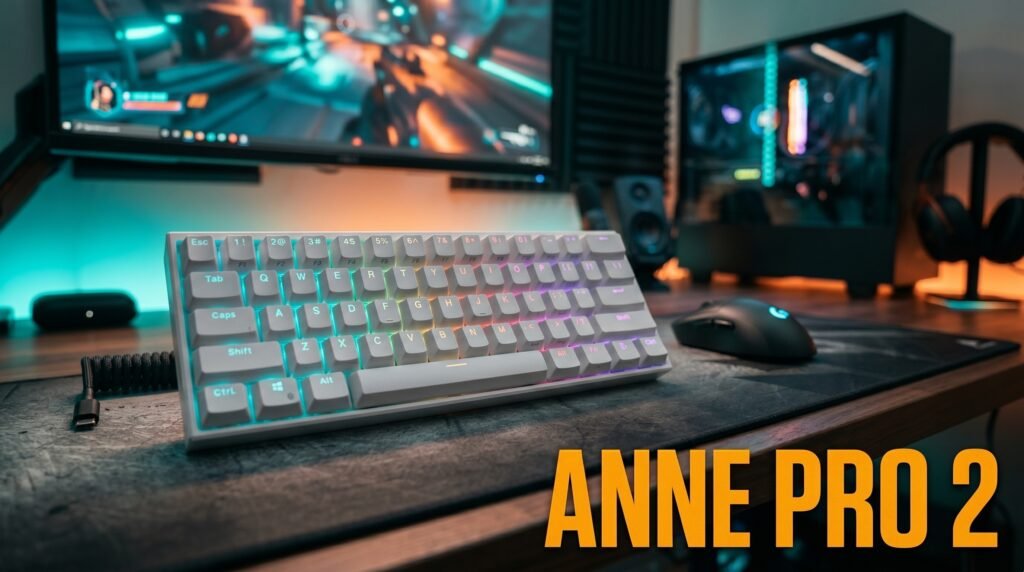
The Anne Pro 2 is the keyboard for users who specifically want 60% and are willing to invest the 2-3 week adaptation period that format requires. The smaller footprint is genuinely useful for tight desk setups or users who want maximum mouse space — the Anne Pro 2 is around 30% smaller than the K2 footprint-wise. The firmware customization through ObinsKit is more accessible than Keychron’s standard software, and the RGB lighting effects are more visually impressive.
Four-device Bluetooth pairing covers one more simultaneous device than the K2. The hot-swappable PCB on most versions makes it an excellent modding base — active community, extensive switch options, and deep firmware customization for users who plan to build their ideal keyboard over time.
What most reviews won’t tell you is that the Anne Pro 2’s Bluetooth 4.0 wake-from-sleep delay and the 1900mAh battery limiting RGB use to around 8 hours are the two most consistent daily complaints from long-term users. Neither is a dealbreaker, but both are genuine friction points that the K2 doesn’t have.
Pros: 60% compact footprint, four-device Bluetooth pairing, better RGB and firmware customization, hot-swappable PCB, active modding community, lower price point. Cons: Bluetooth 4.0 with slower wake-from-sleep, 1900mAh battery limits RGB use to ~8 hours, 60% layout requires adaptation, plastic-only build with more flex than K2.
Comparison Table
| Product | Price | Layout | Bluetooth | Battery | Best For | Rating |
|---|---|---|---|---|---|---|
| Keychron K2 | ~$90 | 75% | 5.1 | 4000mAh / 72h | Home office productivity | 9/10 |
| Anne Pro 2 | ~$85 | 60% | 4.0 | 1900mAh / 8h | Compact setups, customizers | 8/10 |
What to Look for When Choosing Between These Two
1. Layout compatibility with your workflow This is the decision. If you use arrow keys, function keys, or navigation keys regularly — document editing, spreadsheets, coding, system shortcuts — choose the K2’s 75% layout. If you’ve used a 60% keyboard before and know you’re comfortable with function layers, or if you specifically want the smallest possible footprint, choose the Anne Pro 2. Don’t choose 60% speculatively — the adaptation period is real and some users never fully adapt.
2. Battery life for your usage pattern 72 hours of typing on the K2 versus 8 hours with RGB on for the Anne Pro 2 is a significant practical difference. If you prefer leaving the keyboard charged weekly rather than daily, the K2’s 4000mAh battery is the clear choice. If you primarily use the keyboard wired or don’t mind charging more frequently, the Anne Pro 2’s battery is acceptable.
3. Bluetooth version for your reconnection tolerance If you lock and unlock your computer frequently throughout the day, the difference between Bluetooth 5.1 (under 2 seconds) and Bluetooth 4.0 (3-8 seconds) manifests as dozens of minor delays per day. Decide honestly whether you notice and care about this kind of friction before paying the K2 premium for Bluetooth 5.1.
4. Out-of-box experience versus modding potential The K2 is the better keyboard stock — better typing feel, more reliable wireless, cleaner layout for productivity, superior battery. The Anne Pro 2 is the better modding base — lower cost to start, active community, extensive customization for users who plan to lube switches, add foam, and configure firmware extensively.
5. Mac versus Windows priority The K2 ships with Mac keycaps installed and Windows keycaps in the box — swappable, no separate purchase required. The Anne Pro 2 ships with Windows layout and requires purchasing Mac keycaps separately for correct labeling. For Mac-primary users, the K2 is the cleaner choice.
FAQ
Is the Keychron K2 worth the extra cost over the Anne Pro 2?
For most home office users, yes. The 75% layout covers all the keys that productivity workflows depend on, Bluetooth 5.1 reconnection is meaningfully faster than the Anne Pro 2’s Bluetooth 4.0, and the 4000mAh battery versus the Anne Pro 2’s 1900mAh is a significant practical advantage for wireless users. The price difference is justified by the layout and connectivity improvements alone for users who use arrow keys and function keys regularly.
Can I use the Anne Pro 2 without learning layers?
Technically yes for basic typing, but you’ll immediately hit limitations the moment you need an arrow key, a function key, or any navigation key. The layer system requires deliberate use for keys that most users access constantly without thinking. If you need to consciously remember a key combination every time you want to press the up arrow, the 60% format will slow you down until the combinations are fully internalized — a process that genuinely takes 2-3 weeks of consistent use.
Which is better for Mac users?
The Keychron K2 is the better choice for Mac users. It ships with correct Mac keycaps pre-installed (Command, Option in the right positions with correct labels), the function row includes Mac media keys, and Keychron’s Mac/Windows toggle switch remaps modifier keys correctly without software. The Anne Pro 2 works on Mac but requires separate Mac keycap purchase and software configuration for correct modifier key behavior.
Does the Anne Pro 2 still get firmware updates in 2026?
The Anne Pro 2 has a less active official update cadence than Keychron’s keyboards, but the open-source QMK-compatible community maintains firmware support independently of Obins. For users comfortable with community firmware, the Anne Pro 2 remains well-supported. For users who prefer official manufacturer updates, Keychron’s more active product support is a meaningful advantage.
Our Final Verdict
For most home office users comparing the Keychron K2 vs Anne Pro 2 in 2026, the Keychron K2 is the right choice — the 75% layout keeps everything you need, Bluetooth 5.1 is noticeably more reliable than Bluetooth 4.0, and the 4000mAh battery lasts nearly 10x longer than the Anne Pro 2’s 1900mAh with RGB on. The Anne Pro 2 earns its recommendation specifically for users who want 60%, plan to mod the keyboard, or prioritize firmware customization at the standard price point. Choose your layout first — everything else is secondary. Check current pricing on Amazon for both keyboards.