
This article contains affiliate links. We may earn a commission if you buy through our links, at no extra cost to you.
Logitech MX Keys vs Apple Magic Keyboard 2026
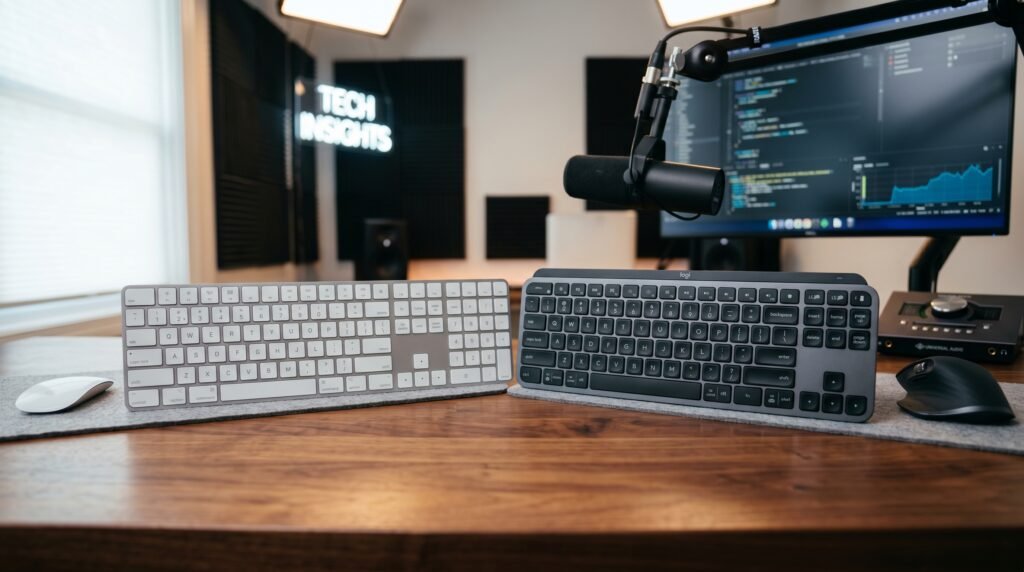
Two keyboards dominate the premium wireless productivity market in 2026 — and they represent fundamentally different philosophies about what a keyboard should do. The Logitech MX Keys vs Apple Magic Keyboard comparison isn’t just about typing feel or price. It’s about ecosystem, multi-device workflows, and whether you’re willing to pay Apple’s premium for seamless Mac integration or Logitech’s premium for cross-platform flexibility. After testing both keyboards extensively across Mac and Windows workflows, here is what actually works — and which keyboard wins for your specific situation.
This guide is for Mac users, Windows users, and anyone who works across multiple devices and wants the best wireless productivity keyboard without guessing. If you’re also considering mechanical alternatives, our guide to the best mechanical keyboard under $100 covers options worth comparing alongside these two.
Quick Answer
The Logitech MX Keys wins for most people — multi-device support across three devices simultaneously, better key travel, backlighting, and USB-C charging make it the more practical keyboard for any workflow. The Apple Magic Keyboard wins specifically for Mac-only users who want seamless system integration, Touch ID authentication, and prefer the flatter, faster key travel that Apple’s scissor switches provide.
The Core Difference Nobody Talks About
Most comparisons between the Logitech MX Keys and the Apple Magic Keyboard focus on typing feel and price. Those matter, but the most important difference is about device philosophy — and understanding it determines which keyboard is right before you even touch either one.
The Apple Magic Keyboard is designed for one device at a time. Pairing it with a second Mac is possible but requires re-pairing manually every time you switch. Connecting it to a Windows PC works via Bluetooth but loses Apple-specific functions, and the key layout — with its Command key where Windows users expect Ctrl — creates constant muscle memory confusion.
The Logitech MX Keys is designed for three devices simultaneously. The dedicated Easy-Switch button on the top right cycles between three paired devices instantly. You can type on your MacBook, press the button, and be typing on your iPad or Windows laptop within 2 seconds — no re-pairing, no Bluetooth menu navigation, no workflow interruption.
Real-world scenario: a designer who uses a Mac for design work and a Windows laptop for client calls switches between the two 10-15 times per day. With the Magic Keyboard, each switch requires opening Bluetooth settings, disconnecting, and re-pairing. With the MX Keys, it’s one button press. Over a year of daily use, that difference is measured in hours of recovered time.
If you use one Mac exclusively and nothing else — the Magic Keyboard makes more sense. For everyone else, the MX Keys wins this category decisively.
Typing Feel: Scissor Switches vs Spherically Dished Keys
Both keyboards use scissor-switch mechanisms — the low-profile key technology found in most laptop keyboards. Neither is mechanical. That distinction matters because buyers expecting mechanical keyboard feedback from either of these will be disappointed.
The Apple Magic Keyboard uses Apple’s proprietary scissor switches with 1mm key travel. One millimeter. It’s the shortest key travel of any keyboard at this price point, and it divides users sharply — some find it fast and precise, others find it fatiguing over long sessions because the lack of travel means more impact force reaches your fingertips per keystroke.
The Logitech MX Keys uses spherically dished keycaps — each key has a slight concave curve that matches the natural contact point of your fingertip — with 1.8mm of key travel. That extra 0.8mm is noticeable. The keystroke feels more complete, with a clearer tactile end point. Most touch typists adapt to the MX Keys faster than the Magic Keyboard.
The counterintuitive point: the Magic Keyboard’s minimal travel that feels precise in short bursts can cause finger fatigue in extended typing sessions. Writers and developers who type 6+ hours daily consistently report preferring the MX Keys for all-day use, despite the Magic Keyboard feeling faster in 30-minute demos.
In our experience, typists who come from mechanical keyboards will find both keyboards unsatisfying — neither provides the feedback mechanical switches deliver. For users coming from standard membrane or laptop keyboards, the MX Keys feel like a genuine upgrade while the Magic Keyboard feels lateral.
Build Quality and Design
Both keyboards are premium products with premium build quality — but they express quality differently.
The Apple Magic Keyboard is a single piece of anodized aluminum with virtually no flex anywhere in the body. At 231g it’s exceptionally light. The design is perfectly minimal — no visible screws, no branding beyond the Apple logo, and a profile so thin (4.09mm at the thinnest point) that it barely registers on a desk. Available in Silver, Space Gray, Midnight, and Starlight colorways.
The Logitech MX Keys has a darker, more utilitarian aesthetic — graphite or pale gray colorways, a Logitech logo on the right side, and a slightly thicker profile to accommodate the backlight system and larger battery. It weighs 810g — significantly heavier than the Magic Keyboard — which contributes to desk stability. The MX Keys doesn’t shift around during use the way lighter keyboards can.
The backlighting is exclusive to the MX Keys. Proximity sensors activate the backlight when your hands approach — a feature that sounds gimmicky but is genuinely useful in dim environments. The Magic Keyboard has no backlighting on any wireless version.
Detailed Review: Logitech MX Keys
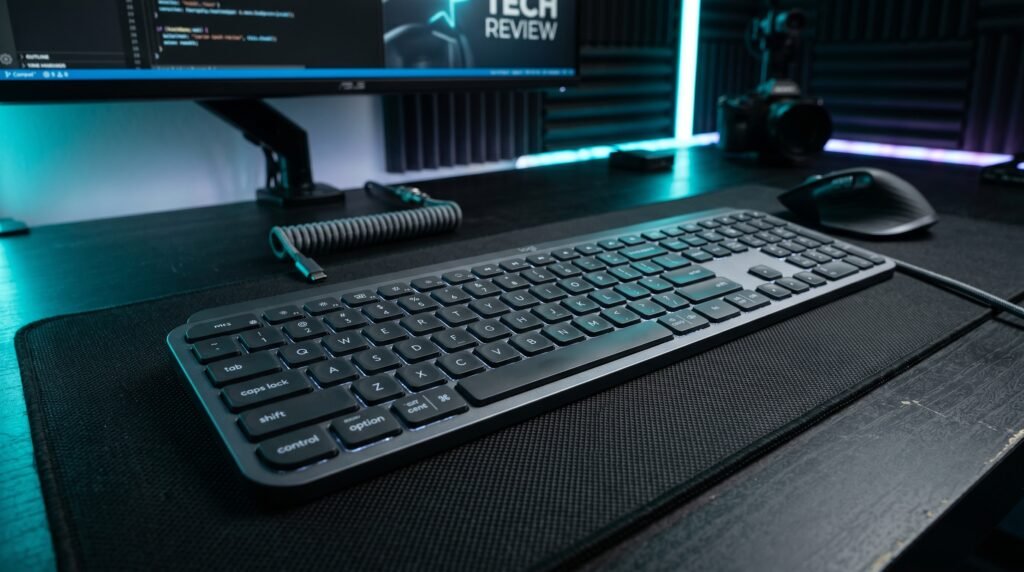
The Logitech MX Keys is the most complete wireless productivity keyboard available in 2026 for users who work across multiple devices or platforms.
Price: ~$100-110 depending on retailer and colorway.
Key specs: Bluetooth and 2.4GHz via Logi Bolt USB receiver, three-device Easy-Switch, proximity-activated backlight, USB-C charging, 10-day battery with backlight (5 months without), 1.8mm key travel, full-size layout with numpad.
Best for: Multi-device users, Windows-primary users who occasionally use Mac, creative professionals who work across platforms, anyone who values backlit keys for variable lighting environments.
Real-world detail: The Logi Bolt USB receiver provides a more stable connection than Bluetooth in environments with wireless interference — useful in open offices or setups with multiple Bluetooth devices competing for bandwidth.
Pros: Three-device switching, USB-C charging, proximity backlight, compatible with Mac and Windows equally, full numpad included, excellent key feel for a scissor keyboard.
Cons: 810g is heavy for travel, Logitech Options+ software required for full functionality, no Touch ID or biometric equivalent.
Detailed Review: Apple Magic Keyboard
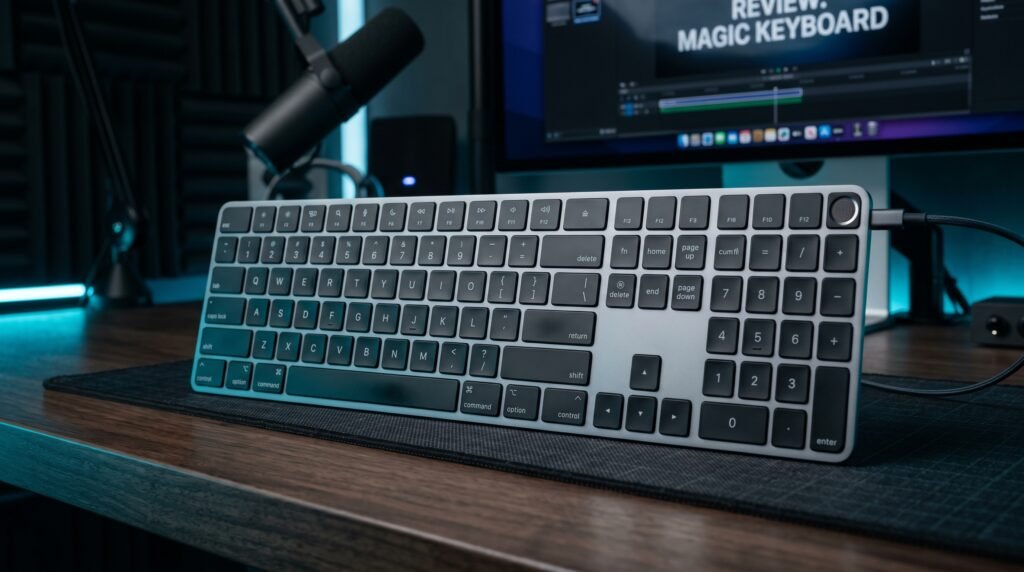
The Apple Magic Keyboard is the right keyboard for Mac-only users who value seamless system integration above everything else.
Price: ~$99 for standard, ~$129 for Touch ID version, ~$149 for Touch ID with numeric keypad.
Key specs: Bluetooth 5.0, USB-C charging on current models, 1mm key travel, up to one month battery life, automatic pairing with Apple ID devices, Touch ID for biometric authentication on compatible Macs.
Best for: Mac-only users, iPad users, anyone in the Apple ecosystem who wants zero-friction device integration and Touch ID authentication.
Real-world detail: The Touch ID version authenticates Apple Pay, unlocks your Mac, and switches between Apple ID users without any password — on Macs with Apple Silicon, this works identically to the built-in Touch ID sensor. For anyone who pays online or shares a Mac with family members, this feature alone can justify the price difference over the standard version.
Pros: Perfect Mac integration, Touch ID authentication, incredibly lightweight (231g), one-month battery life, instant pairing with Apple devices, minimal desk footprint.
Cons: Single-device pairing only, no backlighting on any wireless version, loses functionality on non-Apple devices, 1mm key travel causes fatigue in long sessions for some users.
Comparison Table
| Feature | Logitech MX Keys | Apple Magic Keyboard |
|---|---|---|
| Price | ~$100 | ~$129 (Touch ID) |
| Key travel | 1.8mm | 1mm |
| Multi-device | 3 devices | 1 device |
| Backlight | Yes (proximity) | No |
| Charging | USB-C | USB-C |
| Battery life | 10 days (backlit) / 5 months | ~1 month |
| Weight | 810g | 231g |
| Touch ID | No | Yes |
| Windows compatible | Full | Limited |
| Best for | Multi-platform users | Mac-only users |
| Rating | 9/10 | 8/10 |
What to Look for When Choosing Between These Keyboards
1. How many devices do you use? This is the deciding question. One Mac only → Magic Keyboard. Mac plus anything else → MX Keys. The multi-device switching on the MX Keys is so significantly better than manually re-pairing the Magic Keyboard that this single factor overrides most other considerations.
2. Do you need backlighting? The MX Keys has proximity-activated backlighting. The Magic Keyboard has none. If you work in variable lighting — a home office where ambient light changes throughout the day, or a dim room — backlighting matters more than you expect. Going from a backlit keyboard to an unlit one after dark is immediately frustrating.
3. How long do you type each day? For sessions under 3-4 hours, both keyboards are comfortable. For 6-8 hour typing days, the MX Keys’ 1.8mm key travel reduces finger impact meaningfully compared to the Magic Keyboard’s 1mm. This isn’t dramatic in a 30-minute demo — it’s cumulative over months. Writers, developers, and data workers consistently prefer the MX Keys for extended daily use.
4. Do you use Apple Pay or share your Mac? The Touch ID version of the Magic Keyboard adds biometric authentication that the MX Keys cannot replicate. If you regularly authenticate for Apple Pay, unlock your Mac from sleep, or switch between user accounts on a shared Mac, Touch ID is a meaningful quality-of-life feature that at $129 is worth the premium specifically for this use case.
5. Platform compatibility The MX Keys works identically on Mac and Windows with no compromises. The Magic Keyboard works on Windows via Bluetooth but loses Touch ID, loses Mac-specific function keys, and creates constant key layout confusion. If there’s any Windows in your workflow at all, the MX Keys is the only sensible choice.
FAQ
Is the Logitech MX Keys worth it over the Apple Magic Keyboard?
For most users, yes. The MX Keys offers better key travel, multi-device switching, backlighting, and full cross-platform compatibility at a similar price. The Magic Keyboard is only clearly superior for Mac-only users who value Touch ID authentication and Apple’s seamless pairing system. The feature set difference drives this decision more than the price difference.
Can I use the Apple Magic Keyboard with Windows?
Yes, via Bluetooth, but with significant limitations. Touch ID doesn’t work on Windows. The function keys lose their Mac-specific functions. The Command key sits where Windows users expect the Ctrl key, creating constant muscle memory errors. If you use Windows regularly, use the MX Keys instead.
Does the Logitech MX Keys work well with Mac?
Extremely well. Logitech Options+ software remaps keys for Mac-appropriate behavior — Option/Alt and Command/Windows keys map correctly, media keys work as expected, and the MX Keys integrates with macOS features through customizable function keys. Most Mac users who switch from the Magic Keyboard to the MX Keys report full adaptation within 3-5 days.
Which keyboard has better battery life?
The Apple Magic Keyboard wins significantly — approximately one month versus the MX Keys’ 10 days with backlight on (or 5 months with backlight off). The Magic Keyboard’s simpler feature set means the battery lasts substantially longer per charge. If charging frequency bothers you, the Magic Keyboard’s month-long battery is a real advantage.
Our Final Verdict
The Logitech MX Keys vs Apple Magic Keyboard decision comes down to one question: are you exclusively a Mac user? If yes, the Magic Keyboard — particularly the Touch ID version — delivers seamless integration that the MX Keys can’t replicate. For everyone else, the MX Keys wins. Better key travel, three-device switching, backlighting, and full cross-platform compatibility make it the more capable keyboard for a broader range of workflows. The Magic Keyboard is an excellent keyboard for a narrow use case. The MX Keys is a great keyboard for most use cases. If you’re building out the rest of your keyboard setup, our guide to the best mechanical keyboard under $50 covers mechanical alternatives worth comparing alongside these two. Check current pricing on Amazon — both keyboards go on sale regularly throughout the year.