
This article contains affiliate links. We may earn a commission if you buy through our links, at no extra cost to you.
The best gaming headset under $100 is chosen on its microphone, not its drivers. Your teammates hear your mic every round; you hear the difference between two decent 50mm drivers maybe twice a session.
Under $100 you’re buying compromises, and the question is which ones you can live with. Every headset in this range cuts something: build materials, mic quality, wireless, or software support.
After comparing driver sizes, weights, mic specs, battery figures and long-term owner feedback across more than 20 models, five are worth your money. One wins overall, one has the best mic by a clear margin, one is wireless without feeling like a downgrade, and two cover the budget end.
Quick Answer
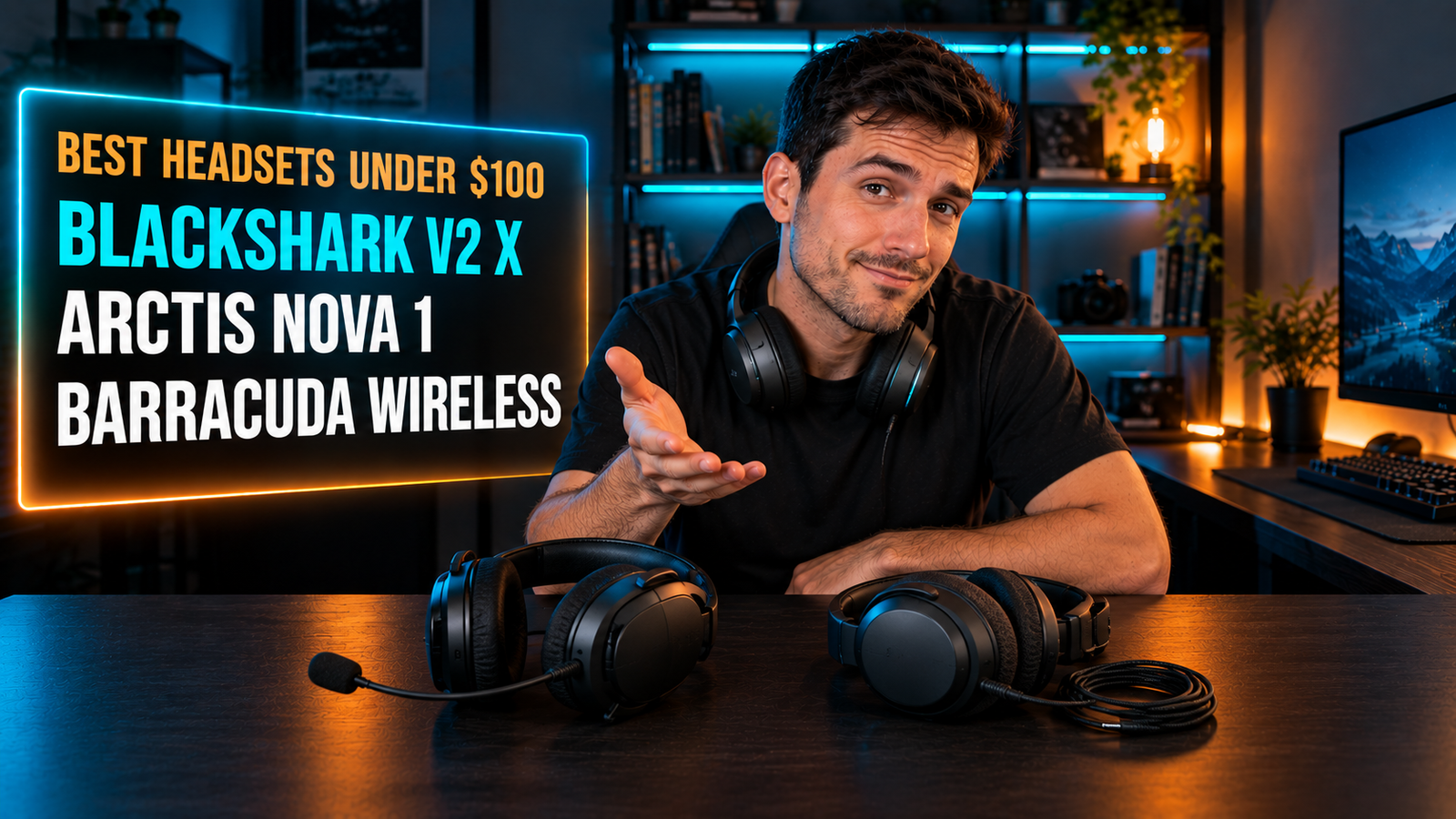
The Razer BlackShark V2 X is the best gaming headset under $100 for most people, pairing 50mm Triforce drivers with a cardioid mic at 240g. For voice quality above everything, the SteelSeries Arctis Nova 1 cuts background noise by up to 25dB, and the Razer Barracuda X delivers 50 hours of wireless for under $100.
Does the Microphone Matter More Than the Drivers?
Under $100, the microphone is the component that varies most between models, and it’s the one other people experience. Driver quality in this range clusters closely; mic quality does not.
The headset with the best sound here has the least impressive mic on paper. The HyperX Cloud Stinger 2 delivers solid 50mm audio but describes its mic only as noise-cancelling, while the SteelSeries Arctis Nova 1 publishes a specific figure: its ClearCast Gen 2 mic silences background noise by up to 25dB. One of those is a measurement; the other is a category.
Pickup pattern is the spec to look for. A cardioid mic, like the HyperClear on the Razer BlackShark V2 X, narrows its sensitivity toward your mouth and tapers off at the back and sides, which is why it picks up less of your mechanical keyboard.
If you play with a loud switch like a Blue or a Box Jade, that pattern does more for your comms than any driver upgrade. Our budget gaming keyboard guide covers which switches are worth the noise in the first place.
Can You Get a Decent Wireless Gaming Headset Under $100?
Wireless under $100 stopped being a compromise around 2022, and the Razer Barracuda X is the proof. It runs 2.4GHz and Bluetooth, lasts 50 hours per charge, and weighs 250g.
The wireless headset here is lighter than two of the wired ones. At 250g the Barracuda X undercuts the 275g Cloud Stinger 2, despite carrying a battery the wired model doesn’t need. Battery weight stopped being the deciding factor once brands started cutting the frames down.
Battery life is where budget wireless actually shows its price. Fifty hours is roughly two weeks at three hours a night, which is long enough that you’ll charge it on a rough schedule rather than a strict one.
The trade is the cable you don’t have. A wired headset works the instant you plug it in, on any device with a 3.5mm jack, forever. A wireless one needs a dongle port, a charge and firmware that stays supported. If you play at one desk and never move, the wired options give you more headset per dollar. Pick wireless only if you actually walk away mid-game.
Do Bigger Drivers Mean Better Sound?
Driver diameter tells you almost nothing about sound quality. Design, tuning and the acoustic chamber matter far more than the number in millimeters.
The 40mm headset here can outperform the 50mm ones. The Barracuda X uses Razer’s Triforce 40mm design, which splits the driver into three parts so highs, mids and lows are handled separately, while plenty of generic 50mm drivers push everything through one cone.
What you want in a gaming headset is separation, not bass. A driver that muddies footsteps into explosions is worse for competitive play than a smaller one with clean mids, regardless of what the spec sheet says.
If you play Valorant or CS2 and want to hear someone walking behind a wall, look for tuning language about clarity and mids rather than a driver size or “enhanced bass”. Marketing that leads with bass is telling you where the tuning went. We’d take the Triforce 40mm over an untuned 50mm at the same price without thinking about it.
Is Virtual 7.1 Surround Sound Worth Anything?
Virtual surround in this price range is a software checkbox, and its value depends entirely on the game. It processes a stereo signal to simulate directional cues, and results vary from useful to actively worse than plain stereo.
Some of these surround features expire. HyperX bundles the Cloud Stinger 2 with an activation code that provides 2 years of DTS Headphone:X, after which the feature you paid for stops unless you renew. A hardware purchase with a software expiry date is worth knowing about before you buy.
Platform limits matter too. Razer notes that the BlackShark V2 X’s 7.1 surround is only available on 64-bit Windows 10, so console and Mac players get stereo regardless of what the box says.
If you play on a PS5, the SteelSeries Arctis Nova 1 is fully compatible with Tempest 3D Audio, which handles spatialization at the console level and doesn’t care what your headset’s software does. Buy for drivers, mic and fit, and treat surround as a bonus you may or may not keep.
How Much Does Weight Actually Matter?
Weight is the spec you’ll notice most across a long session, and the range here is wider than it looks. The lightest headset in this guide is 240g and the heaviest is 275g, a 35g spread.
Thirty-five grams sounds trivial and isn’t, because the difference is concentrated at two contact points. All of that weight rests on the top of your head and around your ears, so a 15% difference in mass is a 15% difference exactly where you feel it.
Clamping force and pad material matter alongside it. Leatherette memory foam, used on the BlackShark V2 X and the Corsair HS55 Stereo, seals better and warms up faster; the Arctis Nova 1’s AirWeave cushions with height-adjusting earcups run cooler.
If you wear glasses, the pad material decides the fit more than the weight does, since softer foam lets the arms sit without pressure points. And if your desk setup means the headset lives around your neck between matches, the 90-degree rotating earcups on the Cloud Stinger 2 are a genuinely useful design detail rather than a spec-sheet line.
Best Gaming Headset Under $100: Comparison Table
| Product | Price | Best For | Rating |
|---|---|---|---|
| Razer BlackShark V2 X | ~$60 | Best overall | 9/10 |
| SteelSeries Arctis Nova 1 | ~$60 | Best microphone | 8.5/10 |
| Razer Barracuda X | ~$90 | Best wireless | 8.5/10 |
| HyperX Cloud Stinger 2 | ~$50 | Best budget | 8/10 |
| Corsair HS55 Stereo | ~$60 | Multi-platform use | 8/10 |
Detailed Reviews
Razer BlackShark V2 X — Best Overall
Two hundred and forty grams is the number that puts Razer’s esports headset ahead of the field here. It’s the lightest in this guide, built with thicker headband padding and leatherette memory foam cushions, and it pairs 50mm Triforce drivers with a bendable HyperClear cardioid mic tuned to narrow the pickup area toward your mouth.
If you play with a loud mechanical keyboard, that cardioid pattern is the feature that keeps your typing out of team comms. The aviation-style closed earcups also block a fair amount of room noise passively, which matters if you game in a shared space rather than a closed room.
Its 7.1 surround only runs on 64-bit Windows 10, so console players get stereo. It’s wired-only with a 3.5mm jack, the plastic build feels its price, and there’s no RGB if that matters to you.
Best for: Competitive players who want the lightest headset and a mic that ignores keyboard noise.
Real-world detail: At 240g it’s 35g lighter than the Cloud Stinger 2 and 10g lighter than the wireless Barracuda X.
Pros: 240g, 50mm Triforce drivers, cardioid mic, memory foam leatherette pads, works on PC, Mac, PS5, Xbox and Switch via 3.5mm.
Cons: 7.1 limited to Windows 10 64-bit, wired only, plastic construction.
SteelSeries Arctis Nova 1 — Best Microphone
A published figure beats a marketing adjective. SteelSeries states the Arctis Nova 1’s ClearCast Gen 2 mic silences background noise by up to 25dB, and it fully retracts into the earcup when you’re not using it. The headset pairs that with High Fidelity drivers, 360° spatial audio and a 10-band parametric EQ in the Sonar software, which is unusually deep for a headset at this price.
If you stream or spend more time in Discord than in-game, this is the one we’d buy. The ComfortMAX system adds height-adjusting rotating earcups and AirWeave cushions on a stretchy band, which runs cooler over a long session than sealed leatherette.
There’s no wireless option at this tier, the plastic frame is basic, and the Sonar software is a download you’ll need to actually get the EQ benefit.
Best for: Streamers and Discord regulars who prioritize how they sound to others.
Real-world detail: The ClearCast Gen 2 mic reduces background noise by up to 25dB and retracts fully into the earcup.
Pros: Best documented mic here, retractable design, 10-band parametric EQ, AirWeave cushions, Tempest 3D Audio compatible on PS5.
Cons: Wired only, basic plastic build, software needed for the EQ.
Razer Barracuda X — Best Wireless
Fifty hours of battery in a 250g frame is what makes wireless viable under $100. The 2022 Barracuda X runs SmartSwitch dual wireless, letting you jump between 2.4GHz for your PC and Bluetooth for your phone without re-pairing, and it charges over USB-C. The mic is a detachable HyperClear cardioid, so the headset works as plain headphones on a commute.
If you take calls on your phone and play on PC at the same desk, switching sources on the headset itself rather than in two sets of menus is the feature you’ll use daily. Fifty hours also means charging roughly every two weeks at three hours a night.
Amazon lists several Barracuda X generations at once, including an older 20-hour model and a 70-hour Chroma version, so check the listing says 50 hours. It also uses 40mm drivers rather than 50mm, and wireless costs you about $30 over the wired picks.
Best for: Players who move between a PC and a phone, or who leave the desk mid-session.
Real-world detail: At 250g with a battery inside, it’s 25g lighter than the wired Cloud Stinger 2.
Pros: 50-hour battery, 2.4GHz and Bluetooth with on-headset switching, 250g, detachable mic, USB-C charging.
Cons: Confusing generations on Amazon, 40mm drivers, roughly $30 more than wired equivalents.
HyperX Cloud Stinger 2 — Best Budget
Around $50 buys more headset here than the price suggests. The Cloud Stinger 2 runs 50mm drivers behind memory foam cushions and soft leatherette, weighs 275g, and puts the volume slider and a swivel-to-mute mic directly on the earcup so you never open a menu to mute yourself. The steel slider is a build detail most headsets at this price skip.
If you keep the headset around your neck between matches, the 90-degree rotating earcups let it sit flat against your chest instead of pressing sideways. Flipping the mic up to mute is also the most reliable mute there is, since you can see its state without checking software.
It’s the heaviest option here at 275g, and the bundled DTS Headphone:X activation code covers 2 years before the feature lapses. The mic has no published noise-reduction figure either.
Best for: Tight budgets that want hardware controls and a straightforward wired connection.
Real-world detail: The bundled DTS Headphone:X code provides 2 years of spatial audio, after which the feature requires renewal.
Pros: Around $50, 50mm drivers, swivel-to-mute mic, on-earcup volume, adjustable steel slider, 90-degree rotating cups.
Cons: Heaviest at 275g, DTS licence expires after 2 years, no mic noise-reduction spec.
Corsair HS55 Stereo — Best Multi-Platform
Console owners with more than one machine are the buyers here. The HS55 Stereo runs custom-tuned 50mm neodymium drivers behind memory foam leather earpads, connects over a 3.5mm jack, and is Discord Certified, which means Corsair had the mic validated against Discord’s own standard rather than describing it in-house.
If you rotate between a PS5, a Switch and a PC, a single 3.5mm headset removes the adapter problem entirely, and the lightweight frame makes it easy to move between rooms.
Amazon carries several regional variants of this model, including import listings with unusual model codes, so confirm the seller and the warranty before buying. The stereo version also has no surround processing at all, which is arguably honest rather than a flaw, and Corsair publishes no weight figure in its Amazon copy. We’d only pick it over the BlackShark V2 X if you specifically want the Discord certification.
Best for: Multi-console households that want one 3.5mm headset for everything.
Real-world detail: Discord Certification means the mic was validated against an external standard rather than an in-house claim.
Pros: 50mm neodymium drivers, Discord Certified mic, memory foam leather pads, works across PC, Mac, PS5, Xbox and Switch.
Cons: Multiple regional listings on Amazon, no surround processing, no published weight.
What to Look for When Choosing a Gaming Headset Under $100
1. Start with the microphone spec. Look for a published figure or a named pickup pattern, like the Arctis Nova 1’s 25dB reduction or the BlackShark’s cardioid design. A mic described only as “noise-cancelling” tells you nothing.
2. Check the weight in grams. The range here runs 240g to 275g, and that difference sits entirely on your head and ears. Lighter is the safer choice for long sessions.
3. Decide wired or wireless before comparing specs. Wireless costs roughly $30 more for equivalent hardware. If you never leave the desk, that money buys better drivers and a better mic in a wired model.
4. Read the fine print on surround sound. Some licences expire, like HyperX’s 2-year DTS code, and some features are limited to one operating system, like Razer’s Windows-only 7.1.
5. Match pad material to your setup. Leatherette seals better and warms up faster; fabric cushions like SteelSeries AirWeave run cooler. Glasses wearers should prioritize softer foam over a lower weight figure.
FAQ
Is a $100 gaming headset good enough?
Yes, a gaming headset under $100 is enough for the vast majority of players, since driver quality in this range is closely matched and the real differences are in the mic, the weight and the connection type. Above $100 you mostly buy better build materials, wireless range and software features. Competitive players gain more from a good mic than from expensive drivers.
Are wired or wireless gaming headsets better?
Wired headsets give you more hardware per dollar under $100 and work instantly on any device with a 3.5mm jack. Wireless models cost roughly $30 more for equivalent specs but let you leave the desk, and current options like the Razer Barracuda X run 50 hours per charge. Choose wired unless you actually move around while playing.
Do 50mm drivers sound better than 40mm?
Not necessarily, because driver design and tuning affect sound far more than diameter. A well-engineered 40mm driver, such as Razer’s three-part Triforce design, can deliver better separation than a generic 50mm one. Judge a headset by how clearly it separates sounds rather than by the millimeter figure.
Is virtual 7.1 surround sound worth it on a budget headset?
Virtual 7.1 surround has limited value on a budget headset, since results vary by game and some implementations are platform-restricted or time-limited. Razer’s 7.1 on the BlackShark V2 X runs only on 64-bit Windows 10, and HyperX’s DTS licence lasts 2 years. Prioritize drivers, mic and fit, and treat surround as a bonus.
Our Final Verdict
For most players, the Razer BlackShark V2 X is the gaming headset to buy under $100: the lightest here at 240g, with 50mm Triforce drivers and a cardioid mic that keeps your keyboard out of team comms.
If people hear you more than you hear them, the SteelSeries Arctis Nova 1 has the only mic here with a published noise-reduction figure. The Razer Barracuda X makes wireless work at this price with 50 hours of battery, the HyperX Cloud Stinger 2 is the budget pick at around $50, and the Corsair HS55 Stereo suits multi-console households.