
As an Amazon Associate we earn from qualifying purchases made through links on this page.
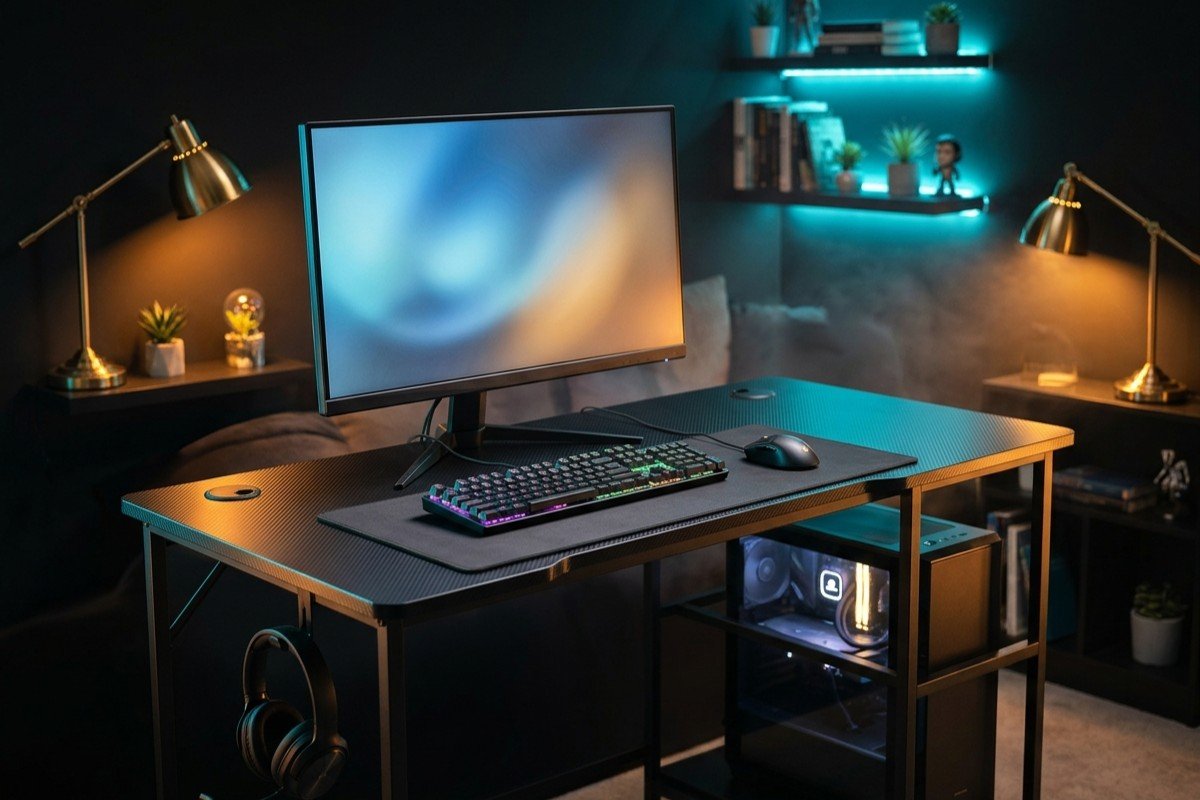
The best desk setup for gaming in a small room is built around depth, not width. Almost every guide tells you to measure your wall. The measurement that actually decides whether your setup works is the 20 inches between the wall and the front edge of your desk.
A 40-inch desk fits in nearly any bedroom. The problem starts when you put a 27-inch monitor on it, because the stand eats 8 or 9 inches of that depth and pushes the screen to within arm’s reach.
After comparing desk dimensions, load ratings, mounting specs, storage layouts and long-term owner feedback across dozens of products, four pieces solve the small-room problem. One is the desk, one adds gaming features, one buys back the depth, and one disappears entirely when you need the floor.
Quick Answer
The CAPHAUS 40-Inch Desk with Shelves is the best small-room gaming desk for most people, holding 220 lbs with a removable middle shelf for a PC tower. For a fully equipped setup, the MEUIS 40-Inch Gaming Desk builds in 2 USB ports and 2 AC outlets, and the Amazon Basics Gas Spring Monitor Arm frees up the desk depth that a monitor stand takes.
Why Desk Depth Matters More Than Width in a Small Room
Desk depth decides whether a gaming setup works in a small room, because depth sets how far your eyes sit from the screen. Width only decides how much stuff fits side by side.
The numbers are unforgiving. Compact desks in this category run 18.9 to 19.7 inches deep. A typical 27-inch monitor stand occupies 8 to 9 inches of that, leaving roughly 11 inches between the panel and the front edge, and a 27-inch screen is comfortable somewhere closer to 30 inches away.
Buying a wider desk fixes nothing. Going from 40 to 55 inches gives you room for a second monitor you can’t sit far enough from either, while a 19.7-inch depth stays 19.7 inches.
The way out is to move the screen off the desk surface entirely, which is what a monitor arm does. If your bedroom only allows a desk against a wall with a chair behind it, that arm recovers more usable space than any desk upgrade at the same price. Our breakdown of whether a monitor arm is worth it covers the rest of that decision.
How Much Desk Space Does a Monitor Arm Actually Give Back?
A monitor arm recovers the entire footprint of your monitor stand and pushes the screen back past the rear edge of the desk. On a 19.7-inch-deep desk, that’s the difference between a cramped setup and a usable one.
The cheap accessory outperforms the expensive furniture here. The Amazon Basics Gas Spring Monitor Arm extends up to 20.5 inches and clamps to desks between 0.39 and 4 inches thick, so a $40 arm adds more usable depth than a $200 wider desk.
Capacity is the spec to check before ordering. That model supports monitors from 4.4 to 15.4 lbs across 15 to 27 inches, and plenty of 27-inch gaming panels weigh more than 15.4 lbs without their stands.
Weigh your monitor with the stand removed, which is the figure the manufacturer lists in its specifications. If your panel comes in at 17 or 18 lbs, step up to an arm rated to 19.8 lbs rather than hoping the gas spring holds. An arm that sags is worse than no arm at all, since the screen drifts down mid-session.
Where Does the PC Tower Go in a Small Room?
The PC tower belongs on the floor beside the desk or on a shelf built into it, not on the desktop. A mid-tower case is roughly 18 inches tall, and putting that on a 19.7-inch-deep surface eliminates the setup.
A desk with shelves can be better for a tower than a desk without them. CAPHAUS makes the middle shelf of its 40-inch desk removable specifically so the lower section becomes tower space, and each shelf holds 45 lbs when you leave it in.
That flexibility matters more than raw surface area in a bedroom. A fixed shelf forces the tower onto the floor; a removable one lets you decide after the desk is built.
Floor placement has one practical catch worth planning for. A tower sitting directly on carpet pulls dust through its intake fans, so a slim board or a stand underneath is worth the few dollars. And if the desk sits against a radiator wall, keep the tower at the far end, since a case pressed against a hot surface runs its fans harder than it needs to.
Do You Need a Gaming Desk, or Just a Desk?
Most gaming-specific desk features are decoration, but two of them genuinely help in a small room: built-in power and vertical storage. Carbon-fiber texture and LED strips do not.
The features worth paying for are the boring ones. The MEUIS 40-Inch Gaming Desk carries 2 USB ports and 2 AC outlets on a 4.9-foot cable plus a reversible shelf and a pegboard, so one cable runs to the wall instead of five.
In a bedroom, that’s a real gain rather than a spec-sheet one. Everything is visible in a small room, which makes cable clutter far more noticeable than in a study where a desk backs onto open floor.
A plain desk with a separate power strip achieves the same thing for less, so the built-in hub is a convenience rather than a necessity. If you go that route, the solutions in our cable management guide keep the result tidy. We’d skip any desk sold primarily on its RGB lighting, since a light strip costs $15 separately and can go exactly where you want it.
What If the Room Has No Permanent Space for a Desk?
When a room can’t give up permanent floor space, a folding desk is the only honest answer. Setups that must be packed away each day need hardware designed for it rather than a light desk you drag around.
Folding beats compact when the room is shared. A folding desk like the ZENY folds flat enough to stand against a wall or slide behind a wardrobe, while even the smallest fixed desk occupies its footprint 24 hours a day.
What you give up is stability and permanence. A folding frame flexes more than a steel-legged fixed desk, and you can’t mount a monitor arm to something you fold up each night.
If you share a bedroom or your gaming corner doubles as a study area, that trade is usually worth it. If the desk stays up permanently, buy the fixed one: the CAPHAUS and MEUIS models both rate their tops at over 200 lbs and 29.3 lbs of steel-framed weight respectively, and neither wobbles the way a folding frame does.
Four Picks for a Small Room
CAPHAUS 40-Inch Desk with Shelves — Best Overall
A removable middle shelf is the detail that makes this the right desk for a bedroom. CAPHAUS builds its 40-inch model from scratch-resistant P2 particle board on a steel frame with double struts and adjustable feet, rated to 220 lbs. Each storage shelf holds 45 lbs, and detaching the middle one opens the lower section for a PC tower. Assembly runs about 20 minutes with numbered parts and tools included.
If your room has one wall that can take a desk and nowhere obvious for the tower, this solves both problems in a single purchase. The rustic oak and black finish also reads as furniture rather than gaming gear, which matters when the desk shares a bedroom with the rest of your life.
Its 40-inch width means one monitor, not two, and the shelves sit on the desktop, so they take some of the depth you’re trying to protect. Particle board also won’t survive being moved repeatedly between flats.
It suits bedroom gamers who need tower storage and desk space from one piece of furniture.
The middle shelf detaches so the lower compartment takes a PC tower, and each shelf that stays holds 45 lbs.
MEUIS 40-Inch Gaming Desk — Best Built-In Power
One cable to the wall instead of five is the reason to consider this one. The MEUIS measures 39.4 inches wide by 18.9 deep by 29.5 tall on a steel frame over MDF, with 2 USB ports and 2 AC outlets on a 4.9-foot cable, a reversible open shelf that mounts left or right, a pegboard with 5 hooks, and integrated cable channels. A music-sync LED strip is included if you want it.
If your bedroom outlet sits behind the bed and you’re running an extension across the floor, the built-in hub removes that problem at the desk itself. The reversible shelf is genuinely useful too, since a small room rarely lets you choose which side the desk faces.
At 18.9 inches this is the shallowest desk here, which sharpens the monitor-distance problem rather than solving it. It weighs 29.3 lbs, so it’s not one you’ll reposition often, and the listing is recent enough that long-term owner feedback is thin.
It suits rooms where the nearest outlet is inconveniently placed and cables are already a problem.
The 4.9-foot power cable feeds 2 AC outlets and 2 USB ports built into the desk itself.
Amazon Basics Gas Spring Monitor Arm — Best Space Multiplier
Forty dollars buys back more desk than a hundred-dollar wider desk does. This Amazon Basics arm extends up to 20.5 inches, tilts from -90° to +85°, swivels ±90° and rotates 360°, mounting via C-clamp or grommet on desks between 0.39 and 4 inches thick. It fits VESA 75×75 and 100×100 patterns across 15 to 27-inch monitors.
If your desk is 19.7 inches deep and your monitor stand takes 9 of them, clamping the screen to the rear edge returns that space to your keyboard and mouse. The height adjustment also lets you raise the panel above a shelf or a laptop parked underneath.
The weight range is the catch: it handles 4.4 to 15.4 lbs, lower than the 19.8 lbs common on competing arms, so heavier 27-inch gaming panels are out. Amazon also notes the joints ship deliberately stiff and need tension adjustment before use, which trips up people who assume it’s faulty.
It suits anyone on a desk under 24 inches deep who wants their screen further away.
Supports 4.4 to 15.4 lbs, so weigh your monitor without its stand before ordering.
ZENY Folding Desk — Best for Shared Rooms
A desk that folds away solves the room rather than the desk. The ZENY measures 39.4 by 19.7 inches with a 29.5-inch height, holds up to 198 pounds and costs about $28, the cheapest way on this list to get a full-width gaming surface. When the session ends, the legs fold and the desk leans against a wall or slides behind a wardrobe.
If you share a bedroom, or the same corner has to be a study desk by day and a gaming setup by night, this is the only format that gives the floor back. It also travels between flats far more easily than a bolted steel frame, which matters if you move yearly.
Folding frames flex more than fixed ones, so a heavy monitor and a mechanical keyboard will produce some movement under fast mouse work. You also can’t clamp a monitor arm to a desk you fold away, which means living with the depth problem this guide spends most of its time solving. Buy it for flexibility, not for a permanent battlestation.
It suits shared bedrooms and rentals where the desk can’t stay up permanently.
Before You Buy
What size desk is best for gaming in a small room?
A 40-inch-wide desk suits most small rooms, since it fits a single monitor, a keyboard and a full mouse lane without dominating the space. Depth matters more than width: aim for at least 24 inches if you can, and use a monitor arm if your desk is shallower. Wider desks rarely solve small-room problems.
Can you use a 27-inch monitor on a small desk?
Yes, but a 27-inch monitor on a desk under about 24 inches deep usually needs a monitor arm rather than its stand. The stand consumes 8 to 9 inches of depth and puts the panel too close for comfortable viewing. Clamping the screen to the rear edge recovers that distance.
Where should you put your PC in a small room?
Put the PC tower on the floor beside the desk or on a lower shelf, never on the desktop, since a mid-tower case is around 18 inches tall. On carpet, place a board or stand underneath so the intake fans aren’t drawing dust directly off the floor. Keep it away from radiators.
Are gaming desks worth it compared to regular desks?
Gaming-specific desks are worth it mainly for built-in power hubs and vertical storage, both of which help in a small room. Cosmetic features like RGB lighting and carbon-fiber texture add cost without function, and a separate LED strip costs about $15. A plain steel-framed desk plus a power strip achieves the same result for less.
To finish a small gaming desk, see our gaming mouse pad guide, our gaming mouse under $50 guide and our monitor light bar guide, which covers RGB backlights for dark rooms.
The Call
For most small rooms, the CAPHAUS 40-Inch Desk with Shelves is the one to buy: 220 lbs of capacity, a removable middle shelf that converts into PC tower space, and a finish that doesn’t shout gaming gear in a bedroom.
Pair it with the Amazon Basics Gas Spring Monitor Arm, which recovers the depth a monitor stand steals and costs around $40. The MEUIS 40-Inch Gaming Desk is the pick if a badly placed outlet is your real problem, and the ZENY Folding Desk is the only sensible option when the desk can’t stay up.


