
This article contains affiliate links. We may earn a commission if you buy through our links, at no extra cost to you.
At desk distance, cabinet volume beats wattage every time. You sit 60cm from the drivers, so the best desktop speakers under 100 dollars are chosen on enclosure size and driver quality — not on the power rating printed largest on the box.
That rules out a lot of what sells in this bracket. A 40-watt plastic 2.1 system and a 24-watt pair of wooden bookshelf speakers are not the same product, and the quieter one usually sounds better.
After comparing driver sizes, published RMS ratings, enclosure materials, input options and the complaints owners repeat across years of listings, four sets cover the four situations people buy for: a normal desk, a desk that wants real bass, a desk with almost no room, and a shallow desk that still wants wood.
Quick Answer
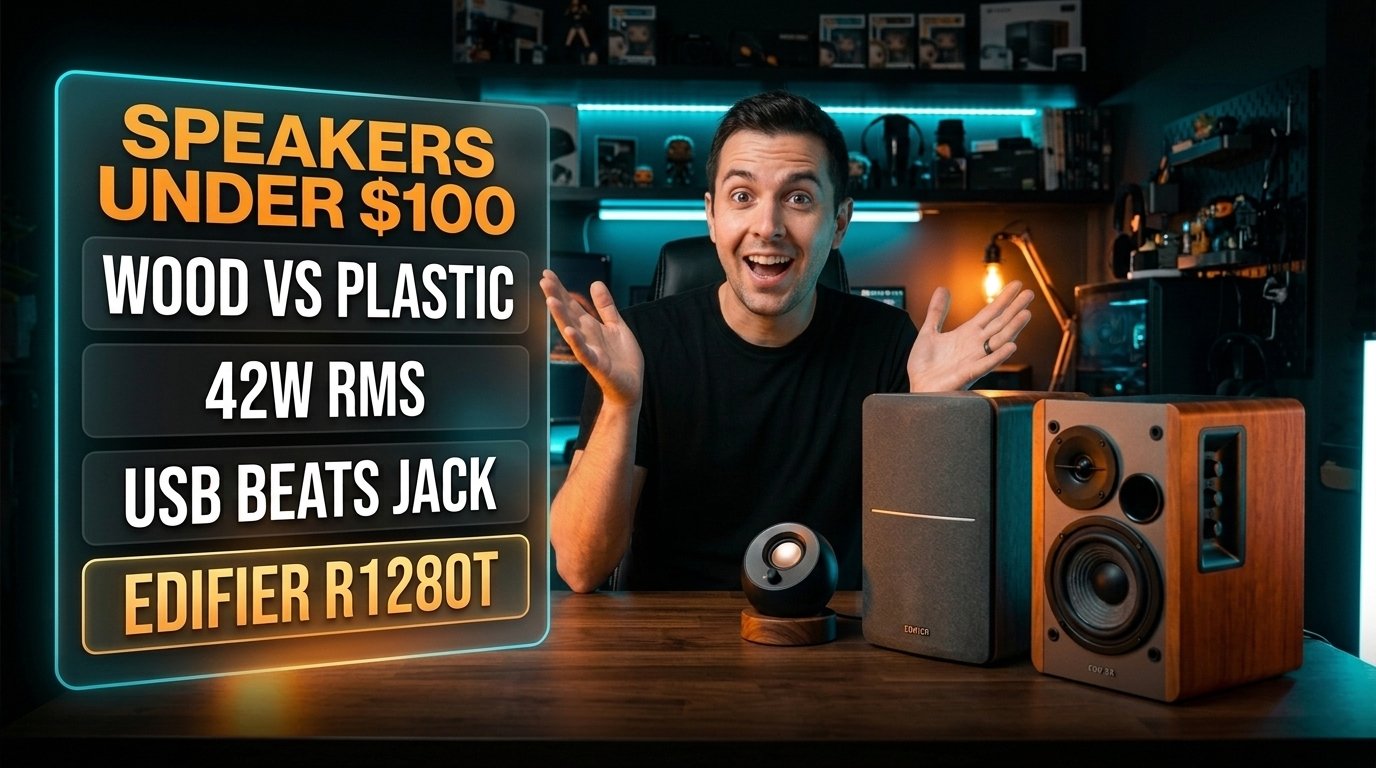
The Edifier R1280T is the best desktop speaker set under $100 for most people — 42W RMS through 4-inch woofers in a wooden cabinet, with a remote. For bass, the Logitech Z407 adds a subwoofer and a wireless control dial, the Creative Pebble V3 fits a desk with no space at around $40, and the Edifier R980T is the smaller wooden pair for shallow desks.
Wattage Is the Least Useful Number on the Box
A 42-watt pair is not five times louder than an 8-watt pair at 60cm. It is louder by a margin you’d barely use, and better in ways wattage doesn’t describe.
Power ratings tell you about headroom at volume, and desk listening uses almost none of it. The Creative Pebble V3 puts out 8W RMS because USB supplies its power, and at arm’s length that’s enough to fill a room you’re not trying to fill. What the extra watts buy on the Edifier R1280T is control at the low end, not raw volume.
Two numbers are worth reading. RMS is continuous output and the only one that means anything; peak is a marketing figure describing a burst the speaker can survive, not sustain.
If a listing quotes only a peak number, assume the RMS figure is roughly half it and move on. We’d take a 24W pair in a wooden box over a 40W pair in plastic without hesitating.
Cabinet Material Decides the Bass, Not the Subwoofer Badge
A 4-inch woofer in an MDF cabinet produces tighter low end than a plastic 2.1 system with a separate sub.
Plastic enclosures resonate. That resonance adds volume to the bass and removes definition from it, which is why budget 2.1 sets sound impressive for thirty seconds and muddy for an hour. Wood or MDF absorbs that energy instead of adding to it.
The Z407 and its subwoofer will shake a desk in a way the R1280T cannot, and for games and film that’s exactly what some people want. For music and voice, the wooden pair is more accurate at every volume.
Consider a desk pushed against a wall in a small room. A subwoofer in that position reinforces off the wall and gets boomier, while sealed bookshelf speakers stay even. Position changes the answer more than price does.
Tweeter Height Beats Tweeter Price
A $40 pair at ear height outperforms a $100 pair firing at your sternum.
High frequencies are directional. Sit a bookshelf speaker flat on a desk and its tweeter points at your chest, which rolls off detail before the sound reaches you. Raise or tilt it and the same speaker sounds like a different product.
The Pebble V3 solves this in the design — its drivers sit at a 45-degree upward angle specifically because they’re meant to be on a desk, not on stands. The Edifier pairs do not, which is why foam wedges or 7-inch stands belong in the budget alongside them.
Budget $15 to $25 for isolation pads or small stands if you buy either bookshelf set. Skipping that step is the most common reason someone concludes their new speakers “sound flat” — our guide to a home office setup under $500 treats that accessory as part of the speaker purchase rather than an extra.
USB Speakers Bypass Your Motherboard, and That Often Helps
A USB-powered speaker uses its own converter instead of the audio chip on your motherboard, which on most desktop boards is an upgrade rather than a compromise.
Onboard audio sits on a busy board next to a lot of electrical noise, and the audible result is a faint hiss or a whine that tracks mouse movement. A USB connection sidesteps the board’s analog stage entirely.
That matters most on a desktop PC with a mid-range motherboard. On a modern laptop or a Mac the built-in output is usually clean enough that 3.5mm and USB sound equivalent, and you should pick on cable convenience instead.
Bluetooth is the third option and the one to treat with suspicion at this price. It adds latency that is harmless for music and visible when the sound belongs to a video, so for a desk speaker it’s a convenience feature rather than the main connection.
What You Actually Give Up Under $100
Under $100 you lose optical input, proper remotes and a silent noise floor — not sound quality.
Every set here plays music well for the money. What’s missing is the plumbing: no optical or coaxial inputs for a console or a TV, no app control, and on several models a faint hiss when nothing is playing that you’ll notice in a quiet room at night.
The R1280T includes a remote, which is rarer in this bracket than it should be and makes a real difference if the speakers sit behind a monitor where the knobs are unreachable.
If you work in a shared room and the answer keeps coming back to volume, speakers may be the wrong product category entirely — our office headphone picks cover that route. Desktop speakers earn their place when you want sound in the room rather than on your head.
Desktop Speakers Under $100 Compared
| Product | Price | Best For | Rating |
|---|---|---|---|
| Edifier R1280T | ~$100 | Most desks | 9.1/10 |
| Logitech Z407 | ~$80 | Bass and gaming | 8.6/10 |
| Creative Pebble V3 | ~$40 | Cramped desks | 8.4/10 |
| Edifier R980T | ~$80 | Shallow desks | 8.7/10 |
Detailed Reviews
Edifier R1280T — Best Overall
Forty-two watts RMS through 4-inch woofers and 13mm silk dome tweeters, in an MDF cabinet rather than plastic — that combination is why this pair has stayed the default recommendation in this bracket for years. Dual RCA inputs mean two sources connect at once, and the included remote handles volume from across the room.
If your speakers sit behind a 27-inch monitor where the side-mounted bass and treble knobs are awkward to reach, the remote stops being a bonus and becomes the reason to pick this over the cheaper Edifier.
The weakness is footprint and angle. These are proper bookshelf speakers, about 5.7 inches wide and 9.3 inches tall each, so a shallow desk loses real estate — and they fire straight ahead, which means stands or wedges are effectively mandatory. The silk tweeter is also forgiving rather than analytical; if you want clinical detail for mixing, this is not that speaker. For everything else at $100, it’s the one we’d buy.
Best for: a standard desk with room for two real speakers and a mix of music, video and calls.
Real-world detail: two RCA inputs let a PC and a turntable preamp stay connected simultaneously, switched at the source rather than by swapping cables.
Pros: 42W RMS, wooden cabinet, remote included, dual RCA inputs, side bass and treble controls.
Cons: large footprint, no Bluetooth, needs stands or wedges to aim correctly.
Logitech Z407 — Best for Bass
A wireless control dial is the feature that separates this 2.1 set from everything else near $80. The puck sits wherever you want on the desk and handles volume, playback and track skipping without reaching behind a monitor, while the subwoofer sits on the floor delivering what the 40W RMS rating implies.
If your use is mostly games and film on a desk in a room where low end is welcome, this gives you something neither Edifier pair can — bass you feel through the desk rather than hear.
What you give up is accuracy and desk space logic. The satellites are plastic and small, so mids are thinner than a wooden bookshelf pair, and the subwoofer needs floor space plus a cable run to the desk. Positioned against a wall it gets boomy fast, and the only fix is moving it. Bluetooth, USB and 3.5mm inputs all work, though Bluetooth latency makes it the wrong choice for video.
Best for: gaming and film on a desk with floor space for a subwoofer.
Real-world detail: the wireless control puck means volume is adjustable without reaching the speakers, which matters when they live behind a monitor.
Pros: subwoofer included, wireless control dial, Bluetooth plus USB plus 3.5mm, around $80.
Cons: plastic satellites, subwoofer needs floor space, boomy against a wall.
Creative Pebble V3 — Best Compact Pick
Eight watts RMS sounds like nothing until you remember the drivers are 60cm from your ears. These spheres run on a single USB-C cable — no power brick, no wall socket — and their drivers sit at a 45-degree upward angle so the sound reaches your ears rather than your chest.
Picture a desk already holding two monitors, a laptop dock and a microphone arm. The Pebbles occupy roughly the footprint of two coffee mugs and need one port, which is often the difference between having speakers and not.
The ceiling is real and worth naming: 8W fills a desk, not a room, and there is no meaningful bass below where a 2-inch driver stops. Bluetooth 5.0 is included, and at this price it’s genuinely useful for a phone. At around $40 this is the one we’d buy for a second desk or a dorm room without hesitating, and the one we’d skip if the speakers are the room’s only sound system.
Best for: cramped desks where one USB-C cable and a mug-sized footprint are the constraints.
Real-world detail: powered entirely over USB-C, so no wall socket is used and the motherboard’s analog output is bypassed.
Pros: around $40, USB-C powered, 45-degree angled drivers, Bluetooth 5.0, tiny footprint.
Cons: 8W ceiling, no real bass, not enough for a room.
Edifier R980T — Best for Shallow Desks
Twenty-four watts RMS and the same 4-inch woofer and 13mm silk dome tweeter arrangement as its bigger sibling, in a cabinet that gives back desk depth. This is the Edifier to buy when the R1280T is simply too large for the surface you have, and the sound signature is close enough that most people would struggle to rank them blind at desk volume.
If your desk is under 60cm deep and a monitor stand already claims the back edge, these fit where the R1280T overhangs.
The trade is headroom and control. Twenty-four watts runs out sooner if you want to fill a living room, there is no remote, and the input is a single pair of RCA jacks rather than two — so a second source means swapping cables. At around $80 it saves you $20 and a meaningful chunk of desk, which is the entire argument. Pick the R1280T if you have the space and want the remote; pick this if you don’t.
Best for: desks under 60cm deep that still want a wooden cabinet rather than plastic.
Real-world detail: a single RCA input pair means one connected source at a time, unlike the dual inputs on the R1280T.
Pros: wooden cabinet, same tweeter and woofer sizes as the R1280T, compact, around $80.
Cons: 24W RMS ceiling, no remote, single input, still needs stands to aim correctly.
What to Look for When Choosing Desktop Speakers Under $100
- Read RMS, ignore peak. RMS is continuous output and the only figure that describes what the speaker actually does. Peak describes a burst it can survive. If a listing quotes only peak, assume the real number is about half.
- Check the enclosure material before the driver size. MDF and wood absorb cabinet resonance; plastic adds to it. A 24W wooden pair generally sounds cleaner than a 40W plastic one, and the difference grows the longer you listen.
- Plan for height, not just placement. Tweeters need to point at your ears. Budget $15 to $25 for isolation wedges or 7-inch stands with any bookshelf pair, or buy a design like the Pebble V3 that angles its drivers upward by default.
- Match the connection to the machine. USB bypasses a desktop motherboard’s noisy analog stage and usually sounds cleaner; on a laptop or Mac, 3.5mm is typically equivalent. Treat Bluetooth as a convenience, since its latency is visible on video.
- Count the inputs you actually need. Dual RCA lets a PC and a second source stay connected at once. A single input means swapping cables every time, which sounds trivial until the speakers are behind a monitor.
FAQ
Are desktop speakers under $100 good enough for music?
Yes, for desk listening. At 60cm the limiting factor is speaker positioning rather than price, and a wooden bookshelf pair around $80 to $100 reproduces music cleanly at the volumes a desk actually uses. What you don’t get at this price is deep bass extension or optical inputs.
Do I need a subwoofer for desktop speakers?
No, for most desks. A 4-inch woofer in a sealed wooden cabinet produces tighter, more accurate low end than a budget plastic 2.1 system, and a subwoofer against a wall becomes boomy. Add one only if games and film matter more than music.
Is USB or 3.5mm better for computer speakers?
USB is usually better on a desktop PC, because it bypasses the motherboard’s analog audio stage and the electrical noise around it. On laptops and Macs the built-in output is typically clean enough that the two sound equivalent, so choose on cable convenience.
How much power do desktop speakers need?
Far less than most buyers assume. At typical desk distance, 8W RMS is sufficient for one person, and 24 to 42W RMS gives headroom to fill a room. Wattage affects headroom at volume, not clarity at the volumes a desk uses.
Our Final Verdict
For most desks the Edifier R1280T is the one to buy: 42W RMS, 4-inch woofers in a wooden cabinet, dual RCA inputs and a remote for around $100, which is the strongest combination in this bracket.
If low end matters more than accuracy, the Logitech Z407 and its subwoofer plus wireless dial are the better $80. The Creative Pebble V3 is the right call on a desk with no room at around $40, and the Edifier R980T delivers the same wooden-cabinet sound on a shallower desk. Budget $20 for stands with either Edifier — aimed speakers are a different product from flat ones.