
This article contains affiliate links. We may earn a commission if you buy through our links, at no extra cost to you.
Best Laptop Stand for Desk in 2026
Using a laptop directly on a desk surface is one of the most ergonomically damaging habits in home office work — and one of the easiest to fix for under $50. When your laptop sits flat on the desk, the screen sits 20-30cm below natural eye level, forcing your neck into a sustained forward flexion position that produces the characteristic upper trapezius tightness, shoulder rounding, and cervical discomfort that most desk workers chalk up to stress or aging. The best laptop stand for desk use raises the screen to eye level, converting your laptop into a monitor-height display that pairs with an external keyboard and mouse for a proper ergonomic workstation.
After researching and comparing the laptop stand category across adjustability, stability, cooling performance, and desk footprint, here is what actually works for home office professionals in 2026. For context on how laptop stands fit into a complete ergonomic desk setup, see our guide on the best monitor arm for desk — screen height positioning applies equally to monitor arms and laptop stands.
Quick Answer
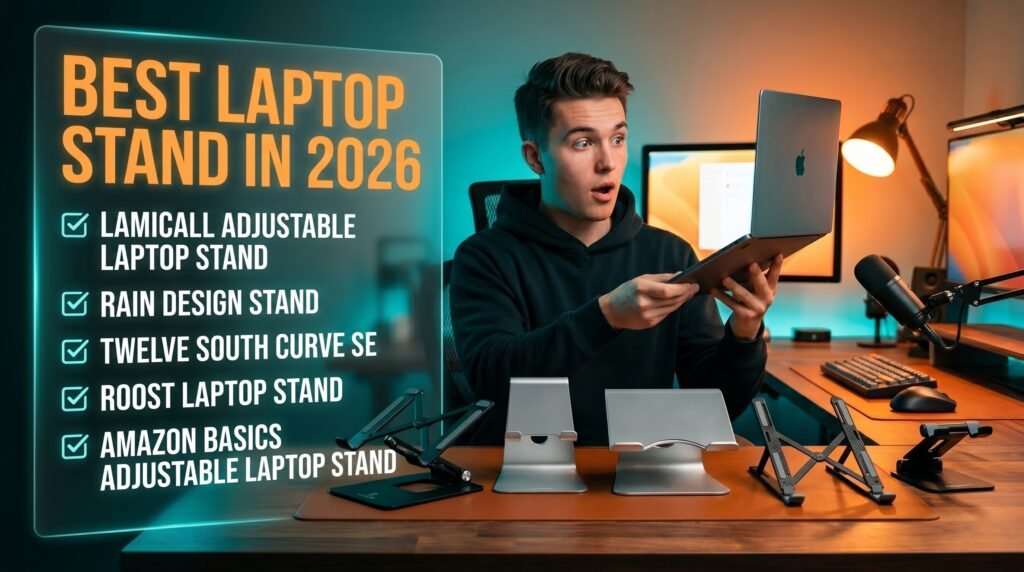
The Lamicall Adjustable Laptop Stand is the best laptop stand for desk use for most people — aluminum construction, multiple height positions, folds flat for portability, and supports laptops up to 17 inches at under $35. For a premium fixed-desk option with maximum stability and aesthetics, the Rain Design mStand is the definitive aluminum stand that integrates visually with Mac setups. Budget buyers should start with the Amazon Basics Adjustable. Frequent travelers should consider the Roost Laptop Stand. Mac users who want premium adjustability should look at the Twelve South Curve SE.
Why Laptop Stands Are the Highest-Return Ergonomic Upgrade
The ergonomic case for a laptop stand is stronger than most people realize — and the improvement is more immediate than any chair adjustment or keyboard swap.
The problem is anatomical. The human cervical spine has a natural lordotic curve designed for a head-balanced upright position. Looking down at a laptop screen at desk level requires approximately 15-20 degrees of neck flexion. Sustained at that angle for 6-8 hours per day, the effective weight on the cervical spine increases from the head’s neutral 4-5kg to approximately 18-22kg of biomechanical load on the posterior cervical musculature. That sustained load produces muscle fatigue, trigger point development, and the chronic neck and shoulder tightness that most office workers experience without identifying the cause.
A laptop stand that raises the screen to eye level — with the top of the screen at or slightly below eye height — eliminates that flexion angle. Pairing it with a Bluetooth keyboard and mouse at desk height creates a workstation where the spine maintains its neutral position throughout the day. Most users notice a reduction in end-of-day neck and shoulder fatigue within 3-5 days of switching.
The counterintuitive point: laptop stands are more ergonomically impactful than standing desks for most people. Standing desks address lower back posture — a real issue — but the cervical load from looking down at a laptop screen affects far more workers, at higher severity, than lower back issues from sitting. Fixing screen height costs $30-50. A standing desk costs $300-1500. The ROI comparison isn’t close.
For home office workers building a complete ergonomic peripheral setup around a laptop stand, see our guide on the best wireless mouse for laptop — the mouse and keyboard you pair with your laptop stand complete the ergonomic picture.
The Two Categories of Laptop Stands — and Which One You Need
Laptop stands split into two functionally different categories that serve different use cases, and choosing the wrong category is the most common purchasing mistake.
Fixed desk laptop stands — like the Rain Design mStand and Twelve South Curve SE — are designed to live permanently on a desk surface. They don’t fold or adjust significantly, they prioritize stability and aesthetics, and they’re the right choice for workers who use their laptop at one fixed desk location consistently. Fixed stands produce the most stable typing surface — no flex, no wobble — and the cleanest visual integration with a desk setup. Their limitation is obvious: they serve only one position and don’t travel.
Adjustable and portable laptop stands — like the Lamicall, Roost, and Amazon Basics — collapse to a thin profile for transport and offer multiple height settings. They’re the right choice for workers who split time between a home office and other locations, or who want height adjustment flexibility throughout the day. The tradeoff is that adjustment mechanisms introduce some flex that fixed stands don’t have.
The decision framework is simple: if your laptop sits at one desk permanently, buy a fixed aluminum stand. If you travel with your laptop or want multiple height options, buy an adjustable portable stand. Buying a portable stand for a permanent desk position is a common mistake — you pay for portability you don’t use while sacrificing stability and aesthetics.
The 5 Best Laptop Stands for Desk in 2026
1. Lamicall Adjustable Laptop Stand — Best Overall (~$30-35)
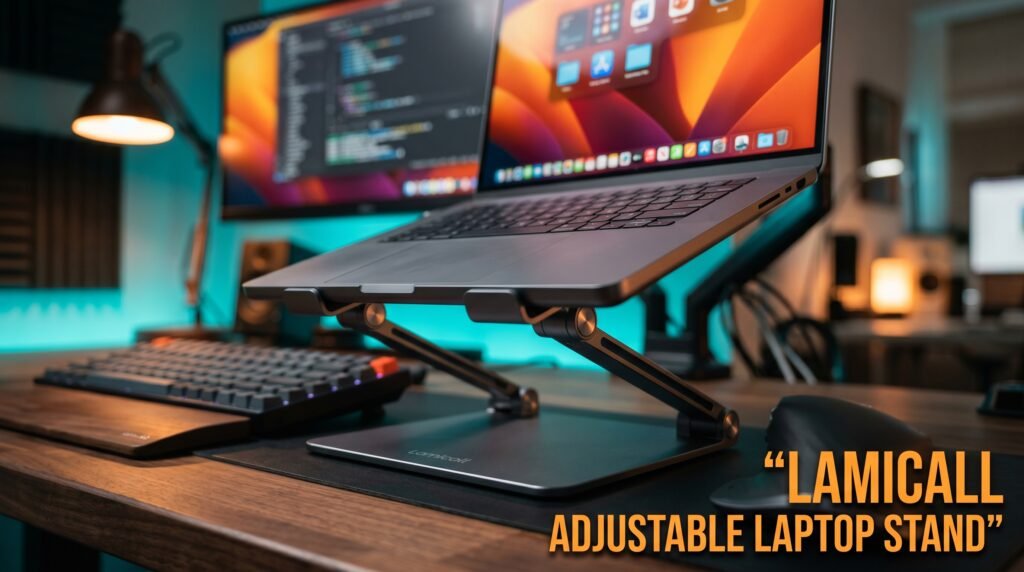
The Lamicall Adjustable Laptop Stand is the portable laptop stand recommendation for most desk workers — aluminum alloy construction, multiple height and angle adjustments, folds flat for bag portability, and a wider base that provides significantly more stability than competing budget adjustable stands. The upgraded heavy base is the standout design choice — it eliminates the tipping and shifting during typing that makes lighter portable stands frustrating for sustained desk use.
At $30-35, it occupies the sweet spot between budget plastic stands that wobble and premium portable options that cost $75-85. The aluminum construction produces a premium feel that most adjustable laptop stands at this price miss entirely. Non-slip silicone pads protect the laptop surface and prevent sliding on the desk during use.
Folds to a slim profile that fits in any laptop bag alongside the laptop itself — the combination of desk stability and genuine portability is what makes this the default recommendation for most desk workers.
Best for: Home office workers who want a stable, adjustable laptop stand that also works for travel without paying the premium of the Roost.
Pros: Aluminum construction, adjustable height and angle, heavy stable base, non-slip silicone pads, folds flat for portability, ventilated for laptop cooling, supports 10-17.3 inch laptops. Cons: Adjustment lock not as refined as premium portable stands, aluminum can show fingerprints, adjustment range may not reach maximum eye level for taller users.
2. Rain Design mStand — Best Fixed Desk Stand (~$43-50)
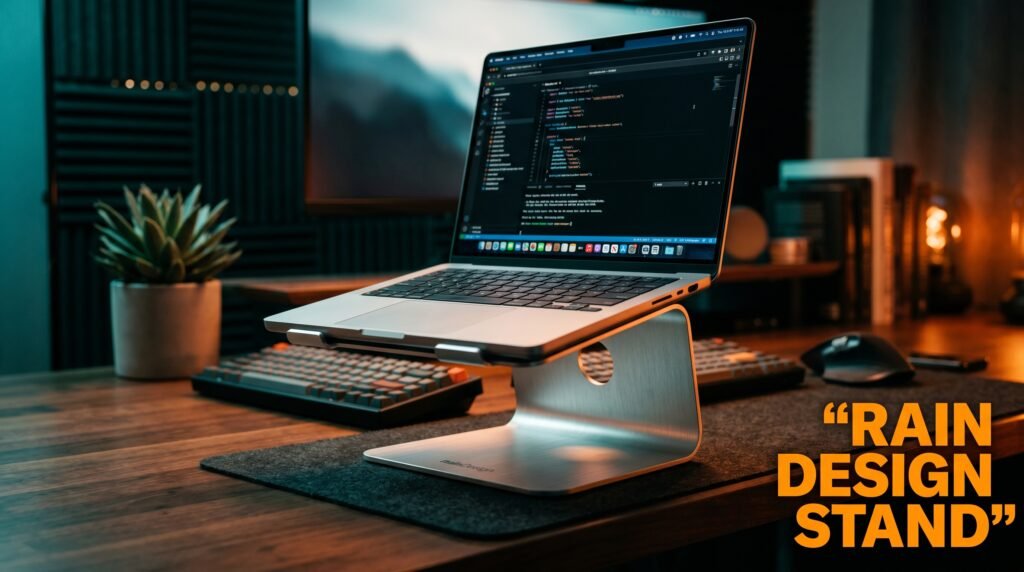
The Rain Design mStand is the laptop stand that Mac users specifically have reached for since 2006 — single-piece aluminum construction machined to match Apple’s design language, fixed height of approximately 15cm, and a cable management channel underneath that routes power cables cleanly off the desk surface.
The single-piece aluminum construction is what makes the mStand worth its price. No hinges, no adjustment mechanisms, no plastic components — the stand is entirely rigid, which means zero flex during typing and zero degradation over years of daily use. A laptop stand you buy once and never think about again.
Real-world detail: the integrated cable management channel runs power cables out of sight through the stand base, reducing desk cable clutter in a way that most competing stands — which treat cable management as an afterthought — never address.
Pros: Single-piece machined aluminum, zero flex, integrated cable management, Apple design aesthetic, 15cm height, no moving parts, lifetime durability. Cons: Fixed height only — no adjustment, 15cm may be insufficient for some taller desk-chair combinations, right-hand cable channel, no portability.
3. Twelve South Curve SE — Best Premium Mac Stand (~$60-70)
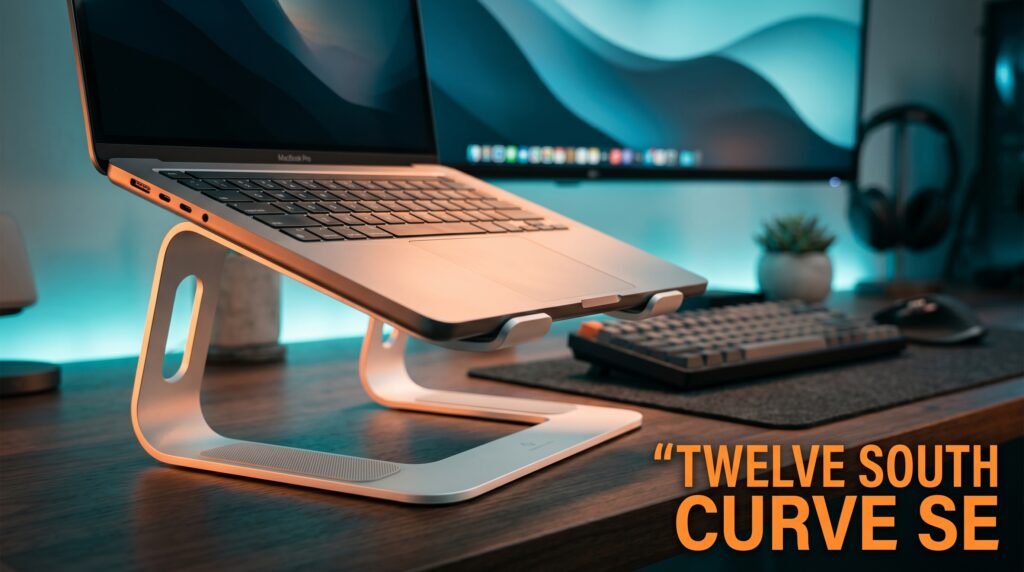
The Twelve South Curve SE is the premium alternative to the Rain Design mStand for Mac users who want additional protection and a slightly different aesthetic approach. Single-piece aluminum construction with anti-slip silicone covering the contact arms — protecting the laptop from scratches more thoroughly than the mStand’s pad-based approach — and a larger footprint that provides more stable support for 15-16 inch MacBook Pros.
The full silicone arm coverage is the meaningful differentiator — it wraps the entire arm surface rather than using discrete silicone pads, eliminating any risk of the laptop rocking on misaligned pad contact points. For users who move their laptop on and off the stand multiple times daily, this provides more consistent placement security.
Best for: Mac users who want maximum laptop protection alongside premium aluminum aesthetics in a fixed desk stand.
Pros: Full silicone arm coverage for scratch protection, aluminum construction, compatible with 11-17 inch laptops, 15cm elevation, clean minimal design, Twelve South quality. Cons: Fixed height, $60-70 hard to justify versus mStand for most users without the specific protection requirement, no cable management channel.
4. Roost Laptop Stand — Best for Frequent Travelers (~$75-85)
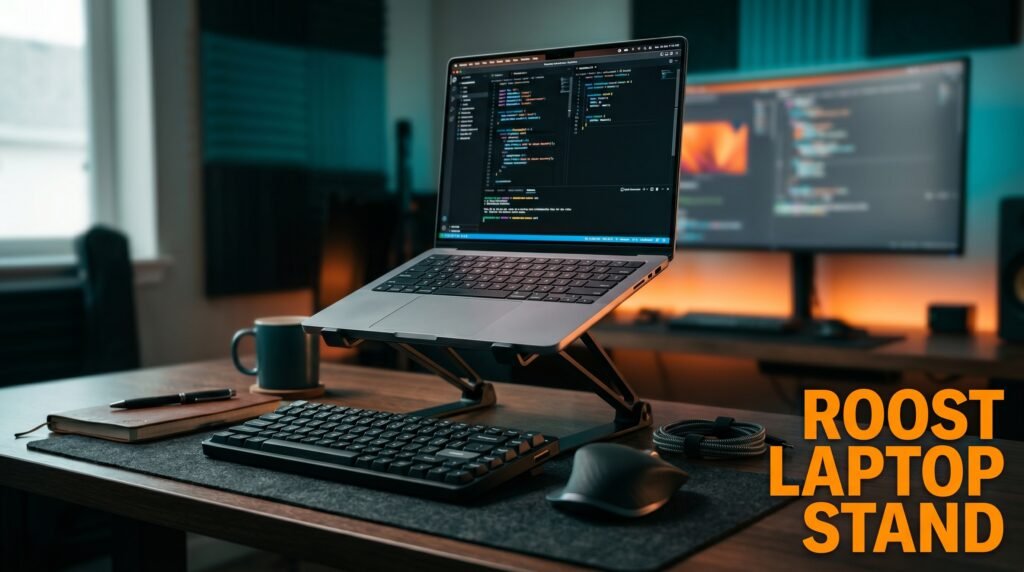
The Roost Laptop Stand is the portable stand for users who genuinely travel constantly and need a solution that packs to almost nothing. Folds to 23cm and weighs 168g — lighter than most power adapters — while extending to support laptops at heights up to 42cm and working with laptop sizes from 11 to 17 inches. The spring-loaded mechanism deploys and collapses in under 10 seconds.
168g is the specification that matters for frequent travelers. The Roost disappears into a laptop bag completely — no weight, no bulk, no thinking about it. What most reviews won’t tell you is that the Roost’s carbon fiber and fiberglass construction achieves that weight impossible with aluminum while maintaining adequate rigidity for typing.
Best for: Professionals who travel 3-5 days per week and need a laptop stand that doesn’t register as a bag item.
Pros: 168g weight — lightest quality portable stand available, folds to 23cm, reaches up to 42cm height, spring-loaded one-motion deployment, works with 11-17 inch laptops. Cons: $75-85 premium is primarily for weight savings, more flex than fixed alternatives under aggressive typing, expensive for occasional travelers versus the Lamicall.
5. Amazon Basics Adjustable Laptop Stand — Best Budget (~$20-25)
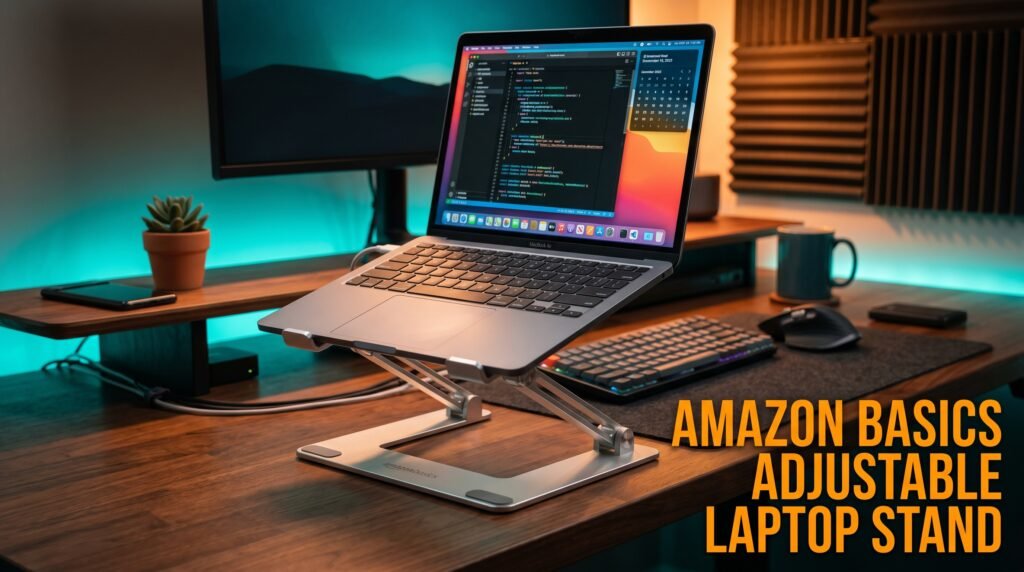
The Amazon Basics Adjustable Laptop Stand is the entry point for the ergonomic benefit of elevated laptop positioning at the lowest defensible price. Multiple height positions, ventilated design for cooling, rubber pads to prevent laptop sliding, and a wide base that’s more stable than most budget alternatives at $20-25.
The honest assessment: it’s a budget stand that performs like a budget stand. The adjustment mechanism is less precise than the Lamicall and the plastic construction feels lighter under the hands. What it does well is deliver the core ergonomic benefit — elevated screen position — at a price where hesitation is unreasonable.
For a user who wants to test whether the elevated laptop position improves their neck comfort before committing to a premium stand, the Amazon Basics option provides that test for $22.
Pros: Under $25, multiple height positions, ventilated design, rubber non-slip pads, wide stable base, immediately available with Prime shipping. Cons: Plastic construction less durable than aluminum alternatives, adjustment lock less secure than premium options, lower maximum height than Lamicall, not designed for frequent transport.
Comparison Table
| Product | Price | Type | Best For | Rating |
|---|---|---|---|---|
| Lamicall Adjustable | ~$32 | Adjustable portable | Best overall | 9/10 |
| Rain Design mStand | ~$46 | Fixed aluminum | Best fixed desk stand | 9/10 |
| Twelve South Curve SE | ~$65 | Fixed aluminum | Best premium Mac stand | 8.5/10 |
| Roost Laptop Stand | ~$80 | Ultralight portable | Best for frequent travelers | 8.5/10 |
| Amazon Basics Adjustable | ~$22 | Adjustable budget | Best budget entry point | 7.5/10 |
What to Look for When Choosing a Laptop Stand for Desk
1. Maximum height versus your seated eye level Measure the distance from your desk surface to your eyes in your normal seated position. The top of your laptop screen should sit at or slightly below that measurement when on the stand. Most users need 25-35cm of stand height to achieve true eye-level positioning — stands that max out at 15-20cm improve neck angle without fully eliminating forward flexion. Verify the stand’s maximum height reaches your specific requirement before purchasing.
2. Portability requirement Fixed aluminum stands — mStand, Curve SE — provide better stability and aesthetics for permanent desk setups and are poor choices for any setup involving transport. Portable stands — Lamicall, Roost — are appropriate for both fixed desk and portable use but provide inferior stability compared to fixed alternatives. Be honest about whether portability is a genuine requirement before paying the premium for foldable designs.
3. Laptop size compatibility Most laptop stands support 11-17 inch laptops, but verify the width of the support rails or platform matches your specific laptop. Stands with adjustable width arms accommodate more laptop sizes without compatibility concerns. The Lamicall’s adjustable design suits the widest range of current laptop sizes.
4. Ventilation for thermal management Laptops generate significant heat, particularly during demanding tasks. Stands that fully enclose the bottom surface can impede bottom ventilation, causing thermal throttling that reduces performance. Stands with open or ventilated designs — perforated platforms, rail-based support that leaves the bottom exposed — allow natural airflow and maintain laptop cooling during sustained workloads.
5. Stability under typing load The primary failure of budget laptop stands is flex and wobble during typing — the stand shifts or bounces with keystroke impact. The adjustment lock mechanisms in portable stands should hold position without creeping, and the base should be wide enough that the stand doesn’t tip or shift on the desk. The Lamicall’s heavy base specifically addresses this; the Amazon Basics base is adequate for light typing but less so for heavy typists.
FAQ
Do I need an external keyboard if I use a laptop stand?
Yes — a laptop stand elevates the screen to eye level, which means the built-in keyboard is now too high for comfortable typing. Using a laptop stand correctly requires an external keyboard and mouse positioned at desk level. This is a feature rather than a limitation — it forces proper ergonomic positioning with screen at eye level and hands at a natural typing height simultaneously. Budget Bluetooth keyboards start at $25-30 and complete the ergonomic setup.
Can a laptop stand damage my laptop?
A quality laptop stand used correctly won’t damage the laptop. The primary risk with cheap stands is inadequate ventilation — if the stand blocks bottom-facing vents and the laptop thermal throttles repeatedly over months, long-term thermal stress is possible. Stands with open bottom designs or perforated surfaces eliminate this concern. Silicone pads on stand contact points protect laptop surfaces from scratching.
Is a laptop stand better than books or improvised risers?
A proper laptop stand outperforms improvised risers on stability, ventilation, and consistency. The “books under laptop” solution introduces instability, inadequate ventilation, and variable height that you readjust repeatedly. For a permanent desk setup, any dedicated stand — including the $22 Amazon Basics option — outperforms improvised alternatives on every practical metric.
Does a laptop stand work with a dual monitor setup?
Yes — the most common home office configuration is a laptop on a stand positioned beside an external monitor, with an external keyboard and mouse used for both screens. The laptop stand brings the laptop screen closer to the external monitor’s height, reducing the neck angle shift when moving between screens. Position the external monitor as the primary display at direct eye level and the laptop screen as the secondary display slightly to the side.
Our Final Verdict
The best laptop stand for desk use in 2026 is the Lamicall Adjustable Laptop Stand for most home office workers — aluminum construction, adjustable height, heavy stable base, and genuine portability at $32. Mac users with a fixed desk who want the cleanest aesthetic should go straight to the Rain Design mStand — machined aluminum and integrated cable management justify the price for a stand used daily for years. Frequent travelers should invest in the Roost — the 168g weight is what you’re paying for and it’s worth it if you travel constantly. Whatever stand you choose, pair it with an external keyboard and mouse — the stand creates the ergonomic benefit only when the built-in keyboard is no longer the primary input. Check current pricing on Amazon for all five options in this guide.