
This article contains affiliate links. We may earn a commission if you buy through our links, at no extra cost to you.
Best USB Microphone for Desk in 2026
Audio quality matters more than video quality on calls — and most people have it completely backwards. Participants on a video call will tolerate a slightly blurry image far longer than they’ll tolerate muffled, echoey, or inconsistent audio. The best USB microphone for desk use transforms how you’re perceived on every call, recording, and presentation without requiring an audio interface, phantom power, or any technical knowledge beyond plugging in a USB cable. For remote workers, podcasters, and anyone whose voice is part of their professional output, a dedicated desk microphone is the upgrade that pays off daily.
After researching and comparing dozens of USB microphones specifically for desk and home office use — across voice calls, recording, and broadcast applications — here is what actually works in 2026. For context on the complete desk audio and video setup, see our guide on the best webcam for home office — microphone and webcam choices work together to determine how you’re perceived on calls.
Quick Answer
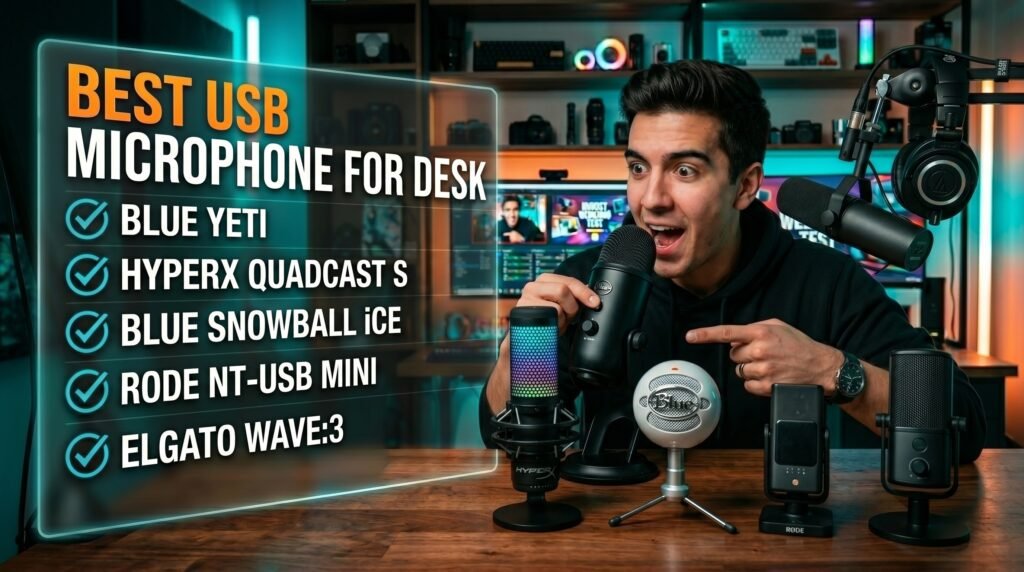
The Blue Yeti is the best USB microphone for desk use for most people — large condenser capsules, multiple polar pattern options, and a decade of proven performance for calls, recording, and content creation at $129. For a typing-heavy desk environment, the HyperX QuadCast S adds a built-in shock mount that reduces vibration transmission. Budget buyers should start with the Blue Snowball iCE at $50. For the best voice clarity in a compact format, the Rode NT-USB Mini is worth the premium. Content creators who need software integration should consider the Elgato Wave:3.
Why USB Microphones Produce Dramatically Better Audio Than Built-In Options
The difference between a dedicated USB desk microphone and any built-in microphone — laptop, webcam, or headset — isn’t a subtle improvement. It’s a fundamental change in how audio is captured, processed, and transmitted.
Built-in microphones use small MEMS sensors positioned inches from fans, keyboards, and hard drives — the primary noise sources in any computer setup. They capture audio omnidirectionally or with minimal directional filtering, meaning they pick up keyboard clicks, room echo, HVAC noise, and ambient sound at nearly the same level as your voice. The aggressive noise processing algorithms that attempt to compensate produce the characteristic thin, processed sound that makes built-in microphone audio instantly recognizable as low quality.
USB desk microphones use large-diaphragm condenser capsules positioned on the desk surface — physically separated from computer noise sources — with cardioid or directional polar patterns that capture sound from in front of the microphone and reject sound from behind and beside it. The result is audio where your voice is significantly louder than the room, reducing the signal-to-noise ratio problems that make heavy compression necessary.
The counterintuitive point: microphone placement matters as much as microphone quality. A $50 Blue Snowball iCE positioned 15-20cm from your mouth, slightly off-axis, will outperform a $200 microphone sitting 60cm away and aimed at the ceiling. The single most impactful “upgrade” most desk workers can make is moving their existing microphone closer and positioning it correctly — before spending anything on hardware.
For the complete desk peripheral picture, see our guide on the best monitor arm for desk — correct monitor positioning affects your angle to the microphone and directly impacts audio quality on video calls.
USB vs. XLR — Why USB Is the Right Choice for Desk Use
Before reviewing specific microphones, the USB versus XLR question is worth settling clearly — because some buyers assume XLR is automatically superior and end up with a more complicated setup than they need.
XLR microphones require an audio interface — a separate device that converts the analog XLR signal to digital USB for your computer, provides phantom power for condenser microphones, and offers hardware gain control. Entry-level audio interfaces start around $50-70 (Focusrite Scarlett Solo), making a basic XLR setup cost $150-300 total before accounting for a stand and cable. XLR is appropriate for dedicated recording setups, podcast studios, and users who want maximum audio flexibility and upgradeability.
USB microphones contain an analog-to-digital converter built into the microphone body — they plug directly into any USB port and appear immediately as an audio input device with no drivers, interfaces, or additional hardware required. The audio quality ceiling of USB microphones has risen dramatically over the past decade — current USB microphones from Blue, HyperX, and Rode produce audio quality that was only achievable with XLR setups 10 years ago.
For desk use specifically — video calls, remote work, content creation — USB is the correct choice for most users. The plug-and-play simplicity, the single cable to the desk, and the absence of additional hardware justify the slight theoretical quality ceiling of USB over XLR for everything except dedicated professional recording work.
The practical test: if your primary use is video calls, podcasting at a casual level, voiceover, or streaming — USB is right. If you’re recording music, running a professional podcast studio, or need to connect multiple microphones simultaneously — XLR is worth the complexity.
The 5 Best USB Microphones for Desk Use in 2026
1. Blue Yeti — Best Overall USB Desk Microphone (~$129)
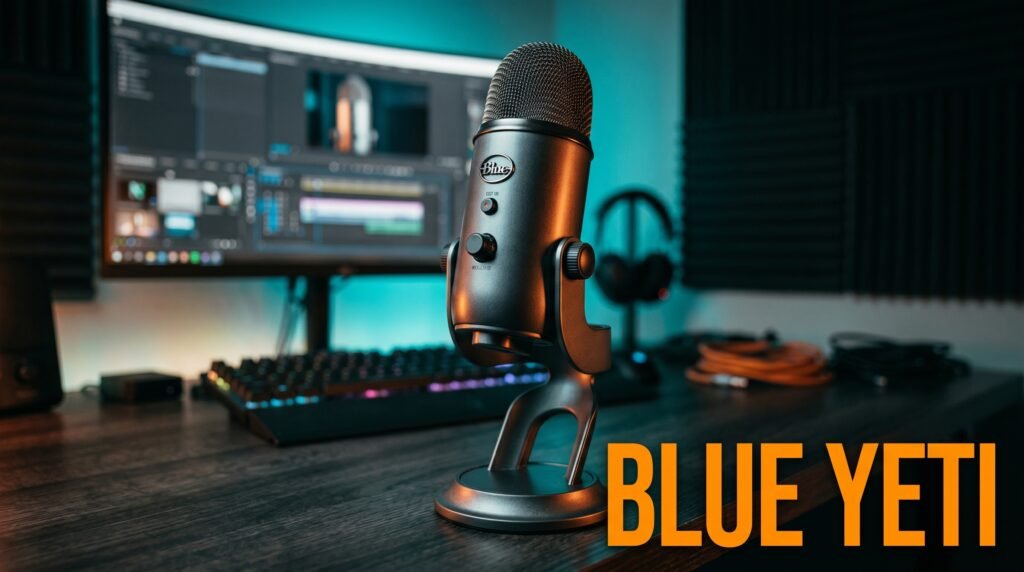
The Blue Yeti is the USB desk microphone that has dominated the category for over a decade — and it still earns that position in 2026. Three condenser capsules, four selectable polar patterns (cardioid, bidirectional, omnidirectional, stereo), a built-in headphone jack for zero-latency monitoring, and hardware gain and mute controls on the body. The cardioid pattern is where most desk users spend all their time — it captures the voice directly in front clearly while rejecting keyboard noise, room echo, and background sound from behind.
The build quality is substantial — the Blue Yeti is heavy enough to stay stable on the desk without a dedicated stand, and the metal construction feels premium in a way that budget plastic microphones don’t. The built-in stand holds it at a reasonable desk height, though most serious users eventually pair it with a boom arm for optimal positioning flexibility.
At $129, it covers every use case — calls, recording, podcasting, streaming, voiceover — without ever being the limiting factor in audio quality for home office applications. Buy it once and stop thinking about your microphone.
Pros: Three condenser capsules, four polar patterns, zero-latency headphone monitoring, hardware mute and gain controls, premium build quality, covers every desk audio use case, plug-and-play universally. Cons: Heavy and large — takes meaningful desk space, built-in stand positions it lower than ideal (boom arm recommended), USB-A only on older versions.
2. HyperX QuadCast S — Best for Typing-Heavy Desk Use (~$159)
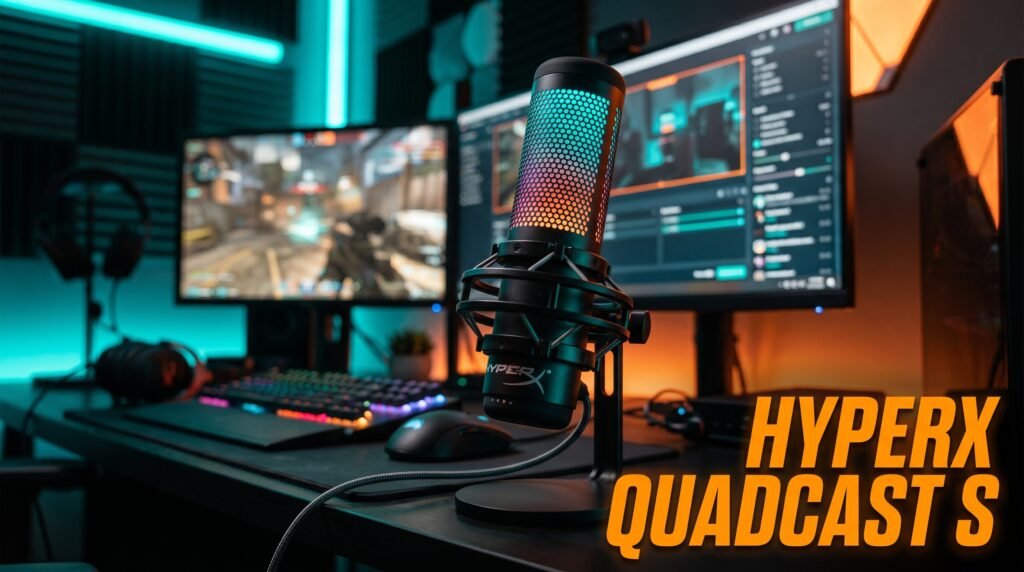
The HyperX QuadCast S is the Blue Yeti’s primary competitor and, for many users, the better choice — four polar patterns, a built-in shock mount that reduces desk vibration transmission, tap-to-mute with LED status indicator, and RGB lighting. The integrated shock mount is the feature that most justifies the premium over the Blue Yeti for desk use specifically — low-frequency rumble from typing, desk movement, and HVAC transmits through the desk surface into mounted microphones, and the QuadCast S’s internal shock isolation reduces this meaningfully without requiring an additional accessory.
The tap-to-mute with visual LED indicator is more convenient than the Blue Yeti’s hardware mute button for call use — a single tap mutes and the LED color change confirms muted status visually, eliminating the uncertainty about whether you’re actually muted that causes awkward call moments.
At $159, it costs $30 more than the Blue Yeti. For desk workers who type during calls and experience mechanical vibration in their audio, the built-in shock mount alone justifies that premium.
Pros: Built-in shock mount for vibration isolation, tap-to-mute with LED status, four polar patterns, USB-C connection, RGB lighting, premium build quality. Cons: $159 price point, RGB requires HyperX NGENUITY software to customize, large footprint similar to Blue Yeti.
3. Blue Snowball iCE — Best Budget USB Desk Microphone (~$45-50)
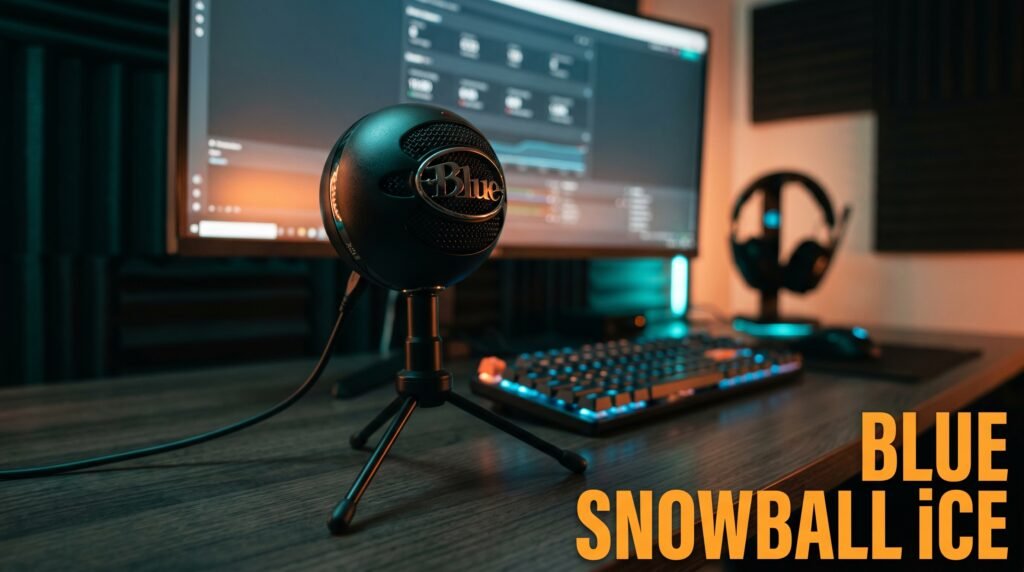
The Blue Snowball iCE is the recommendation for desk workers who want a meaningful audio quality upgrade from their built-in microphone without spending over $50. Cardioid condenser capsule, plug-and-play USB, tripod desk stand, and Blue’s established condenser microphone quality — in a package that costs less than most webcams.
The cardioid-only polar pattern is both the limitation and the feature that makes the Snowball iCE appropriate for desk call use. Cardioid is what most desk workers need — front-facing capture with rear rejection. For a home office worker whose primary use is daily video calls, the Snowball iCE produces audio quality that call participants consistently notice as a significant improvement over webcam or laptop audio.
The included tripod stand positions the microphone lower than ideal for close-mouth use — most users benefit from either a stack of books to raise it or a basic desk boom arm at $20-30 that brings the capsule to mouth level.
Pros: Blue condenser quality at $45-50, cardioid pattern for desk use, plug-and-play, compact form factor, widely compatible, Skype and Discord certified. Cons: Cardioid only — no pattern switching, included stand positions it low, no headphone monitoring jack, no hardware mute button.
4. Rode NT-USB Mini — Best for Voice Clarity and Compact Size (~$99)
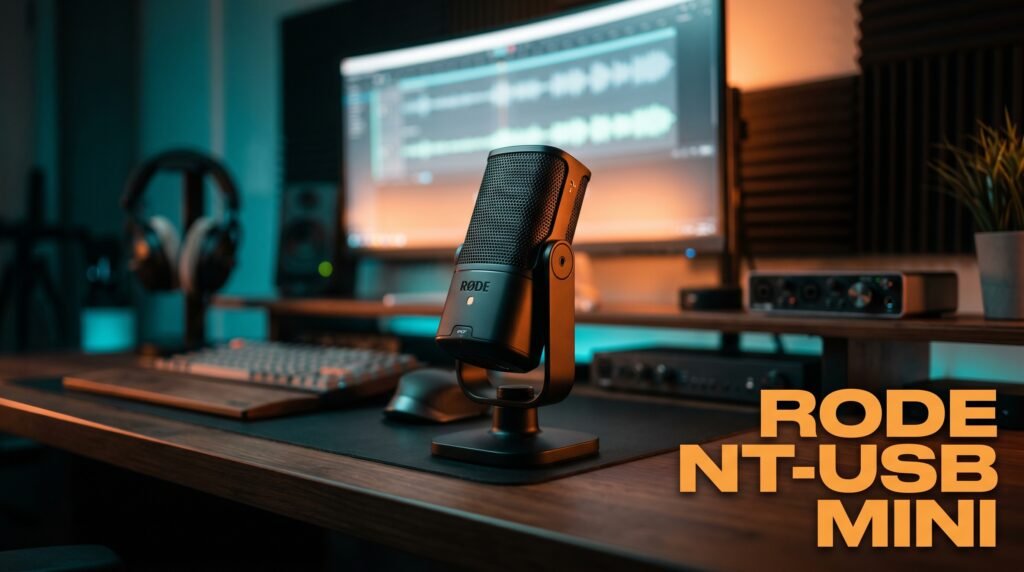
The Rode NT-USB Mini is the microphone for desk workers who prioritize voice call clarity over recording versatility and want the cleanest possible audio in the most compact package available. Single cardioid condenser capsule with a custom Rycote shockmount integrated into the compact body, USB-C connection, zero-latency headphone monitoring at 3.5mm, and a magnetic desk stand that holds the microphone at an optimal angle without adjustment.
Rode’s condenser capsule quality at this price point is the best argument for the NT-USB Mini over the Blue Snowball iCE. Side-by-side voice recordings consistently show the Rode producing more natural, less processed-sounding audio — particularly in the 1-4kHz voice presence range that determines intelligibility on compressed call streams.
The magnetic desk stand is the distinctive physical feature — it holds the microphone at a fixed optimal angle and releases with a simple pull for transport.
Pros: Rode capsule quality for natural voice sound, integrated Rycote shockmount, USB-C, zero-latency monitoring, compact magnetic stand, ideal for voice calls and voiceover. Cons: Cardioid only, $99 approaches Blue Yeti territory without matching feature set, no hardware mute button.
5. Elgato Wave:3 — Best for Desk with Software Integration (~$149)
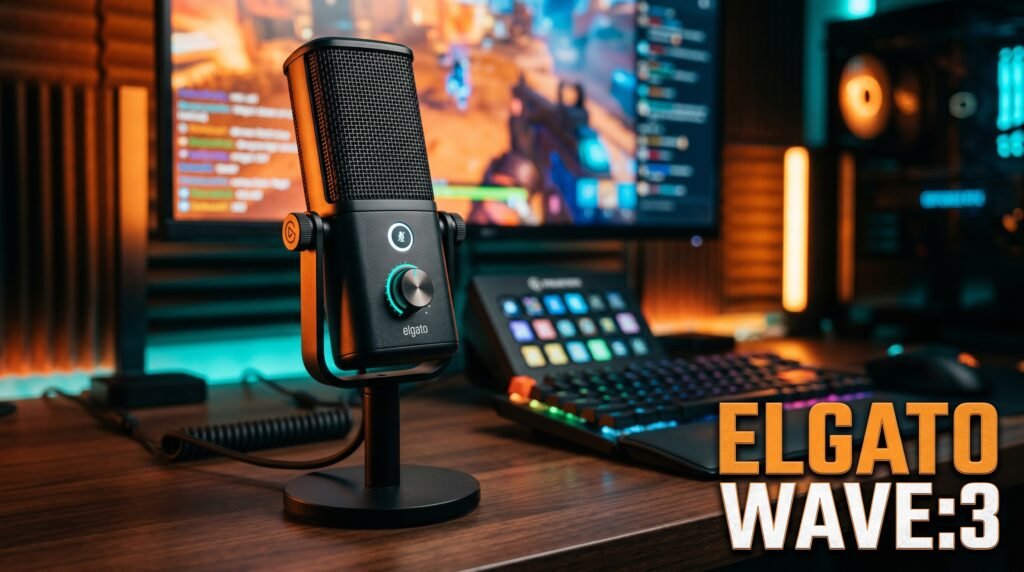
The Elgato Wave:3 is the USB desk microphone built specifically for the integrated software workflow — the Wave Link software creates a virtual mixer that lets you control microphone gain, add monitoring, and mix multiple audio sources into separate streams without a hardware mixer. For content creators who need this workflow, it’s a feature no competing USB microphone provides.
The Capacitive Mute button — touch-sensitive, instant response — is the most satisfying mute implementation on any USB microphone at this price. Combined with the LED ring that shows audio levels and mute status at a glance, it’s the most intuitive call-use microphone control available. For desk workers on 6+ calls per day where muting and unmuting is a constant action, this matters more than it might seem.
The Clipguard dual-capsule system automatically engages a secondary capsule at lower sensitivity when the primary capsule detects clipping — preventing distortion during loud moments that would produce clipping on single-capsule designs.
Pros: Wave Link software for multi-source mixing, Clipguard anti-distortion system, capacitive mute with LED level indicator, USB-C, Elgato ecosystem integration. Cons: $149 — Wave Link software value only applies to users who need it, cardioid only, overkill for pure call use without content creation workflow.
Comparison Table
| Product | Price | Best For | Rating |
|---|---|---|---|
| Blue Yeti | ~$129 | Best overall desk microphone | 9.5/10 |
| HyperX QuadCast S | ~$159 | Best for typing-heavy desk use | 9/10 |
| Blue Snowball iCE | ~$48 | Best budget under $50 | 8.5/10 |
| Rode NT-USB Mini | ~$99 | Best voice clarity compact | 9/10 |
| Elgato Wave:3 | ~$149 | Best for content creation workflow | 8.5/10 |
What to Look for When Choosing a USB Desk Microphone
1. Polar pattern for your environment Cardioid is the correct pattern for most desk users — it captures from the front and rejects from behind and beside, reducing keyboard, room echo, and background noise pickup. Bidirectional suits podcast interviews with a guest across the desk. Omnidirectional suits conference calls where multiple people speak from different positions around a desk. Unless you have a specific non-standard use case, cardioid is the pattern to start with and most desk workers never need anything else.
2. Shock isolation for typing environments Any desk microphone in a typing-heavy environment should either include an integrated shock mount (HyperX QuadCast S, Rode NT-USB Mini) or be paired with an aftermarket shock mount and boom arm. Low-frequency vibration from keyboard use and desk movement transmits through contact surfaces into microphones without isolation, producing a low rumble that noise processing algorithms amplify rather than remove. This is the most commonly overlooked source of poor desk microphone audio quality.
3. Headphone monitoring for call and recording use A 3.5mm headphone output on the microphone enables zero-latency monitoring — hearing your own voice through headphones as you speak without the processing delay that routing through a computer produces. Blue Yeti, HyperX QuadCast S, and Elgato Wave:3 all include monitoring outputs; the Blue Snowball iCE does not.
4. Physical mute control A hardware mute button — accessible without switching application windows during a call — is a desk microphone feature that matters enormously for daily call use. The HyperX QuadCast S’s tap-to-mute and Elgato Wave:3’s capacitive mute are the best implementations. Blue Yeti’s hardware mute button works well. Blue Snowball iCE has no hardware mute, requiring software muting during calls.
5. Boom arm compatibility Every USB desk microphone is improved by positioning on a boom arm rather than its included desk stand — it brings the capsule to mouth level, keeps the microphone off the desk surface (reducing vibration transmission), and removes the footprint from the desk surface entirely. All five microphones on this list use standard 5/8-inch thread mounts compatible with aftermarket boom arms starting at $20-30.
FAQ
How far should a USB desk microphone be from your mouth?
The optimal distance for most large-diaphragm USB condenser microphones is 15-25cm (6-10 inches) from the capsule to your mouth, with the microphone aimed slightly off-axis toward your chin rather than directly at your lips to reduce plosive sounds from P and B consonants. Most desk workers position their microphone too far away — at 45-60cm, the room-to-voice ratio increases significantly and audio quality degrades noticeably.
Do I need a boom arm with a USB desk microphone?
A boom arm isn’t strictly required but produces meaningfully better audio quality and desk ergonomics for most users. Desk stands position microphones lower than optimal mouth level, requiring you to lean toward the microphone. A boom arm positions the capsule at mouth level regardless of chair height, removes the microphone footprint from the desk surface, and reduces vibration transmission from typing. Entry-level boom arms start at $20-30 — one of the higher-return accessories for any desk microphone setup.
Will a USB microphone work automatically without drivers?
All five microphones on this list are USB Audio Class compliant — they appear as standard audio input devices on Windows, macOS, and Chrome OS without driver installation. Plug in, select as input in your system audio settings or directly in your conferencing application, and they work immediately. Optional companion software from each manufacturer adds features but is not required for basic plug-and-play function.
Is a USB microphone better than an expensive headset microphone?
For call quality specifically, a quality USB desk microphone in cardioid mode positioned correctly consistently outperforms headset microphones — including expensive ones — because the larger condenser capsule captures more acoustic detail than headset boom microphones. The tradeoff is that headset microphones are closer to the mouth (5-8cm versus 15-25cm), which compensates somewhat for their smaller capsule size. For quiet home offices, a quality USB desk microphone is the superior audio choice.
Our Final Verdict
The best USB microphone for desk use in 2026 is the Blue Yeti for most people — the three-capsule design, four polar patterns, and decade-long track record cover every desk audio use case without ever becoming the limiting factor. Desk workers who type heavily during calls should consider the HyperX QuadCast S for its integrated shock mount. Budget-constrained buyers should start with the Blue Snowball iCE — it delivers the core audio quality improvement over built-in microphones at the lowest justifiable price. Whatever you choose, add a boom arm — the $25 accessory that makes any desk microphone sound better than the included stand. Check current pricing on Amazon for all five microphones in this guide.