
This article contains affiliate links. We may earn a commission if you buy through our links, at no extra cost to you.
The best mouse pad for gaming is a medium-friction cloth pad sized to your in-game sensitivity. It is not the fastest surface or the biggest mat that fits on your desk. For most players that means something like the SteelSeries QcK Heavy XXL, and it costs less than a new mouse.
Your mouse pad is the one part of your setup that every single aim movement touches, yet it’s usually the last thing people upgrade. Put a great mouse on the wrong surface and it will stop in slightly different places every time.
After comparing surface types, sizes, thickness and long-term owner feedback on more than 20 pads, these are the five worth buying: one for each surface and budget. This guide is for FPS players, MOBA grinders and anyone who has run out of pad halfway through a flick.
Quick Answer
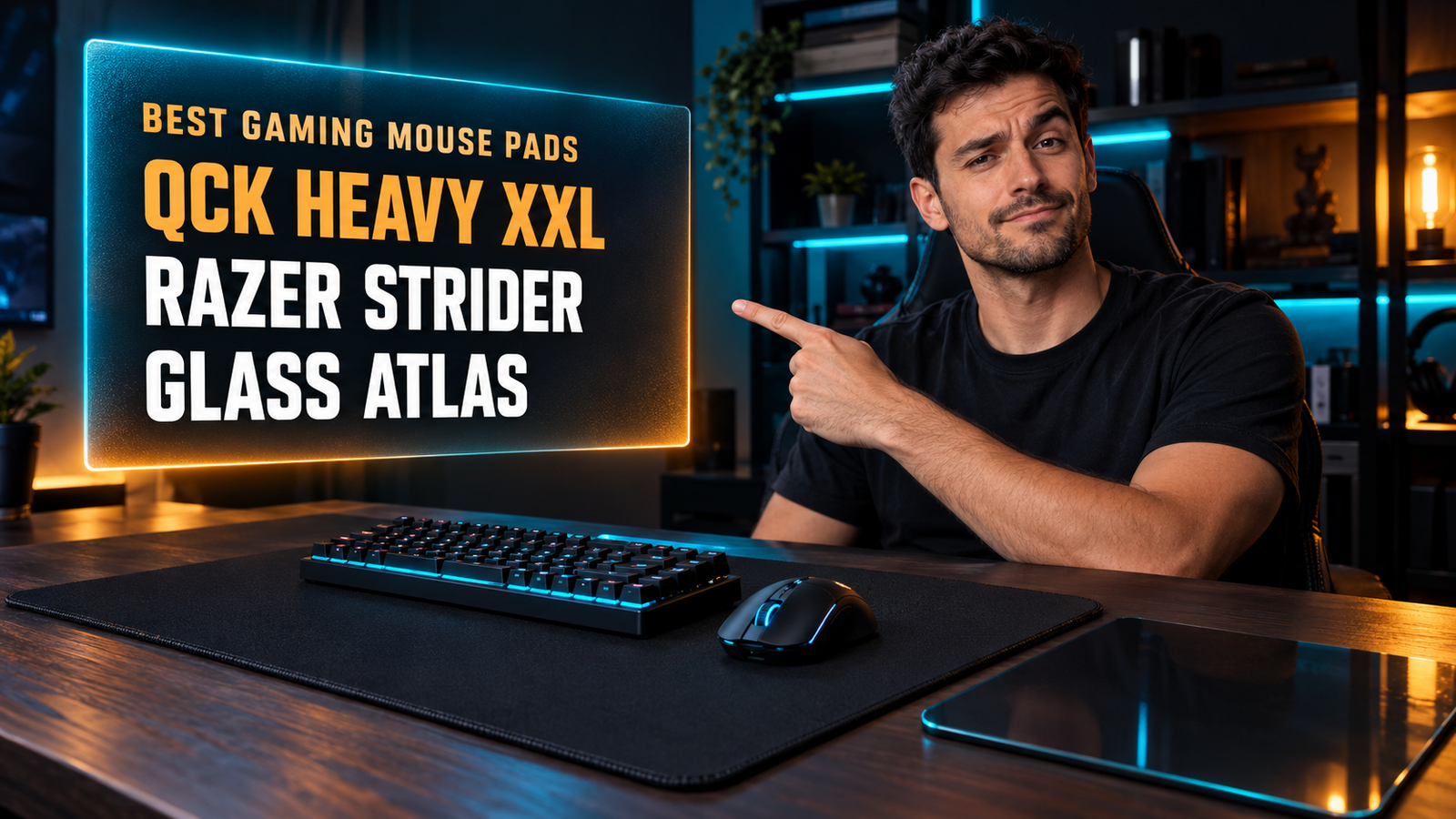
The SteelSeries QcK Heavy XXL is the best mouse pad for gaming for most people. It gives you 900×400mm of micro-woven cloth with enough stopping power for low-sensitivity aim. On a tighter budget, the Razer Gigantus V2 XXL covers a full desk for around $30. For raw speed, the Razer Atlas tempered glass pad is the fastest surface here.
Cloth, Hybrid or Glass: Which Surface Is Best for Gaming?
Cloth is the best surface for most gamers, hybrid is the best compromise, and glass only makes sense if cloth already feels too slow to you. The difference comes down to two kinds of friction: how much force it takes to start the mouse moving, and how easily it stops.
A medium-friction cloth pad like the Logitech G640 resists just enough that small corrections land where you intend. Glass flips that balance. The Razer Atlas has a 2μm micro-etched surface built for very low friction, so the mouse starts with almost no effort and keeps going unless you stop it.
The fastest surface rarely produces the fastest aim. Speed gets you to the target; stopping power keeps the crosshair there once you arrive.
If you play Valorant or CS2 holding tight angles, cloth lets you settle on a head without overshooting by a few pixels. If you play Apex or Overwatch and track targets across the screen, a hybrid like the Razer Strider adds glide without the ice-rink feel of glass. Mouse weight changes the equation too, a trade-off we cover in our guide to the best gaming mouse under $50.
What Size Mouse Pad Do You Need for Gaming?
The right size depends on your sensitivity, measured as how far the mouse travels for a full 360-degree turn in game. At 800 DPI and 0.35 sensitivity in Valorant, a full turn takes about 47cm of travel. That is more than the entire width of a 460mm medium pad.
Your keyboard decides whether an XXL pad is actually XXL. A typical full-size keyboard is around 440-450mm wide. Put one on a 900mm mat and roughly 450mm is left for your mouse, which is the same lane the 460mm Logitech G640 gives you.
So the real comparison isn’t medium versus XXL. It’s a medium pad next to a bare desk against an XXL pad with the keyboard on top. The XXL wins on consistency, because keyboard and mouse sit at the same height, but it only wins on mouse room if the keyboard shrinks.
A tenkeyless board at around 360mm frees up about 80-90mm. That is the strongest argument for the boards in our best tenkeyless mechanical keyboard guide on a gaming desk.
If you play above 1,600 DPI with a short turn distance, a smaller pad does the job and an XXL is mostly decoration.
Does Mouse Pad Thickness Matter?
Thickness matters more than spec sheets suggest, because it changes how the surface reacts to pressure. The pads in this guide are either 3mm (Logitech G640, Razer Strider) or 4mm (SteelSeries QcK Heavy XXL, Razer Gigantus V2 XXL), and some Large versions of the QcK Heavy go up to 6mm.
A thicker pad gets slower the harder you press. Soft foam compresses under the mouse, the cloth wraps slightly around the feet, and friction rises.
That makes thick pads pressure-dependent. If you squeeze the mouse during clutch rounds, a 4mm soft pad adds stopping power at exactly the moment you press down. Some players like that; others find it inconsistent. A firm 3mm hybrid like the Strider changes far less between a relaxed grip and a tense one.
Thickness also fixes a practical desk problem. If your desk has a seam, a slight dip or textured laminate, a 3mm pad can pass that texture into your swipes, while 4mm of foam smooths it out. We’d pick 4mm for an old or uneven desk and 3mm for a flat, solid one.
Is a Glass Mouse Pad Worth It for Gaming?
A glass mouse pad is worth it only if you already know cloth is too slow for you. Around $100 is a lot to pay to find out you actually prefer stopping power.
The case for glass isn’t just speed; it’s consistency. Cloth glide drifts over months as the weave collects dust and grime, and it can feel different on a humid day than on a dry one. The Razer Atlas gets its original glide back with a wipe, and Razer rates the surface above 7H for hardness, so grit trapped under the mouse doesn’t scratch it easily.
The most expensive pad here can end up being the most predictable one over years of use.
The trade-offs are real. Glass is rigid, can’t be rolled into a LAN bag, and mouse feet sound louder on it than on cloth, even with the Atlas’s treatment for quieter glides. If you game late at night in a shared room, that noise matters.
Best Mouse Pad for Gaming: Comparison Table
| Product | Price | Best For | Rating |
|---|---|---|---|
| SteelSeries QcK Heavy XXL | ~$45 | Best overall | 9/10 |
| Logitech G640 | ~$35 | Best medium size | 8.5/10 |
| Razer Gigantus V2 XXL | ~$30 | Best budget XXL | 8.5/10 |
| Razer Strider | ~$50 | Best hybrid surface | 8.5/10 |
| Razer Atlas | ~$100 | Best for speed | 8/10 |
Detailed Reviews
SteelSeries QcK Heavy XXL — Best Overall
Nine hundred millimeters of width and 4mm of thickness make the SteelSeries QcK Heavy XXL the pad we’d put on most gaming desks. At 900×400mm it fits a keyboard and a mouse lane on one continuous surface. The micro-woven cloth sits in the medium-friction zone that suits low- and mid-sensitivity aim, and the Heavy version adds a thicker non-slip rubber base that stays put during wide swipes.
If your desk is 120cm wide with a full-size keyboard, this pad covers the whole working area and still leaves about 450mm of mouse travel. That is enough for a Valorant setup at around 47cm per 360. SteelSeries lists QcK pads as washable, which matters for cloth that will collect grime over time.
The weak spot is the border. The edges aren’t stitched, so the front edge can start to fray after long use, and the thick foam feels slower if you grip hard.
Best for: Low- and mid-sensitivity FPS players who want keyboard and mouse on one surface.
Real-world detail: With a full-size keyboard on top, the 900mm width leaves roughly 450mm of mouse travel, about the same lane as a 460mm medium pad.
Pros: Medium-friction micro-woven cloth, 900×400mm coverage, 4mm foam smooths uneven desks, washable, non-slip rubber base.
Cons: Unstitched edges, slower under a heavy grip, awkward to wash in a sink.
Logitech G640 — Best Medium Size
Not everyone wants the keyboard on the pad, and that’s where the Logitech G640 beats any XXL mat. It measures 460×400mm at 3mm thick, with a moderate-friction cloth surface Logitech tunes to match the testing environment for its own sensors. It also tracks cleanly with any modern optical mouse.
The 400mm depth is the underrated spec. A standard medium pad like the 320×270mm QcK Medium is 130mm shallower. If you play CS2 and pull the mouse toward you on every spray, that extra depth keeps the mouse on cloth instead of sliding off the bottom edge.
It rolls up and lays flat again, so it doubles as a LAN pad. What you give up is desk coverage: the keyboard sits on bare desk at a slightly different height, and 3mm of foam won’t hide seams or scratches underneath.
Best for: Players who keep the keyboard off the pad and want a deep lane for low-sensitivity aim.
Real-world detail: At 400mm deep, it gives 130mm more vertical travel than a 320×270mm medium pad, which helps when pulling down on sprays.
Pros: Deep 460×400mm surface, consistent moderate friction, rolls up and lays flat, rubber base resists shifting, fair price.
Cons: Keyboard sits off the pad, 3mm doesn’t mask desk seams, unstitched edges.
Razer Gigantus V2 XXL — Best Budget XXL
Cheap desk-sized pads usually save money on thickness. The Razer Gigantus V2 XXL doesn’t. Razer makes the XXL and 3XL sizes 4mm thick, 1mm more than the Medium and Large versions, with high-density foam and a textured micro-weave surface tuned for quick glide and strong stopping power.
At around $30, it’s the cheapest way on this list to cover a full desk with a proper gaming surface. If your current mouse lives on bare laminate, this is the upgrade with the biggest change per dollar. The balanced texture also suits mixed use: a few rounds of Valorant, an MMO raid, then a spreadsheet, all on one mat.
Where it falls short is the finish. The edges aren’t stitched, and Razer’s own spec comparison puts the Gigantus V2 on a softer base than the Strider. Soft foam slows down more noticeably under a heavy grip.
Best for: Budget builds that want full-desk gaming coverage without premium pricing.
Real-world detail: The 4mm XXL is thicker than the 3mm Medium and Large versions, which helps flatten a desk with seams or dips.
Pros: Full-desk coverage, 4mm high-density foam, balanced glide and stopping power, around $30, 3XL size also available.
Cons: Unstitched edges, softer base slows under pressure, no water resistance.
Razer Strider — Best Hybrid
Hybrid mats exist for players stuck between cloth and glass, and the Razer Strider is the easiest one to recommend. Its single-layer surface glides with less dynamic friction than the Gigantus V2 and sits on a firmer base, yet it still rolls up like a cloth pad. At 3mm thick, it lies flat once unrolled instead of warping at the corners.
Two practical details put it ahead of cheaper cloth pads. The edges are stitched against fraying, and the surface is water-resistant, so a spilled drink wipes off instead of soaking into foam. If your gaming desk is also where your coffee lives, that alone justifies the extra cost over the Gigantus.
The smoother glide comes at the cost of natural stopping power. If you aim at low sensitivity with small corrections, expect an adjustment period, and the Large costs around $50, more than most cloth pads its size.
Best for: Tracking-heavy Apex and Overwatch players who want more glide than cloth without going to glass.
Real-world detail: The water-resistant surface means a spill wipes off in seconds rather than soaking into the pad.
Pros: Smooth hybrid glide, firmer base than soft cloth, stitched edges, water-resistant, rollable and warp-resistant.
Cons: Less stopping power than cloth, around $50 for the Large, firm texture takes getting used to.
Razer Atlas — Best for Speed
Tempered glass with a 2μm micro-etched texture puts the Razer Atlas in a different category from everything else here. The etching gives optical sensors a consistent surface to read, while the glass keeps static and dynamic friction very low, so the mouse starts moving with almost no effort. Razer rates the surface above 7H for hardness and adds a protective coating against dirt and scratches.
If you play at high sensitivity and aim with fast flicks, the Atlas removes the drag you feel at the start of every movement on cloth. It’s also the lowest-maintenance pad on this list: grime comes off with a quick wipe, and the surface doesn’t wear in like a weave does.
We’d skip it if you rely on stopping power at low sensitivity. It can’t be rolled up, it’s heavy to move, and at around $100 it costs more than the QcK Heavy XXL and the Gigantus V2 XXL combined.
Best for: High-sensitivity flick aimers who already find cloth too slow.
Real-world detail: Rated above 7H for hardness, the glass resists scratches from grit caught under the mouse feet.
Pros: Lowest friction on this list, 2μm etched texture for optical sensors, wipe-clean coating, doesn’t wear like cloth, treated for quieter glides.
Cons: Around $100, not rollable, louder than cloth, weak stopping power for low-sensitivity aim.
What to Look for When Choosing a Gaming Mouse Pad
1. Match the surface to how you aim. Cloth suits small, precise corrections and low sensitivity. Hybrid adds glide for tracking, and glass is for players who want minimum friction and can already control their stops.
2. Measure your mouse lane, not the pad. Subtract your keyboard’s width if it will sit on the pad. A full-size keyboard on a 900mm mat leaves about 450mm, so check that against your distance per 360.
3. Pick thickness for your desk and your grip. 4mm foam hides seams and uneven laminate but slows down under pressure. 3mm firm pads behave the same however hard you press.
4. Check the edges. Stitched edges, like the Strider’s, resist fraying at the front of the pad. Unstitched pads are cheaper and sit flatter at the border but usually wear first at the corners.
5. Plan for cleaning. Cloth needs an occasional wash, while water-resistant hybrids and glass wipe clean. If drinks and snacks share your desk, that difference decides how long the surface stays consistent.
FAQ
Does a mouse pad really make a difference for gaming?
Yes, a gaming mouse pad makes a noticeable difference because it gives your sensor a consistent surface and your mouse a predictable amount of friction. Bare desks change texture from one spot to another, and that shows up as uneven stops. A medium-friction cloth pad is one of the cheapest aim-related upgrades you can make.
Is a cloth or hard mouse pad better for gaming?
A cloth mouse pad is better for most gamers because its stopping power makes small aim corrections easier to control. Hard and glass pads are faster and easier to clean, which suits high-sensitivity players who flick between targets. Hybrid pads like the Razer Strider sit between the two.
What size mouse pad is best for gaming?
The best mouse pad size for gaming is one wide enough to cover your full 360-degree turn distance. For a low-sensitivity FPS setup at around 40-50cm per 360, that means a mouse lane of 450mm or more, from either a large pad or an XXL with the keyboard on top. High-sensitivity players can use a smaller pad without running out of room.
Can you wash a gaming mouse pad?
Most cloth gaming mouse pads can be hand-washed with lukewarm water and mild soap, then air-dried flat. SteelSeries lists its QcK pads as washable, while water-resistant hybrids like the Razer Strider and glass pads like the Razer Atlas only need a wipe. Skip hot water and the dryer, since heat can damage the rubber base.
Our Final Verdict
For most players, the SteelSeries QcK Heavy XXL is the gaming mouse pad to buy. It gives you 900×400mm of medium-friction cloth, 4mm of foam over an imperfect desk, and room for your keyboard on the same surface, without forcing you to relearn your aim.
If your keyboard stays off the pad, the Logitech G640 gives you a deeper lane for less. The Razer Gigantus V2 XXL is the budget pick, the Razer Strider suits trackers who want glide, and the Razer Atlas is only worth its price if cloth already feels slow.