
This article contains affiliate links. We may earn a commission if you buy through our links, at no extra cost to you.
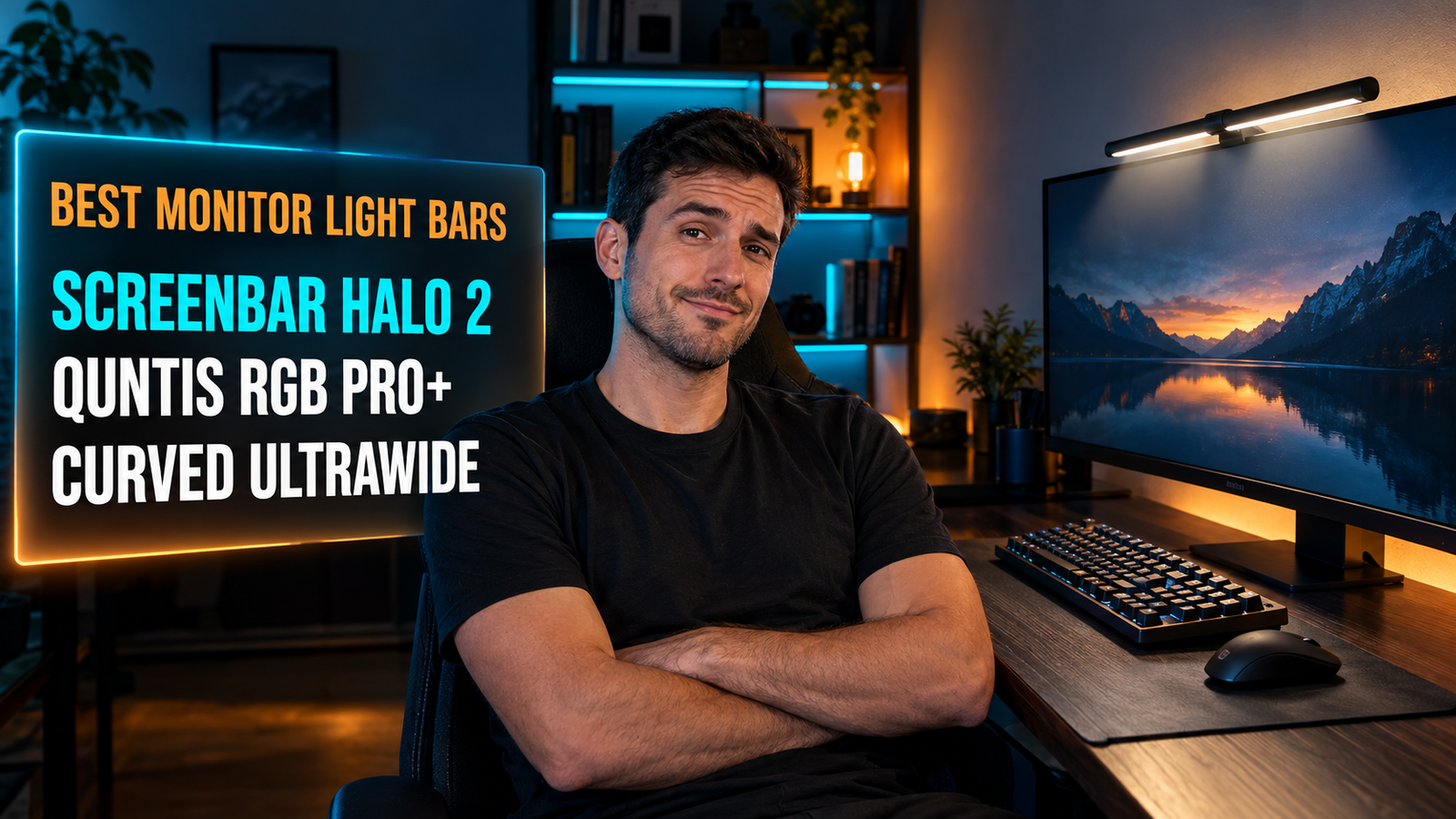
The best monitor light bar for gaming lights your desk without putting a single reflection on your screen, and adds a glow behind the monitor that makes dark scenes look deeper. For most setups that means the BenQ ScreenBar Halo 2. RGB builds and curved ultrawides need something different.
A light bar sits on top of the monitor, so it costs you zero desk space. The difference between a good one and a cheap LED strip comes down to optics, rear lighting and whether the clamp actually fits a gaming monitor.
After comparing light output, clamp compatibility, rear-light design and long-term owner feedback on more than 20 bars, these four stand out. This guide is for night gamers, streamers and anyone running an OLED or ultrawide in a dim room.
Quick Answer
The BenQ ScreenBar Halo 2 is the best monitor light bar for gaming for most people. It puts 500 lux on the desk plus a rear light for the wall behind the screen. For RGB setups, the Quntis RGB Pro+ adds 15 backlight modes for a fraction of the price, and the Quntis Curved Monitor Light Bar suits 34-inch-plus curved ultrawides.
Does a Monitor Light Bar Help When Gaming in a Dark Room?
A monitor light bar helps in a dark room because it lights your keyboard and desk without throwing light onto the screen. It does this with asymmetric optics: the beam angles down and forward with a sharp cutoff, so the desk is lit and the panel isn’t.
A light mounted directly above your screen creates fewer reflections than a lamp beside it or a ceiling light behind your chair. Those sources can land on the panel and bounce straight back toward you, while a light bar’s beam never touches the screen surface.
The difference is sharpest on glossy panels. If you game on a glossy OLED at night with the ceiling light on, dark scenes can show a faint mirror image of the fixture. Turn that light off and run a bar like the BenQ ScreenBar Halo 2, and the keys stay visible without the reflection.
The other gain is practical: finding a macro key, grabbing a controller or jotting down a lobby code is far easier with 500 lux on the desk than with the screen’s glow alone.
Front Light, Backlight or RGB: Which Matters Most for Gaming?
For gaming, the light aimed at the wall matters more than the light aimed at the desk. You rarely look down at the keyboard mid-match, but the wall behind the screen is in view the whole time.
Adding light behind your screen makes dark scenes look darker. Home theater setups have used this “bias lighting” trick for years: a dim glow around the screen gives the picture a reference point, so black areas read as deeper instead of blending into a black room.
The BenQ ScreenBar Halo 2 does this with a white rear light that BenQ says keeps the brightness gap between screen and surroundings below 1:3. RGB bars like the Quntis RGB Pro+ do it with color, running 15 backlight modes that turn the wall into part of the setup.
We’d treat RGB as decoration, not a picture upgrade. A saturated red or purple glow behind the screen shifts how the colors on it look, so for story games where the image matters, a dim neutral setting beats rainbow cycling. If your desk is already built around RGB peripherals, the color modes are the whole reason to buy.
Will a Light Bar Fit a Curved or Ultrawide Gaming Monitor?
Whether a light bar fits depends on your monitor’s top edge, not its screen size. Clamp-style bars hang a counterweight down the back of the panel, so thickness, rear shape and curvature decide everything.
A thin monitor can be harder to fit than a thick one. Xiaomi rates its bar for monitors up to 32mm thick, but on panels under 10mm it needs a steadying hand every time you adjust the angle. At the other extreme, gaming monitors with sloped or vented backs can leave the counterweight with nothing flat to grip.
Curvature is the second filter. A straight bar on a 1000R ultrawide touches the center while its ends sit away from the curve. That’s the problem the Quntis Curved Monitor Light Bar solves with two foldable heads that extend to 25.74 inches for 1000R and 1800R screens.
If your monitor sits on an arm, the bar travels with it, so the beam stays aligned every time you reposition the screen. Our breakdown of whether a monitor arm is worth it covers the rest of that decision.
What About Power and Your Webcam?
A monitor light bar needs a USB port delivering 5V/1.5A, and your monitor’s built-in USB hub may not supply it. The Quntis RGB Pro+ lists 5V/1.5A, and BenQ notes that its original ScreenBar Halo can flicker or run only the front light on an underpowered port.
The USB port on the back of your monitor can be the worst place to plug in a light bar. It’s the most convenient spot, but hub output varies between monitors, while a wall USB charger rated at 1.5A or more removes the guesswork.
Webcams are the other conflict, since both want the top of the monitor. The BenQ ScreenBar Halo 2 ships with a webcam accessory in the box, and the Quntis RGB Pro+ uses a 90-degree USB-C cable that leaves room for a camera on top of the bar.
If you stream or take calls from your gaming desk, sort out the camera position before buying. A matching camera from our best webcam for home office guide sits cleanly on either bar.
Best Monitor Light Bar for Gaming: Comparison Table
| Product | Price | Best For | Rating |
|---|---|---|---|
| BenQ ScreenBar Halo 2 | ~$199 | Best overall | 9/10 |
| Quntis RGB Pro+ | ~$60 | Best RGB backlight | 8.5/10 |
| Quntis Curved Monitor Light Bar | ~$80 | Best for ultrawides | 8.5/10 |
| Xiaomi Mi Computer Monitor Light Bar | ~$55 | Best budget minimalist | 8/10 |
Detailed Reviews
BenQ ScreenBar Halo 2 — Best Overall
BenQ launched the first monitor light bar in 2017, and the ScreenBar Halo 2 is where that head start shows. The front light delivers 500 lux across an 85×50cm area, enough to cover a keyboard, a full mouse lane and a notepad. The rear light uses a patented three-zone design that BenQ says covers 423% more area than the first-generation Halo. It keeps the brightness gap between screen and surroundings below 1:3, in line with ANSI standards.
If you step away from the desk between matches, the motion sensor turns the bar off and back on when you return. A wireless puck controller sits on the desk so you never reach behind the monitor, and the webcam accessory comes in the box.
Price is the obstacle. At around $199 it costs more than many 1080p gaming monitors, and it has no RGB modes, so it won’t color-match a lit-up setup.
Best for: Gamers who want the best-engineered front and rear lighting and don’t need RGB.
Real-world detail: The front light covers an 85×50cm area at 500 lux, wider than a full-size keyboard plus an XXL mouse lane.
Pros: Front and rear light in one bar, motion sensor, wireless desk controller, webcam accessory included, fits curved monitors.
Cons: Around $199, no RGB modes, controller needs 3 AAA batteries.
Quntis RGB Pro+ — Best RGB Backlight
Most RGB light bars treat the white front light as an afterthought. The Quntis RGB Pro+ doesn’t: its front light is rated above 800 lux with a uniformity above 0.9, so the desk is lit evenly along the full 20-inch bar. The rear strip meanwhile runs 15 RGB backlight modes onto the wall.
The clamp is the practical win. Quntis uses a retractable counterweight that fits most monitors, including curved and ultrawide models. The 90-degree USB-C cable exits cleanly, so a webcam can still sit on top. A remote handles four color temperatures and brightness for the front light.
If your desk already runs RGB keyboards, mice and case fans, this is the bar we’d pick to bring the wall into the same scheme for roughly a third of the Halo 2’s price. The trade-off is control: color changes happen on the remote, with no mention of syncing to peripheral software.
Best for: RGB-heavy gaming setups that want wall lighting to match the rest of the desk.
Real-world detail: The front light is rated above 800 lux with uniformity above 0.9, so the bar’s ends aren’t noticeably dimmer than the center.
Pros: 15 RGB backlight modes, bright and even front light, counterweight clamp fits curved and ultrawide, webcam-friendly 90-degree cable, four color temperatures.
Cons: No software sync, RGB can tint how on-screen colors look, needs a 5V/1.5A port.
Quntis Curved Monitor Light Bar — Best for Ultrawides
A straight bar on a 34-inch 1000R ultrawide lights the middle of the desk well and the edges less so. The Quntis Curved Monitor Light Bar fixes that geometry with two foldable heads that angle along the curve and extend to 25.74 inches. Quntis designs it for 1000R and 1800R curved screens, and the heads can spread for wide coverage or turn inward for concentrated light between roughly 500 and 1,000 lux.
Behind the screen, 15 RGB backlight modes do the same job as the Pro+. A wireless remote handles stepless brightness and color temperature, so you don’t reach over a wide panel to adjust anything.
If your monitor is a flat 27-inch, skip it. The foldable design only makes sense on a wide curve, and on a small flat panel you pay for length you’ll never use. It’s also a bulkier object on top of the monitor than a single-bar design.
Best for: Owners of 34-inch-plus 1000R or 1800R ultrawides who want even light across the whole desk.
Real-world detail: Fully extended, the two heads span 25.74 inches, enough to follow the curve of a 34-inch ultrawide.
Pros: Dual foldable heads follow the curve, 15 RGB backlight modes, wide-to-focused beam control, wireless remote, stepless dimming.
Cons: Wasted on flat or smaller monitors, bulkier on top of the screen, pricier than single-bar RGB models.
Xiaomi Mi Computer Monitor Light Bar — Best Budget Minimalist
Not every gaming desk needs color on the wall. The Xiaomi Mi Computer Monitor Light Bar is the clean option in a metal body. It puts out 270 lumens with color temperature adjustable from 2700K to 6500K and a Ra95 color rendering index, controlled by a 2.4GHz wireless remote that never touches the bar.
The magnetic mount lets the light head rotate to aim the beam, and custom optical glass under a textured hood keeps light off the screen surface. If you want a warm 2700K pool of light on the keyboard during late sessions and nothing else, it does exactly that without any visual noise.
Check your monitor before ordering. Xiaomi rates the bar for monitors up to 32mm thick, and panels under 10mm need a steadying hand when you change the angle. There’s no rear light, and Amazon US carries several listings for this bar, so confirm the seller and return window.
Best for: Flat-monitor setups that want clean, warm front light without RGB or a big price.
Real-world detail: Xiaomi rates it for monitors up to 32mm thick, so measure the top edge of a chunky gaming monitor first.
Pros: Minimal metal design, 2700K-6500K range, Ra95 color rendering, wireless 2.4GHz remote, flicker-free LEDs.
Cons: No rear light, 32mm thickness limit, multiple third-party listings on Amazon US.
What to Look for When Choosing a Monitor Light Bar for Gaming
1. Decide between a neutral rear light and RGB. A white rear light keeps on-screen colors looking natural, which suits story and cinematic games. RGB modes suit setups built around colored lighting. Both add the glow behind the screen that deepens dark scenes.
2. Measure your monitor’s top edge. Check its thickness against the clamp range and make sure the back is flat enough for a counterweight. For 1000R to 1800R ultrawides, choose a bar built for curves.
3. Compare front light in lux, not lumens. Lux measures light landing on the desk, while lumens measure total output in every direction. BenQ’s 500 lux across 85×50cm tells you more about coverage than a raw lumen figure, and a 2700K-6500K range covers warm night sessions through daylight white.
4. Plan the power source. Most bars call for 5V/1.5A. A monitor’s USB hub may fall short, while a dedicated USB charger rated at 1.5A or higher avoids flicker.
5. Check controls and webcam space. A desk puck or wireless remote saves you from reaching behind the screen. If you stream, pick a bar that includes a webcam mount or leaves room for one on top.
FAQ
Are monitor light bars worth it for gaming?
Yes, a monitor light bar is worth it for gaming if you play in a dim room, because it lights your desk without adding reflections to the screen. Models with a rear or RGB light also add a glow behind the monitor that makes dark scenes look deeper. If you only game in daylight, a basic front-light bar is enough.
Do monitor light bars cause glare on the screen?
A well-designed monitor light bar does not cause screen glare, because its asymmetric optics angle the light down onto the desk and away from the panel. Glare usually shows up when the bar is tilted too far forward or lacks a shaped beam. Adjust the angle until the screen surface stays unlit.
Do monitor light bars work with curved monitors?
Many monitor light bars work with curved monitors, but fit depends on the curvature and the thickness of the top edge. The Quntis Curved Monitor Light Bar is built for 1000R and 1800R ultrawides, and the Quntis RGB Pro+ clamp fits most curved models. Always check the listed thickness range before buying.
Can you use a webcam with a monitor light bar?
Yes, you can use a webcam with a monitor light bar if the bar leaves space or includes a mount for it. The BenQ ScreenBar Halo 2 ships with a webcam accessory, and the Quntis RGB Pro+ uses a 90-degree cable that leaves room for a camera on top. On bars without either, the webcam typically moves to a tripod or a clip beside the monitor.
Our Final Verdict
For most gaming setups, the BenQ ScreenBar Halo 2 is the monitor light bar to buy. It puts 500 lux on the desk, adds a rear light for the wall behind the screen, and includes a motion sensor and a webcam accessory in a bar that fits curved monitors.
If your setup runs on color, the Quntis RGB Pro+ delivers 15 backlight modes for a fraction of the price. The Quntis Curved Monitor Light Bar is the pick for 34-inch-plus ultrawides, and the Xiaomi Mi Computer Monitor Light Bar suits flat monitors that only need clean front light.