
This article contains affiliate links. We may earn a commission if you buy through our links, at no extra cost to you.
Best Budget Webcam Under $50 in 2026
Your laptop webcam is making you look unprofessional on every call — and you don’t need to spend $100 to fix it. The best budget webcam under $50 produces a noticeably sharper, more stable image than any built-in camera at a price that’s hard to argue with. The gap between a $35 dedicated webcam and a laptop camera is larger than the gap between a $35 webcam and a $150 one. For remote workers, students, and anyone who shows up on video calls regularly, this is one of the highest-return peripheral upgrades available.
After researching and comparing the sub-$50 webcam category specifically for home office and video call use — filtering out the options that claim 1080p and deliver something considerably worse — here is what actually works in 2026. For context on what the premium webcam category offers, see our guide on the best webcam for home office.
Quick Answer
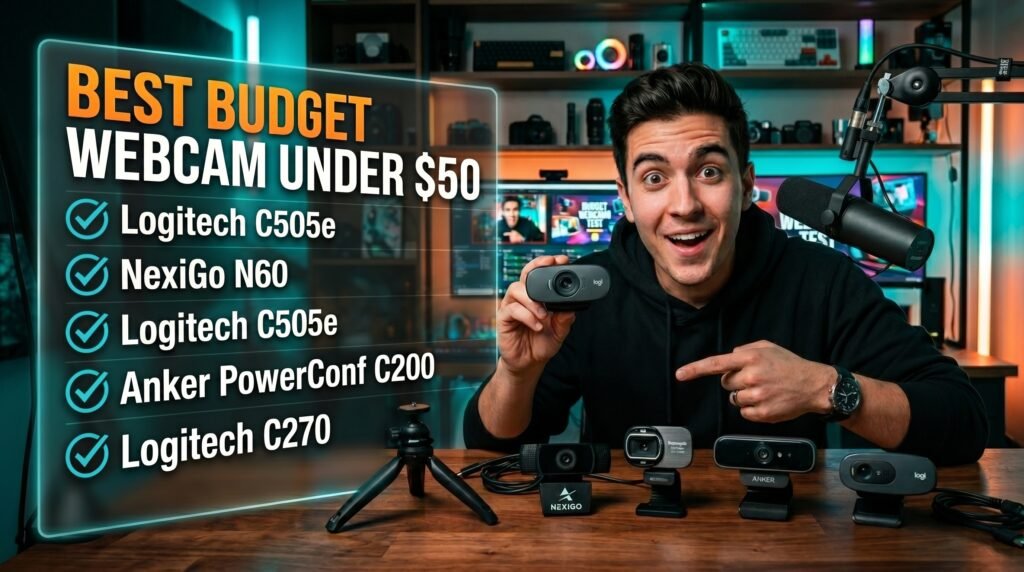
The Logitech C505e at $40-45 is the best overall budget webcam — Logitech’s image processing quality, 2-meter cable, and fixed focus optimized for desk distance make it the most reliable choice under $50. For genuine 1080p at the lowest price, the NexiGo N60 at $30-35 delivers. For the best feature set at the budget ceiling, the Anker PowerConf C200 hits 2K resolution with dual noise-cancelling mics at $45-50. Occasional users can save money with the Logitech C270 at $25-30. Users who want a longer cable and slightly cleaner design should consider the Logitech C505 as a consumer alternative.
What $50 Actually Gets You in a Webcam
The sub-$50 webcam market is where spec inflation is most aggressive and where the difference between a good purchase and a bad one is hardest to identify from a product listing alone.
At under $50, you’re making real tradeoffs. The two most common are sensor size and lens quality. Budget webcams use smaller image sensors with plastic lenses — smaller sensors capture less light, which means image quality degrades faster as room lighting decreases. Plastic lenses produce softer images and more chromatic aberration at the edges of the frame compared to the glass lenses in premium webcams. These aren’t fatal limitations for daytime calls in well-lit rooms, but they explain why a $35 webcam looks significantly worse than a $100 webcam in anything other than ideal conditions.
Autofocus is the second major tradeoff. True continuous autofocus — the kind that tracks you smoothly as you shift position — is expensive to implement well. Most webcams under $50 use fixed focus or basic autofocus that hunts noticeably. Fixed focus set correctly at typical desk distances (60-80cm) is actually preferable to bad autofocus — a sharp fixed image beats a hunting, pulsing autofocus that’s constantly distracting to call participants.
The counterintuitive point: at under $50, brand matters more than specs. A Logitech webcam claiming 720p will outperform a no-name claiming 1080p in almost every real-world comparison — because Logitech’s sensor calibration, color processing, and exposure algorithms are significantly more developed than budget manufacturers who optimize the spec sheet rather than the actual image.
For context on how these budget options compare to Zoom-specific performance, see our guide on the best webcam for Zoom calls — the platform optimization considerations differ meaningfully between budget and premium options.
The Specs That Matter at This Price Point
Resolution reality check: Most video conferencing platforms — Zoom, Teams, Google Meet — default to 720p and require HD to be manually enabled in settings. A 1080p webcam in a platform capped at 720p produces no visual improvement over a 720p webcam. Enable HD video in your conferencing platform settings first — this single change produces a more visible improvement than a hardware upgrade for many users who haven’t done it.
Frame rate at this price: 30fps is the standard for video calls and entirely adequate. Budget webcams claiming 60fps typically achieve this only in favorable lighting conditions and at lower resolutions. Don’t pay extra for 60fps in sub-$50 webcams — the practical difference on a video call is zero.
Microphone quality at this price: Built-in microphones on budget webcams range from barely usable to surprisingly adequate. Logitech’s built-in mics consistently perform above average for the price — the C505e’s mono microphone handles voice clearly in quiet environments. For any professional use where audio quality matters, a separate USB microphone is a meaningful upgrade even alongside a quality budget webcam.
Plug-and-play vs. software dependency: Budget webcams that require proprietary software to function properly create unnecessary friction. The best budget webcams under $50 are fully plug-and-play on Windows, Mac, and Chrome OS with no software required for basic functionality.
The 5 Best Budget Webcams Under $50 in 2026
1. Logitech C505e — Best Overall Under $50 (~$40-45)
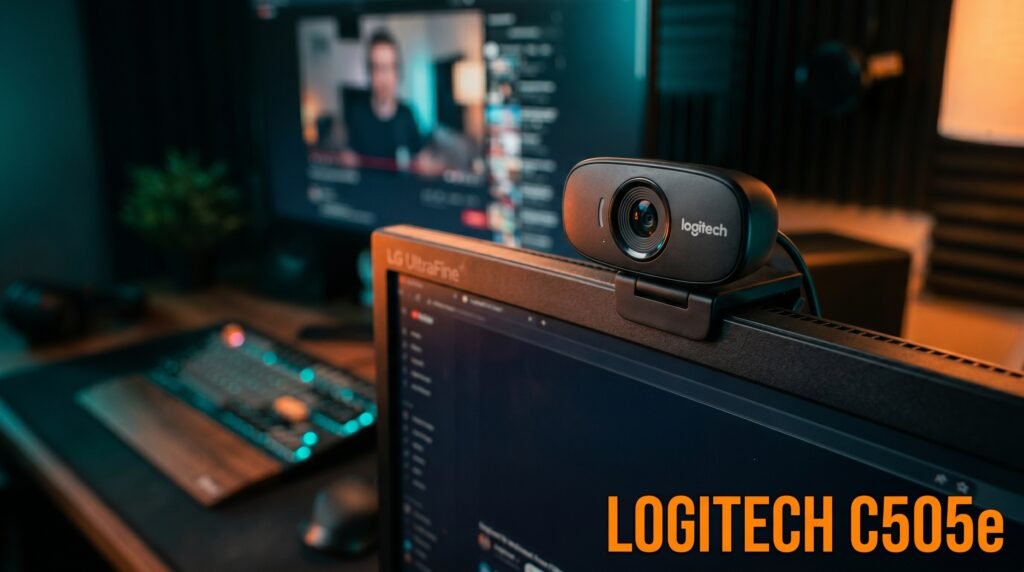
The Logitech C505e is the best budget webcam under $50 for most home office workers — 720p at 30fps, fixed focus optimized for 0.9m desk distance, built-in mono microphone, and a 2-meter USB cable that gives more positioning flexibility than the short cables on most competitors. Logitech’s image processing algorithms produce more accurate color, better exposure balance, and more consistent image quality across varying room lighting than any competing webcam at this price.
The fixed focus is the key spec to understand before buying. Set correctly at standard desk distance — the 0.9m sweet spot — the C505e produces a consistently sharp image that outperforms budget autofocus webcams that hunt and pulse. If you sit within 0.5-1.5m of your monitor, the C505e is in its optimal range.
The 2-meter USB cable is a genuinely useful differentiator. Most budget webcams include 1-1.5m cables that limit mounting flexibility — the C505e’s 2m cable reaches from a top-of-monitor mount to a laptop on a standing desk without cable management compromises.
Pros: Logitech image processing quality, fixed focus optimized for desk distance, 2-meter USB cable, plug-and-play universally, H.264 compression reduces USB bandwidth, business-grade reliability. Cons: 720p only, fixed focus not suitable for users who vary distance significantly, mono microphone, no privacy shutter.
2. NexiGo N60 — Best 1080p Under $50 (~$30-35)
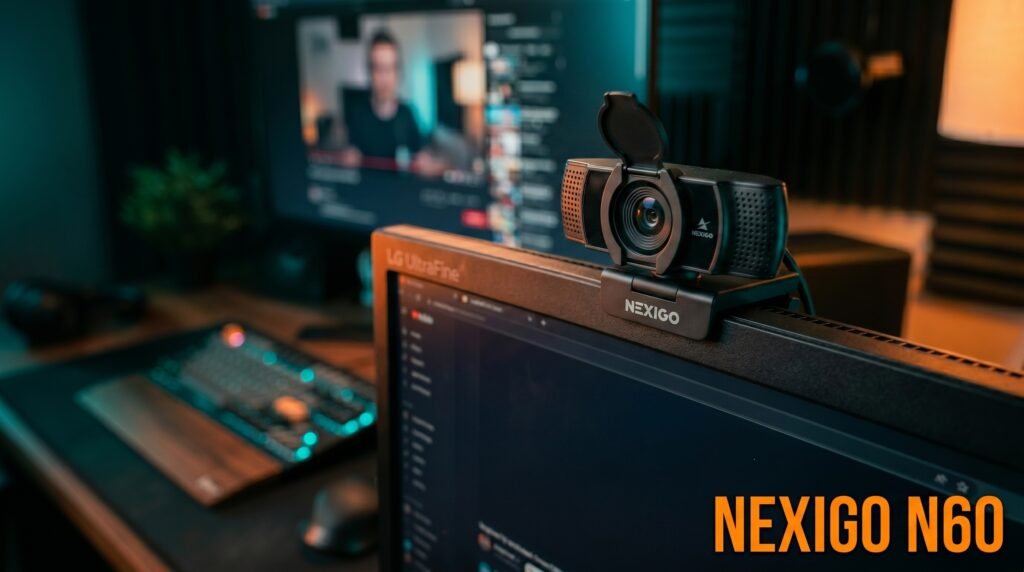
The NexiGo N60 is the best option for buyers who specifically need 1080p under $50 — genuine 1080p at 30fps in good lighting, autofocus that performs adequately for stationary desk use, a 3.6mm glass lens, and a clean plug-and-play setup at a price that makes it one of the most cost-effective 1080p entry points available.
The honest assessment: NexiGo’s 1080p is real at the resolution level but the overall image quality doesn’t match a Logitech 720p product in sharpness and color accuracy because the sensor calibration and processing algorithms are lower quality. In good lighting, the 1080p resolution shows clearly and the image is meaningfully sharper than 720p. In dim lighting, the smaller sensor struggles significantly.
Best for: Budget buyers who specifically need 1080p for a platform that supports it, and users in well-lit home offices who can take advantage of the resolution.
Pros: Genuine 1080p at 30fps, 3.6mm glass lens, plug-and-play, built-in noise-cancelling microphone, privacy cover included, universal clip. Cons: Image quality below Logitech despite higher resolution spec, low-light performance limited, autofocus hunting at initial lock.
3. Logitech C505 — Best Consumer Alternative (~$35-40)
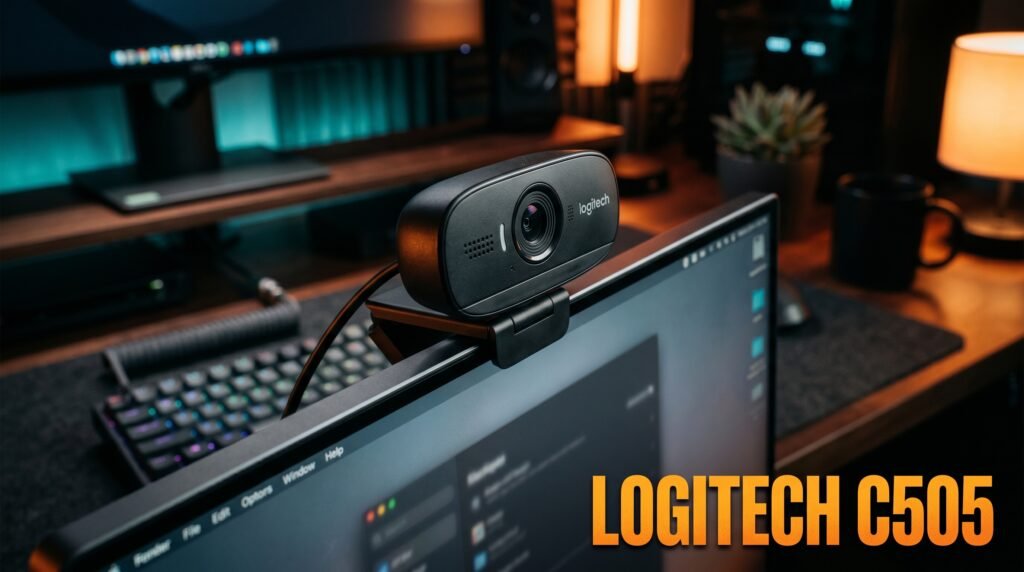
The Logitech C505 is the consumer version of the C505e — essentially identical in core performance with the same 720p fixed focus optics, the same 2-meter USB-A cable, and Logitech’s RightLight 2 automatic light correction. The difference versus the C505e is cosmetic — slightly different housing finish and consumer rather than business positioning — but the image quality and call performance are equivalent.
For home office workers who don’t need the business designation and want Logitech’s quality at a slightly lower price point, the C505 delivers the same core experience. The omnidirectional microphone with noise reduction handles up to 3 meters pickup — useful for users who move around during calls or don’t position the webcam directly in front of their face.
Best for: Home office workers who want Logitech quality and the long-range microphone in a consumer-priced package.
Pros: Same core optics as C505e, 2-meter USB cable, RightLight 2 auto exposure, omnidirectional long-range microphone, plug-and-play, Logitech reliability. Cons: 720p only, fixed focus, mono microphone, no privacy shutter, cosmetically similar to C505e with minimal performance difference.
4. Anker PowerConf C200 — Best Feature Set at Budget Ceiling (~$45-50)
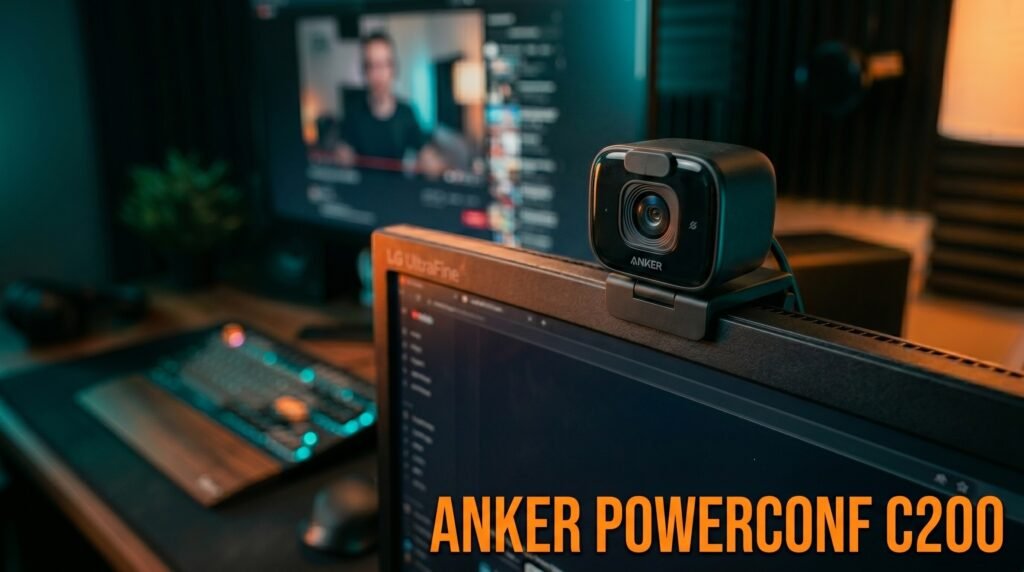
The Anker PowerConf C200 sits at the top of the under-$50 budget range and delivers the most complete feature set at that ceiling — 2K resolution (2560×1440), autofocus, dual AI noise-cancelling microphones, adjustable field of view (65°, 78°, or 95°), and a built-in privacy cover. At $45-50, it’s the closest thing to a premium webcam experience available in the budget category.
The 2K resolution is real and visible — at 2560×1440, the pixel density produces text and detail sharpness closer to a 1080p premium webcam than a 1080p budget option, because the higher native resolution downsamples to a cleaner 1080p stream. The adjustable field of view is a meaningful feature at this price — switching between 65° for tight face framing and 95° for showing more of your desk environment requires no physical adjustment.
In our experience, the C200 is the budget webcam that most frequently prompts comments from call participants about improved video quality — which is the practical test that matters for professional use.
Pros: 2K resolution, dual AI noise-cancelling mics, adjustable field of view, privacy cover, autofocus, USB-C connection, Anker’s quality warranty. Cons: $45-50 is the budget ceiling — a $20 stretch reaches the Logitech C920x territory, requires AnkerWork software for FOV adjustment, autofocus not as refined as premium options.
5. Logitech C270 — Best for Occasional Use (~$25-30)
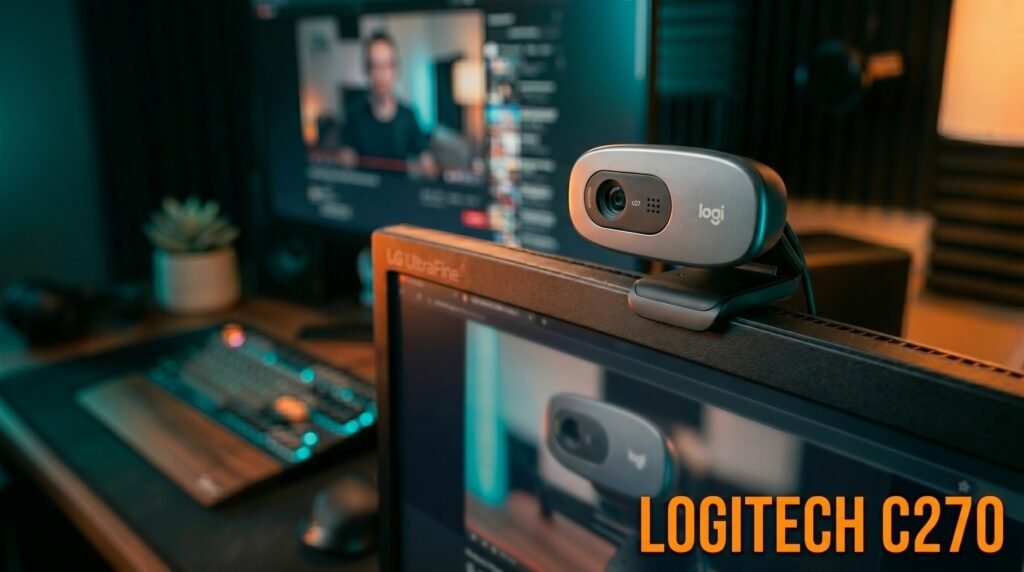
The Logitech C270 is the recommendation for users who need a webcam for occasional calls — weekly team standups, periodic client check-ins — rather than daily heavy use. 720p at 30fps, fixed focus, built-in mono microphone, and Logitech’s image processing quality in the most affordable form the brand offers. At $25-30, it’s the cheapest quality webcam available from a manufacturer with a credible track record.
The C270 is deliberately minimal — no autofocus, basic microphone, simple fixed mount. What it does is produce consistent, reliable 720p video on any platform without any setup beyond plugging in the USB. For a user who keeps this in a drawer and pulls it out for monthly video calls, the C270 does everything required at the lowest defensible price.
What most reviews won’t tell you is that the C270’s 720p image in good lighting is nearly identical to the NexiGo N60’s 1080p image on a compressed Zoom call — platform compression reduces the resolution advantage at the output level, making the higher-spec budget webcam’s advantage smaller than the spec difference suggests.
Pros: Logitech reliability at the lowest price point, plug-and-play, adequate 720p for occasional use, Logitech image processing, wide compatibility, simple durable design. Cons: 720p fixed focus only, mono microphone below average even for budget, no privacy shutter, basic clip that can feel loose on thicker monitors.
Comparison Table
| Product | Price | Resolution | Best For | Rating |
|---|---|---|---|---|
| Logitech C505e | ~$42 | 720p | Best overall under $50 | 9/10 |
| NexiGo N60 | ~$32 | 1080p | Best 1080p under $50 | 8/10 |
| Logitech C505 | ~$37 | 720p | Best consumer Logitech option | 8/10 |
| Anker PowerConf C200 | ~$48 | 2K | Best image quality at budget ceiling | 8.5/10 |
| Logitech C270 | ~$27 | 720p | Best for occasional use | 7.5/10 |
What to Look for When Choosing a Budget Webcam Under $50
1. Brand over specs at this price At under $50, a Logitech 720p webcam consistently outperforms a no-name 1080p webcam because image quality is determined by sensor calibration, color processing algorithms, and lens quality — none of which appear on a spec sheet. Stick to Logitech, Anker, and NexiGo in this category. The spec competition from unknown brands is almost entirely on paper.
2. Fixed focus versus autofocus for your setup Fixed focus webcams — Logitech C505e, C505, C270 — produce sharper images at their optimal distance than budget autofocus webcams that hunt and pulse. If you sit at a consistent distance from your camera (60-100cm is the sweet spot for most desk setups), fixed focus is preferable to bad autofocus. If your distance to the camera varies significantly, autofocus becomes necessary despite its quality limitations at this price.
3. Lighting in your specific setup Budget webcams with small sensors perform well in good light and poorly in dim conditions. If your workspace has a window facing you or adequate overhead lighting during your call hours, any webcam on this list produces adequate results. If you work in a dim room or take calls in the evening with minimal lighting, address the lighting first before spending on the webcam — a $20 ring light produces a larger improvement than any webcam upgrade in poor lighting.
4. Platform compatibility verification All five webcams on this list work as plug-and-play USB devices on Windows, macOS, and Chrome OS. Verify the specific webcam you’re buying works fully plug-and-play on your operating system before purchasing, particularly for Mac users where some Windows-centric budget webcams occasionally have driver limitations.
5. The upgrade math Before buying a budget webcam, calculate whether the premium alternative makes more sense. The Logitech C920x at $70 costs $25-30 more than the C505e and delivers significantly better image quality, glass lens optics, and proper autofocus. For a webcam used 5 days per week in a professional context, $25 more over 3 years of use is less than $0.03 per workday. The budget option makes sense for genuine cost constraints or occasional use.
FAQ
Is a $30-50 webcam noticeably better than a laptop webcam?
Yes, consistently and significantly. Built-in laptop webcams use small sensors, fixed focus set for close-up distances rather than desk distances, and aggressive noise reduction that softens detail. A dedicated $35 webcam with proper desk-distance fixed focus produces a visibly sharper, more evenly exposed image that other call participants notice even if they can’t articulate why. The improvement going from laptop webcam to budget dedicated webcam is proportionally larger than from budget to premium.
Does a budget webcam work for professional video calls?
For most professional contexts — internal team meetings, client calls, job interviews — a budget webcam in good lighting is entirely professional. The scenarios where budget webcams fall short are low-light environments, frequent backlit situations (window behind you), and high-stakes video appearances where maximum image quality matters. For daily professional use in reasonable lighting, the Logitech C505e or Anker C200 produce results that most call participants would consider professional quality.
Do I need to install software for budget webcams?
The best budget webcams are fully plug-and-play without additional software — the Logitech C505e, C505, NexiGo N60, and Logitech C270 all work immediately on Windows, Mac, and Chrome OS without driver installation. The Anker C200 is plug-and-play for basic video but requires AnkerWork software to adjust the field of view. Avoid budget webcams that require software installation for core operation.
What’s the most important upgrade after a budget webcam?
Lighting. A $30 ring light or repositioning to face a window produces a larger visible improvement than upgrading from a budget webcam to a $150 premium webcam in a poorly lit room. The sequence that produces the best results per dollar spent: fix lighting first, then upgrade the webcam if image quality still falls short.
Our Final Verdict
The best budget webcam under $50 in 2026 is the Logitech C505e for most home office workers — Logitech’s image processing quality, 2-meter cable, and reliable fixed focus make it the safest choice in a category where spec sheets are frequently misleading. Buyers who specifically need 1080p should look at the Anker PowerConf C200 at the $48-50 budget ceiling — the 2K sensor, dual noise-cancelling microphones, and adjustable field of view represent the most complete feature set under $50. Enable HD video in your Zoom or Teams settings before buying anything — it costs nothing and frequently makes the difference between needing an upgrade and not. Check current pricing on Amazon for all five webcams in this guide.