
This article contains affiliate linksThis article contains affiliate links. We may earn a commission if you buy through our links, at no extra cost to you.
Best Wireless Mechanical Keyboard for Mac 2026
Mac users have a genuinely harder time finding the right mechanical keyboard than Windows users do. The layout differences — Command instead of Windows key, Option instead of Alt, the missing Delete key — mean that most mechanical keyboards designed for the Windows-dominant market require remapping, workarounds, or just living with keys labeled wrong. The best wireless mechanical keyboard for Mac either ships with Mac-specific keycaps and layouts out of the box, or offers software that makes remapping painless enough that the layout mismatch stops mattering within a week.
After researching and comparing dozens of wireless mechanical keyboards specifically through the lens of Mac compatibility, Bluetooth reliability, and daily usability for professionals — here is what actually works in 2026. For context on how this fits into a complete Mac desk setup, see our guide on the best monitor for home office under $300 — peripheral choices interact more than most people expect.
Quick Answer
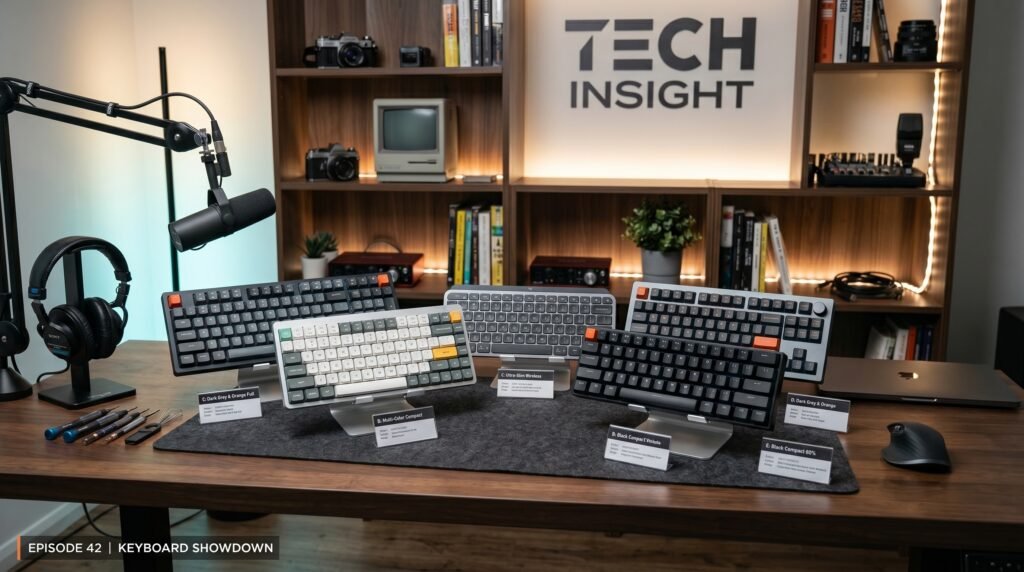
The Keychron K2 Pro is the best wireless mechanical keyboard for Mac for most people — native Mac layout with correct keycaps, rock-solid Bluetooth 5.1 with three-device pairing, hot-swappable switches, and a 75% form factor that fits any desk without sacrificing the arrow keys. For Mac users who want the closest experience to Apple’s own keyboard with mechanical switches, the Nuphy Air75 V2 is the sleekest alternative. Users who prefer scissor switches with best-in-class Mac software integration should consider the Logitech MX Keys S. Premium build seekers should look at the Keychron Q2 Pro. Budget buyers can start with the Anne Pro 2.
Why Mac Compatibility Is More Complicated Than It Sounds
Plugging any USB keyboard into a Mac and having it work is easy. Having it work correctly — with the right modifier key positions, the right labels on keycaps, and the right default behavior for function keys — is where most mechanical keyboards aimed at Windows users fall short for Mac users.
The core layout problem is the bottom row. On a Mac keyboard, the sequence left of the spacebar is: Control, Option, Command. On a standard Windows keyboard, it’s: Control, Windows, Alt. The keys are in the same physical positions but labeled differently and mapped to different functions. Using a Windows-layout mechanical keyboard on a Mac means your Command key is labeled “Windows” with a Windows logo, your Option key is labeled “Alt,” and muscle memory built around years of Mac use keeps triggering the wrong shortcuts.
Bluetooth reliability is the second Mac-specific concern. macOS handles Bluetooth differently than Windows, and some keyboards that pair instantly and stay connected on Windows suffer from wake-from-sleep reconnection issues on Mac — the keyboard takes 5-10 seconds to reconnect every time the Mac wakes, which gets old fast. Keyboards built with macOS Bluetooth behavior in mind connect in under 2 seconds from sleep consistently.
The counterintuitive point: the most Mac-compatible wireless mechanical keyboards are not made by Apple. Keychron, Nuphy, and Logitech have invested specifically in Mac layout and macOS Bluetooth optimization in ways that Windows-focused brands haven’t. For context on switch types and what works best for different typing styles, see our guide on how to choose a mechanical keyboard switch — the Mac layout question and the switch question are separate decisions worth making independently.
What Makes a Wireless Mechanical Keyboard Work Well With Mac
Beyond layout, several technical factors determine whether a wireless mechanical keyboard is genuinely Mac-compatible or just technically functional.
Bluetooth version and stability matters more for Mac than for Windows. macOS’s Bluetooth stack is more sensitive to connection quality than Windows, and keyboards using older Bluetooth 4.0 implementations frequently exhibit the wake-from-sleep lag that makes wireless keyboards frustrating on Mac. Bluetooth 5.1 or higher with proper macOS optimization is the spec to look for — it produces sub-2-second reconnection from sleep in real-world use.
Multi-device pairing is particularly valuable for Mac users who work across multiple Apple devices — a MacBook Pro at the desk, an iPad for reference, and occasionally an iPhone for quick typing. Keyboards with 3-device Bluetooth pairing plus a wired or 2.4GHz option let you switch between devices with a single key combination rather than going through the full Bluetooth pairing process each time.
Battery life varies enormously in wireless mechanical keyboards — from 40 hours on RGB-heavy boards to 4000+ hours on keyboards with no backlighting. For a keyboard used 8 hours a day, a 200-hour battery lasts about 25 working days. A 4000-hour battery lasts over a year without charging.
Hot-swappable switches are a Mac-specific consideration because Mac users tend to keep their peripherals longer than Windows users who upgrade hardware more frequently. A hot-swappable keyboard lets you change the switch feel without buying a new keyboard — from clicky to tactile to linear. For a $100+ investment intended to last 3-5 years, that flexibility matters.
The 5 Best Wireless Mechanical Keyboards for Mac in 2026
1. Keychron K2 Pro — Best Overall (~$90-100)
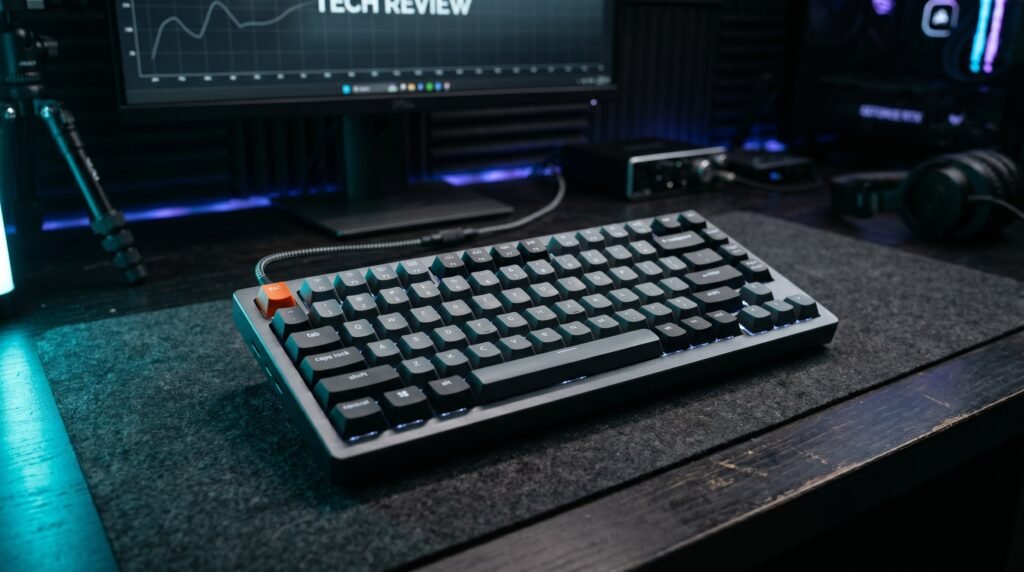
The Keychron K2 Pro is the recommendation we’d make to most Mac users without hesitation. It ships with a Mac keycap set installed and a Windows keycap set in the box — the correct keys are already in the right places from day one, labeled correctly, with Command and Option where Mac muscle memory expects them. No remapping required, no wrong labels to ignore.
75% layout hits the sweet spot for desk space versus functionality — full alphanumeric keys, function row, arrow keys, and a small cluster of navigation keys, all in a footprint smaller than a tenkeyless keyboard. Bluetooth 5.1 with three-device pairing and a 2.4GHz USB receiver option gives you four total connection methods. Battery life with backlighting off runs approximately 300 hours — roughly 6 weeks of full workday use between charges.
Hot-swappable switches mean you can pull any switch and replace it in about 30 seconds per key, no soldering required. Ships in Gateron G Pro Red, Brown, or Blue — linear, tactile, or clicky.
Pros: Mac layout out of the box, Bluetooth 5.1, three-device pairing, hot-swappable, 2.4GHz option, aluminum frame option available, strong community support. Cons: Software required for full remapping, RGB adds weight and reduces battery life significantly, aluminum version adds $30-40 to the price.
2. Nuphy Air75 V2 — Best for Mac Aesthetics (~$105-115)
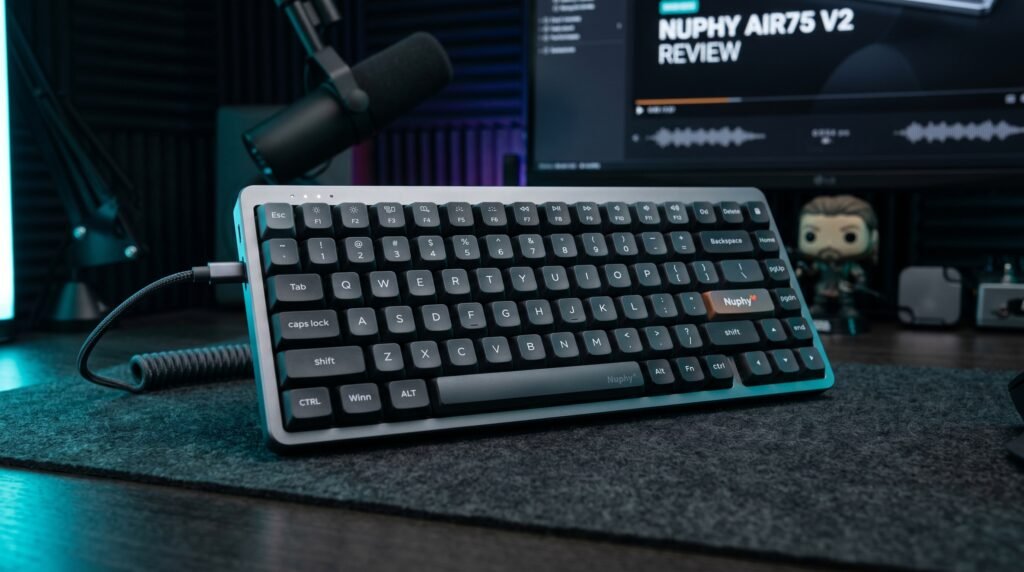
The Nuphy Air75 V2 is the wireless mechanical keyboard that disappears into a Mac setup visually. Its low-profile design — 18.5mm total height without a wrist rest — sits closer to the desk surface than standard mechanical keyboards and produces a silhouette that reads as deliberately designed rather than bolted onto a Mac desk. Available in white and space gray colorways that match Apple hardware directly.
Low-profile Nuphy switches travel 3.5mm versus the 4mm of standard switches — the difference is subtle but makes the keyboard feel faster and more laptop-like, which Mac users transitioning from Apple keyboards tend to prefer over the full-height mechanical experience. Bluetooth 5.1 with four-device pairing, excellent battery life without backlighting, and a Mac-specific layout that includes the correct modifier key labeling from the factory.
Best for: Mac users who prioritize visual coherence with their Apple hardware and prefer a low-profile typing experience.
Pros: Low-profile design integrates visually with Mac setups, correct Mac layout from factory, white and space gray colorways, excellent battery life, Bluetooth 5.1, four-device pairing, QMK/VIA support. Cons: Low-profile switches have a smaller selection than standard MX switches, not hot-swappable on base model, less community support than Keychron.
3. Logitech MX Keys S — Best for Productivity-Focused Mac Users (~$110)
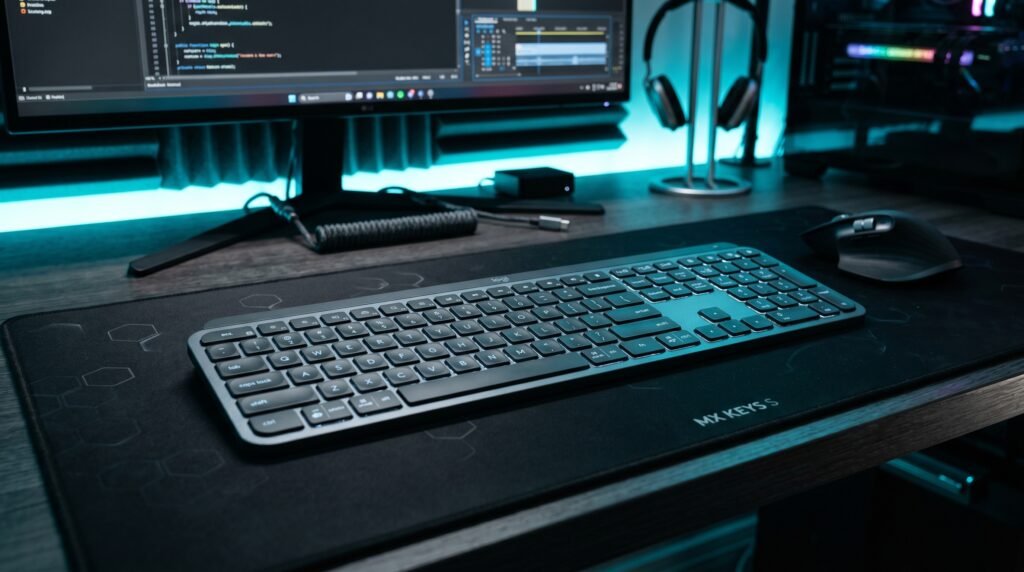
The Logitech MX Keys S isn’t a traditional mechanical keyboard — it uses scissor switches rather than mechanical switches — but it belongs in this guide because it’s the keyboard that converts the most Mac users who aren’t sure they actually want full mechanical. The scissor switches are significantly more tactile and precise than Apple’s Magic Keyboard while stopping short of the full mechanical travel and sound that some office environments can’t accommodate.
Logi Options+ software on Mac is genuinely excellent — per-app key customization lets you set different behaviors for the same keys in different applications, which is a level of workflow integration that no other keyboard in this category matches. The backlit keys use proximity detection to turn on when your hands approach and off when they leave. What most reviews won’t tell you is that the MX Keys S is the better choice for Mac users who spend more time in productivity apps than in environments where the mechanical typing feel is the point.
Pros: Logi Options+ per-app customization on Mac, proximity-sensing backlight, excellent key feel for non-mechanical users, multi-device pairing, strong Mac ecosystem integration. Cons: Not a mechanical keyboard — scissor switches only, no hot-swappable option, less tactile feedback than true mechanical switches.
4. Keychron Q2 Pro — Best Premium Wireless Mechanical for Mac (~$170-180)

The Keychron Q2 Pro is what the K2 Pro becomes when budget isn’t a constraint. Full aluminum CNC-machined body, gasket-mounted PCB for significantly reduced typing vibration, QMK/VIA firmware support for complete key remapping without any software running in the background, and the same hot-swappable Mac-compatible layout as the K2 Pro.
The gasket mount is the meaningful upgrade for Mac users who type for long sessions. Standard keyboard mounting transmits typing vibration directly through the case to the desk surface, producing a harder, sharper sound and feel. Gasket mounting absorbs that vibration in a silicone layer, producing a softer, more cushioned typing experience that reduces fatigue during 6-8 hour writing sessions.
Best for: Mac users who type heavily for hours daily and want no compromises in build quality or customization.
Pros: CNC aluminum body, gasket mount for premium typing feel, QMK/VIA, hot-swappable, Mac layout from factory, volume knob, Bluetooth 5.1 plus 2.4GHz. Cons: $170-180 is a serious commitment, heavier than plastic-body competitors, QMK setup requires some technical comfort.
5. Anne Pro 2 — Best Budget Wireless Mechanical for Mac (~$60-70)
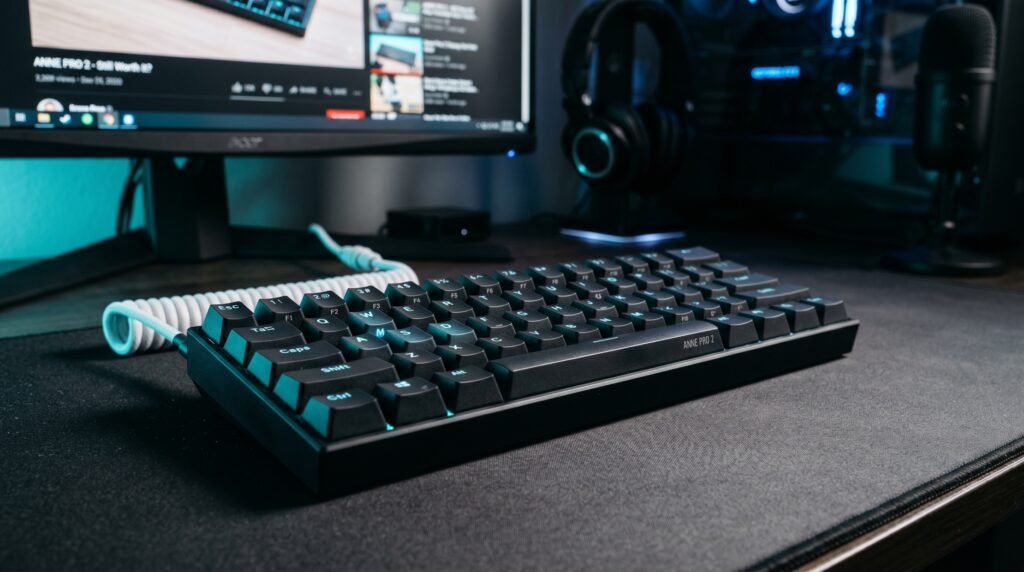
The Anne Pro 2 is the recommendation for Mac users who want wireless mechanical keyboard functionality at the lowest defensible price. 60% layout — no function row, no arrow keys, no navigation cluster — keeps the price down and the desk footprint minimal. Bluetooth 4.0 with multi-device pairing works reliably on Mac with the caveat that wake-from-sleep reconnection takes 3-5 seconds rather than the sub-2 seconds of Bluetooth 5.1 boards.
The honest caveat: for $10-15 more, the Keychron K2 Pro ships with correct Mac keycaps already installed and uses newer Bluetooth hardware. The Anne Pro 2 makes sense at this price; the K2 Pro is better value if the budget allows it.
Best for: Budget-conscious Mac users who want wireless mechanical on a tight budget and can adapt to a 60% layout.
Pros: Affordable entry to wireless mechanical on Mac, compact 60% layout, active community and firmware support, good switch selection. Cons: Bluetooth 4.0 with slower wake-from-sleep, Mac keycaps require separate purchase, 60% layout has a real learning curve.
Comparison Table
| Product | Price | Best For | Rating |
|---|---|---|---|
| Keychron K2 Pro | ~$90-100 | Best overall Mac mechanical keyboard | 9.5/10 |
| Nuphy Air75 V2 | ~$105-115 | Best aesthetics for Mac setups | 9/10 |
| Logitech MX Keys S | ~$110 | Best for productivity-first Mac users | 8.5/10 |
| Keychron Q2 Pro | ~$170-180 | Best premium build quality | 9/10 |
| Anne Pro 2 | ~$60-70 | Best budget option | 7.5/10 |
What to Look for When Choosing a Wireless Mechanical Keyboard for Mac
1. Native Mac layout versus remapping The cleanest experience comes from keyboards that ship with Mac-specific keycaps already installed — Command, Option, and Control in the correct positions with the correct labels. Keychron and Nuphy both do this. Keyboards requiring software remapping work but add friction — every time you use the keyboard on a different machine or after a system update, you need to verify the remapping is still active.
2. Bluetooth version for macOS compatibility Bluetooth 5.1 is the current standard for reliable macOS connectivity. The practical difference between 5.1 and 4.0 is wake-from-sleep reconnection speed — 5.1 boards reconnect in under 2 seconds, 4.0 boards take 3-8 seconds. For a keyboard you use every day, that delay when your Mac wakes from sleep becomes a genuine daily irritant within the first week.
3. Layout size matched to your desk and workflow 60% keyboards maximize desk space but require learning layer combinations for missing keys. 75% keyboards like the K2 Pro balance compactness with full functionality — arrow keys and function row present, numpad absent. The right choice depends on whether you use arrow keys frequently enough that relying on a function layer becomes disruptive to your typing flow.
4. Battery life versus RGB backlighting RGB backlighting is the single largest drain on wireless keyboard battery life. A keyboard with full RGB running continuously might last 40-60 hours. The same keyboard with backlighting off can last 300-4000 hours. For a desk keyboard that charges via USB-C when needed, this matters less than for a keyboard you want to go weeks without thinking about charging.
5. Switch type for your environment Clicky switches produce audible feedback that’s satisfying for the typist but disruptive in shared spaces and on calls. Tactile switches give physical feedback without the audible click — the standard recommendation for home office use with a microphone nearby. Linear switches are quiet and smooth, preferred by fast typists who don’t need the tactile bump as a feedback signal.
FAQ
Do mechanical keyboards work well with Mac natively?
Most mechanical keyboards work on Mac as plug-and-play USB or Bluetooth devices, but the layout mismatch requires either software remapping or choosing a keyboard designed specifically for Mac. Keyboards from Keychron and Nuphy ship with Mac-correct layouts and keycaps, eliminating the remapping requirement entirely.
Why does my Bluetooth keyboard disconnect when my Mac wakes from sleep?
This is a known macOS Bluetooth behavior that affects keyboards using older Bluetooth implementations more than newer ones. Bluetooth 5.1 keyboards with proper macOS optimization typically reconnect within 1-2 seconds of the Mac waking. Older Bluetooth 4.0 keyboards can take 5-10 seconds. Checking macOS Bluetooth settings and ensuring keyboard firmware is updated usually resolves persistent disconnection.
Is a 60% or 75% keyboard better for Mac users?
75% is the better default recommendation for most Mac users. It retains the function row — which macOS uses heavily for brightness, volume, and media controls — and the arrow keys that productivity workflows rely on. 60% keyboards work well for minimalist setups and users who’ve internalized function layer shortcuts, but the missing function row is particularly disruptive on macOS.
Can I use a Windows mechanical keyboard on Mac and just remap it?
Yes, and it works well with Karabiner-Elements — the standard free remapping tool for macOS. The practical limitation is visual — the keycaps still say “Windows” and “Alt” regardless of what the keys actually do. If you already own a Windows mechanical keyboard, remapping is a free solution. If you’re buying new, spending the same money on a Mac-native layout is cleaner.
Our Final Verdict
The best wireless mechanical keyboard for Mac in 2026 is the Keychron K2 Pro for most users — correct Mac layout out of the box, Bluetooth 5.1 with three-device pairing, hot-swappable switches, and a 75% form factor that keeps arrow keys and the function row without taking over your entire desk. Mac users who prioritize aesthetics should look at the Nuphy Air75 V2. Anyone who types heavily for hours daily and wants a premium build should step up to the Keychron Q2 Pro — the gasket mount alone justifies the price difference for serious typists. Check current pricing on Amazon for all five keyboards in this guide.