
This article contains affiliate links. We may earn a commission if you buy through our links, at no extra cost to you.
Best Portable Monitor for Laptop in 2026
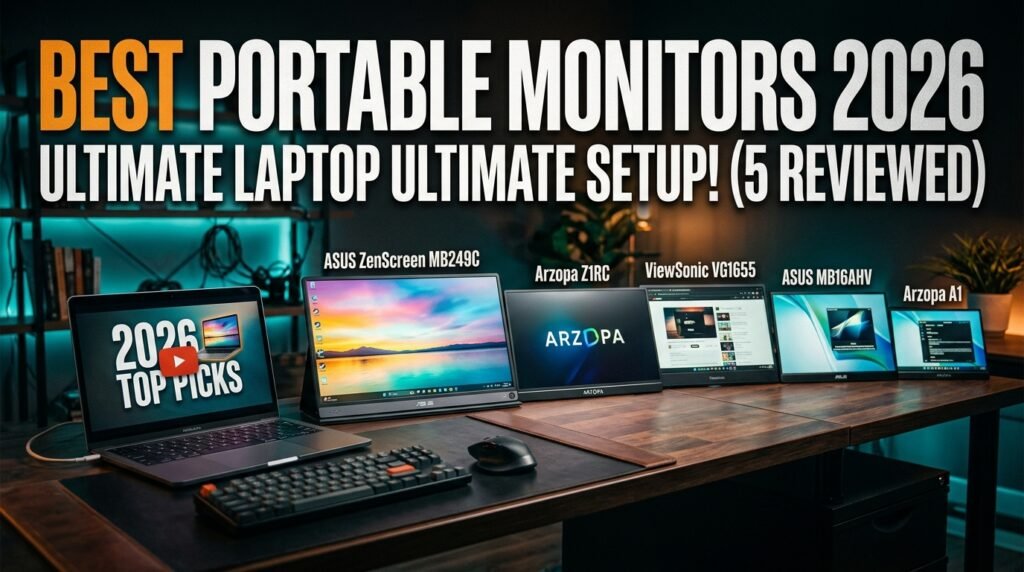
Your laptop screen is holding you back. A single 14-15 inch display forces constant window switching, app toggling, and the kind of mental overhead that costs real productivity over an 8-hour workday. The best portable monitor for laptop use eliminates that bottleneck — it gives you a second screen that fits in your bag, connects with one cable, and turns any desk, hotel room, or coffee shop into a dual-monitor workstation in under 60 seconds.
After researching the portable monitor category in depth — comparing resolution, panel quality, connectivity, weight, and real-world usability across dozens of options — here is what actually works for laptop users in 2026.
This guide covers five distinct use cases, from the most versatile all-around option to the best budget first portable monitor, so you can match the recommendation to how you actually work.
Quick Answer
The Arzopa Z1RC is the best portable monitor for laptop users who want the sharpest image at the most accessible price — 16-inch 2.5K IPS at 1.7 lbs, one USB-C cable handles power and video, and 123% sRGB makes it genuinely usable for color-sensitive work. For users who need maximum versatility including desk mounting and partition hook options, the ASUS ZenScreen MB249C is the most complete portable monitor available.
Why Portable Monitors Have Become Essential for Remote Workers
Three years ago, portable monitors were a niche product for a niche user. Today they’re one of the fastest-growing peripheral categories — and the reason is structural rather than trendy. The shift to hybrid work means more people regularly work from locations without a fixed monitor setup. A laptop alone at a hotel desk, a coffee shop, or a client’s office is a productivity constraint that a portable monitor eliminates immediately.
The practical benefit is straightforward: research consistently shows dual monitors increase productivity by 20-42% for knowledge workers compared to single-display setups. That benefit doesn’t disappear when you leave the office. A portable monitor that travels with your laptop extends that dual-screen advantage to every location you work from.
The single-cable revolution is what makes the modern portable monitor genuinely practical rather than merely possible. USB-C with DisplayPort Alternate Mode allows a single cable to carry both video signal and power simultaneously — the monitor draws power from the laptop, the video comes over the same connection, and the entire setup involves plugging in one cable. No power adapter. No separate video cable. No driver installation. Under 60 seconds from bag to dual-screen.
The counterintuitive point: most people who buy a portable monitor use it at home more than they expected. The convenience of not having to re-cable a traditional monitor when moving between rooms, or quickly setting up a dual-screen on a kitchen table, means portable monitors often become a permanent fixture rather than an occasional travel accessory.
For context on how to configure a dual monitor setup once you have the hardware, see our complete guide on how to set up dual monitors — it covers the display settings, resolution matching, and taskbar configuration for both Windows and macOS.
What to Know Before Buying a Portable Monitor
The portable monitor category has more variation in quality than almost any other peripheral — price doesn’t always predict performance, and some specifications matter far more than others for real-world use.
Resolution matters more at small sizes. On a 15-16 inch portable monitor, the difference between 1080p and 2.5K is immediately visible — 2.5K produces sharper text and more screen real estate at normal viewing distances. On a 24-inch monitor, 1080p is adequate. On a 15-inch monitor, 1080p feels noticeably softer than the laptop display next to it. If you’re connecting the portable monitor alongside a modern MacBook or a high-DPI Windows laptop, resolution mismatch will be immediately obvious and consistently annoying.
Brightness is the most important outdoor specification. Most portable monitors peak at 220-300 nits. That’s adequate for indoor use in controlled lighting but struggles near windows and becomes genuinely unusable in direct outdoor light. If you regularly work near bright windows or occasionally outdoors, prioritize monitors rated above 300 nits and with anti-glare coatings. The Arzopa Z1RC at 500 nits is the standout in this regard at the mid-range price point.
USB-C compatibility is not universal. USB-C with DisplayPort Alternate Mode is required for single-cable video and power. Not all USB-C ports support this — older USB-C ports and some USB-A to USB-C adapters don’t carry video. Verify your laptop’s USB-C port supports DisplayPort Alt Mode before assuming single-cable connection will work. Most MacBooks and modern Windows laptops support it. Older USB-C-only laptops may require the mini HDMI connection instead.
Weight under 2 lbs is the practical threshold. Above 2 lbs, a portable monitor becomes noticeable as a daily bag addition. Under 1.8 lbs, it’s essentially invisible weight alongside a laptop and charger. The monitors on this list range from 1.6 lbs (Arzopa A1) to 2.6 lbs (ASUS MB249C) — the weight tradeoff is directly correlated with screen size and build quality.
The 5 Best Portable Monitors for Laptop in 2026
1. ASUS ZenScreen MB249C — Best Overall (~$199-229)
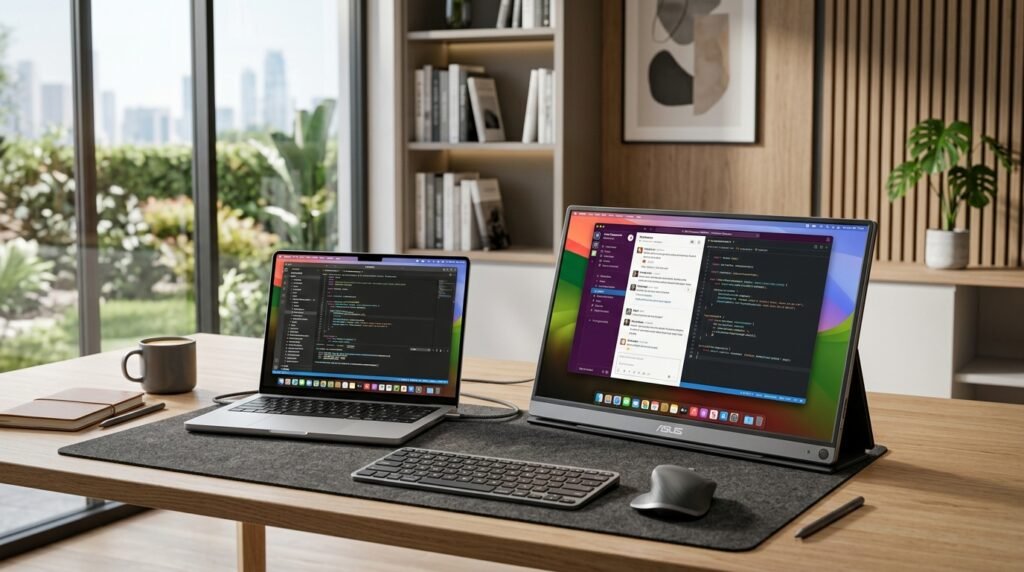
The ASUS ZenScreen MB249C is the portable monitor that does everything. 23.8-inch FHD IPS panel, USB-C with 60W Power Delivery, built-in kickstand, C-clamp arm mount, partition hook, and carrying handle — it’s the only portable monitor on this list that functions equally well as a true desk monitor and as a travel display. The multi-stand design ships with every mounting option included, no accessories required.
At 24 inches, it’s larger than most portable monitors — the tradeoff is 2.6 lbs versus the 1.6-1.7 lbs of 15-16 inch alternatives. For home office users who want a portable monitor that can also serve as a permanent desk secondary and occasionally travel, the MB249C’s versatility justifies the size and weight. The IPS panel, TÜV Rheinland eye comfort certification, and built-in speakers round out a package that punches well above most portable monitors’ feature set.
Real-world scenario: a consultant who needs a desk-mounted secondary monitor at home and a travel monitor on client sites uses the MB249C — kickstand at home, carry handle in the bag, three-year ASUS warranty covering both use cases.
Pros: 24″ versatile size, USB-C 60W PD, built-in speakers, kickstand + C-clamp + partition hook all included, TÜV Rheinland eye care, ASUS 3-year warranty. Cons: 2.6 lbs is heavy for daily bag carry, 1080p at 24 inches is less sharp than 2.5K alternatives, larger footprint than 15-16 inch options.
2. Arzopa Z1RC — Best Value 2.5K (~$119-139)
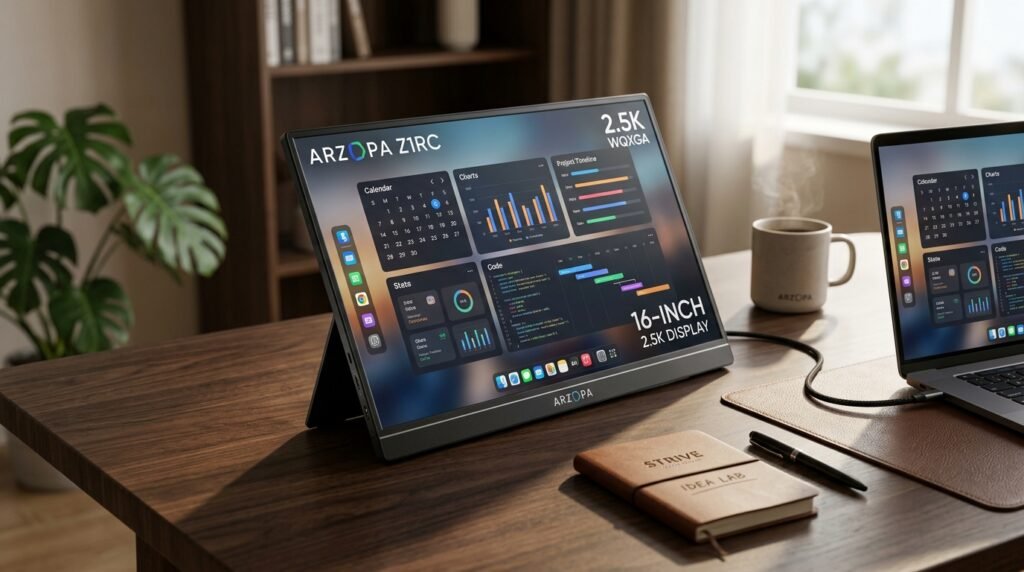
The Arzopa Z1RC is the portable monitor that’s been all over social media — and unlike most viral products, the hype is largely justified. 16-inch 2.5K (2560×1600) IPS panel at 1.7 lbs, 500 nits peak brightness, 123% sRGB color coverage, and a built-in aluminum kickstand that supports both landscape and portrait orientation. One USB-C cable handles power and video simultaneously from any laptop with DisplayPort Alt Mode support.
The 2.5K resolution at 16 inches produces text sharpness that closely matches modern laptop displays — the visual consistency between laptop screen and external monitor is noticeably better than pairing a 1080p portable monitor next to a high-DPI MacBook or a 2K Windows display. The 500-nit brightness is the highest on this list and one of the highest in the portable monitor category, making it genuinely usable near windows.
What most reviews won’t tell you about the Z1RC: the 16:10 aspect ratio (taller than the standard 16:9) gives meaningfully more vertical screen space for documents and code — approximately 11% more height than a 16:9 panel of the same width. That extra vertical space is consistently appreciated in daily productivity use.
Pros: 2.5K 2560×1600 IPS, 500 nits brightness, 123% sRGB, 16:10 aspect ratio for extra vertical space, built-in aluminum kickstand, portrait mode support, 1.7 lbs. Cons: Newer brand with less established warranty support than ASUS, no built-in speakers, 16-inch size is slightly larger than ultraportable alternatives.
3. ViewSonic VG1655 — Best for Business Travelers (~$149-179)
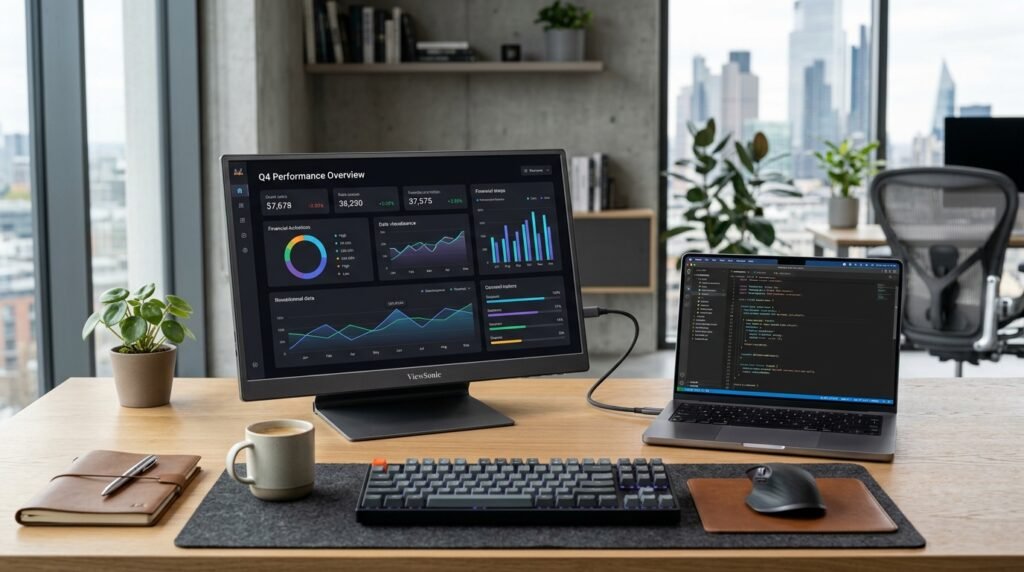
The ViewSonic VG1655 is the portable monitor built specifically for business travel. 15.6-inch FHD IPS panel, dual USB-C ports with 60W two-way power delivery, mini HDMI, built-in fold-out stand with a 60-degree tilt range — all at under 1.8 lbs and less than an inch thick. The two-way power delivery is the differentiator: either the laptop powers the monitor, or an external USB-C power bank powers both the monitor and charges the laptop simultaneously. That flexibility covers situations where outlets are unavailable.
ViewSonic is an established monitor brand with genuine business warranty support — the VG1655 comes with a 3-year warranty that covers business use scenarios that consumer-grade portable monitors from newer brands don’t match. For corporate buyers or users who need reliable warranty coverage, brand reputation matters in a portable monitor that travels constantly.
In our experience, the VG1655’s fold-out stand is the most stable built-in stand of any portable monitor in this price range — it doesn’t wobble at the viewing angle you set, which sounds basic but is genuinely rare at this price.
Pros: Dual USB-C with 60W two-way power, mini HDMI, stable fold-out stand, under 1.8 lbs, less than 1 inch thick, ViewSonic 3-year warranty, established brand support. Cons: 1080p at 15.6 inches shows resolution gap next to high-DPI laptop screens, 60Hz only, no portrait mode support, no built-in speakers.
4. ASUS ZenScreen MB16AHV — Best Ultraportable (~$149-179)
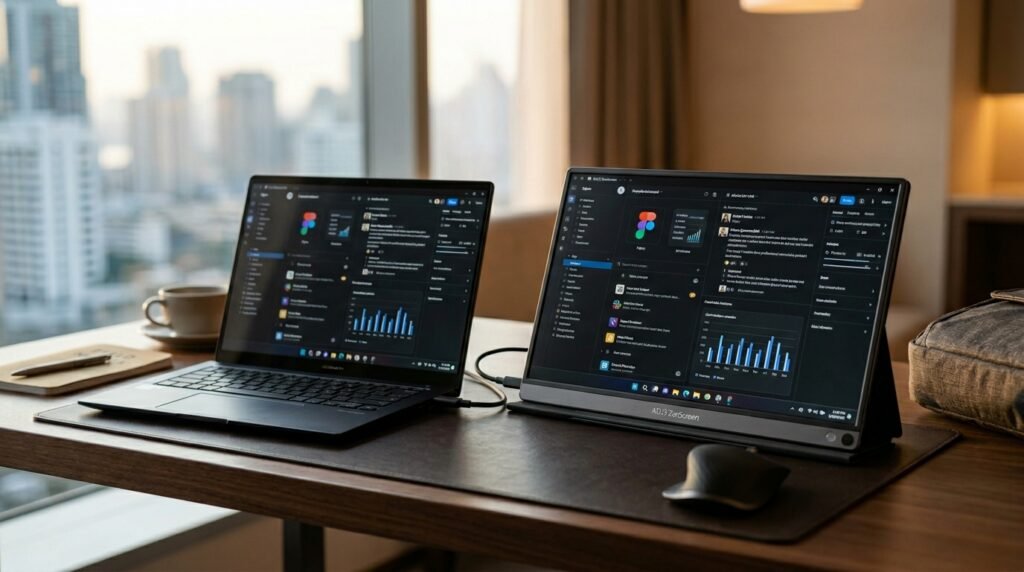
The ASUS ZenScreen MB16AHV is the portable monitor for users who want to minimize bag weight above all else. 15.6-inch FHD IPS panel at 1.7 lbs with an 8mm slim profile — it slides into most laptop sleeves and bags without requiring a dedicated carry case. ASUS includes a protective sleeve in the box. Mini HDMI plus USB-C connectivity, auto-rotation detection that switches the display orientation when you rotate the monitor, and a tripod-mountable base for unusual mounting configurations.
The auto-rotation feature is genuinely useful for coding and document review where portrait orientation shows significantly more content vertically. Flip the monitor, the display automatically switches — no manual settings change required. The tripod compatibility is a niche feature but valuable for photographers, field workers, or anyone who needs to mount the monitor at unusual angles or heights.
What most reviews won’t tell you about the MB16AHV: it’s the correct recommendation for anyone who needs to fit the portable monitor into the same sleeve as their laptop — the 8mm profile is thin enough to share a sleeve with most 14-15 inch laptops without adding perceptible bulk.
Pros: 8mm slim profile fits in laptop sleeves, protective sleeve included, auto-rotation, tripod compatible, ASUS 3-year warranty, blue light filter, under 1.8 lbs. Cons: 1080p resolution shows against high-DPI laptop screens, 60Hz, no built-in speakers, mini HDMI requires adapter for some laptops, USB-C power from laptop only (no pass-through charging).
5. Arzopa A1 — Best Budget Option (~$65-80)
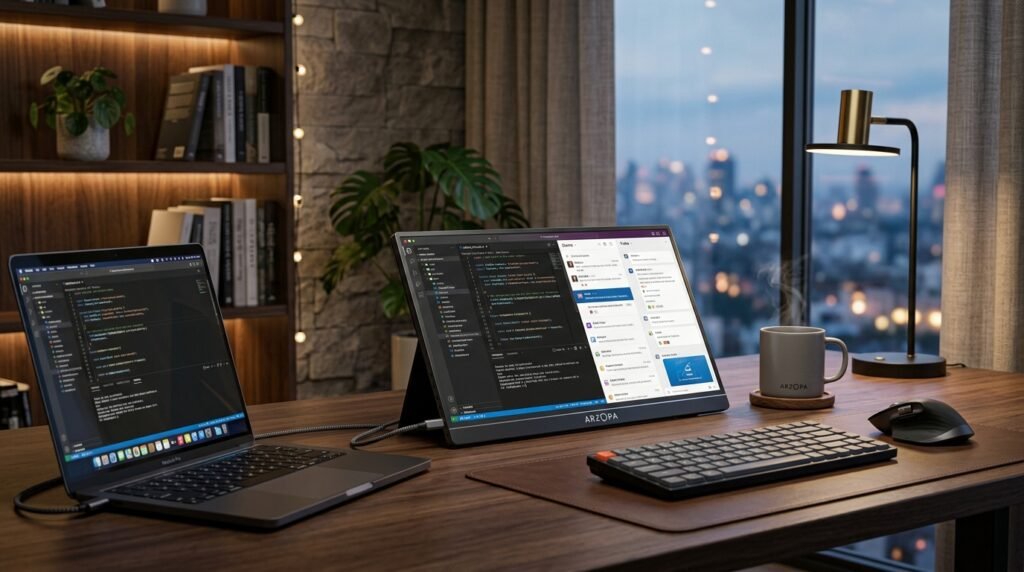
The Arzopa A1 is the entry point for anyone testing whether a portable monitor improves their workflow before committing to a premium option. 15.6-inch FHD IPS panel at 1.6 lbs — the lightest option on this list — with USB-C and mini HDMI connectivity, a built-in metal kickstand, and plug-and-play setup that requires no driver installation. At $65-80, it’s roughly half the price of the ViewSonic VG1655 for a fundamentally similar core experience.
The honest tradeoff at this price: 220 nits brightness limits usefulness near bright windows, the kickstand is less adjustable than premium alternatives, and the IPS panel’s color accuracy doesn’t match the 123% sRGB of the Arzopa Z1RC. For a user who primarily needs a second screen for reference content, email, Slack, or documentation in standard indoor lighting conditions, none of these limitations matter in daily use.
For students, occasional travelers, and anyone who wants to test dual-monitor productivity before investing in a premium setup, the A1 delivers the core benefit — a second screen from one cable — at a price that’s easy to justify without commitment.
Pros: $65-80 price point, 1.6 lbs lightest on this list, built-in metal kickstand, plug-and-play USB-C + mini HDMI, Arzopa 2-year warranty, all cables included in box. Cons: 220 nits limits bright environment use, no pass-through charging, 1080p resolution shows against high-DPI displays, more basic build quality than premium alternatives.
Comparison Table
| Product | Price | Size | Resolution | Weight | Best For | Rating |
|---|---|---|---|---|---|---|
| ASUS ZenScreen MB249C | ~$215 | 24″ | 1080p | 2.6 lbs | Best overall versatility | 9.5/10 |
| Arzopa Z1RC | ~$129 | 16″ | 2.5K | 1.7 lbs | Best value 2.5K resolution | 9/10 |
| ViewSonic VG1655 | ~$165 | 15.6″ | 1080p | 1.8 lbs | Best for business travel | 8.5/10 |
| ASUS ZenScreen MB16AHV | ~$165 | 15.6″ | 1080p | 1.7 lbs | Best ultraportable profile | 8.5/10 |
| Arzopa A1 | ~$72 | 15.6″ | 1080p | 1.6 lbs | Best budget entry point | 8/10 |
What to Look for When Choosing a Portable Monitor for Laptop
1. USB-C single-cable connectivity — verify your laptop supports it The single-cable experience requires USB-C with DisplayPort Alternate Mode on your laptop’s port. Most MacBooks and modern Windows laptops support this. Verify in your laptop’s specifications before purchasing. If your laptop doesn’t support DisplayPort Alt Mode over USB-C, you’ll need the mini HDMI connection plus a separate power cable — functional but less clean. All five monitors on this list include mini HDMI as a fallback.
2. Resolution matched to your laptop’s display Pairing a 1080p portable monitor with a Retina MacBook or a 2K Windows laptop creates an immediate visual mismatch — the laptop screen looks sharp, the portable monitor looks soft. For MacBook users and Windows users with 1440p+ laptop displays, the Arzopa Z1RC’s 2.5K resolution produces the most consistent visual experience. For laptop users with 1080p native displays, any monitor on this list matches well.
3. Brightness for your typical environment Under 250 nits: indoor use in controlled lighting only. 300 nits: indoor use including near windows. 400-500 nits: genuinely usable in bright indoor environments and partial outdoor shade. The Arzopa Z1RC at 500 nits leads the category. The ViewSonic VG1655 and ASUS MB249C provide 300 and 250 nits respectively — adequate for most indoor environments.
4. Weight for your daily carry Every pound matters when you’re carrying a laptop, charger, monitor, and accessories. Under 1.8 lbs is the practical target for daily bag addition without noticing the weight. The Arzopa A1 at 1.6 lbs is the lightest. The ASUS MB249C at 2.6 lbs is the heaviest — appropriate for the desk-focused user who travels occasionally, not the user who carries the monitor every day.
5. Warranty and brand support ASUS and ViewSonic offer 3-year warranties with established business support infrastructure — meaningful for a monitor that travels constantly and is more susceptible to wear than a desk-mounted display. Arzopa offers a 2-year warranty that covers most failure scenarios. For corporate purchases or users who depend on the monitor for client-facing work, the ASUS or ViewSonic warranty tier is worth the premium.
FAQ
Do portable monitors work with MacBooks?
Yes — all MacBooks with Thunderbolt 3 or 4 ports (USB-C) support DisplayPort Alternate Mode, enabling single-cable connection to any USB-C portable monitor on this list. MacBook Air and MacBook Pro models from 2016 onward are compatible. Some older MacBook models with USB-C may have port limitations — verify Thunderbolt support in your specific MacBook’s specifications. For MacBook users, the Arzopa Z1RC’s 2.5K resolution produces the best visual match with Retina displays.
Do portable monitors need an external power source?
Most portable monitors draw power directly from the laptop’s USB-C port — no separate power adapter required. This bus-powered design is the core convenience of modern portable monitors. Some higher-brightness or larger-screen models may draw more power than a laptop’s USB-C port can provide at full brightness — in these cases, connecting a USB-C power bank to the monitor’s second USB-C port maintains full brightness without draining the laptop battery.
What’s the difference between a portable monitor and a regular monitor?
Portable monitors are designed specifically for travel — they’re bus-powered (no wall outlet required), weigh under 2 lbs, fit in laptop bags, and connect via USB-C or mini HDMI without external power adapters. Standard desktop monitors require a power outlet, weigh 5-15 lbs, and are designed for fixed desk use. The image quality of premium portable monitors (Arzopa Z1RC, ASUS MB249C) now rivals standard monitors at equivalent sizes — the distinction is primarily about portability and power requirements rather than display quality.
Can I use a portable monitor with a gaming console or phone?
Yes — all five monitors on this list support mini HDMI connection, which works with Nintendo Switch, PS4/5, and Xbox via HDMI cable. USB-C connection works with Android phones that support DisplayPort Alternate Mode (Samsung DeX, recent Pixel phones) and iPhones 15 and newer. The Arzopa Z1RC and A1 specifically list console and phone compatibility as primary use cases. The ViewSonic VG1655 and ASUS models work equally well but are positioned primarily for laptop productivity use.
Our Final Verdict
The best portable monitor for laptop users in 2026 is the Arzopa Z1RC for most people — the 2.5K resolution at 16 inches, 500-nit brightness, and single-cable USB-C setup make it the best balance of image quality, portability, and price in the category. The ASUS ZenScreen MB249C is the right choice for users who want the most versatile setup including desk mounting and the ASUS 3-year warranty. The ViewSonic VG1655 is the business traveler’s choice with two-way power delivery and proven brand support. The ASUS MB16AHV fits in laptop sleeves and auto-rotates. And the Arzopa A1 is the no-commitment entry point for under $80. Check current pricing on Amazon for all five options.