
This article contains affiliate links. We may earn a commission if you buy through our links, at no extra cost to you.
Best Mechanical Keyboard for Programming in 2026
Programmers spend more hours typing than almost any other profession — and the keyboard is the single tool that touches every minute of that work. The best mechanical keyboard for programming isn’t necessarily the most expensive one or the one with the most RGB. It’s the one that reduces finger fatigue across 8-hour sessions, fits your layout preference without wasting desk space, and has a switch feel that keeps you in flow rather than fighting the hardware. After researching and comparing dozens of mechanical keyboards specifically for programming use cases, here is what actually works for developers in 2026.
This guide is for programmers, developers, and software engineers who type heavily for work and want a mechanical keyboard optimized for that specific use case — not gaming, not aesthetics, not collection.
Quick Answer: The Keychron Q2 Pro is the best mechanical keyboard for programming for most developers — gasket-mounted aluminum construction, wireless, hot-swappable, and the 75% layout that keeps arrow keys and a function row accessible without the footprint of a TKL. For developers who prefer TKL and wired reliability, the Das Keyboard 4 Professional with Cherry MX Browns is the proven workhorse that professional developers have used for over a decade.
Why Layout Choice Matters More Than Switch Type for Programming
Most keyboard buying guides lead with switches — Cherry MX Brown vs Red vs Blue, tactile vs linear vs clicky. Switch preference is real, but for programming specifically, layout is the variable that most affects daily productivity. Getting the layout wrong means either wasting desk space you don’t need or losing keys you use constantly.
Full-size (100%) keyboards include a numpad that most programmers never use for code. The numpad pushes the mouse 4-5 inches further from the body centerline, creating shoulder extension that compounds over 8-hour sessions into real fatigue. Most experienced programmer-keyboardists eventually abandon full-size layouts for exactly this reason.
Tenkeyless (TKL, 87%) removes the numpad, keeps the function row and arrow keys fully intact, and brings the mouse significantly closer. The best TKL layout for programming — you don’t lose any keys that code navigation, terminal use, or IDE shortcuts require.
75% keeps the function row and arrow keys but compresses the navigation cluster. The result is a keyboard approximately the size of a laptop keyboard but with mechanical switches. Popular among programmers who want minimum desk footprint without sacrificing the F-keys that IDE users rely on.
65% and smaller removes the function row — which eliminates direct F-key access for developers using VS Code shortcuts, debugging function keys, or terminal commands that map to F-keys. Requires learning Fn layer combinations that slow workflow for programmers who use those keys frequently.
The counterintuitive recommendation: for most programmers, TKL or 75% is the correct layout — not the compact 60% or 65% that enthusiast culture promotes as the “sophisticated” choice. Function keys are not optional for serious development work.
For programmers building a complete desk setup around their keyboard, see our guide on the best home office setup under $1000 — the keyboard is one component of a workspace that affects everything from posture to focus.
Switch Selection for Programming — What Actually Matters
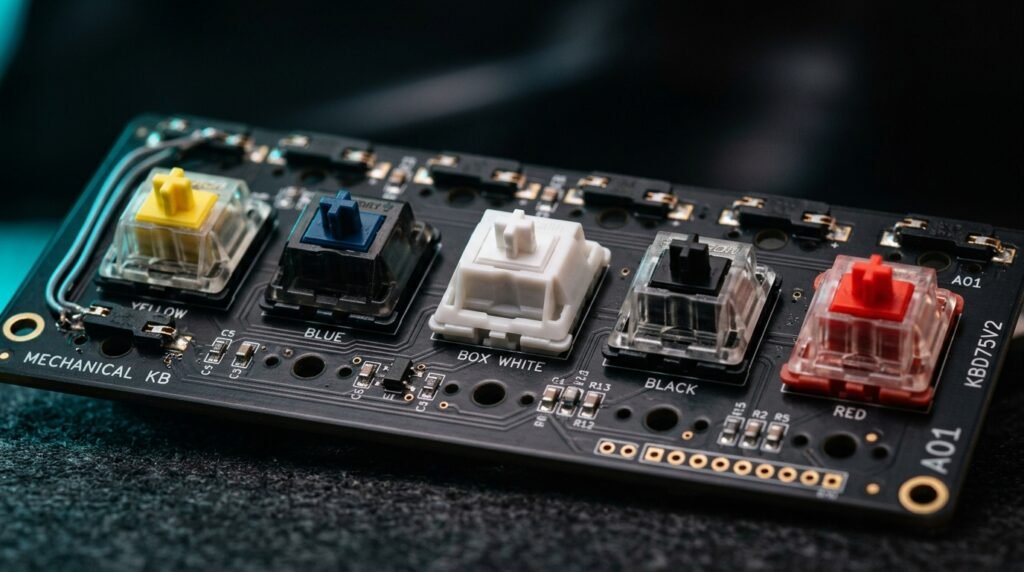
Switch type is the most discussed and most overanalyzed variable in mechanical keyboard buying. The practical reality for programmers is more straightforward than the enthusiast community implies.
Tactile switches — Cherry MX Brown, Gateron Brown, Keychron Brown, Boba U4 — provide a tactile bump at the actuation point without audible click. The bump provides finger feedback that registers keypresses without bottoming out on every keystroke, which reduces finger fatigue during long typing sessions. This is the most recommended switch type for programmers who share office space or work near others, and the type used in the majority of keyboards reviewed here.
Linear switches — Cherry MX Red, Gateron Yellow, Keychron Red — have no tactile bump and require consistent bottom-out for finger confirmation of registration. Popular among gamers and fast typists who prefer the smooth, uninterrupted travel. Many programmers prefer linears specifically because there’s no bump to create resistance at high typing speeds. It’s a legitimate preference, not a wrong choice.
Clicky switches — Cherry MX Blue, Kailh Box White — provide both a tactile bump and an audible click. The most satisfying feedback of any switch type and the most disruptive to anyone within earshot. In a home office with no coworkers affected, excellent for programmers who find the audio feedback improves accuracy. In any shared environment, not a realistic option.
In our experience, the switch type debate matters significantly less than enthusiasts suggest — most programmers adapt to any quality switch within 2 weeks. What matters more is switch quality (consistent actuation force, no wobble, no scratching) than the specific category. All switches on keyboards recommended in this guide meet that baseline.
The 5 Best Mechanical Keyboards for Programming in 2026
1. Keychron Q2 Pro — Best Overall (~$170)
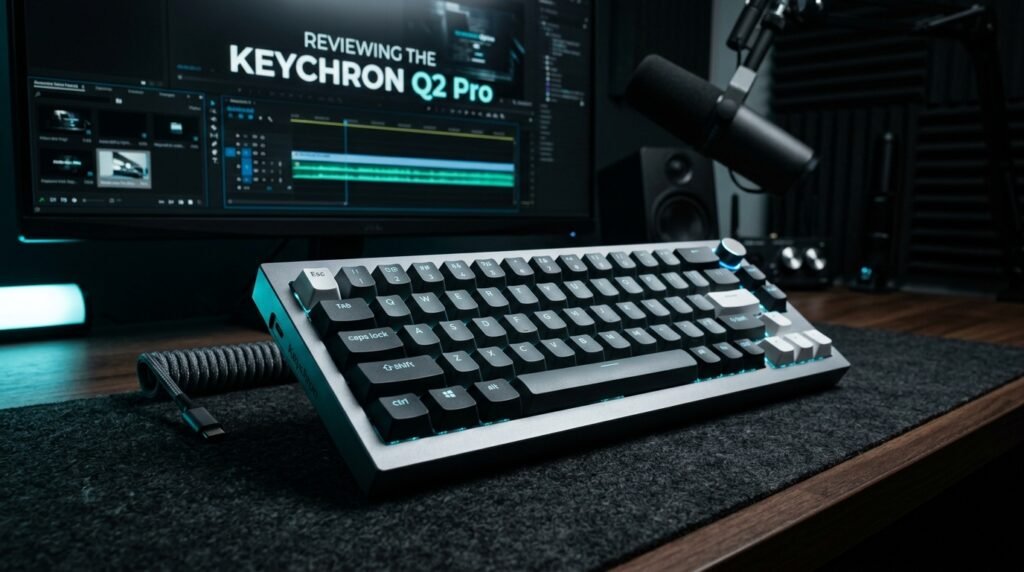
The Keychron Q2 Pro is the mechanical keyboard that most programmers who try it stop looking for alternatives. Gasket-mounted CNC aluminum construction — the chassis floats on silicone gaskets rather than screwing directly to the frame — produces a softer, more absorptive typing feel that reduces the hard bottom-out that causes finger fatigue during sustained coding sessions. 75% layout keeps F-keys and arrow keys accessible. Hot-swappable switch sockets allow changing switch type without soldering if preferences change. Wireless via Bluetooth 5.1 or 2.4GHz receiver, wired via USB-C.
At 170, the Q2 Pro represents the best value intersection of build quality, typing feel, and feature set for a programming keyboard. A backend developer running 8-hour days of terminal, VS Code, and SSH who switched to the Q2 Pro reported noticeably less finger fatigue at end-of-day compared to their previous membrane keyboard within the first two weeks.
Pros: Gasket mount for superior typing feel, aluminum build, hot-swappable, wireless, 75% layout preserves all programming keys, multiple color options. Cons: No Bluetooth on wired-only version, firmware configuration requires QMK/VIA knowledge for advanced remapping, heavier than plastic-body alternatives at approximately 1.3kg.
2. Das Keyboard 4 Professional — Best for Professional Reliability (~$169)
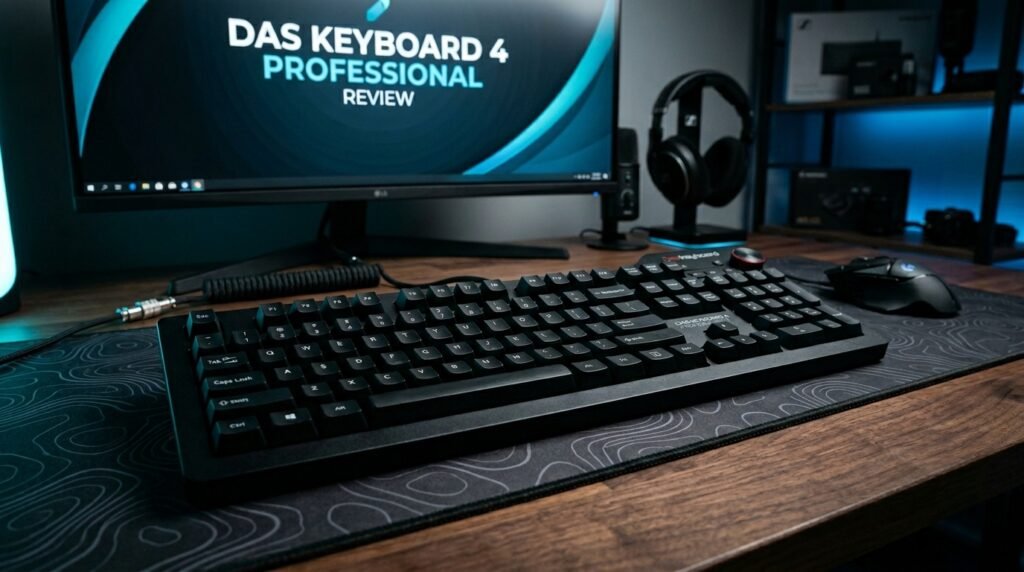
The Das Keyboard 4 Professional is the keyboard that professional developers who want zero compromise on reliability choose. Cherry MX Brown switches — the most extensively used tactile switch in professional computing environments — in a TKL layout with a dedicated media control strip and two USB 3.0 passthrough ports built into the frame. No software required, no RGB configuration to manage, no firmware to update. Plug in and type.
The USB 3.0 passthrough hub built into the top of the keyboard is the defining differentiator — a developer who connects a USB headset, a Yubikey, and a phone charger through the keyboard directly eliminates three cables from the desk-to-computer run. At approximately $169, it’s priced identically to the Q2 Pro but makes a different trade — proven mechanical reliability and practical utility over premium typing feel and aesthetics.
Pros: Cherry MX Brown switches, USB 3.0 passthrough ports, TKL layout, no software required, bulletproof reliability track record, premium build quality. Cons: No wireless, no hot-swap, heavier chassis, RGB absent (by design — intentionally professional aesthetic), no gasket mount means firmer typing feel than Q2 Pro.
3. Keychron V3 — Best Value with Gasket Mount (~$90–100)
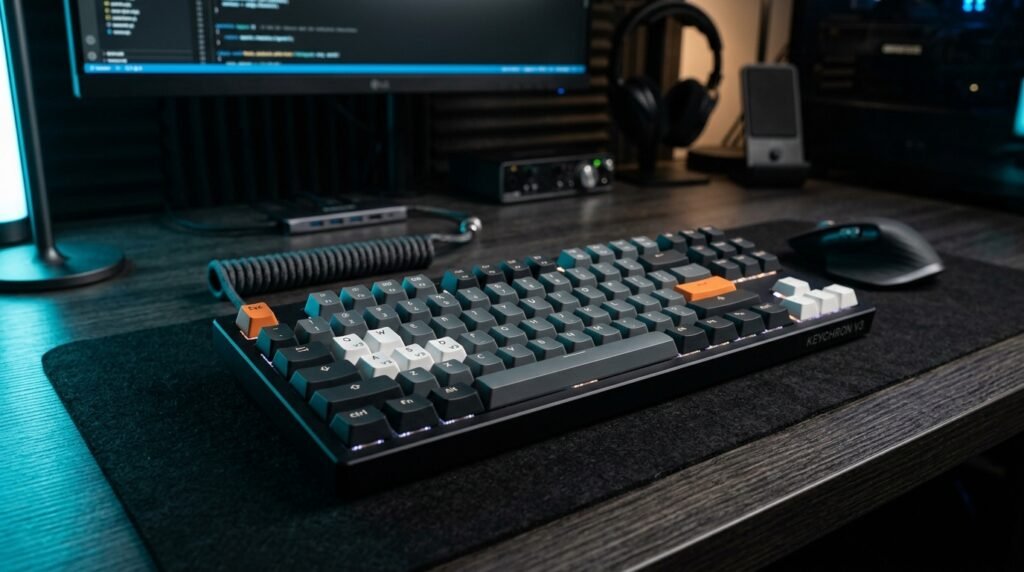
The Keychron V3 delivers gasket-mounted typing feel at almost half the price of the Q2 Pro. TKL layout with a volume knob, hot-swappable Keychron switches, and the same silicone gasket construction that makes the Q2 Pro’s typing feel distinctive — all for $90-100. The polycarbonate and aluminum build is slightly less premium than the Q2 Pro’s all-aluminum chassis, but the typing experience is materially better than standard tray-mount keyboards at twice the price.
For a developer entering the mechanical keyboard category for the first time who wants genuine quality without Q2 Pro pricing, the V3 is the correct starting point. What most reviews won’t tell you is that the V3’s gasket mount produces a typing feel that most users can’t reliably distinguish from the Q2 Pro in daily use — the aluminum chassis makes an aesthetic and durability difference that the typing feel difference alone doesn’t justify for first-time buyers.
Pros: Gasket mount at budget price, hot-swappable, TKL layout, volume knob, Keychron build quality, available in multiple switch options, good value for entry into gasket mount category. Cons: Wired only, polycarbonate rather than full aluminum, some flex at corners under heavy typing, no wireless option at this price.
4. Logitech MX Mechanical — Best Wireless for Office (~$120–150)
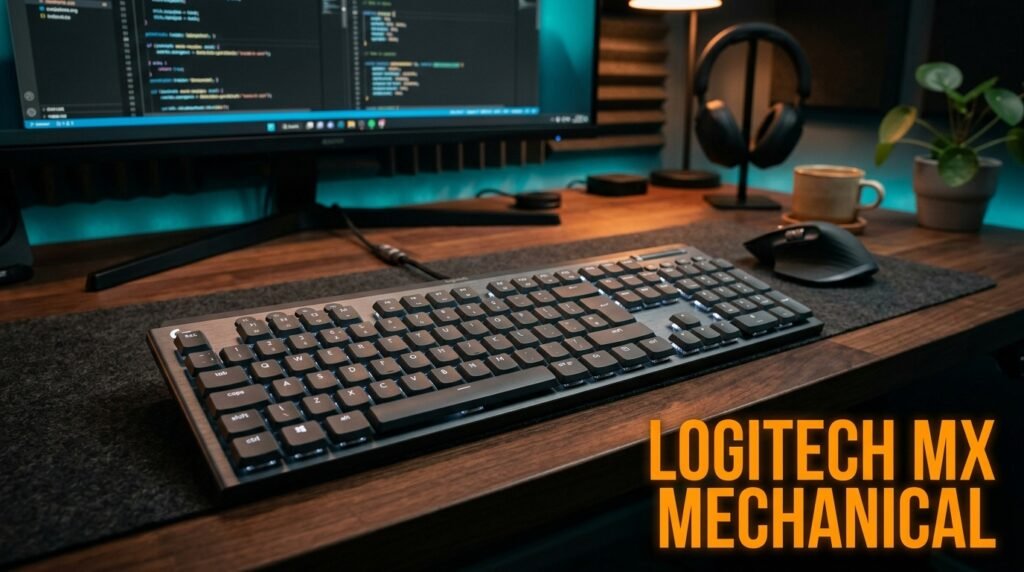
The Logitech MX Mechanical is the mechanical keyboard recommendation for programmers who work in an office environment and need wireless flexibility alongside mechanical switch feedback. Full-size layout with smart backlighting that activates only when hands approach — extending battery life to 10 days with backlighting or 15 months without. Logitech’s Easy-Switch technology allows pairing three devices and switching between them with a dedicated button — relevant for programmers who switch between a work laptop, personal machine, and occasional tablet.
The Logitech Low Profile switches — quieter and with shorter travel than standard mechanical switches — make the MX Mechanical genuinely office-appropriate without sacrificing the tactile feedback that separates mechanical from membrane. A developer bouncing between a MacBook Pro and a Windows workstation throughout the day finds the Easy-Switch three-device pairing eliminates the need for two keyboards entirely.
Pros: Wireless with 10-day battery, three-device pairing, low-profile switches for office environments, smart backlight, Logitech ecosystem integration, multiple size options. Cons: Low-profile switches feel different from standard mechanical — not everyone prefers the shorter travel, full-size layout includes numpad that most programmers don’t use, more expensive per feature than Keychron alternatives.
5. Keychron K8 Pro — Best Wireless TKL (~$100–110)
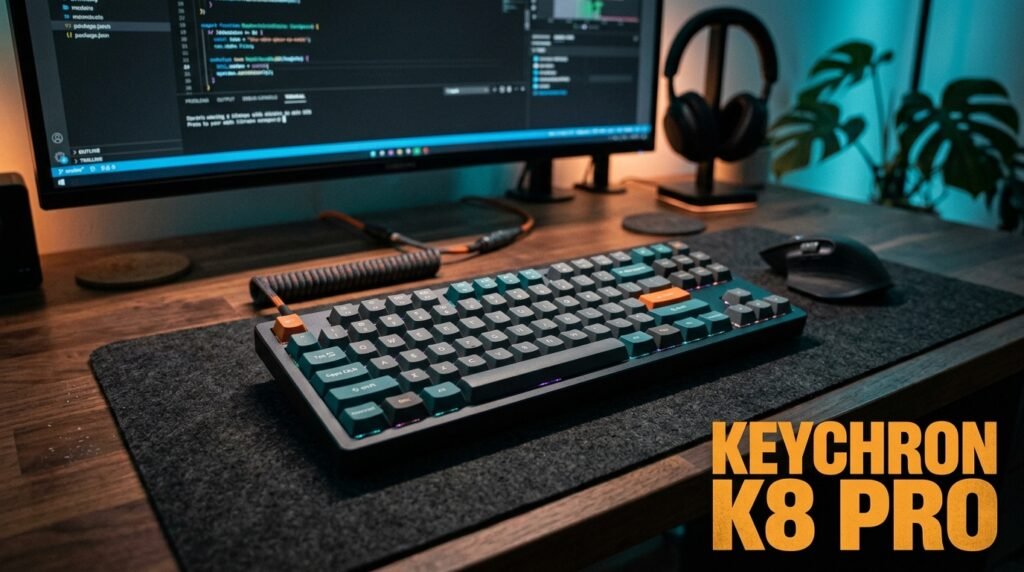
The Keychron K8 Pro delivers TKL wireless at a price that makes the Logitech MX Mechanical’s full-size wireless significantly harder to justify. Hot-swappable Keychron switches, Bluetooth 5.1 or 2.4GHz wireless, RGB backlighting, Mac and Windows toggle switch on the back. The TKL layout preserves all keys that programmers need — full F-row, dedicated arrow keys, navigation cluster — in a wireless package that competes with wired TKL keyboards on typing feel.
The K8 Pro is where most programmers who want wireless but haven’t entered the enthusiast market land — enough quality to be a daily driver for years, not so customized that it requires community forums to configure. Hot-swap switches mean the keyboard adapts to preference rather than requiring repurchase if switch preferences evolve.
Pros: Wireless TKL at competitive price, hot-swappable, Mac/Windows toggle, Bluetooth + 2.4GHz options, RGB, reliable Keychron build quality. Cons: No gasket mount at this price point, standard tray-mount produces firmer typing feel than V3 or Q2 Pro, RGB software less refined than Logitech’s.
Comparison Table
| Product | Price | Layout | Wireless | Mount | Best For | Rating |
|---|---|---|---|---|---|---|
| Keychron Q2 Pro | ~$170 | 75% | Yes | Gasket | Best overall | 9.5/10 |
| Das Keyboard 4 Pro | ~$169 | TKL | No | Tray | Professional reliability | 9/10 |
| Keychron V3 | ~$95 | TKL | No | Gasket | Best value gasket mount | 9/10 |
| Logitech MX Mechanical | ~$135 | Full | Yes | Tray | Wireless office use | 8.5/10 |
| Keychron K8 Pro | ~$105 | TKL | Yes | Tray | Wireless TKL value | 8.5/10 |
What to Look for When Choosing a Mechanical Keyboard for Programming
1. Layout that preserves your workflow keys Before any switch, brand, or feature consideration — map which keys you use daily in your development environment. F-keys for IDE shortcuts and debugging? You need TKL or 75% minimum. Arrow keys for navigation? Every layout on this list preserves them. Dedicated Home/End/PgUp/PgDn? TKL provides them; 75% compresses them into the arrow cluster. 65% and smaller remove keys that most developers use regularly. Choose layout based on your actual keymap, not perceived minimalism.
2. Switch type matched to your environment Home office with no coworkers affected: any switch type — tactile, linear, or clicky based on personal preference. Open office or shared space: tactile (Brown variants) or linear only — clicky switches are genuinely disruptive to surrounding colleagues. For pure typing performance over long sessions, tactile switches reduce finger fatigue slightly versus linear by providing confirmation feedback without full bottom-out. The difference is subtle enough that environment considerations should outweigh switch-feel preferences for shared-space workers.
3. Hot-swappable sockets for longevity Mechanical keyboard switches wear out over approximately 50-100 million keystrokes — years of daily use. Hot-swappable sockets allow replacing worn switches or trying different types without soldering, extending the keyboard’s useful life and allowing preference refinement over time. Every Keychron product on this list includes hot-swap. Das Keyboard 4 Professional does not. For a keyboard intended as a multi-year investment, hot-swap capability is worth the slight premium it adds.
4. Wired versus wireless based on actual use case Wired keyboards have imperceptibly lower latency than wireless — theoretically relevant for gaming, practically irrelevant for typing. The real wired vs wireless decision for programmers is cable management and flexibility. A programmer who works at one fixed desk with no device switching: wired is simpler and cheaper. A programmer who switches between machines, takes the keyboard to meetings or different locations, or wants a clean desk without cable routing: wireless justified. Battery management is the only genuine wireless liability — a keyboard that dies mid-session is a serious interruption.
5. Build quality for daily professional use A keyboard used 8+ hours daily needs to survive years of professional use without wobble, rattle, or structural degradation. Aluminum-body keyboards (Q2 Pro, Das Keyboard 4) are essentially indestructible under normal use. Polycarbonate keyboards (V3) are durable but show minor flex under heavy typing at the edges. Plastic keyboards under $50 typically develop rattle and wobble within 12-18 months of daily use. For a tool used 2000+ hours per year, the cost per hour difference between a $90 and $170 keyboard is negligible — build quality is the long-term investment argument.
FAQ
What switch type is best for programming?
Tactile switches — Cherry MX Brown, Gateron Brown, or Keychron Brown — are the most broadly recommended for programming because the tactile bump confirms keypress without audible noise and reduces finger fatigue from bottoming out repeatedly during sustained typing. That said, linear switches are equally valid for programmers who prefer the smooth travel, and many fast typists find linears produce fewer errors at high speeds. Switch preference is genuinely personal — if possible, test before committing or choose a keyboard with hot-swap sockets.
Do programmers need a mechanical keyboard?
Membrane keyboards are functional for programming. Mechanical keyboards produce measurably better tactile feedback and — for most users — lower finger fatigue during 6-8 hour typing sessions. The investment is justified for programmers who type heavily daily; it’s a marginal improvement for occasional coders. The programmer community’s near-universal preference for mechanical keyboards isn’t enthusiasm bias — it reflects genuine quality-of-life improvement over thousands of daily hours of use.
Is a 60% keyboard good for programming?
For most programmers, no. 60% keyboards remove the function row, requiring Fn layer combinations for F-keys used in IDE shortcuts, debugging, and terminal commands. The learning curve is real and the workflow interruption is ongoing every time an F-key shortcut is needed. 65% adds arrow keys back; 75% adds the function row back. The 60% format is optimal for minimalist typing and portability — not for professional development environments where F-keys are genuinely used.
What’s the difference between the Keychron Q and V series?
The Q series uses full aluminum CNC construction and is typically priced $150-200+. The V series uses a polycarbonate and aluminum hybrid construction at $80-100. Both use Keychron’s gasket mount system, producing similar typing feel with the Q series offering slightly better acoustic properties and durability due to the all-aluminum chassis. For most programmers, the V series typing experience is indistinguishable from the Q series in daily use — the Q series premium reflects build materials and acoustic refinement rather than a fundamental typing feel difference.
Our Final Verdict
The best mechanical keyboard for programming in 2026 is the Keychron Q2 Pro for most developers — gasket-mounted aluminum construction, 75% layout, wireless, and hot-swappable switches in a package that will last years of daily professional use. Developers who want proven wired reliability with practical USB passthrough should look at the Das Keyboard 4 Professional.
Budget-conscious programmers who want genuine gasket-mount quality at half the price start with the Keychron V3. Wireless office workers choose the Logitech MX Mechanical for multi-device flexibility. Choose layout first, switch type second, and everything else third. Check current pricing on Amazon for all five keyboards in this guide.