
This article contains affiliate links. We may earn a commission if you buy through our links, at no extra cost to you.
Mechanical Keyboard vs Membrane Keyboard 2026
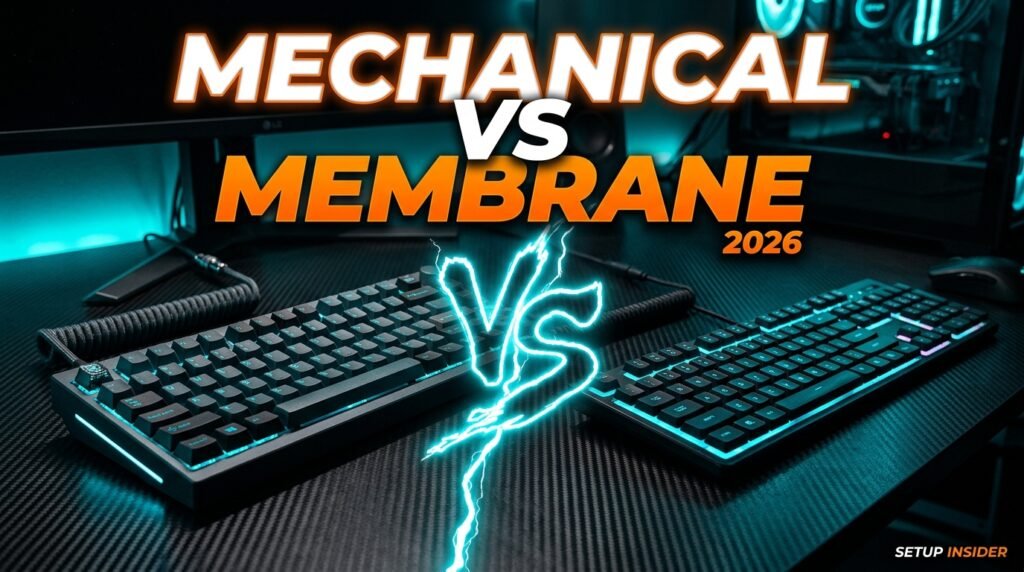
Every keyboard you’ve ever used falls into one of two fundamental categories — and most people have only experienced one of them without realizing a meaningfully different option exists. The mechanical keyboard vs membrane keyboard decision affects typing feel, durability, sound, and cost in ways that compound over years of daily use. After researching and comparing both technologies across every relevant dimension — feel, durability, cost, and practical use cases — here is what actually matters when choosing between them in 2026.
This guide is for anyone deciding whether to upgrade from the membrane keyboard that came with their computer to a mechanical keyboard, or simply wants to understand what the difference actually is before spending money either way.
Quick Answer: Mechanical keyboards use individual physical switches under each key — producing better tactile feedback, longer lifespan (50+ million keystrokes vs 5-10 million for membrane), and a typing experience most users prefer once adapted. Membrane keyboards use a pressure-sensitive rubber dome layer — quieter, cheaper, and adequate for casual use. For anyone typing more than 2-3 hours daily, Keychron C3 Pro represents the entry point where mechanical becomes worth the switch.
How Each Technology Actually Works
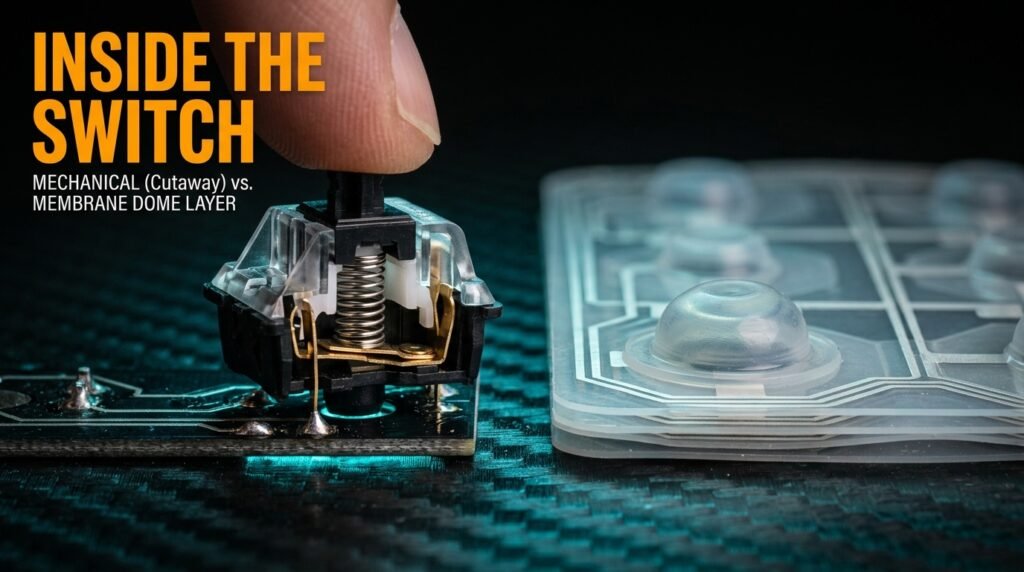
The fundamental difference between mechanical and membrane keyboards comes down to what happens physically underneath each key — and understanding this explains every other difference between them.
Membrane keyboards use a single sheet of flexible rubber or silicone with conductive pathways printed on it, sandwiched between two thin plastic layers. When you press a key, it pushes down through a dome-shaped bump in the membrane, which collapses and makes contact with a circuit underneath, registering the keypress. The entire keyboard shares this single membrane layer — there’s no individual component per key beyond the keycap and the dome it presses.
Mechanical keyboards use individual switch mechanisms under each key — small physical assemblies with a spring, a stem, and metal contacts. Pressing a key compresses the spring and moves the stem down until the contacts meet, registering the keypress. Each key is mechanically independent. The switch itself determines the tactile feel, the sound, and how the keypress registers — which is why mechanical keyboards offer switch variety (linear, tactile, clicky) while membrane keyboards offer none.
The counterintuitive point: membrane technology isn’t inferior engineering — it’s a different design philosophy optimized for cost and simplicity rather than feel and longevity. A membrane keyboard is cheaper to manufacture because it’s essentially one molded part plus a circuit board. A mechanical keyboard requires assembling 60-100+ individual switch units by hand or with specialized machinery — which is the primary reason mechanical keyboards cost more.
For readers who’ve decided mechanical is the direction and want to know which switch type fits their needs, see our complete guide on how to choose a mechanical keyboard switch — switch selection is the single decision that most affects how a mechanical keyboard feels.
Durability — The Difference That Compounds Over Years
Lifespan is where mechanical and membrane keyboards diverge most dramatically — and it’s the variable most buyers underweight because keyboard failure happens gradually rather than suddenly.
Membrane keyboards are rated for approximately 5-10 million keystrokes per key before the rubber dome degrades and either stops registering reliably or starts double-pressing. For a moderate typist averaging 40,000 keystrokes daily, that’s roughly 250-700 days of heavy use before degradation becomes noticeable — though degradation isn’t uniform. The most-used keys (space, E, A, vowels) wear out first, producing the familiar symptom of a keyboard where certain keys feel “mushy” or unresponsive while others still feel fine.
Mechanical keyboards are rated for 50-100 million keystrokes per switch — a 10x improvement minimum. At the same 40,000 keystrokes daily, that’s 3,400-6,800 days, or roughly 9-18 years of heavy daily use before a switch theoretically wears out. In practice, most mechanical keyboard users never wear out switches — they upgrade for other reasons (wireless, new features, aesthetics) long before durability becomes a factor.
A developer who types 8+ hours daily and previously replaced a membrane keyboard every 12-18 months because of unresponsive keys — particularly the spacebar and most-used letter keys — switching to a mechanical keyboard with hot-swappable switches essentially eliminates keyboard replacement as a recurring cost. The Redragon K552, specifically known for surviving years of heavy daily use, is the practical example of this durability advantage at a low price point.
Typing Feel and Sound — The Subjective Battlefield
This is where the mechanical vs membrane debate gets genuinely subjective — and where online discourse oversells the difference in one direction while underselling it in another.
Membrane keyboards have a soft, somewhat spongy keypress with a defined “bottom” — you press down, feel resistance from the rubber dome, and the key bottoms out against the keyboard’s base with a dull thud. There’s minimal tactile differentiation between the start of the keypress and the actuation point — the dome’s resistance curve doesn’t provide clear feedback about exactly when the keypress registered. Most membrane keyboards are quiet, producing a soft, muffled sound that works well in shared spaces.
Mechanical keyboards vary dramatically based on switch type — which is the entire point of the category. Linear switches (like Cherry MX Red) feel smooth throughout the keypress with no bump, similar to membrane but with more precise actuation. Tactile switches (Cherry MX Brown) provide a distinct bump partway through the keypress that confirms registration before bottoming out. Clicky switches (Cherry MX Blue) add an audible click to that tactile bump — the loudest and most polarizing option.
What most reviews won’t tell you is that the adjustment period is real and underdiscussed. Switching from membrane to mechanical typically takes 1-2 weeks of adaptation — typing speed may initially decrease slightly as muscle memory adjusts to the different actuation point and resistance curve. Men who push through this adjustment period almost universally report not wanting to go back, but the first week can feel like a downgrade before it becomes an upgrade.
For a complete breakdown of the best entry-level mechanical options that minimize this adjustment friction, see our guide on best mechanical keyboard under $50 — several options on that list are specifically chosen for beginner-friendly switch feel.
Cost Comparison — What You’re Actually Paying For
The price gap between mechanical and membrane keyboards has narrowed significantly — and understanding what that price difference buys clarifies whether it’s worth paying.
Membrane keyboards range from $10-30 for basic options to $40-60 for “gaming” membrane keyboards with RGB lighting and additional features. The core technology — the rubber dome membrane — costs very little to manufacture regardless of how the keyboard is marketed. Most of the price variation in membrane keyboards comes from additional features (backlighting, macro keys, build materials) rather than the underlying switch technology.
Mechanical keyboards in 2026 start at approximately $25-30 for genuinely functional options — a price point that didn’t exist five years ago. The E-Yooso Z11 and similar entry-level mechanical keyboards now compete directly with mid-range membrane keyboards on price while delivering individual mechanical switches, hot-swap capability in some cases, and a 10x durability improvement.
The honest truth about this cost comparison: at the $25-50 price range, mechanical keyboards now offer better value than membrane keyboards on every metric except raw sticker price for the absolute cheapest options. A $15 membrane keyboard is genuinely cheaper than a $28 mechanical keyboard — but the mechanical keyboard will likely outlast 3-4 membrane keyboards over the same period, making the lifetime cost lower despite the higher upfront price.
The Entry Point Worth Buying
If you’re convinced mechanical is the right direction, the product matters less than getting a switch type that suits your environment from the start.
Keychron C3 Pro — Best Entry Point (~$44)
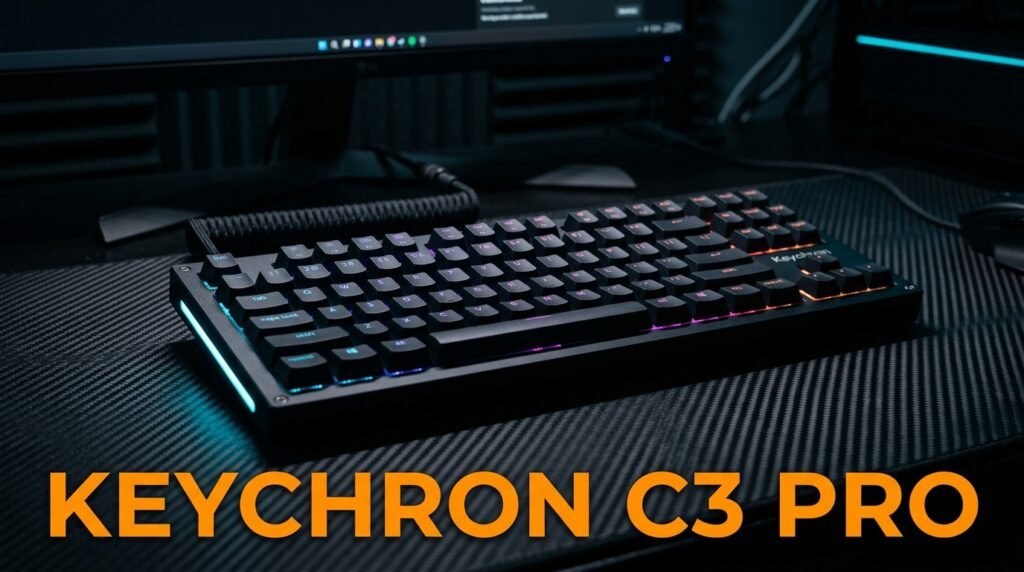
The Keychron C3 Pro uses Gateron switches — pre-lubed on the hot-swap version — in a tenkeyless layout with full QMK/VIA programmability. For someone making the membrane-to-mechanical switch for the first time, the hot-swap version lets you try tactile, then switch to linear or clicky later without buying a second keyboard. Mac and Windows compatible out of the box.
A writer switching from a 3-year-old membrane keyboard with a sticking spacebar who picks the C3 Pro gets both problems solved at once — individual switches that won’t degrade uniformly, and a tactile feel that confirms each keystroke without the membrane’s mushy bottom-out.
Pros: Gateron switches, hot-swap version available, QMK/VIA programmable, Mac/Windows compatible, gasket mount on newer revisions. Cons: Wired only, base non-hot-swap version locks switch type, $10 more for the hot-swap version most beginners should get.
Use Cases Where Each Technology Makes Sense
Neither technology is universally superior — the right choice depends on usage patterns, environment, and priorities that vary significantly between users.
Membrane keyboards remain the right choice for: Occasional typing — users who type less than 1-2 hours daily and won’t reach the durability ceiling within a normal keyboard lifespan regardless. Extremely quiet environments — shared offices, libraries, or households where even tactile mechanical switches’ subtle sound is disruptive. Absolute minimum budget — situations where $10-15 is the hard ceiling and even entry-level mechanical isn’t accessible. Spill resistance — many membrane keyboards have better liquid resistance due to the sealed membrane design, relevant for kitchen or workshop use.
Mechanical keyboards make sense for: Heavy daily typing — programmers, writers, data entry professionals, and anyone typing 3+ hours daily where durability and tactile feedback compound into meaningful daily-use improvements. Customization desires — users who want to choose their switch feel, remap keys, or eventually experiment with different switches via hot-swap. Longevity priorities — anyone tired of replacing keyboards every 12-18 months due to unresponsive keys. Gaming — while the difference for casual gaming is minimal, competitive gamers benefit from the consistent actuation and N-key rollover that mechanical switches provide more reliably.
A home office worker who spends 6+ hours daily between coding, writing emails, and general computer use represents the clearest case for mechanical — the daily-use hours are high enough that both the durability and feel advantages compound into genuine quality-of-life improvement within weeks.
Comparison Table
| Factor | Membrane | Mechanical |
|---|---|---|
| Lifespan | 5-10 million keystrokes | 50-100 million keystrokes |
| Price range | $10-60 | $25-200+ |
| Switch variety | None | Linear, tactile, clicky |
| Customization | Minimal | High (hot-swap, remapping) |
| Sound | Quiet, muffled | Varies by switch type |
| Adjustment period | None | 1-2 weeks |
| Best for | Casual use, quiet environments | Heavy typing, longevity |
What to Look for When Choosing Between Mechanical and Membrane
1. Daily usage hours This is the single most predictive variable. Under 1-2 hours daily, the durability gap between mechanical and membrane rarely matters within a normal ownership period — choose based on budget and sound preference. Over 3 hours daily, mechanical’s durability and feel advantages compound meaningfully within the first year of ownership.
2. Environment and noise tolerance Shared offices, thin-walled apartments, or households with sleeping schedules different from yours benefit from membrane’s quieter operation or, if choosing mechanical, linear or tactile switches without the audible click. Clicky switches in shared environments create friction that outweighs typing feel benefits for many users.
3. Budget for the full ownership period, not just purchase price A $15 membrane keyboard replaced every 12-18 months costs $30-45 over 3 years. A $35 mechanical keyboard that lasts 5+ years costs $35 over the same period. Calculate cost-per-year of expected ownership rather than comparing sticker prices in isolation.
4. Willingness to adapt The 1-2 week adjustment period for mechanical keyboards is real. Users who try mechanical, find the first few days uncomfortable, and immediately return to membrane miss the adaptation that produces the preference most mechanical users develop. If switching, commit to at least 10 days before evaluating.
5. Specific use case requirements Gaming with competitive requirements benefits from mechanical’s consistent actuation. Spill-prone environments (kitchens, workshops) may favor membrane’s sealed design. Professional typing (writing, coding, data entry) benefits from mechanical’s tactile feedback and longevity. Match the keyboard technology to how and where you’ll actually use it.
FAQ
Is a mechanical keyboard better than membrane for typing?
For most people who type regularly, yes — mechanical keyboards provide more consistent tactile feedback that helps maintain accuracy and reduces the “bottoming out” fatigue that membrane keyboards’ softer resistance curve produces over long sessions. However, “better” depends on adaptation — users accustomed to membrane’s feel may initially type slower on mechanical until muscle memory adjusts over 1-2 weeks.
Do mechanical keyboards last longer than membrane keyboards?
Significantly. Mechanical switches are rated for 50-100 million keystrokes versus membrane’s 5-10 million — a 10x difference. In practical terms, a mechanical keyboard used 8 hours daily would take 9-18 years to reach its rated lifespan, while a membrane keyboard under the same use would degrade within 1-2 years, typically starting with the most-used keys becoming unresponsive.
Are mechanical keyboards worth it for casual users?
For users typing less than 1-2 hours daily, the durability advantage matters less since membrane keyboards rarely fail within typical ownership periods at low usage. The tactile feel improvement is still real but may not justify the cost premium for users who don’t notice or care about typing feel. Entry-level mechanical keyboards under $30 have narrowed this gap enough that even casual users get reasonable value, but it’s not a strong necessity at low usage levels.
Can I try mechanical switches before buying a full keyboard?
Yes — switch tester kits containing sample switches mounted on a small board let you press each switch type and feel the difference between linear, tactile, and clicky without committing to a full keyboard. Many keyboard retailers sell these for $10-20. Hot-swappable mechanical keyboards also let you start with one switch type and replace individual switches later without soldering, reducing the risk of committing to a switch feel you end up disliking.
Our Final Verdict
The mechanical keyboard vs membrane keyboard decision comes down to usage hours and budget perspective. For anyone typing more than 2-3 hours daily, mechanical’s durability and tactile feedback advantages compound into genuine daily quality-of-life improvement that justifies the modest price premium — especially now that entry-level mechanical keyboards start around $25-30.
The Keychron C3 Pro represents the sweet spot where mechanical quality meets accessible pricing, while the Royal Kludge RK61 adds wireless flexibility at a similar price point. For occasional typists or noise-sensitive environments, membrane remains a reasonable choice — just budget for more frequent replacement. Check current pricing on Amazon for mechanical options across every budget.