
This article contains affiliate links. We may earn a commission if you buy through our links, at no extra cost to you.
You don’t need to spend $150 to get a mechanical keyboard that feels great to type on. The gap between a $30 board and a $150 board is real, but it’s mostly in extras — premium materials, software ecosystems, wireless polish — not in the core typing experience that made you want a mechanical keyboard in the first place. The best budget mechanical keyboard in 2026 delivers genuine mechanical switches, solid build quality, and years of daily use for a fraction of the premium price.
After researching and comparing dozens of budget boards across every price tier from $24 to $90, here’s what actually holds up. This guide covers the best picks at each budget level, explains what you gain (and lose) as you spend more, and helps you find the right keyboard for your specific needs. If you want a tighter focus on the sub-$50 range specifically, see our dedicated guide to the best mechanical keyboard under $50.
Quick Answer
The Keychron C3 Pro is the best budget mechanical keyboard for most people — around $40, it delivers a pre-lubed switch feel and build quality that punches well above its price. For absolute budget, the E-Yooso Z11 gets you a real mechanical board for around $24. If you want to spend a bit more for an enthusiast-grade experience, the Keychron V1 at around $84 is the best entry into custom keyboards.
What “Budget” Actually Means in Mechanical Keyboards
Budget mechanical keyboards span a wider range than most people realize — from $20 boards to roughly $90 boards that border on enthusiast territory. Understanding where your money goes at each tier matters more than picking any single product.
At the $20-30 tier, you get a functional mechanical keyboard with real switches and basic RGB. Build quality is plastic, keycaps are thin ABS, and there’s usually no software. These work, and they prove the mechanical concept, but they feel cheap.
At the $40-50 tier, things change meaningfully. You start getting pre-lubed switches, better stabilizers, sometimes PBT keycaps, and occasionally hot-swap sockets. This is the sweet spot for most buyers.
At the $70-90 tier, you reach gasket-mounted boards, QMK/VIA programmability, and the kind of typing feel that competes with keyboards costing twice as much.
What most reviews won’t tell you is that the jump from $25 to $45 gets you far more improvement than the jump from $45 to $90. The biggest quality leap happens at the bottom of the range, not the top.
How We Picked the Best Budget Keyboards
The differences that matter in budget keyboards aren’t always obvious from a spec sheet. We weighted four factors.
Switch quality and feel. Cheap boards use unlubed switches that feel scratchy. Better budget boards include pre-lubed switches that feel smooth out of the box — a difference you notice within the first hour of typing.
Build quality and keycaps. Thin ABS keycaps get shiny and slick within a year. PBT keycaps last far longer and feel better. Case rigidity also separates a board that feels solid from one that flexes and rattles.
Hot-swap capability. A hot-swappable board lets you change switches without soldering. We found this to be the single feature that most extends a budget keyboard’s lifespan, since your switch preferences usually evolve after a few months of use.
Layout and connectivity. Wired versus wireless, full-size versus compact — matching the layout to your desk and workflow matters more than raw feature count. For help deciding on switches specifically, see our guide on how to choose a mechanical keyboard switch.
The 5 Best Budget Mechanical Keyboards in 2026
Comparison Table
| Product | Price | Best For | Rating |
|---|---|---|---|
| Keychron C3 Pro | ~$40 | Best overall budget | 9.5/10 |
| Keychron V1 | ~$84 | Best premium budget | 9/10 |
| Royal Kludge RK84 | ~$70 | Best wireless budget | 8.5/10 |
| Redragon K617 Fizz | ~$30 | Best under $30 | 8/10 |
| E-Yooso Z11 | ~$24 | Cheapest mechanical | 7.5/10 |
1. Keychron C3 Pro — Best Overall Budget (~$40)
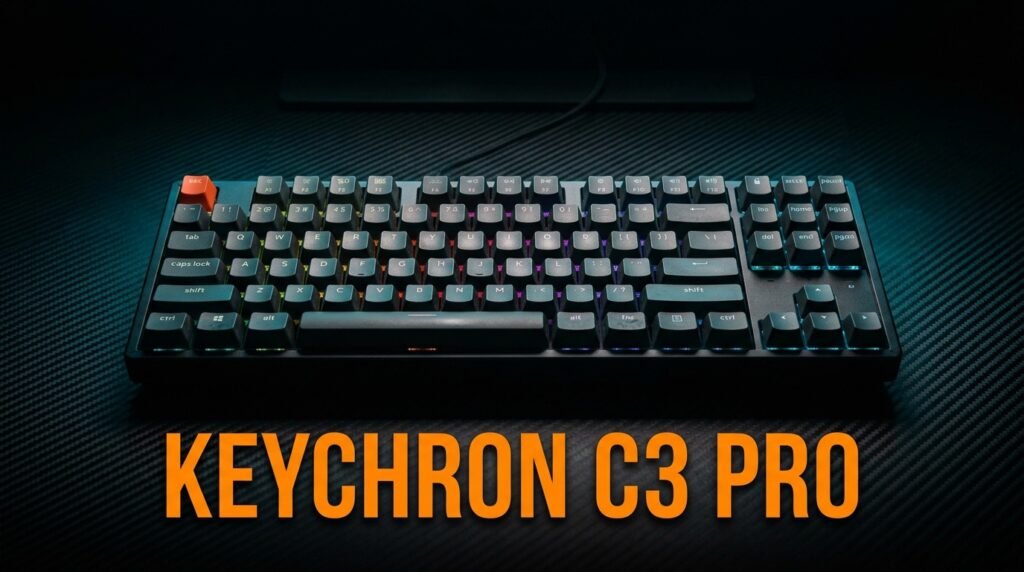
The Keychron C3 Pro is where most budget buyers should land. At around $40, it delivers pre-lubed Keychron switches, a south-facing PCB, and a typing feel that genuinely competes with boards costing twice as much. It’s a TKL (tenkeyless) layout, so you lose the numpad but gain desk space and a more centered mouse position.
The honest truth is that this board makes the $20-30 options hard to recommend unless you’re truly counting every dollar — the jump in quality for $15 more is dramatic.
Best for: Most people who want the best balance of price and quality in a wired budget board.
Real-world detail: The pre-lubed switches are the key differentiator at this price — they feel smooth from the first keystroke, where cheaper boards feel scratchy until you manually lube them.
Pros: Pre-lubed switches, excellent build for the price, south-facing RGB, TKL space savings, Keychron quality.
Cons: Wired only, no hot-swap on base model, TKL layout isn’t for everyone.
2. Keychron V1 — Best Premium Budget (~$84)
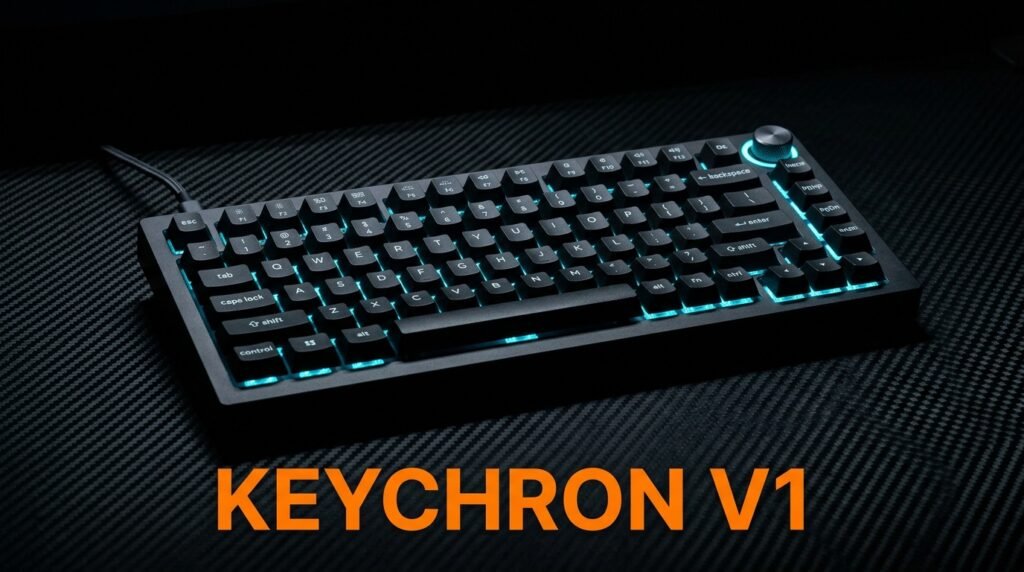
The Keychron V1 is the board to buy if you want to step into enthusiast territory without spending enthusiast money. At around $84 fully assembled, it brings QMK/VIA programmability, a gasket-mounted design, hot-swappable sockets, pre-lubed switches, and a 75% layout that keeps function and arrow keys while saving desk space.
In our experience, this is the board that converts people into keyboard hobbyists — the typing feel and the ability to fully remap every key open a door that cheaper boards keep shut.
Best for: Buyers ready to spend a bit more for a customizable, enthusiast-grade typing experience.
Real-world detail: The hot-swap sockets accept almost any 3-pin or 5-pin MX switch (Cherry, Gateron, Kailh), so you can change the entire feel of the board for $15-25 in switches rather than buying a new keyboard.
Pros: QMK/VIA programmable, gasket mount, hot-swappable, pre-lubed switches, 75% layout, Mac/Windows support.
Cons: Highest price here, 75% layout takes adjustment, more board than casual users need.
3. Royal Kludge RK84 — Best Wireless Budget (~$70)
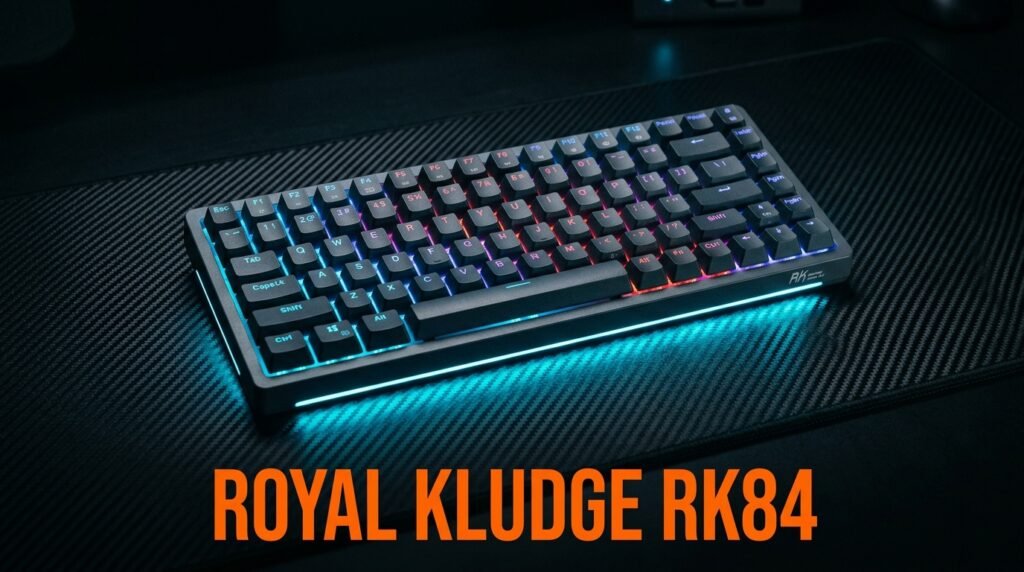
The Royal Kludge RK84 solves the problem most budget boards ignore: wireless on a budget. It offers triple connectivity (Bluetooth, 2.4GHz, and wired), a hot-swappable PCB, and an 84-key 75% layout — all for around $70, far less than most wireless mechanical keyboards.
This is the pick for someone who moves between a work laptop and a personal desktop and wants one board that connects to both without cable swapping.
Best for: Users who want wireless flexibility and hot-swap capability on a budget.
Real-world detail: The triple-mode connectivity lets you pair it to three devices and switch between them — a real-world win for anyone juggling a work laptop, personal PC, and tablet on the same desk.
Pros: Triple connectivity, hot-swappable, 75% layout, wireless at a budget price, included keycap puller.
Cons: Battery life drops with RGB on, software is clunky, build is good but not premium.
4. Redragon K617 Fizz — Best Under $30 (~$30)
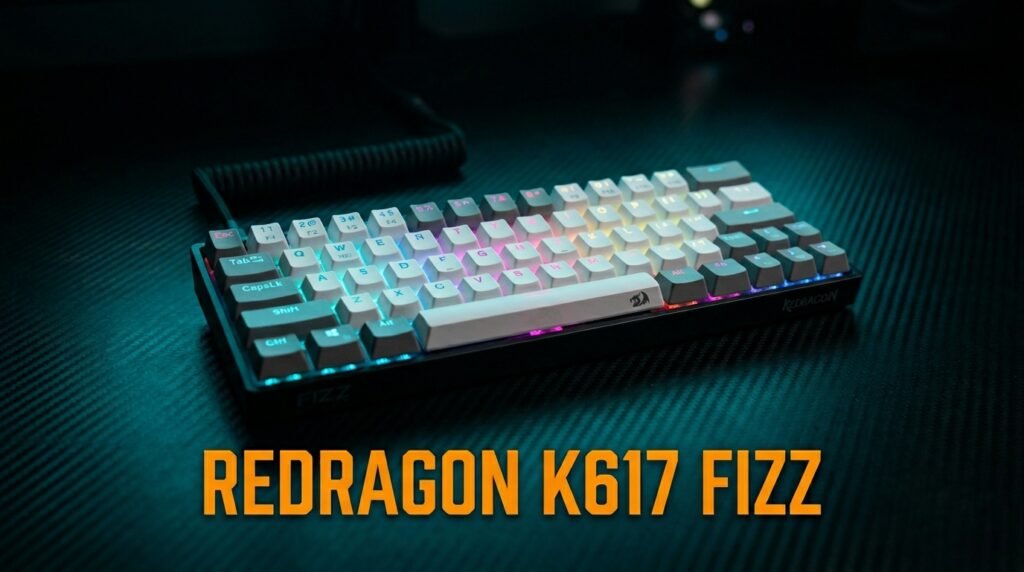
The Redragon K617 Fizz is the best board you can get for around $30. It’s a 60% layout with 61 keys, a hot-swappable socket, linear red switches, and RGB — a surprising amount of capability for the price. The hot-swap feature at this tier is genuinely rare.
For a college student setting up a first gaming rig on a tight budget, this delivers the compact 60% form factor that pros use, at a price that leaves money for the rest of the setup.
Best for: Budget gamers and anyone wanting a compact 60% board with hot-swap for minimal cost.
Real-world detail: The hot-swappable socket at $30 means you can upgrade switches later without buying a new board — a feature usually reserved for boards twice this price.
Pros: Hot-swappable at $30, compact 60% layout, RGB, linear red switches, software support.
Cons: Thin keycaps, no arrow keys without function layer, plastic build feels cheap.
5. E-Yooso Z11 — Cheapest Mechanical (~$24)
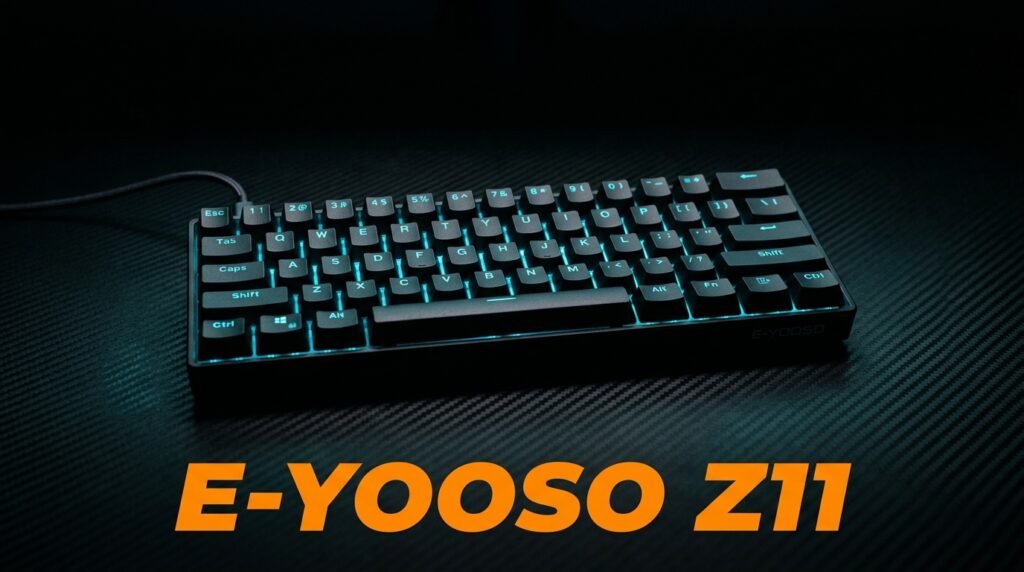
The E-Yooso Z11 is the cheapest way to get a real mechanical keyboard, at around $24. It’s a 60% board with 61 keys, blue switches, and basic RGB. This is a no-frills board: no hot-swap, no software, thin keycaps. But the switches are genuine mechanical, and the n-key rollout works.
This is the board to buy when you want to test whether you even like mechanical keyboards before committing real money — spend $24 to find out, then upgrade if you’re hooked.
Best for: First-time buyers testing the mechanical concept on the tightest possible budget.
Real-world detail: One verified buyer summed it up well — worth the $24 as a basic gaming board, but with no remapping and thin keycaps, it’s a starter board, not a daily driver for serious typing.
Pros: Cheapest real mechanical board, compact 60%, detachable USB-C, anti-ghosting, blue switches.
Cons: No hot-swap, no software, thin keycaps, basic LED backlight, not a long-term daily driver.
What to Look for When Choosing a Budget Mechanical Keyboard
1. Pre-lubed switches This is the single biggest feel upgrade in budget boards. Pre-lubed switches feel smooth from the first keystroke, while unlubed switches feel scratchy until you manually lube them. At $40+, expect pre-lubed; below $30, usually not.
2. Hot-swap capability A hot-swappable PCB lets you change switches without soldering. If a board offers it near the same price as one that doesn’t, take it — it extends the board’s useful life since your switch preferences usually change after a few months.
3. Keycap material Thin ABS keycaps get shiny and slick within a year of heavy use. PBT keycaps last far longer and feel better. Budget boards often use ABS, but a $15-20 PBT set is the cheapest meaningful upgrade you can make.
4. Layout that fits your desk 60% boards save space but drop arrow and function keys to a secondary layer. TKL keeps arrows while ditching the numpad. Full-size keeps everything. Match the layout to how you actually work before chasing features.
5. Wired vs wireless Wireless adds convenience but usually costs more at the budget tier and can introduce slight latency. For most desk setups, wired is the safer value pick unless you specifically need to move between devices.
FAQ
Are budget mechanical keyboards any good?
Yes — budget mechanical keyboards in the $30-50 range deliver genuine mechanical switches and a typing experience that’s a real upgrade over membrane keyboards. The biggest quality jump happens at the bottom of the price range, so a $40 board feels dramatically better than a $25 one, while the gap between $45 and $90 is smaller. For most people, a $40 board is the sweet spot.
What’s the cheapest decent mechanical keyboard?
Around $24-30 gets you a functional mechanical board like the E-Yooso Z11 or Redragon K617 Fizz. These have genuine mechanical switches and work well for gaming and casual typing. The tradeoffs are thin keycaps, basic build quality, and limited or no software — fine for testing the concept, but you’ll likely want to upgrade if you type all day.
Should I get a hot-swappable budget keyboard?
If it’s available near the same price as a non-hot-swap board, yes. Hot-swap sockets let you change switches without soldering, which means you can upgrade the feel of your board for $15-25 in switches instead of buying a whole new keyboard. It’s the feature that most extends a budget board’s lifespan as your preferences change.
Is a 60% or TKL layout better for budget keyboards?
It depends on your work. A 60% layout (like the Redragon K617) saves maximum desk space but moves arrow and function keys to a secondary layer, which takes adjustment. TKL (like the Keychron C3 Pro) keeps arrow keys while dropping the numpad — a better fit for most office and typing work. Choose based on whether you need arrow keys readily available.
Our Final Verdict
The best budget mechanical keyboard in 2026 is the Keychron C3 Pro for most people — around $40 gets you pre-lubed switches and build quality that embarrasses boards costing twice as much. If you want to spend less, the E-Yooso Z11 proves the mechanical concept for around $24. Ready to step up?
The Keychron V1 at around $84 is the best entry into custom, enthusiast-grade keyboards. Spend where it matters — the jump to $40 buys more than the jump to $90. Check current pricing on Amazon and find the board that fits your desk and budget.