
This article contains affiliate links. We may earn a commission if you buy through our links, at no extra cost to you.
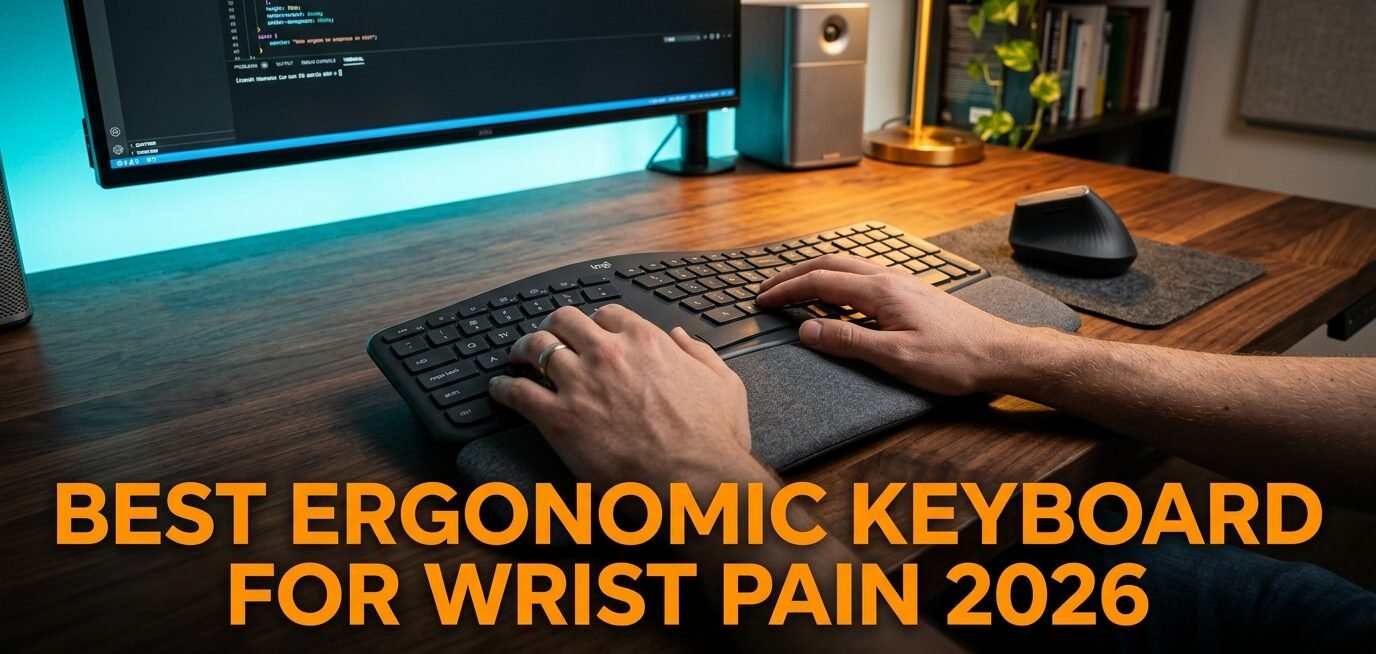
Wrist pain from typing isn’t something you push through — it’s a warning. For anyone typing 6-8 hours a day, the dull ache on the outside of the wrist or the tingling in the fingers is the early stage of a repetitive strain problem that gets worse the longer you ignore it. The best ergonomic keyboard for wrist pain addresses the root cause: a standard flat keyboard forces your wrists into two unnatural positions at once — bent outward (ulnar deviation) and rotated palm-down (pronation).
After researching the ergonomic science and comparing dozens of keyboards across every design category — split, tented, domed, and curved — here’s what actually works for people dealing with real wrist discomfort. This guide covers the top picks for 2026, explains why certain designs help, and gives you a framework to choose based on your situation and how far you’re willing to go. If your pain involves your mouse hand too, pair this with our guide to the best ergonomic mouse for wrist pain.
Quick Answer
The Logitech Ergo K860 is the best ergonomic keyboard for wrist pain for most people — its split, curved keyframe reduces wrist bending by 25% and offers 54% more wrist support, all while keeping a familiar layout you adapt to in days, not weeks. For severe RSI or those wanting full adjustability, the Kinesis Freestyle2 separates completely. Budget-focused buyers should start with the Perixx PERIBOARD-512B to test whether a split layout helps before spending more.
Why Standard Keyboards Cause Wrist Pain — And What Fixes It
Most people blame typing volume for their wrist pain. The real culprit is geometry. A standard flat keyboard forces two harmful wrist positions simultaneously: ulnar deviation (your wrists bend outward to reach the keys, because the keyboard is narrower than your shoulders) and pronation (your forearms rotate to lay your palms flat). Hold both for hours a day, and the tendons and nerves running through your wrist inflame over weeks and months.
Ergonomic keyboards fix this with three design strategies. Splitting the keyboard — separating the left and right halves — lets your hands sit shoulder-width apart, eliminating the outward bend. Tenting raises the center so your palms angle inward, reducing pronation. Negative tilt (the front higher than the back) keeps your wrists straight instead of cocked back.
What most reviews won’t tell you is that the adjustment period is real and non-negotiable. The honest truth is that switching to an ergonomic keyboard feels awkward and slows you down for the first 5-10 days. Most people try one for two days, decide it’s uncomfortable, and return it. That’s the counterintuitive part: the keyboard that feels worse at first is usually the one helping you most. Push through two weeks before judging.
The Different Types of Ergonomic Keyboards Explained
Not every ergonomic keyboard solves the same problem, and matching the design to your pain matters more than picking any single product.
Split-fixed keyboards (like the Logitech Ergo K860) separate the halves but keep them attached in one curved unit. The halves sit at a fixed angle that addresses ulnar deviation without requiring you to position two pieces. Best for most people — the easiest entry point that still delivers real ergonomic benefit.
Fully-split keyboards (like the Kinesis Freestyle2) separate into two independent halves you can place anywhere — shoulder-width, angled, or tented. Maximum adjustability for serious wrist issues, but a steeper learning curve.
Domed/contoured keyboards (like the Incase Sculpt) use a rounded shape with reverse tilt to reduce pronation while keeping a compact footprint. A middle ground for people who want more than a curve but less than a full split.
Curved/wave keyboards (like the Logitech Wave Keys) gently curve the key layout without splitting. The least radical option — easiest to adapt to, mildest benefit. Best for prevention and mild discomfort rather than existing RSI.
In our experience, split designs solve the problem for roughly 70% of people with typing-related wrist pain. If a gentle curve hasn’t helped you, a true split is the next step. For more on the broader desk picture, see our guide to the best mechanical keyboard for typing.
The 5 Best Ergonomic Keyboards for Wrist Pain in 2026
Comparison Table
| Product | Price | Best For | Rating |
|---|---|---|---|
| Logitech Ergo K860 | ~$130 | Best overall | 9.5/10 |
| Kinesis Freestyle2 | ~$100 | Best for severe RSI | 9/10 |
| Incase Sculpt (by Microsoft) | ~$60 | Best domed design | 8.5/10 |
| Logitech Wave Keys | ~$50 | Best for mild discomfort | 8.5/10 |
| Perixx PERIBOARD-512B | ~$32 | Best budget | 8/10 |
1. Logitech Ergo K860 — Best Overall (~$130)
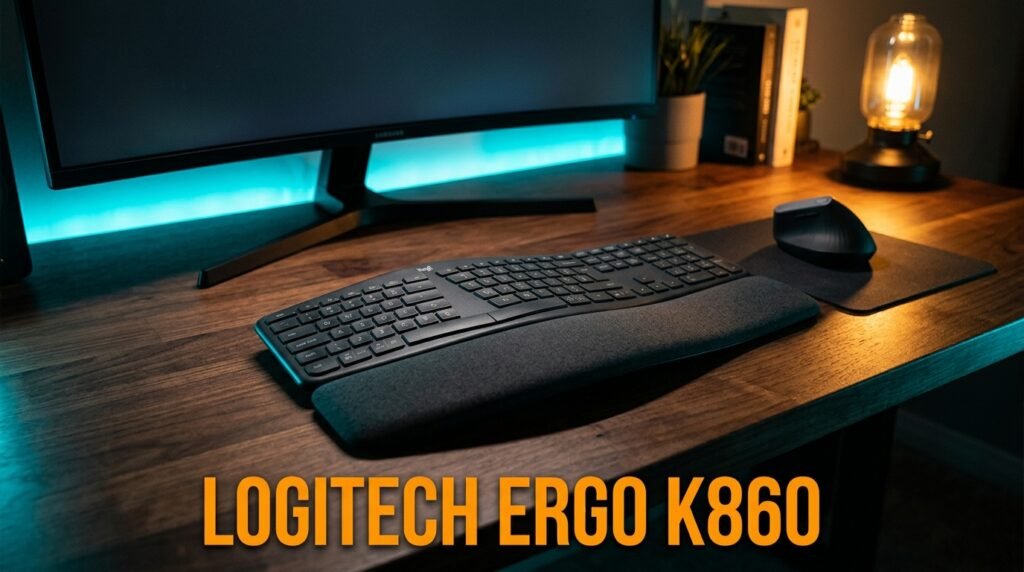
The Logitech Ergo K860 is where most people with wrist pain should start. Its split, curved keyframe is certified by United States Ergonomics, and Logitech’s testing shows it reduces wrist bending by 25% and provides 54% more wrist support than a standard keyboard. The pillowed palm rest is the standout — it holds your wrists in a neutral position rather than letting them sag.
Crucially, it keeps a familiar full-size layout with numpad, so the adjustment period is days, not weeks. Wireless via Bluetooth or the included USB receiver, with a two-year battery life.
Best for: Office workers, writers, and anyone with wrist or forearm pain who wants real ergonomics without a steep learning curve.
Real-world detail: The integrated palm rest plus negative-tilt design means your wrists stay straight even during long sessions — the reason someone typing 8 hours a day notices reduced end-of-day soreness within the first two weeks.
Pros: Ergonomist-certified, 54% more wrist support, familiar layout, quiet keys, wireless, long battery life.
Cons: Large footprint, fixed split angle (no adjustment), premium price, best for medium-to-large hands.
2. Kinesis Freestyle2 — Best for Severe RSI (~$100)
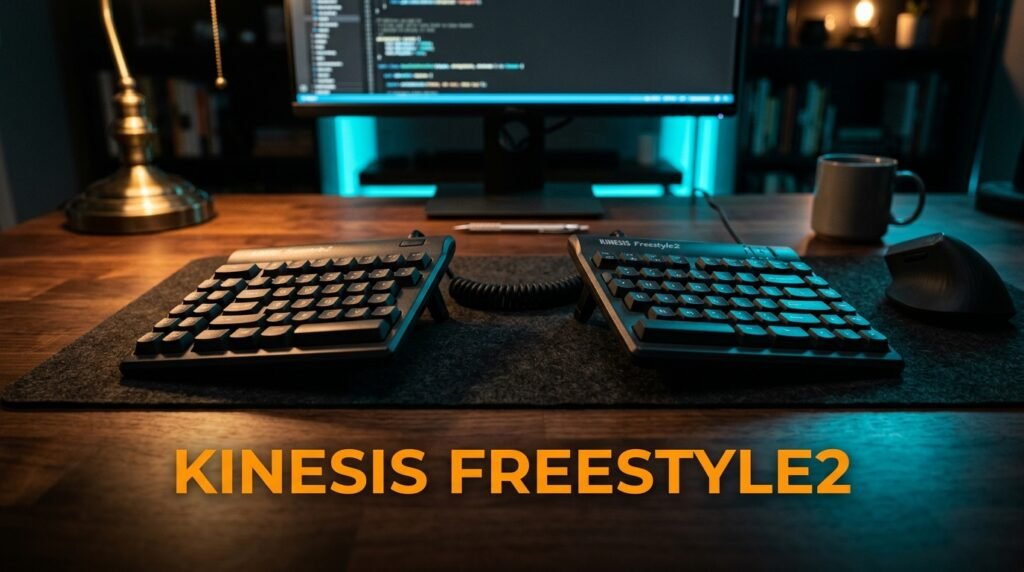
The Kinesis Freestyle2 is the recommendation when your wrist pain has progressed beyond mild discomfort. It splits into two fully independent halves you can separate up to 9 or 20 inches and angle to your exact shoulder width — eliminating ulnar deviation completely rather than just reducing it. Add the optional V3 lifters and you get 5, 10, or 15 degrees of tenting to address pronation too.
This is the keyboard ergonomists recommend for active RSI cases. Its low-force membrane switches reduce the finger impact that aggravates strain.
Best for: Users with RSI, carpal tunnel symptoms, or anyone who needs to fully customize hand position.
Real-world detail: A real scenario — someone whose wrists hurt because their shoulders are broad can separate the halves a full 20 inches, something no fixed keyboard can match. That custom width is the difference between tolerable and pain-free for larger frames.
Pros: Fully adjustable split width, optional tenting, low-force switches, RSI-focused design, made by ergonomic specialists.
Cons: Steeper learning curve, tenting kit often costs extra, membrane feel isn’t for everyone, wired.
3. Incase Sculpt — Designed by Microsoft — Best Domed Design (~$60)
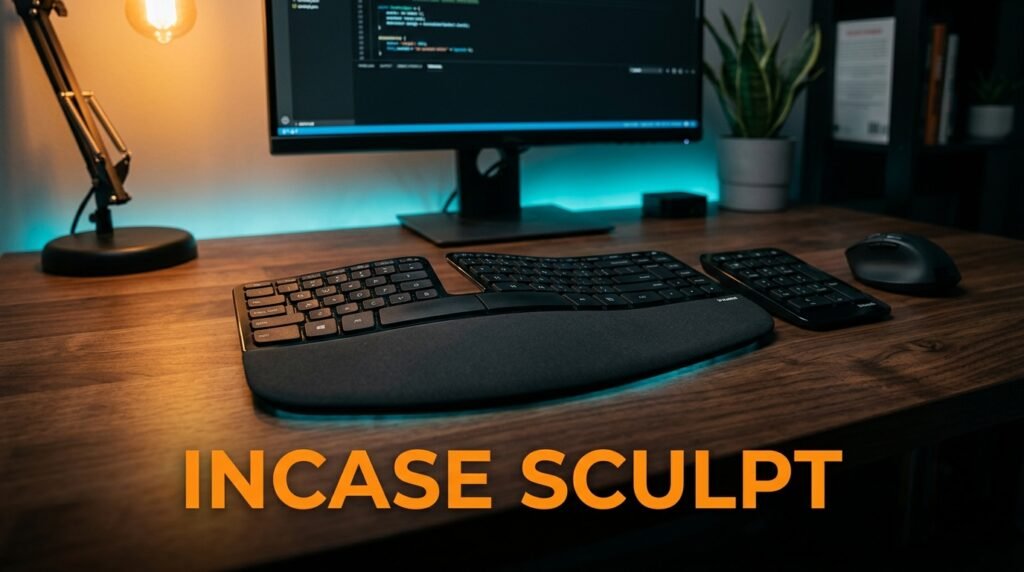
The Incase Sculpt, continuing the discontinued Microsoft Sculpt design, takes a different approach: a domed shape with a split keyset and reverse-tilt elevator that reduces wrist pronation while keeping a compact footprint. The cushioned palm rest supports your wrists in a neutral, straight position.
We found the domed shape to be a comfortable middle ground for people who find a flat keyboard harsh but aren’t ready for a full split. The removable elevator lets you dial in the reverse tilt.
Best for: Users who want pronation relief in a more compact, less radical form than a full split.
Real-world detail: The reverse-tilt elevator is the key feature — it angles the keyboard so your wrists rest straight instead of cocked upward, which directly addresses the wrist-extension strain that a flat board creates.
Pros: Domed anti-pronation shape, reverse-tilt elevator, cushioned palm rest, separate number pad, compact for an ergonomic board.
Cons: Split is fixed (not adjustable), wireless receiver required, takes adjustment, availability varies as the design transitions brands.
4. Logitech Wave Keys — Best for Mild Discomfort (~$50)
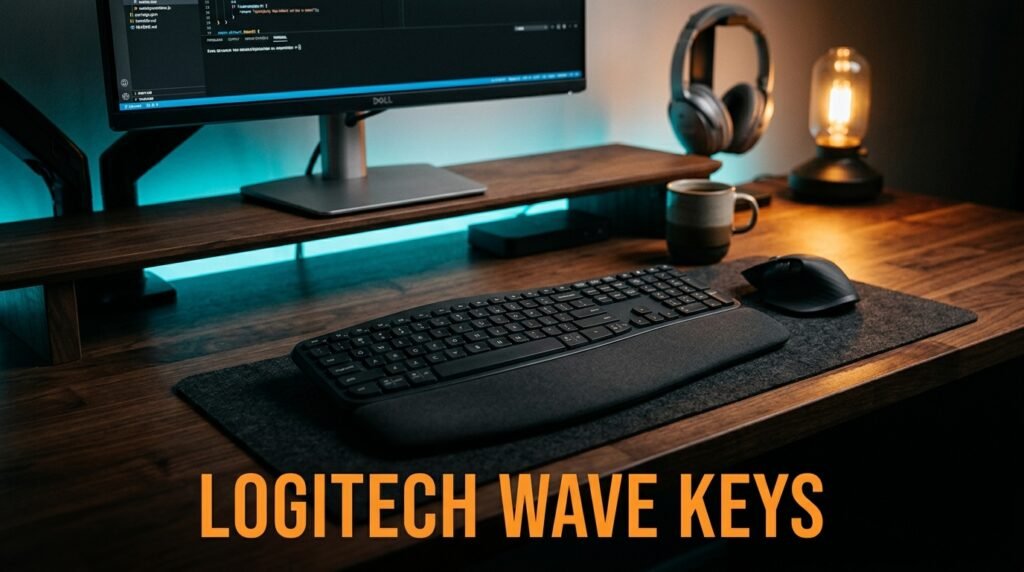
The Logitech Wave Keys is the gentlest entry into ergonomic typing. Instead of splitting, it uses a curved “wave” keyframe that guides your hands into a more natural position, paired with a cushioned memory-foam palm rest. It’s certified by United States Ergonomics, and the compact frame lets you bring your mouse closer for a better shoulder position.
The honest truth is this isn’t going to fix advanced RSI — but for prevention or mild, occasional discomfort, it’s the easiest keyboard to adapt to on this list. You’ll be at full typing speed in a day.
Best for: People with mild or occasional wrist discomfort, or anyone wanting prevention without a learning curve.
Real-world detail: At around $50 with a 3-year battery life and near-zero adjustment period, this is the keyboard for someone who suspects their setup is causing problems but isn’t ready to commit to a split layout — a low-risk first step.
Pros: Ergo-certified, easiest adjustment, cushioned palm rest, compact, wireless, very affordable, 3-year battery.
Cons: Mildest ergonomic benefit, not split, won’t resolve serious RSI, no tenting.
5. Perixx PERIBOARD-512B — Best Budget (~$32)
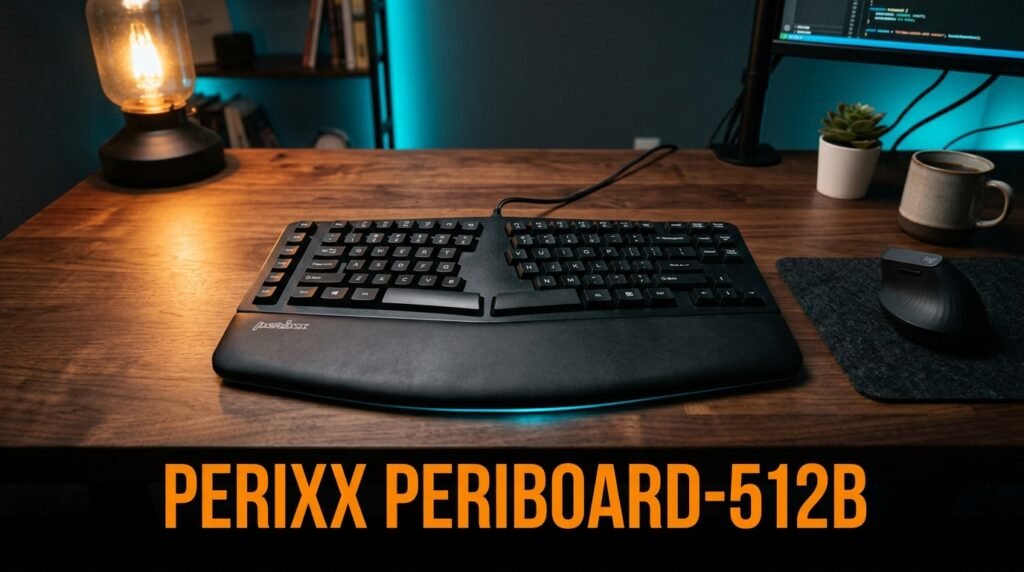
The Perixx PERIBOARD-512B proves you don’t need to spend $130 to get a genuine split layout. It’s a one-piece split keyboard with a 3-D curved design and integrated palm rest, wired USB, and tactile keys — and Perixx specifically markets it to RSI sufferers. At around $32, it’s the cheapest real split keyboard worth buying.
Build quality is plainer than the premium picks and it’s bulky, but the core ergonomic geometry — separated key zones that reduce wrist bending — is there.
Best for: Budget-conscious buyers wanting to test whether a split layout helps before committing to a premium board.
Real-world detail: At roughly a quarter the price of the K860, this is the smart way to confirm a split design relieves your specific pain — spend $32 to find out, then upgrade to the K860 or Kinesis if it helps.
Pros: Genuine split layout, lowest price, integrated palm rest, plug-and-play wired, RSI-friendly geometry.
Cons: Bulky, plainer build, wired only, no tenting or adjustment, basic keys.
What to Look for When Choosing an Ergonomic Keyboard for Wrist Pain
1. Match the design to your pain level Mild or preventive: a curved board like the Wave Keys is enough. Existing wrist or forearm pain: a fixed split like the K860. Diagnosed RSI or carpal tunnel symptoms: a fully adjustable split like the Kinesis. Buying more keyboard than your situation needs just adds an unnecessary learning curve.
2. Split vs curve A true split (separated key zones) addresses ulnar deviation, the most common cause of typing wrist pain. A curve only nudges your hands gently. If your pain is on the outside of the wrist or in the forearm, prioritize a split design.
3. Tenting capability Tenting (raising the center) reduces forearm pronation. If your discomfort includes a rotated-forearm ache, look for a board that tents — either built-in or via an add-on kit. Not everyone needs it, but for pronation-driven pain it’s the key feature.
4. Palm rest and negative tilt A cushioned palm rest plus negative tilt (front higher than back) keeps your wrists straight rather than cocked back. This matters as much as the split for many people — a straight wrist is a wrist under less strain.
5. Adjustment period tolerance Every ergonomic keyboard requires a 1-2 week adaptation. The more radical the design, the bigger the benefit and the steeper the curve. Be honest about whether you’ll push through two awkward weeks, or whether a gentler board you’ll actually keep using is the smarter buy.
FAQ
How long does it take for an ergonomic keyboard to reduce wrist pain?
Most people notice reduced end-of-day wrist fatigue within 2-3 weeks of consistent use. The first 5-10 days feel awkward and you’ll type slower, which is normal — that’s the adaptation period, not a sign the keyboard is wrong. Acute pain from an existing injury won’t vanish from a keyboard alone; you’re reducing daily strain and preventing further damage, so combine it with regular breaks and see a doctor for persistent pain.
Is a split keyboard or a curved keyboard better for wrist pain?
A split keyboard is better for most people with actual wrist pain because it addresses ulnar deviation — the outward wrist bend that causes the most common typing strain. A curved keyboard like the Wave Keys only mildly improves hand position. Start with a split if you have existing pain; a curve is better suited to prevention or very mild discomfort.
Can an ergonomic keyboard fix carpal tunnel syndrome?
No. Carpal tunnel syndrome is a medical condition involving nerve compression that often requires medical treatment, sometimes surgery. An ergonomic keyboard can reduce the strain that contributes to symptoms and may slow progression, but it can’t reverse nerve damage or cure an existing condition. If you suspect carpal tunnel, see a doctor before relying on equipment changes alone.
Do I need a wrist rest with an ergonomic keyboard?
Most ergonomic keyboards include a palm rest, which is what you actually want — it supports the heel of your palm, keeping your wrist straight while typing. A true “wrist rest” you press your wrist into during typing can actually increase pressure on the carpal tunnel. Use the palm rest for support between bursts of typing, not as something you bear down on.
Our Final Verdict
The best ergonomic keyboard for wrist pain in 2026 is the Logitech Ergo K860 for most people — a split, curved design with proven wrist-support numbers and a familiar layout you adapt to fast. For severe RSI or those who want full control over hand position, the Kinesis Freestyle2 separates completely and is worth the learning curve.
Budget-conscious buyers should start with the Perixx PERIBOARD-512B to confirm a split layout helps before upgrading. Give any ergonomic keyboard a full two weeks before judging it. Check current pricing on Amazon and make the switch before the pain gets worse.