
This article contains affiliate links. We may earn a commission if you buy through our links, at no extra cost to you.
The best gaming keyboard under $100 isn’t always mechanical — and that’s the first myth to kill before you spend a cent. Below $100 you can get a full mechanical board with hot-swap sockets, a premium membrane keyboard that shrugs off spilled soda, or a wireless triple-mode setup, and the “right” one depends entirely on how you play. The best budget gaming keyboard under $100 gives you competition-ready response without the flagship price tag.
What separates these boards isn’t the price bracket — it’s switch type, connection, and whether you value silence or clicky feedback.
After researching the switches, build quality, and features that matter for real gaming, here’s what holds up. This guide is for budget-conscious gamers — students, first-time builders, and anyone who refuses to pay $150+ for performance they can get for $40 to $70.
By the end, you’ll know exactly which board fits your games and your desk.
Quick Answer
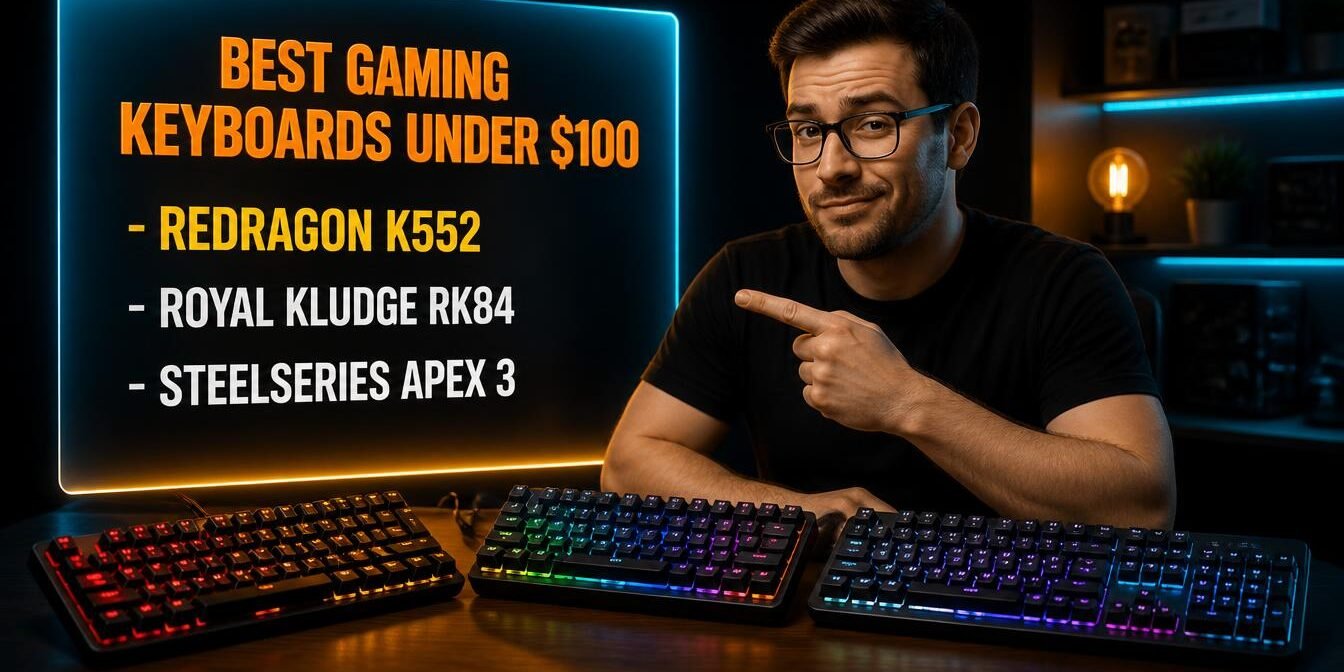
The Redragon K552 is the best budget gaming keyboard under $100 for most people — a full mechanical board with anti-ghosting and a metal frame for around $40. For hot-swap customization and wireless, the Royal Kludge RK84 offers triple-mode connectivity around $70. If you want near-silent keys and spill resistance, the SteelSeries Apex 3 is the pick at around $45.
Mechanical vs Membrane: The Myth That Costs You Money
You don’t need a mechanical keyboard to game well, and believing you do is the fastest way to overspend or overlook a better fit. The truth is that switch type is a preference, not a performance ranking — a premium membrane board can suit certain players better than a cheap mechanical one.
Mechanical keyboards use individual switches under each key, giving a distinct tactile or clicky feel and faster reset. That’s why they dominate competitive play. The Redragon K552 and Royal Kludge RK84 are both mechanical, delivering that crisp, responsive feedback gamers chase.
But membrane isn’t the enemy. The SteelSeries Apex 3 uses whisper-quiet membrane switches rated for 20 million keypresses, plus IP32 water resistance that survives a knocked-over drink. What most reviews won’t tell you: for a player in a shared space, a dorm, or on late-night sessions, a near-silent membrane board is genuinely better than a loud clicky mechanical one that annoys everyone nearby. If you want the mechanical-for-work angle instead, our guide to the best mechanical keyboard for programming covers that use case.
Switch Type: Red, Blue, Brown — What Actually Matters for Gaming
For gaming specifically, linear Red switches are the most popular choice, and understanding why saves you from buying the wrong feel. Switch color is shorthand for how a key behaves, and it directly affects your experience in fast games.
Red (linear) switches press smoothly with no bump, making rapid double-taps and holds feel effortless — ideal for gaming. Blue (clicky) switches have a tactile bump and loud click, satisfying for typing but slower for gaming spam and noisy. Brown (tactile) switches sit in between, with a soft bump and no click.
Here’s the counterintuitive part: the “gamer” reputation of loud Blue switches is backwards. Most competitive players prefer quiet linear Reds because the lack of a tactile bump lets keys actuate faster on repeated presses. A concrete scenario: a Fortnite player rapidly building and editing benefits from smooth Reds that don’t fight back, while those same Reds would feel mushy to someone who loves the typewriter click of Blues. The Royal Kludge RK84 is hot-swappable, letting you change switch types without soldering — a real advantage if you’re unsure which feel you’ll prefer.
Wired vs Wireless Under $100: What You Give Up
Wired remains the default for budget gaming boards, but wireless has arrived under $100 with only minor trade-offs. This decision shapes which of these three fits your setup.
Wired keyboards put the whole budget into switches, build, and features, with zero latency and no charging. The Redragon K552 and SteelSeries Apex 3 are wired, which is why they pack metal frames and premium features at $40 to $45.
Wireless used to be a premium-only feature, but the Royal Kludge RK84 brings triple-mode connectivity — Bluetooth 5.0, 2.4GHz, and USB-C — for around $70. It lasts up to 200 hours with the backlight off. In our experience, the 2.4GHz dongle mode is genuinely lag-free for gaming, while Bluetooth is better saved for typing on a tablet or laptop. The trade-off you pay for wireless at this price is fewer dollars spent on the switches and frame versus a wired board at the same cost. A clean setup helps either way — see our roundup of the best gaming mouse under $50 to complete the desk.
Best Budget Gaming Keyboard Under $100: Comparison Table
| Product | Price | Best For | Rating |
|---|---|---|---|
| Redragon K552 | ~$40 | Best overall value | 9/10 |
| Royal Kludge RK84 | ~$70 | Best hot-swap + wireless | 9/10 |
| SteelSeries Apex 3 | ~$45 | Best quiet + spill-proof | 8.5/10 |
Detailed Reviews
Redragon K552 — Best Overall Value
The Redragon K552 is the best value gaming keyboard under $100 because it delivers a genuine mechanical experience with a metal frame for around $40. This 87-key TKL board features anti-ghosting, RGB backlighting with multiple modes, double-shot keycaps, and a spill-resistant design.
Who it’s for: first-time mechanical buyers and budget gamers who want real switches without spending over $50.
Real-world detail: The aircraft-grade aluminum-alloy plate makes it feel far sturdier than its ~$40 price suggests — it won’t flex or creak during intense gameplay, unlike flimsier budget boards.
Pros: Genuine mechanical switches around $40, sturdy metal frame, anti-ghosting, compact TKL saves desk space, double-shot keycaps.
Cons: Wired only, no dedicated media keys, software is basic compared to big brands.
Royal Kludge RK84 — Best Hot-Swap and Wireless
The Royal Kludge RK84 is the pick for customization and wireless freedom, offering hot-swappable switches and triple-mode connectivity for around $70. It’s a 75% layout with 84 keys, Bluetooth 5.0, 2.4GHz, and USB-C, plus a high-capacity battery rated up to 200 hours.
Who it’s for: gamers who want to experiment with switch types or need a keyboard that works across multiple devices.
Real-world detail: The hot-swap PCB accepts almost any 3-pin or 5-pin switch, so you can swap to a different feel in seconds without soldering — a mod that normally requires a soldering iron on cheaper boards.
Pros: Hot-swappable switches, triple-mode wireless plus wired, up to 200-hour battery, compact 75% layout, RGB with detachable frame.
Cons: Pricier than the wired options, 75% layout omits some keys, wireless adds slight weight.
SteelSeries Apex 3 — Best Quiet and Spill-Proof
The SteelSeries Apex 3 is the best choice for quiet gaming and durability, using whisper-quiet membrane switches with IP32 water resistance for around $45. It offers 10-zone RGB, a magnetic wrist rest, dedicated media controls with a volume roller, and gaming-grade anti-ghosting.
Who it’s for: players in shared spaces who want near-silent keys, and anyone worried about drink spills near their setup.
Real-world detail: The IP32 rating means it survives a spilled drink that would kill most keyboards — a real safeguard for anyone who games with a soda or coffee within reach.
Pros: Near-silent membrane switches, IP32 spill resistance, premium magnetic wrist rest, dedicated media roller, from a trusted brand.
Cons: Membrane not mechanical, no hot-swap, softer feedback than mechanical rivals.
What to Look for When Choosing a Budget Gaming Keyboard
1. Switch type for your play style. Linear Reds suit fast gaming, clicky Blues suit typing feel, tactile Browns split the difference. If you’re unsure, a hot-swap board like the RK84 lets you change your mind later without buying a new keyboard.
2. Mechanical vs membrane. Mechanical gives crisp, fast feedback; premium membrane gives quiet operation and often spill resistance. Neither is universally better — match it to your noise tolerance and environment.
3. Anti-ghosting and N-key rollover. This ensures every simultaneous keypress registers, which matters when you’re holding movement keys and hitting abilities at once. Every board here includes anti-ghosting; confirm any alternative does too.
4. Wired vs wireless. Wired maximizes value and eliminates charging; wireless (2.4GHz specifically) offers a cleaner desk with lag-free performance. Avoid relying on Bluetooth alone for competitive gaming.
5. Build quality and layout. A metal frame resists flex during intense play. Choose a layout — full-size, TKL, or 75% — based on whether you need a numpad or want more mouse room.
FAQ
Do you need a mechanical keyboard for gaming?
No, you don’t need a mechanical keyboard to game well — a quality membrane board like the SteelSeries Apex 3 performs great and adds benefits like near-silent keys and spill resistance. Mechanical keyboards offer faster, crisper feedback that competitive players prefer, but switch type is a preference, not a requirement. Choose based on your budget, noise tolerance, and how competitively you play.
Which switch type is best for gaming?
Linear Red switches are generally best for gaming because they press smoothly with no tactile bump, allowing faster repeated presses and holds. Clicky Blue switches are louder and slightly slower for gaming spam, while tactile Browns sit in between. Most competitive gamers prefer Reds, but the best switch is ultimately the one that feels right to you.
Can you get a good gaming keyboard under $100?
Yes, you can get an excellent gaming keyboard well under $100 — options like the Redragon K552 deliver a full mechanical experience for around $40. Under $100 you can even find hot-swappable and wireless boards like the Royal Kludge RK84. The main things you sacrifice versus premium boards are advanced software, analog switches, and OLED screens, not core gaming performance.
Is a wireless gaming keyboard worth it under $100?
A wireless gaming keyboard is worth it under $100 if you value a clean desk or multi-device use, and boards like the Royal Kludge RK84 offer lag-free 2.4GHz performance at this price. The trade-off is that some budget goes toward the wireless module instead of switches and build. For pure competitive performance per dollar, wired still edges ahead, but 2.4GHz wireless is genuinely good now.
Our Final Verdict
For most gamers, the Redragon K552 is the best budget gaming keyboard under $100 — a genuine mechanical board with a metal frame and anti-ghosting for around $40. It proves you don’t need to spend $150 for competitive response. See the full breakdown of mechanical vs membrane and switch types above.
If you want hot-swap customization and wireless, the Royal Kludge RK84 is worth the step up, and the SteelSeries Apex 3 delivers quiet, spill-proof gaming for around $45. Check current pricing on Amazon and get competition-ready without the flagship price.