
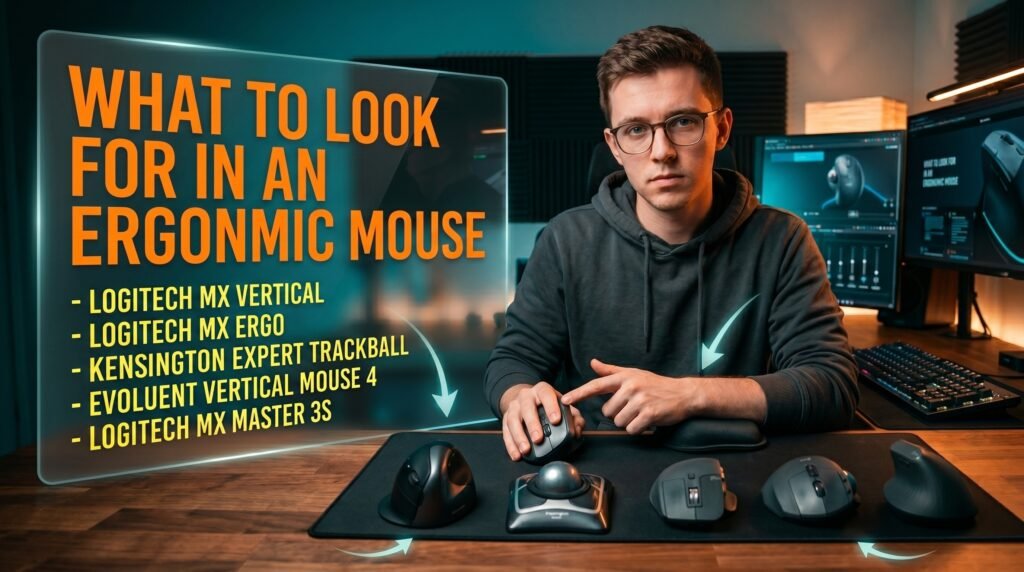
This article contains affiliate links. We may earn a commission if you buy through our links, at no extra cost to you.
What to Look for in an Ergonomic Mouse in 2026
Most people buy an ergonomic mouse based on a recommendation or a spec sheet and discover weeks later that the discomfort they were trying to solve is either unchanged or, in some cases, worse. The problem isn’t that ergonomic mice don’t work — they do, dramatically, for the right person with the right fit. The problem is that knowing what to look for in an ergonomic mouse requires understanding your specific anatomy, your specific pain pattern, and which design addresses which problem. A vertical mouse that transforms one person’s wrist pain may do nothing for another person whose discomfort comes from a different source entirely.
After researching the ergonomic mouse category in depth — across design types, clinical evidence, and real-world user outcomes — here is what actually helps in 2026.
This guide is for anyone experiencing wrist, forearm, or shoulder discomfort from mouse use who wants a framework for choosing correctly rather than guessing.
Quick Answer
The most important thing to look for in an ergonomic mouse is a design that addresses your specific pain location. For forearm pronation and wrist pain: the Logitech MX Vertical. For arm and shoulder pain from repetitive movement: the Logitech MX Ergo. For severe RSI or left-handed users: the Kensington Expert Trackball. Before choosing, identify where your discomfort originates — the right design for the wrong problem produces no improvement.
Why Most Ergonomic Mouse Purchases Fail
The ergonomic mouse category has a higher return and abandonment rate than almost any other peripheral — and the reason is almost always a mismatch between pain source and design solution, not product quality failure.
Standard mice cause discomfort through two primary mechanisms. Forearm pronation — the rotation that places your palm face-down on a flat mouse — maintains the forearm’s pronator muscles in a sustained contracted position for hours at a time, producing the muscle fatigue, tendon irritation, and wrist discomfort that most desk workers experience as “mouse hand.” Repetitive arm movement — moving the mouse across the desk repeatedly over thousands of daily movements — produces the shoulder tension, elbow discomfort, and general arm fatigue that accumulates more gradually but can be more limiting when advanced.
Different ergonomic mouse designs address these mechanisms differently. Vertical mice address pronation directly — they hold your hand in a neutral handshake position that eliminates the forearm rotation entirely. Trackball mice address repetitive arm movement — the cursor moves from finger or thumb rolling rather than arm displacement, eliminating arm movement entirely. Contoured ergonomic mice address neither mechanism directly but reduce the micro-tension of maintaining a grip on an ill-fitting standard mouse through better palm support.
The counterintuitive implication: a vertical mouse doesn’t help arm and shoulder pain. A trackball doesn’t help forearm pronation pain. Buying the ergonomic mouse with the best reviews rather than the one that matches your specific pain mechanism is why the category’s success rate is lower than it should be.
For buyers who’ve already identified wrist pain as their primary concern, see our full breakdown of the best ergonomic mouse for wrist pain — it covers vertical and contoured options in depth for that specific use case.
The Four Ergonomic Mouse Design Types — What Each Solves
Understanding the four design categories and their specific mechanisms is the prerequisite for making an effective ergonomic mouse purchase.
Vertical mice hold the hand at a 57-90 degree angle — the handshake position — eliminating forearm pronation. The forearm muscles that maintain pronation (pronator teres and pronator quadratus) are released from their contracted position, reducing the cumulative muscle load that produces tendon inflammation and wrist discomfort over time. The 57-degree angle specifically — used by Logitech in the MX Vertical — has the most clinical research supporting it, with studies showing reduced forearm muscle activity compared to standard mouse use.
Trackball mice decouple cursor movement from arm movement entirely. The cursor is controlled by rolling a ball with the thumb (thumb trackballs like the Logitech MX Ergo) or with the fingers (fingertip trackballs like the Kensington Expert). The hand and arm remain stationary while the fingers or thumb provide fine cursor control. This design eliminates repetitive arm movement completely, making it the most effective design for shoulder impingement, lateral epicondylitis (tennis elbow), and arm fatigue from high cursor mileage.
Contoured ergonomic mice are the category that most mainstream “ergonomic” mice fall into — shaped to support the palm more naturally than a flat symmetric mouse but without addressing pronation or arm movement at the mechanism level. They reduce the grip tension and finger positioning stress of a poorly-fitted standard mouse, which is a real benefit — but they don’t produce the same magnitude of improvement as vertical or trackball designs for users with significant forearm or shoulder discomfort.
Pen-style mice hold like a pen, distributing grip pressure across the fingers rather than the palm. Niche category most relevant for artists and designers who already use a stylus workflow. For general office and productivity use, the pen grip is less intuitive than the alternatives above.
If you’re also evaluating your full desk setup alongside your mouse choice, our guide on the best mouse for home office covers the broader category including non-ergonomic options worth considering.
The Key Specifications That Actually Matter
Ergonomic mouse marketing is full of specifications that sound meaningful but don’t translate into real comfort outcomes. These are the ones worth evaluating.
Angle of inclination for vertical mice. The 57-degree angle used in the Logitech MX Vertical is specifically researched — it produces the documented reduction in forearm muscle activity. Mice claiming 70-90 degree angles aren’t necessarily better; steeper angles can be uncomfortable for extended use and have less research support. Look for 57-70 degrees as the target range.
Hand size compatibility. This is the most frequently overlooked specification in ergonomic mouse selection and one of the most impactful. Measure your hand from wrist crease to middle fingertip: under 17cm is small, 17-19cm is medium, over 19cm is large. The Logitech MX Vertical fits medium hands well but feels cramped for large hands — the Evoluent VerticalMouse is the alternative for large-handed users. A vertical mouse that’s too small forces an incorrect grip that creates new tension rather than relieving existing tension.
Handedness. The majority of ergonomic mice — particularly vertical mice — are right-hand only. Left-handed users have limited options: the Kensington Expert Trackball works for both hands, the Evoluent VerticalMouse comes in left-hand versions, and several ambidextrous contoured mice exist. Verify hand orientation before purchasing.
Wireless versus wired. For ergonomic use specifically, wireless is strongly preferable. A wired connection creates cable drag that causes subtle forearm and wrist compensation movements — exactly the kind of low-level constant tension that ergonomic mice are trying to eliminate.
Adjustment period. No ergonomic mouse feels immediately natural. Vertical mice typically require 7-14 days before movement feels fluid. Trackballs often require 2-3 weeks. Evaluating an ergonomic mouse at day 3 and concluding it doesn’t work is the most common reason for avoidable returns.
The Best Ergonomic Mice by Use Case in 2026
1. Logitech MX Vertical — Best Vertical Mouse for Wrist Pain (~$100)
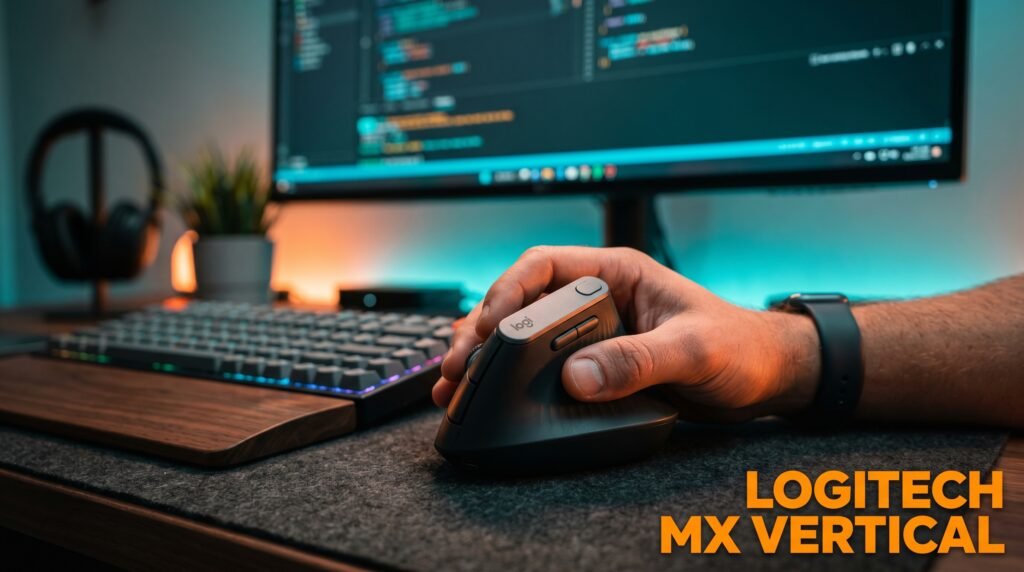
The Logitech MX Vertical is where most people with forearm pronation-driven wrist pain should start. The 57-degree angle is precisely engineered — Logitech’s internal research documented a 10% reduction in forearm muscle strain compared to a standard mouse at this angle. The glass lens optical sensor works on virtually any surface, wireless via Bluetooth or 2.4GHz Logi Bolt receiver, 4-month battery life, and textured grip that maintains correct hand position without requiring active grip tension.
The 57-degree angle is sufficient for most users to notice immediate forearm tension relief within the first session. The counterintuitive reality: larger hands sometimes find the grip width narrow — if your hand measures above 19cm, the Evoluent VerticalMouse 4 is almost certainly the better fit before committing $100 to something that won’t seat correctly.
Pros: Clinically studied 57-degree angle, optical sensor works on any surface, wireless, 4-month battery, Logitech Options+ compatibility, textured grip. Cons: Right-hand only, hand size constraint for large hands, $100 price point, 7-14 day adaptation period.
2. Logitech MX Ergo — Best Trackball for Shoulder and Arm Pain (~$100)
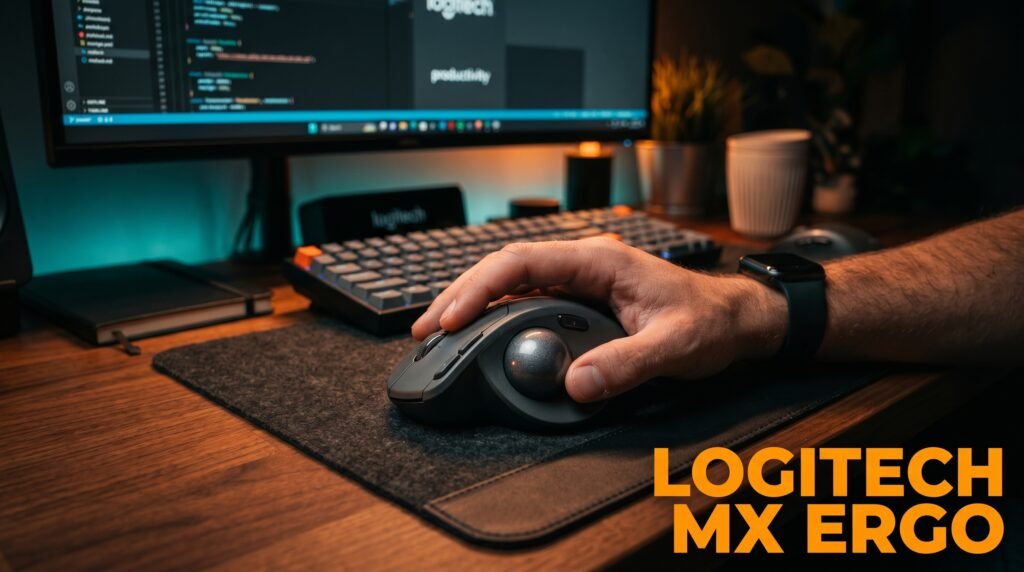
The Logitech MX Ergo is the trackball recommendation for users whose discomfort originates from arm movement rather than forearm pronation. The adjustable tilt angle — 0 or 20 degrees — allows progression from flat to angled positioning as you adapt, and the thumb-controlled trackball eliminates arm movement entirely for cursor control.
The MagSpeed scroll wheel and multi-device pairing via Bluetooth make it a complete productivity mouse alongside its ergonomic function. Most users adapting from a standard mouse need 14-21 days before cursor control feels as natural as arm-based movement — patience through this adjustment period is the most important factor in trackball success. What most reviews won’t tell you is that the first week feels genuinely worse than your old mouse, not better. Push through it.
Pros: Adjustable 20-degree tilt, thumb trackball eliminates arm movement, MagSpeed scroll wheel, multi-device pairing, Logitech Options+ software, premium build quality. Cons: Right-hand only, 14-21 day adaptation period steeper than vertical mice, $100 price point, larger footprint than standard mice.
3. Kensington Expert Wireless Trackball — Best for Severe RSI (~$85)
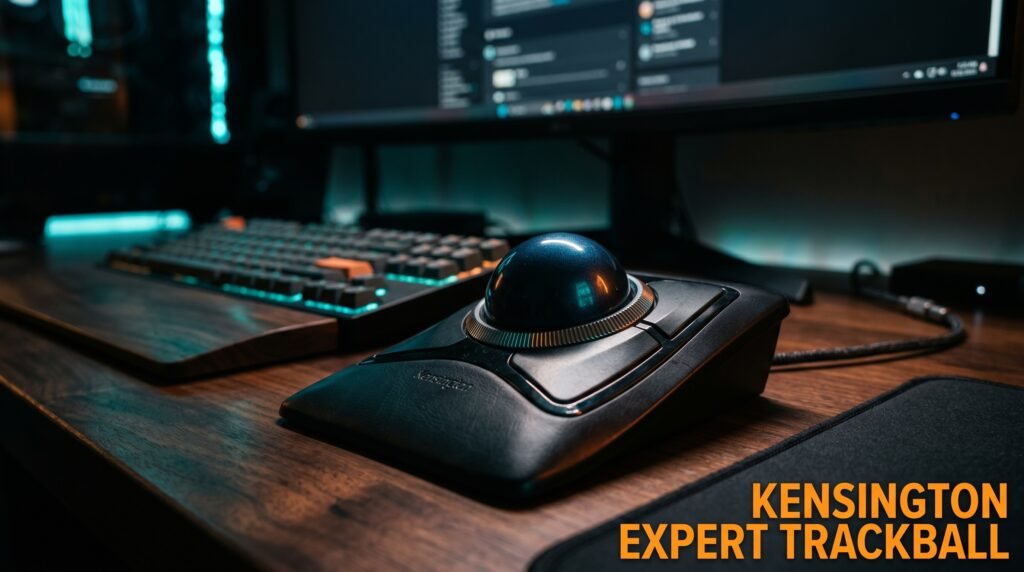
The Kensington Expert Wireless Trackball is the recommendation for users with advanced RSI, carpal tunnel symptoms, or anyone who needs to eliminate arm and wrist movement entirely. The 55mm ball is controlled with multiple fingers — index and middle finger rolling produces more precise control than thumb-operated trackballs for users with thumb or thenar eminence discomfort.
The scroll ring around the ball is Kensington-specific and makes scrolling comfortable without requiring thumb extension. Ambidextrous design works for both left and right-handed users — one of the few ergonomic mice that doesn’t require handedness consideration at all.
Pros: Largest ball (55mm) for precise multi-finger control, scroll ring design, ambidextrous, wireless, eliminates all arm movement, works for left-handed users. Cons: Steep learning curve (14-21 days), requires regular cleaning of ball and socket, less intuitive for fast cursor movement.
4. Evoluent VerticalMouse 4 — Best Vertical Mouse for Large Hands (~$90)
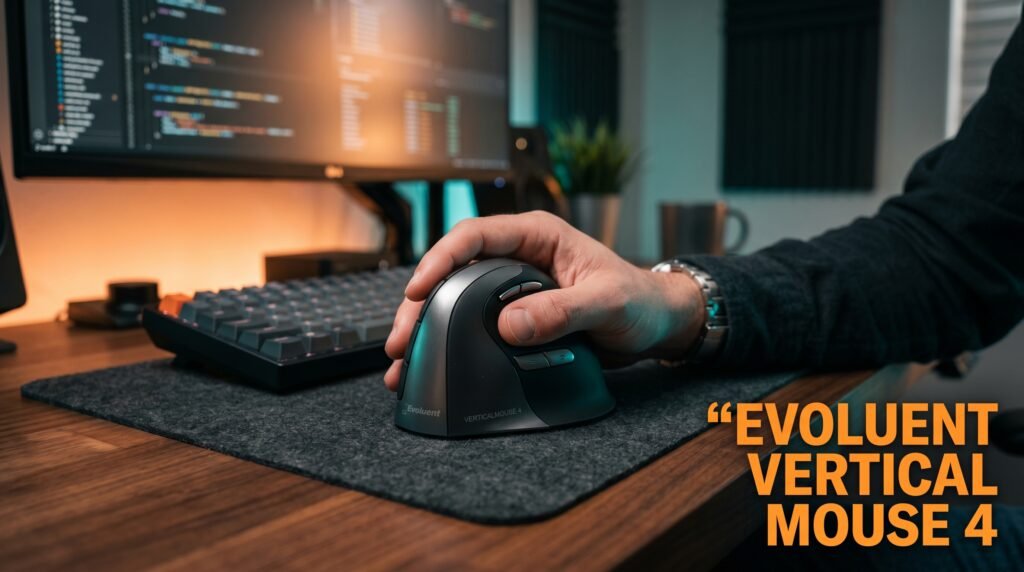
The Evoluent VerticalMouse 4 solves the hand size problem that the Logitech MX Vertical creates for larger-handed users. The taller profile accommodates hands above 19cm comfortably — fingers rest naturally without hanging off the back or cramping at the front. Available in right and left-handed versions, making it one of the few premium vertical mice that left-handed users can actually use.
The LED DPI indicator is a small but useful feature for switching between precise document work and faster navigation. At $90, it’s slightly less than the MX Vertical with more targeted sizing benefits for the specific population it serves.
Pros: Accommodates large hands, left-hand version available, DPI indicator, solid sensor, 57-degree vertical angle. Cons: Older design with less software support than Logitech, wired-only on standard version (wireless $140), fewer connectivity options.
5. Logitech MX Master 3S — Best Contoured Ergonomic Mouse (~$100)
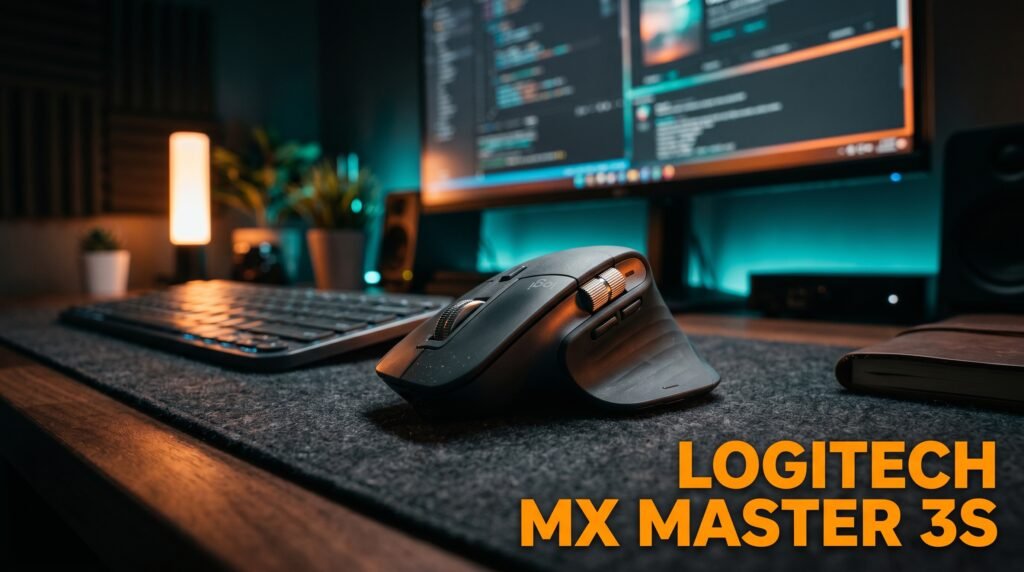
The Logitech MX Master 3S is the recommendation for users with general hand fatigue and grip tension rather than specific forearm pronation or arm movement pain. It doesn’t address pronation or eliminate arm movement, but the sculpted palm rest, thumb rest, and multiple button positions reduce the sustained grip tension that a poorly-fitting standard mouse requires — producing meaningful end-of-day fatigue reduction for users whose primary issue is grip rather than pronation.
The MagSpeed scroll wheel, 7 programmable buttons, and Logi Options+ per-application profiles make it the most complete productivity mouse on this list. In our experience, it’s also the easiest recommendation for someone hesitant about making the jump to a vertical or trackball — the learning curve is essentially zero.
Pros: Best-in-class scroll wheel, 7 programmable buttons with per-app profiles, silent clicks, natural hand position support, excellent build quality, Logi Bolt and Bluetooth. Cons: Doesn’t address forearm pronation, right-hand only, $100 price point, not a true ergonomic design in the clinical sense.
Comparison Table
| Product | Price | Best For | Rating |
|---|---|---|---|
| Logitech MX Vertical | ~$100 | Wrist and forearm pronation pain | 9.5/10 |
| Logitech MX Ergo | ~$100 | Shoulder and arm pain from movement | 9/10 |
| Kensington Expert Trackball | ~$85 | Severe RSI, left-handed users | 9/10 |
| Evoluent VerticalMouse 4 | ~$90 | Large hands, left-handed users | 8.5/10 |
| Logitech MX Master 3S | ~$100 | General fatigue, grip tension | 8.5/10 |
What to Look for When Choosing an Ergonomic Mouse
1. Pain location determines design type Wrist and forearm pain from pronation → vertical mouse. Shoulder and arm fatigue from movement → trackball. General hand and grip fatigue → contoured ergonomic. Finger or thenar eminence pain → fingertip trackball or pen mouse. This matching is non-negotiable — buying based on reviews without matching to your pain source produces the inconsistent results that plague the ergonomic mouse category.
2. Hand size before brand Measure your hand before selecting a specific model. Small hands (under 17cm) may find most standard vertical mice too large. Large hands (over 19cm) need the Evoluent VerticalMouse rather than the MX Vertical. A mismatch between hand size and mouse body size creates new tension that negates the ergonomic benefit entirely.
3. Wireless to eliminate cable drag Cable drag produces continuous low-level wrist and forearm resistance that counteracts the tension reduction that ergonomic designs provide. For any ergonomic application, wireless is the correct choice. The difference in daily wrist fatigue between wired and wireless ergonomic mouse use is measurable.
4. Adaptation period commitment Ergonomic mice require genuine adaptation periods — 7-14 days for vertical mice, 14-21 days for trackballs. During this period, cursor control feels imprecise, the grip feels unfamiliar, and the benefits aren’t yet apparent. Set a calendar reminder for 14 days and don’t evaluate before it.
5. Start with the least radical design change Users new to ergonomic mice have better success rates starting with a contoured ergonomic mouse or a moderate vertical mouse than jumping directly to a trackball. Each design change is a cognitive and motor adaptation — smaller initial changes produce better adaptation rates and more sustainable outcomes.
FAQ
How long does it take for an ergonomic mouse to reduce wrist pain?
Most users notice reduced end-of-day wrist fatigue within 7-14 days of consistent ergonomic mouse use — assuming the design matches their specific pain mechanism. The adaptation period (days 1-7) often feels uncomfortable as motor patterns adjust, which is frequently mistaken for the mouse not working. Improvement in acute pain from an existing injury is slower — 3-6 weeks of consistent use before meaningful pain reduction is a realistic expectation.
Is a vertical mouse or trackball better for carpal tunnel?
Carpal tunnel syndrome is a medical condition involving nerve compression — no mouse eliminates or reverses it. For users with carpal tunnel symptoms, a trackball that eliminates wrist movement entirely typically produces more symptom relief than a vertical mouse that reduces pronation but still requires wrist movement for cursor positioning. Anyone with diagnosed carpal tunnel should consult a healthcare professional before relying on equipment changes alone.
Can children or small-handed users use ergonomic mice?
Most ergonomic mice are designed for adult medium-to-large hands and are inappropriately sized for children or users with smaller hands. Small-handed users — hands under 17cm — have fewer quality ergonomic options. The Anker Vertical Ergonomic Mouse and several compact trackball options suit smaller hands better than the premium options designed for average adult hands.
Should I use an ergonomic mouse at both work and home setups?
Yes — the ergonomic benefit requires consistent use to produce results. Using an ergonomic mouse at home while using a standard mouse at the office splits your daily mouse hours between beneficial and non-beneficial designs. Consistent ergonomic use produces faster adaptation and more sustained pain reduction than alternating. If budget is a constraint, a second unit of the same model at each location is preferable to an expensive primary and a standard secondary.
Our Final Verdict
Knowing what to look for in an ergonomic mouse starts with identifying where your discomfort comes from before evaluating any specific product. The Logitech MX Vertical covers the most common cause (pronation) for the most common user. The Logitech MX Ergo is the answer for shoulder and arm fatigue. The Kensington Expert Trackball serves severe RSI and left-handed users. The Evoluent VerticalMouse 4 solves the hand size gap. And the Logitech MX Master 3S is the right entry point for anyone not ready for a radical design change. Commit to a 14-day adaptation period regardless of which design you choose — that timeline is the difference between a successful ergonomic upgrade and an expensive return. Check current pricing on Amazon for all five options in this guide.