
This article contains affiliate links. We may earn a commission if you buy through our links, at no extra cost to you.
Best Microphone for Video Calls in 2026
Your built-in laptop microphone is making you sound like you’re calling from a parking garage. Every echo, every keyboard click, every ambient room noise gets picked up and transmitted to everyone on the call — and the people listening are forming an impression of your professionalism before you’ve said a single sentence. The best microphone for video calls doesn’t require a recording studio setup or an audio engineering degree. It requires one good USB microphone on your desk, positioned correctly, and you instantly sound like the most prepared person in any Zoom, Teams, or Google Meet call.
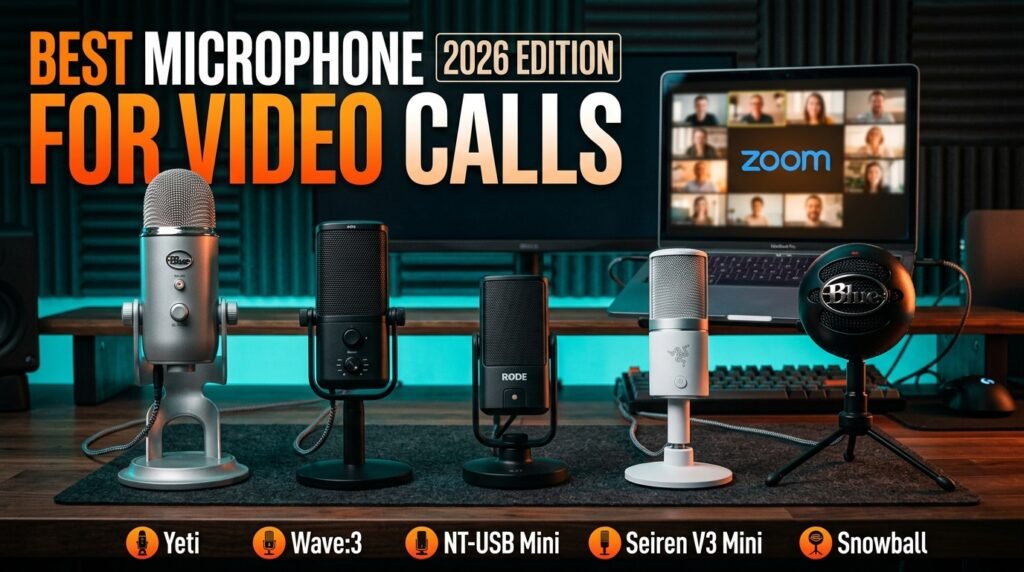
After researching and comparing the USB microphone category specifically for video call clarity — not gaming, not podcasting, not music recording — here is what actually works for home office and remote workers in 2026.
This guide covers five options across every budget, from a $40 compact mic to a $149 premium option, with clear guidance on which fits your situation.
Quick Answer
The Blue Yeti is the best microphone for video calls for most home office users — three condenser capsules, four pickup patterns, onboard volume and mute controls, and audio quality that makes laptop built-ins sound embarrassing by comparison. For users who want the most compact footprint without sacrificing call clarity, the Razer Seiren V3 Mini delivers supercardioid noise rejection in the smallest package on this list.
Why Your Laptop Microphone Is Sabotaging Your Video Calls
The laptop microphone problem isn’t about volume — it’s about distance, directionality, and sensitivity. Built-in laptop microphones sit 18-24 inches from your mouth when the laptop is on a desk in a natural working position. At that distance, they pick up as much room reflection as direct voice — producing the hollow, echoey quality that makes speakers sound distant and unprofessional on calls.
The directionality problem compounds this. Laptop microphones typically use omnidirectional capsules — they pick up equally from all directions, which means keyboard clicks, fan noise, and ambient room sound arrive at the microphone with nearly the same sensitivity as your voice. A dedicated desk microphone with a cardioid or supercardioid pickup pattern focuses capture directly in front of the microphone while rejecting sound from the sides and rear — your voice comes through clearly, your keyboard doesn’t.
The counterintuitive point: AI noise cancellation in Zoom, Teams, and Google Meet has improved significantly in 2025-2026, but it’s not a substitute for a good microphone. AI noise cancellation processes audio after it’s captured — it can reduce steady-state background noise but it can’t restore vocal clarity that was never captured in the first place. A good microphone plus AI noise cancellation sounds substantially better than AI noise cancellation alone on a laptop microphone.
Real-world scenario: a consultant who runs 6-8 video calls per day invested $99 in a Blue Yeti — clients immediately started commenting that she sounded “much clearer” and asking what microphone she was using. The microphone cost less than one billable hour and created a measurable perception improvement that compounds over every subsequent call.
For context on the complete home office audio and video setup, see our guide on the best webcam for home office — audio and video improvements compound together more effectively than either alone.
Cardioid vs Supercardioid — The Pickup Pattern That Matters for Calls
Most USB microphones list a pickup pattern in their specifications — and for video call use, this specification matters more than almost any other feature.
Cardioid is the standard pattern for desk microphones. It captures a heart-shaped zone in front of the microphone with moderate rejection of sound from the sides and strong rejection from directly behind. For a typical home office desk setup — microphone positioned in front of the keyboard, speaker sitting 8-12 inches away — cardioid captures voice clearly while reducing keyboard and desk noise. The Blue Yeti and Elgato Wave:3 use cardioid as their primary pattern.
Supercardioid has a narrower front capture zone and stronger side rejection than cardioid, at the cost of a small lobe of sensitivity directly behind the microphone. For video calls specifically, supercardioid is often more effective — it requires more precise microphone positioning toward your mouth but rejects mechanical keyboard sound and open-plan office noise more aggressively. The Razer Seiren V3 Mini and Rode NT-USB Mini use supercardioid patterns.
Omnidirectional captures equally from all directions — useful for conference room speakerphones but counterproductive for a single-person desk microphone in any environment with background noise. Avoid omnidirectional patterns for individual video call use.
Bidirectional captures from front and rear simultaneously — designed for two people sharing a microphone in an interview setup. Not relevant for solo video calls.
The practical takeaway: for a home office with occasional keyboard noise and mild room reflections, cardioid is sufficient and easier to position correctly. For open-plan environments, mechanical keyboards, or rooms with significant echo, supercardioid’s tighter rejection pattern produces cleaner call audio.
For a broader look at home office audio and productivity setups, see our guide on the best USB microphone for desk — it covers boom arm mounting, acoustic treatment basics, and the accessories that improve microphone performance.
The 5 Best Microphones for Video Calls in 2026
1. Blue Yeti USB Microphone — Best Overall (~$99-129)
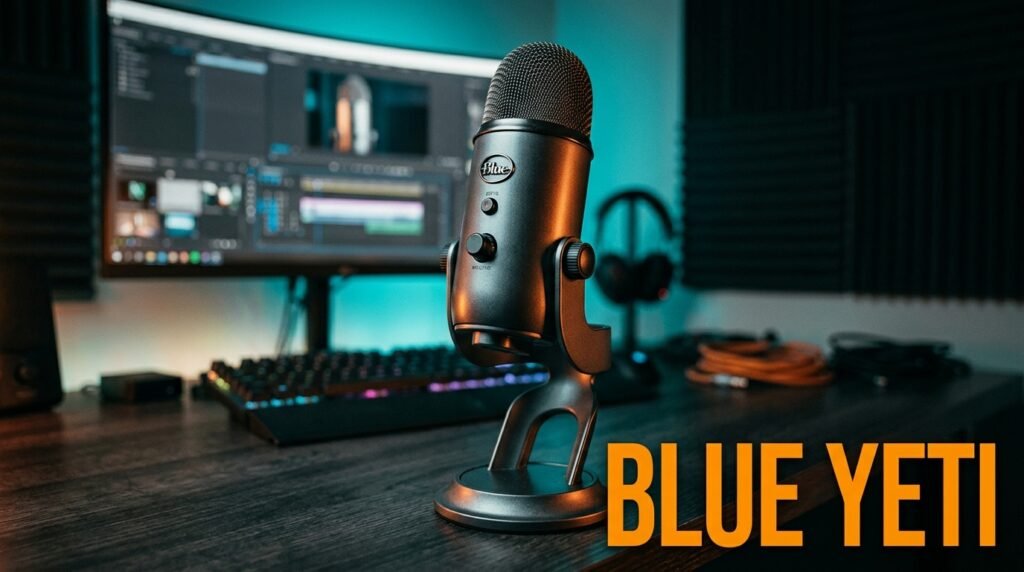
The Blue Yeti has been the default recommendation for USB microphone quality for over a decade — and it remains the best overall choice for video calls in 2026 because nothing at this price point matches its combination of audio quality, control accessibility, and versatility. Three condenser capsules with four switchable pickup patterns (cardioid, bidirectional, omnidirectional, stereo), onboard gain control, headphone monitoring jack for zero-latency playback, and a mute button directly on the front of the microphone body.
For video calls specifically, the cardioid pattern with the gain set conservatively at 60-70% produces voice clarity that makes every other person on the call sound like they’re using a tin can. The onboard mute button is the feature that daily call users appreciate most — a physical mute you can tap without clicking through Zoom’s interface during a call.
Real-world detail: the Blue Yeti connects via micro-USB, which is the one legitimate criticism in 2026 — it’s an older connector that requires the included cable. The audio quality justifies the inconvenience for most users.
Pros: Three capsules, four polar patterns, onboard gain and mute, headphone monitoring, best call clarity in the category, extensive community support for troubleshooting. Cons: Micro-USB connector (older standard), larger desk footprint than compact alternatives, heavier than travel-friendly options, overkill features for users who only need cardioid.
2. Elgato Wave:3 USB Microphone — Best for Zoom Power Users (~$149)
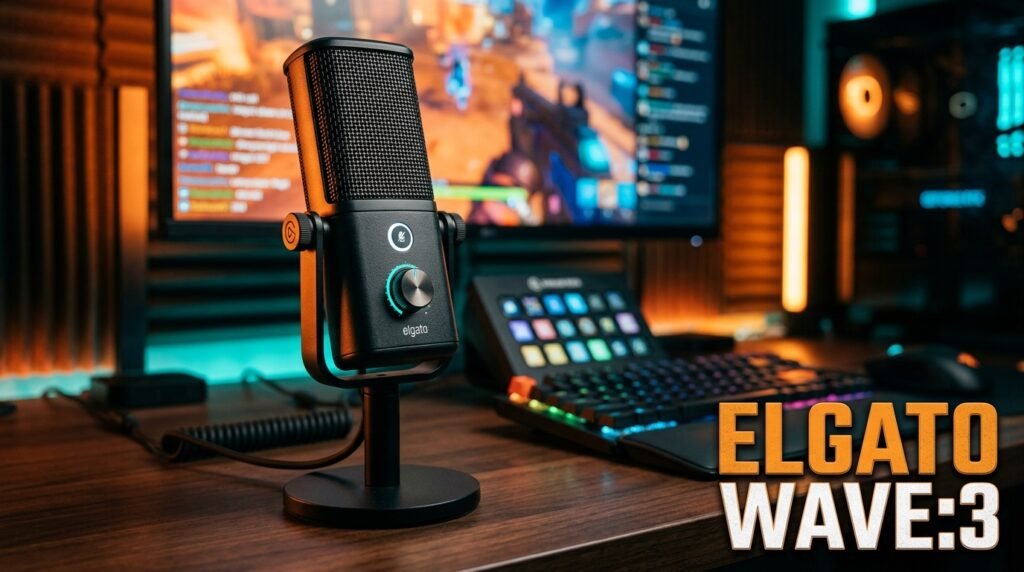
The Elgato Wave:3 is the premium recommendation for home office workers who want the most complete video call audio solution available. The dual-capsule Clipguard technology is the standout feature — it runs a second capsule at a lower gain simultaneously, automatically switching to it if your voice peaks (during laughter, raised voice, or close-proximity speaking) to prevent clipping distortion. It’s a problem most microphone reviews don’t discuss because it requires triggering to notice, but clipping distortion on a video call is the worst possible audio artifact and the Wave:3 eliminates it entirely.
Wave Link software allows precise control of microphone gain, monitoring mix, and application-specific audio routing from the desktop — meaningful for users running multiple audio sources simultaneously. Capacitive mute button, physical dial for gain and monitoring blend, USB-C connection, cardioid pattern with 96kHz/24-bit audio resolution.
Pros: Clipguard anti-distortion dual-capsule, USB-C, Wave Link software depth, capacitive mute, 96kHz/24-bit resolution, best anti-clipping protection available in USB microphones. Cons: $149 is the highest price on this list, cardioid-only (no polar pattern switching), Wave Link software adds complexity for users who just want plug-and-play.
3. Rode NT-USB Mini — Best Compact Premium Option (~$99)
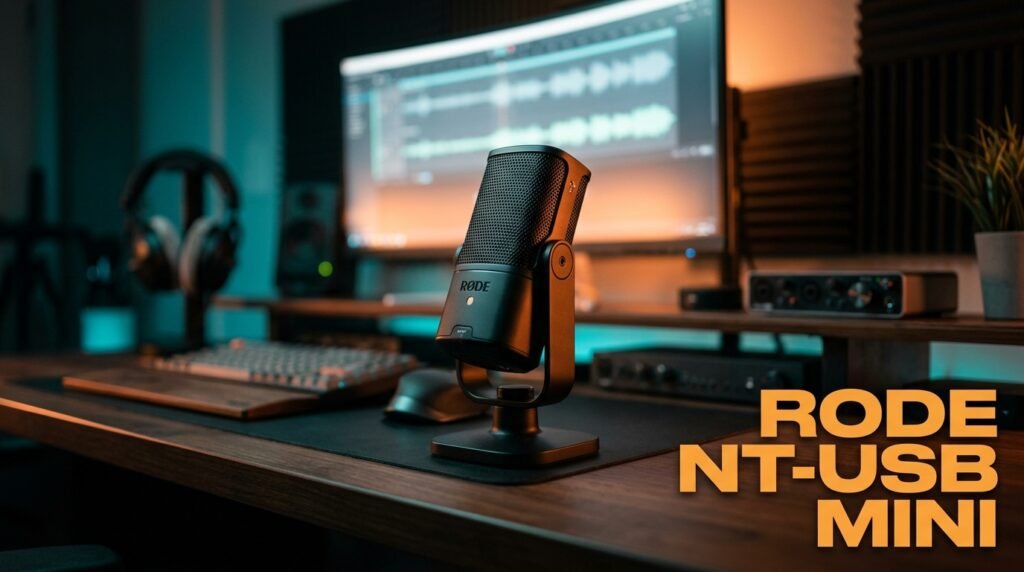
The Rode NT-USB Mini is the recommendation for users who want broadcast-quality call audio in a compact, desk-friendly form factor. Studio-grade condenser capsule with supercardioid pattern, integrated pop shield built into the capsule housing, magnetic desktop stand that accepts standard microphone arm threads, and a 3.5mm headphone output for zero-latency monitoring — all in a body smaller than most smartphone speakers.
Rode’s reputation in professional audio is legitimate — the NT-USB Mini uses the same capsule engineering philosophy as their professional studio microphones at a fraction of the price. The integrated pop shield eliminates the plosive consonant distortion (the “pop” on p and b sounds) that makes voices sound harsh on calls without requiring a separate accessory.
Real-world detail: the magnetic mounting system connects to the included stand in 3 seconds and disconnects just as easily for users who want to move the microphone between setups — a small feature that matters for anyone who uses the same microphone for desk calls and portable recording.
Pros: Rode studio capsule engineering, integrated pop shield, magnetic mounting system, supercardioid pattern, 3.5mm monitoring output, compact footprint, USB-C connection. Cons: No onboard mute button (mute through software or in-call controls only), supercardioid requires careful positioning, limited software customization compared to Elgato Wave Link.
4. Razer Seiren V3 Mini — Best Compact Budget Option (~$40-60)
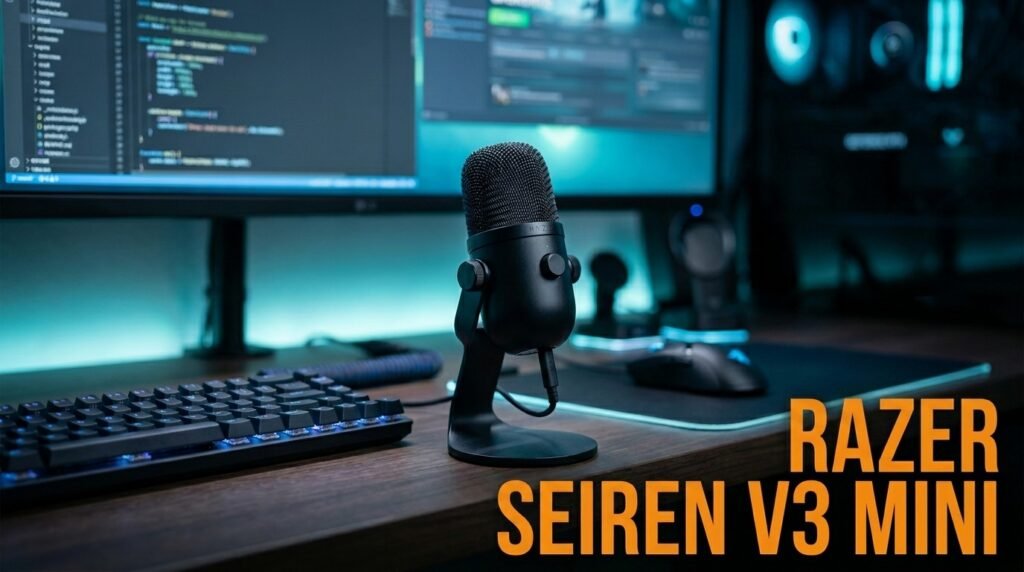
The Razer Seiren V3 Mini is the smallest microphone on this list and the best value for home office workers who want better-than-laptop call quality without taking up meaningful desk space. Supercardioid condenser capsule rejects keyboard noise and side-room sound aggressively, tap-to-mute sensor on the top of the microphone with an LED indicator that turns red when muted (visible in your camera frame so you always know your mute status), and a built-in shock absorber that reduces desk vibration transmission.
At $40-60, the Seiren V3 Mini costs less than half the Blue Yeti and delivers audio quality that’s immediately and obviously better than any laptop or webcam microphone. The supercardioid pickup pattern is a meaningful advantage for mechanical keyboard users specifically — the tight front capture zone ignores most of the side-directed keyboard sound that cardioid microphones pick up.
In our experience, the Seiren V3 Mini is the correct recommendation for anyone whose primary goal is “sound significantly better on calls” rather than “sound like a professional broadcaster.” Those are different bars and the Seiren clears the first one comfortably at the most accessible price.
Pros: Most compact footprint on this list, supercardioid noise rejection, tap-to-mute with LED indicator, built-in shock absorber, USB-C, plug-and-play no driver required, $40-60. Cons: Supercardioid requires more precise positioning than cardioid, no headphone monitoring output, no onboard gain control, Razer Synapse software optional but limited on Mac.
5. Blue Snowball iCE — Best Entry-Level Option (~$40-50)
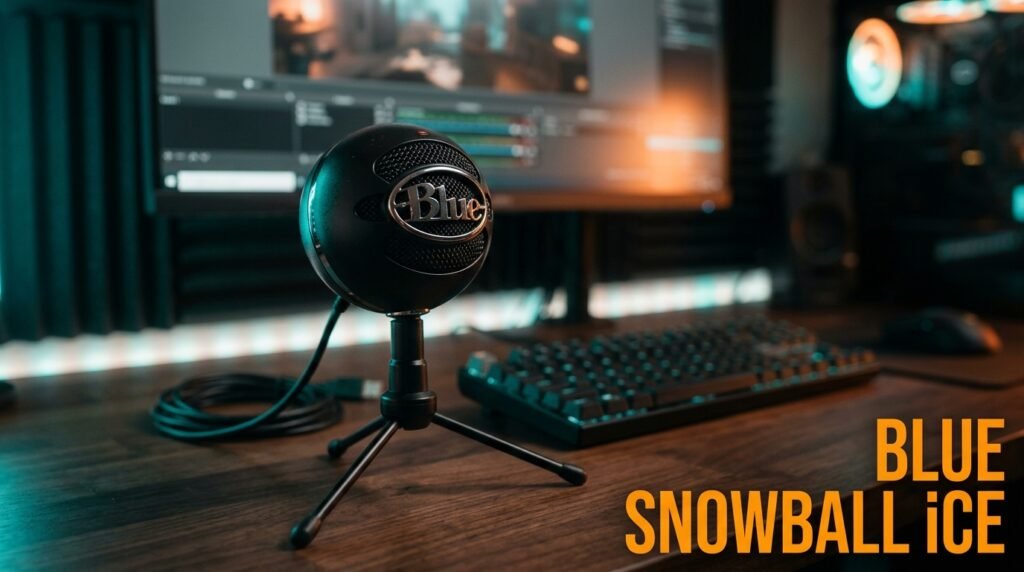
The Blue Snowball iCE is the entry point for home office workers who want USB microphone quality at the lowest justifiable price. Single cardioid condenser capsule, plug-and-play USB-A connection with no driver required, and a compact tripod stand that positions the microphone at a practical desktop angle. At 40g and USB plug-and-play, setup takes 30 seconds.
The honest assessment: the Snowball iCE is not the most impressive microphone on this list, but it’s a specific solution for a specific situation — someone who primarily uses a headset for calls but occasionally needs a desk microphone for presentations, training sessions, or multi-person calls where wearing a headset is impractical. At $40-50, it’s the lowest-friction upgrade from a laptop microphone.
What most reviews won’t tell you: the Snowball iCE’s cardioid pattern is more forgiving to position than supercardioid alternatives at this price — new microphone users who haven’t developed positioning habits benefit from the wider capture zone that doesn’t require precise mouth alignment.
Pros: $40-50 price point, plug-and-play USB-A, no driver required, Blue condenser capsule quality, compact tripod stand included, beginner-friendly cardioid pattern. Cons: No mute button, no headphone monitoring, USB-A only (no USB-C), basic build quality, no polar pattern switching, microUSB connection to base.
Comparison Table
| Product | Price | Pattern | Best For | Rating |
|---|---|---|---|---|
| Blue Yeti | ~$109 | Cardioid/Multi | Best overall call quality | 9.5/10 |
| Elgato Wave:3 | ~$149 | Cardioid | Best anti-clipping premium | 9/10 |
| Rode NT-USB Mini | ~$99 | Supercardioid | Best compact premium | 9/10 |
| Razer Seiren V3 Mini | ~$50 | Supercardioid | Best compact budget | 8.5/10 |
| Blue Snowball iCE | ~$45 | Cardioid | Best entry-level option | 7.5/10 |
What to Look for When Choosing a Microphone for Video Calls
1. USB-C over USB-A or micro-USB USB-C is the modern standard — it’s reversible, more durable over repeated connections, and compatible with current laptop port configurations without adapters. The Elgato Wave:3, Rode NT-USB Mini, and Razer Seiren V3 Mini all use USB-C. The Blue Yeti uses micro-USB (an older standard) and the Snowball iCE uses USB-A. For MacBook users with only USB-C ports, USB-C microphones connect directly without a hub.
2. Onboard mute button — not optional for daily call users Muting through Zoom, Teams, or Meet interface requires multiple clicks during a call. An onboard mute button on the microphone itself produces instant, reliable muting with no software dependency. The Blue Yeti and Razer Seiren V3 Mini both include physical or tap mute controls. The Rode NT-USB Mini and Snowball iCE do not. For users on 6+ calls per day, this is a daily friction point worth prioritizing.
3. Pickup pattern matched to your environment Cardioid for standard home offices with mild background noise and non-mechanical keyboards. Supercardioid for mechanical keyboard users, open-plan environments, or rooms with significant echo. The tighter supercardioid rejection produces cleaner call audio in noisy environments but requires more precise microphone positioning — aim the front of the microphone directly at your mouth within 6-10 inches.
4. Microphone placement — distance and angle Every microphone on this list performs best at 6-12 inches from your mouth, positioned slightly below mouth level and angled upward. This placement reduces plosive consonant distortion and maximizes voice-to-noise ratio. Most users place their microphone too far away (behind the keyboard at 18+ inches) and then complain about poor sound quality — the microphone isn’t the problem. A boom arm allows precise positioning that a desktop stand can’t achieve and is worth the $20-30 investment for daily call users.
5. Software integration for your call platform Most USB microphones work as plug-and-play audio devices in Zoom, Teams, and Google Meet without any additional setup — select the microphone as the audio input source in your call platform settings. Elgato Wave Link provides the deepest software integration for users who want precise gain staging and multi-source audio routing. Razer Synapse adds customization for Seiren users on Windows. For most home office users, no software beyond the call platform is required.
FAQ
Will a USB microphone work with Zoom and Microsoft Teams?
Yes — all USB microphones work as standard audio input devices in any video call platform. Connect the microphone via USB, open your call platform’s audio settings, and select the microphone from the input device list. No additional drivers or software are required for Zoom, Teams, Google Meet, or Webex. The call platform’s AI noise cancellation works with external USB microphones and typically produces better results than with a built-in laptop microphone.
How far should I sit from my desk microphone during video calls?
6-12 inches from your mouth is the optimal range for all cardioid and supercardioid USB microphones. At this distance, your voice arrives at the microphone significantly louder than background noise, producing a favorable signal-to-noise ratio. Sitting further away — the most common microphone placement mistake — forces you to raise the gain to compensate, which amplifies background noise proportionally. If you’re sitting 20+ inches from your microphone, a boom arm that positions it closer to your face is more impactful than upgrading to a more expensive microphone.
Is a headset microphone or a desk microphone better for video calls?
Both produce better results than a laptop built-in, but they serve different preferences. Headset microphones position the capsule 1-3 inches from your mouth regardless of head position — producing consistently clean audio with no positioning variables. Desk microphones require positioning discipline but allow a more natural, hands-free experience without wearing hardware. For users on 8+ hours of daily calls, many prefer desk microphones for comfort. For users in noisy shared environments where isolation is critical, headsets produce more consistent noise rejection.
Do I need a pop filter with a USB microphone for video calls?
The Rode NT-USB Mini includes an integrated pop shield — no additional accessory needed. The Blue Yeti, Elgato Wave:3, and Razer Seiren V3 Mini have built-in pop filtering that handles normal speaking at 6-10 inches adequately. The Blue Snowball iCE has minimal pop filtering — a $10 standalone pop filter improves its performance noticeably on plosive-heavy speakers. For normal conversational speech at appropriate microphone distance, built-in filtering on quality USB microphones is sufficient for video calls.
Our Final Verdict
The best microphone for video calls in 2026 is the Blue Yeti for most home office users — the audio quality improvement over any laptop microphone is immediate and obvious, and the onboard controls make daily call management genuinely easier. The Elgato Wave:3 is the premium choice for power users who want Clipguard anti-distortion protection. The Rode NT-USB Mini delivers broadcast-quality audio in the most compact premium package.
The Razer Seiren V3 Mini is the best value for users who want supercardioid noise rejection at under $60. And the Blue Snowball iCE is the lowest-friction entry-level upgrade from a laptop microphone. Position it correctly, set a conservative gain, and sound like the most prepared person on every call. Check current pricing on Amazon for all five options.