
This article contains affiliate links. We may earn a commission if you buy through our links, at no extra cost to you.
Best Desk Lamp for Home Office in 2026
Bad lighting is the silent productivity killer in most home offices. Eye strain, headaches, and afternoon fatigue are often blamed on screen time — but the real culprit is the contrast between a bright monitor and an inadequately lit workspace. The best desk lamp for home office setups eliminates that contrast, reduces eye fatigue over long work sessions, and gives you control over color temperature as natural light changes throughout the day. After researching and comparing dozens of options across every price point and design category, here is what actually works for remote workers and professionals who spend 6–10 hours daily at a desk.
This guide covers four distinct solutions — from monitor-mounted light bars to traditional task lamps — matched to different desk setups, budgets, and working styles.
Quick Answer: The BenQ ScreenBar is the best desk lamp for home office setups with a monitor — it mounts directly on the screen, illuminates the desk without glare, and takes up zero desk space. For setups without a monitor or for users who need a traditional task lamp, the Lepro LED Desk Lamp delivers excellent light quality at a fraction of the price of premium alternatives.
Why Your Desk Lighting Is Probably Wrong

Most home office workers underestimate how much their lighting affects their workday. The typical setup — a ceiling light overhead and a bright monitor — creates two problems simultaneously: the ceiling light casts shadows on the work surface, and the contrast between the bright screen and the darker surrounding area forces your eyes to constantly readjust. After 4–5 hours, that readjustment fatigue shows up as headaches, dry eyes, and difficulty concentrating.
The fix isn’t just more light. It’s light in the right position, at the right color temperature, at the right intensity for the task. A properly positioned desk lamp illuminates the work surface without creating glare on the monitor screen. Color temperature — measured in Kelvin — matters more than most people realize: cool white light (5000–6500K) promotes alertness and focus during the morning, while warmer light (2700–3500K) reduces eye strain during afternoon and evening hours.
The counterintuitive point: a dimmer, warmer lamp often produces better afternoon work performance than a bright cool-white one. Most people instinctively reach for maximum brightness when they feel their eyes tiring — but tired eyes from contrast fatigue respond better to reducing the brightness differential between screen and workspace, not flooding the desk with harsh light.
For the desk accessories that complement good lighting, see our guide on best desk mat for home office — a quality desk mat reduces surface glare and anchors the visual workspace that good lighting creates.
Monitor Light Bars vs Traditional Desk Lamps
The most important decision before buying a desk lamp is choosing the right form factor for your setup. These are fundamentally different products that solve different problems.
Monitor light bars mount on top of your monitor and direct light downward onto the desk surface using asymmetric optics — light goes to the workspace, not toward the screen. They take up zero desk space, eliminate the most common source of monitor glare (a lamp placed too far forward), and power via USB from the monitor itself. The limitation is that they require a monitor to mount on — laptops, standing desks without monitors, and multi-screen setups may not accommodate them cleanly.
Traditional task lamps sit on the desk surface on a base or clamp to the edge. They offer more flexible positioning, work with any desk configuration, and typically cost less than premium monitor light bars. The trade-off is desk footprint and the risk of incorrect positioning creating monitor glare if placed too far forward or at the wrong angle.
In our experience, anyone with a single external monitor should strongly consider a monitor light bar before a traditional lamp — the zero-footprint installation and purpose-built optics are a genuine advantage over traditional lamps in that specific setup. For everyone else, a quality task lamp is the right call.
The 4 Best Desk Lamps for Home Office in 2026
1. BenQ ScreenBar — Best Monitor Light Bar (~$109)
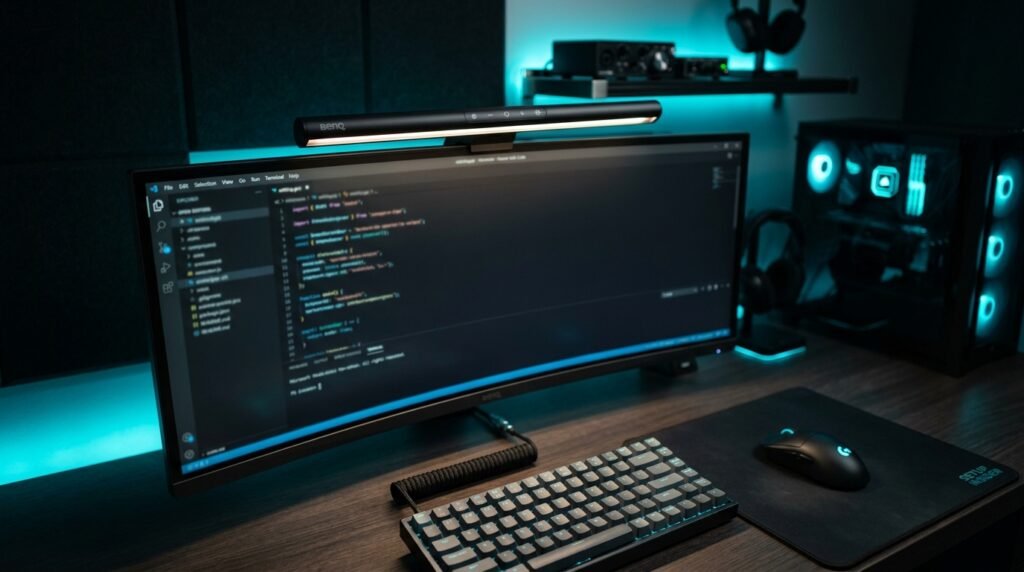
The BenQ ScreenBar is the monitor light bar that defined the category — BenQ invented the form factor in 2017 and the ScreenBar remains the benchmark against which every competitor is measured. The asymmetric optical design directs light exclusively downward onto the desk, with the lamp angled to prevent any light from reaching the monitor surface and causing glare. The result is a well-lit workspace with zero screen glare — a combination that traditional desk lamps positioned incorrectly consistently fail to achieve.
Auto-dimming via a built-in ambient light sensor adjusts brightness automatically as room lighting changes throughout the day. Color temperature adjusts from 2700K (warm) to 6500K (cool daylight) in 8 steps via touch controls on the top of the lamp. It powers directly from a USB port on the monitor — no outlet required, no extra cable running to a wall socket.
A developer working 10-hour days at a dark desk who switched from a traditional lamp to the ScreenBar reported eliminating his afternoon headaches within the first week — the combination of consistent illumination and zero monitor glare removed the contrast fatigue his previous setup was causing.
Pros: Zero desk footprint, asymmetric optics eliminate monitor glare, auto-dimming, USB-powered from monitor, 2700K–6500K range, no-tool installation in 30 seconds. Cons: Requires a monitor with accessible top edge, touch controls only (no remote), no backlight for ambient glow, $109 price point above budget alternatives.
2. BenQ ScreenBar Pro — Best Premium Monitor Light Bar (~$179)
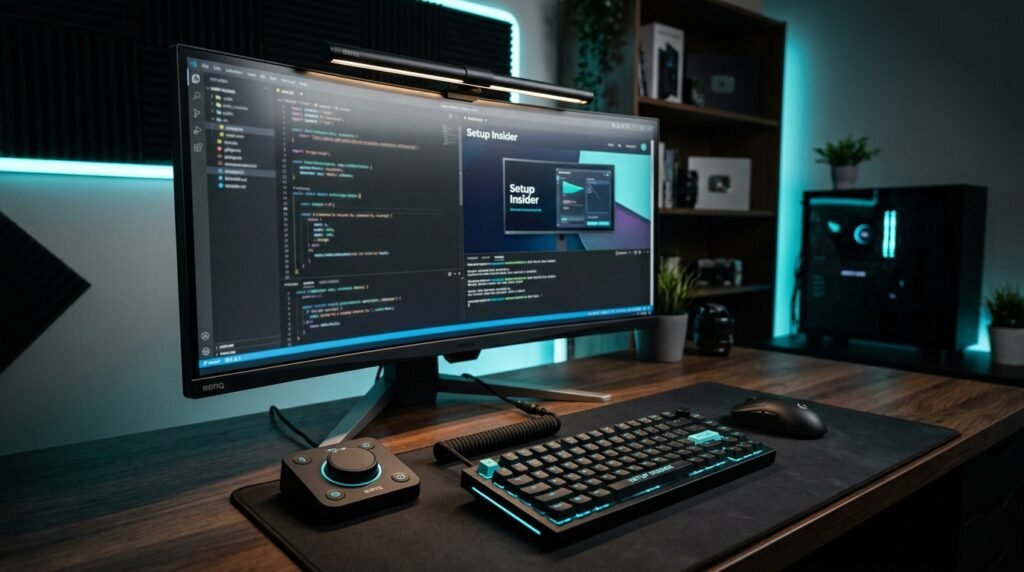
The BenQ ScreenBar Pro takes everything the original ScreenBar does and adds the two features that make it worth the $70 premium for serious home office users: a wireless desk controller and an ultrasonic motion sensor. The wireless controller sits on the desk and adjusts brightness, color temperature, and auto-dimming mode without touching the lamp — particularly useful in the middle of a video call when you need to quickly adjust lighting without reaching across the monitor.
The motion sensor detects presence within 23.6 inches and automatically turns the lamp on when you sit down and off when you leave — a small convenience that becomes genuinely useful over months of daily use. Illumination coverage expands to 33×20 inches at 500 lux, outperforming most traditional desk lamps in raw light distribution.
What most reviews won’t tell you is that the wireless controller is the real differentiator — not the motion sensor or the extra brightness. Men who use keyboard shortcuts and voice commands for everything find the physical dial controller a faster, more intuitive lighting adjustment than any touch interface.
Pros: Wireless desk controller, motion sensor auto-on/off, 1000lx peak brightness, ultrawide 33×20″ coverage, USB-C powered, fits curved monitors. Cons: $179 is a significant investment for a desk lamp, wireless controller requires separate desk space, diminishing returns versus original ScreenBar for casual users.
3. Lepro LED Desk Lamp — Best Traditional Task Lamp (~$35–40)
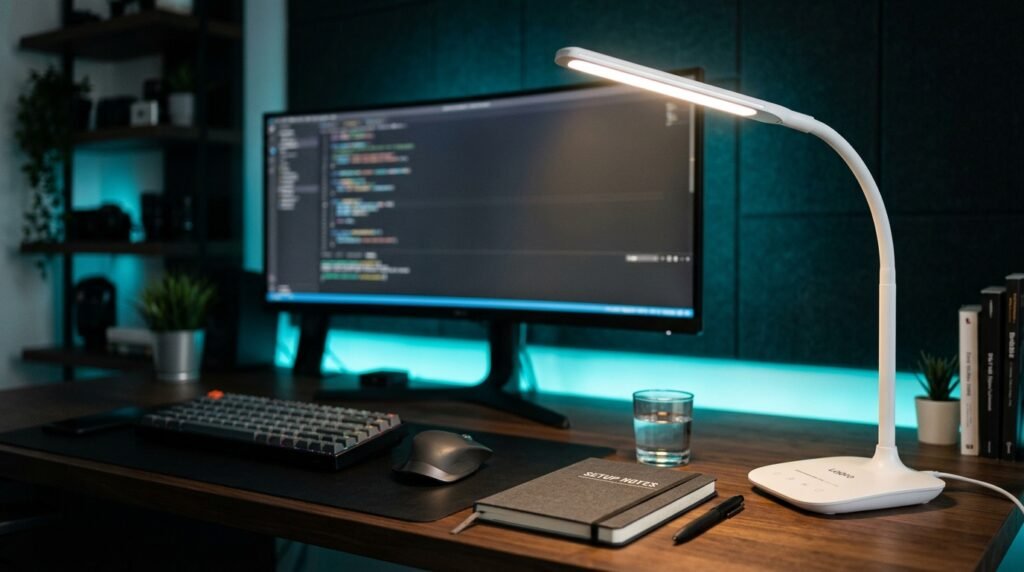
The Lepro LED Desk Lamp is the traditional task lamp recommendation for home office setups that don’t have a monitor to mount a light bar on — or for users who want a secondary light source alongside their monitor lamp. At 9.5W and 800 lumens with a metal construction and weighted base, it punches significantly above its price point in build quality and light output.
Five color modes (2700K, 3200K, 4000K, 5000K, 6500K) and five brightness levels give 25 possible combinations — more granular control than most lamps at twice the price. Forbes Vetted named it the best task lamp in its category. The metal arm and base feel substantially more premium than the plastic-heavy competition at this price range. Memory function retains your last-used brightness and color settings when powered off.
The honest truth about the Lepro is that it’s one of those products where the price-to-quality ratio is almost suspicious. At $35–40 for a metal-construction lamp with genuine color temperature range and a CRI of 85, it costs less than a single month of a premium monitor light bar subscription service — and delivers 90% of the lighting quality.
Pros: Metal construction, 800lm at 9.5W, 5×5 color/brightness combinations, memory function, CRI 85, Forbes Vetted, affordable at $35–40. Cons: Cord-based (no USB-C or battery option), white colorway only in this model, base requires desk footprint, no auto-dimming sensor.
4. LEPOWER Desk Lamp — Best Budget Gooseneck (~$25–30)
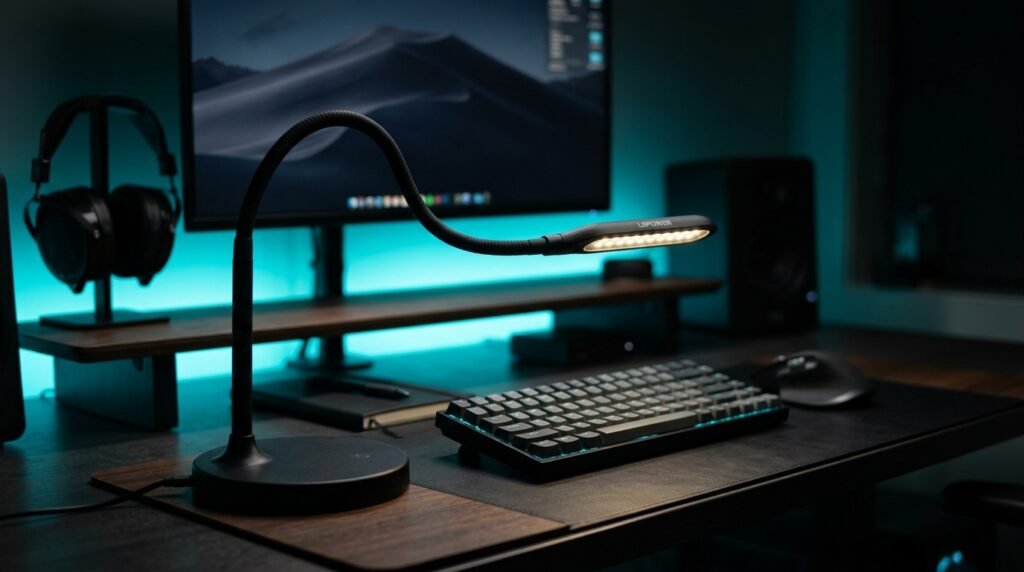
The LEPOWER Desk Lamp is the recommendation for users who need maximum positioning flexibility at minimum cost. The gooseneck arm bends and holds position at any angle — useful for illuminating a physical notebook, a second surface beside the monitor, or a keyboard that a fixed-arm lamp can’t reach without repositioning the base. At 800 lumens from a 12W LED with 50 lighting modes, it delivers more raw brightness than the Lepro at a lower price.
The gooseneck flexibility is the defining feature here. A writer who alternates between typing and handwritten notes can position the LEPOWER to illuminate the notebook without moving the lamp base — something a fixed-arm lamp requires physical repositioning to achieve. The touch control interface cycles through modes intuitively, and the black finish works cleanly in most home office aesthetics.
At $25–30, it’s the entry point on this list. Build quality is noticeably more plastic than the Lepro — the gooseneck arm is functional rather than premium. For users who need flexibility over aesthetics, that trade-off is worth it.
Pros: Fully flexible gooseneck for any angle, 800lm from 12W, 50 lighting modes, touch control, black finish, most affordable option on the list. Cons: Plastic construction less premium than metal alternatives, gooseneck can loosen slightly over time with frequent repositioning, no memory function, no USB charging port.
Comparison Table
| Product | Price | Best For | Rating |
|---|---|---|---|
| BenQ ScreenBar | ~$109 | Best monitor light bar overall | 9.5/10 |
| BenQ ScreenBar Pro | ~$179 | Best premium with wireless control | 9/10 |
| Lepro LED Desk Lamp | ~$35–40 | Best traditional task lamp | 9/10 |
| LEPOWER Desk Lamp | ~$25–30 | Best budget gooseneck | 8/10 |
What to Look for When Choosing a Desk Lamp for Home Office
1. Form factor matched to your setup Monitor light bar if you have a single external monitor with an accessible top edge — the zero-footprint installation and glare-free optics are worth the premium. Traditional task lamp if you work from a laptop without an external monitor, have multiple monitors, or need a secondary light source for a specific area of the desk. Getting this decision right matters more than any specific product feature.
2. Color temperature range A desk lamp for home office use needs at minimum two temperature settings: a cool daylight option (5000K+) for morning focus work and a warm option (3000K or below) for afternoon and evening sessions when eye strain becomes a factor. Single-temperature lamps — common in budget options — force you into a compromise that works adequately at one time of day and poorly at another. All four lamps on this list offer adjustable color temperature.
3. Brightness in lumens, not watts Wattage measures energy consumption, not light output. A quality 9.5W LED at 800 lumens outperforms a poorly engineered 15W lamp at 600 lumens. For a home office desk lamp, 600–800 lumens is the practical sweet spot for task lighting — bright enough for detailed work without creating the harsh contrast that causes eye fatigue. Check lumens on the spec sheet rather than defaulting to wattage as a brightness proxy.
4. Glare management A desk lamp positioned incorrectly — too far forward, angled toward the monitor — creates more eye strain than it solves. Monitor light bars solve this problem mechanically through asymmetric optics. Traditional task lamps require conscious positioning: behind and to the side of the monitor, angled to illuminate the work surface rather than the screen. If you’re regularly adjusting a traditional lamp because of screen glare, a monitor light bar is a better long-term solution.
5. Build quality for longevity A desk lamp runs 6–10 hours daily in a home office — the equivalent of 2,000+ hours per year. Metal construction (Lepro) maintains structural integrity and positioning over years of daily use. Plastic goosenecks (LEPOWER) are functional but may loosen at pivot points after 12–18 months of frequent repositioning. For a lamp that will stay in one position permanently, plastic construction is adequate. For frequent repositioning, metal is worth the extra cost.
FAQ
Are monitor light bars better than desk lamps for home office?
For setups with a single external monitor, yes — monitor light bars like the BenQ ScreenBar eliminate the most common source of desk lamp failure (monitor glare) through purpose-built asymmetric optics, take up zero desk space, and power via USB without a separate outlet. For laptop-only setups, multiple monitor setups, or users who need to illuminate specific areas of a large desk, a traditional task lamp provides more flexibility.
What color temperature is best for a home office desk lamp?
5000–6500K (cool daylight) for morning and midday focus work — it mimics natural daylight and supports alertness. 3000–3500K (warm white) for afternoon and evening sessions when reducing eye strain takes priority over maximum alertness. The most practical desk lamps offer at least these two ranges; the BenQ ScreenBar and Lepro both cover 2700K–6500K continuously.
How bright should a desk lamp be for computer work?
600–800 lumens is the practical range for home office task lighting. Brighter than 800 lumens can create harsh contrast with a dimmer monitor — particularly in the evening. Below 500 lumens is insufficient for detailed paper-based work or low-light rooms. The goal is matching the desk lamp brightness to the monitor brightness, not maximizing raw light output.
Do I need a separate desk lamp if I have good overhead lighting?
Overhead lighting — ceiling fixtures and recessed lights — illuminates a room but typically fails at task lighting for two reasons: it casts downward shadows from your hands and head onto the work surface, and it doesn’t provide directional light for the specific area where you’re working. A dedicated desk lamp fills those shadows and allows precise brightness control independently of room lighting. Most home office setups benefit from both ambient overhead lighting and a dedicated task lamp.
Our Final Verdict
The best desk lamp for home office use depends on one decision: do you have a monitor to mount a light bar on? If yes, the BenQ ScreenBar is the clearest recommendation on this list — the zero-footprint installation, glare-free optics, and auto-dimming make it the most functional home office lighting upgrade available at its price. Power users who want wireless control and motion sensing should step up to the BenQ ScreenBar Pro.
For traditional task lamp setups, the Lepro LED Desk Lamp delivers metal construction and genuine color temperature control at a price that makes the decision easy. Flexible positioning at minimum cost points to the LEPOWER Desk Lamp. Check current pricing on Amazon for all four options in this guide.