
This article contains affiliate links. We may earn a commission if you buy through our links, at no extra cost to you.
A headphone stand protects the headband, not the earpads — and that single distinction decides which one you should buy. The best headphone stand has a yoke wide enough to spread the headband’s weight instead of denting it at one point, which is why a $12 under-desk hook can outperform a $40 desktop tower.
The second question is where the stand lives. A desktop stand permanently occupies about 4 by 4 inches of desk to store something you’re wearing most of the day, while an under-desk mount occupies nothing you were using.
After comparing yoke widths, mounting methods, load ratings and the complaints owners repeat across hundreds of listings, four stands cover the four situations: a desk with room to show the headphones off, a desk that needs charging ports, a desk with no surface to spare, and a budget under $15.
Quick Answer
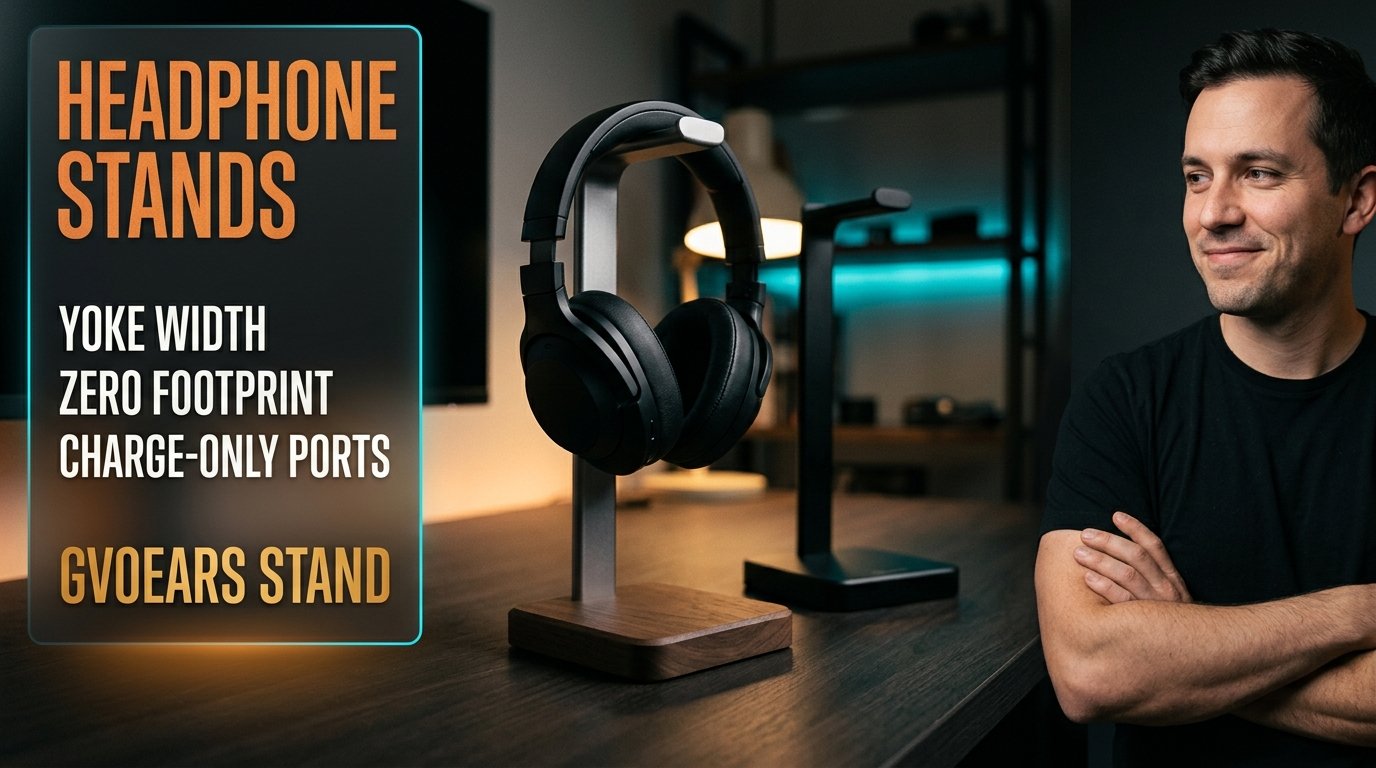
The GVOEARS Headphone Stand is the best headphone stand for most desks — an aluminum rod on a wooden base that looks like furniture rather than gaming gear, at around $20. For charging, the New Bee RGB Stand adds USB-C and USB ports, the 6amLifestyle Under-Desk Clamp holds two headsets at 11 lb capacity without using desk space, and the Under Desk Headphone Hook costs around $12 and needs no tools.
What a Stand Actually Protects
The headband is the part that fails, and a stand exists to spread its weight across a wide curve rather than a single point.
Hang a 340g headset on a narrow hook or the sharp edge of a monitor and all that mass presses into one spot on the padding. Over months that spot compresses and the padding stops recovering. A proper yoke distributes the same load across two or three inches of contact.
Earpads age from skin oils and friction, not from storage, so no stand saves them. Anyone selling you a stand on pad preservation is selling a benefit it doesn’t deliver.
If your headset is a 400g gaming model with a suspension band, yoke width matters more than anything else on the spec sheet. A narrow metal hook under a heavy headset is the one combination worth avoiding — our remote work headset picks cover which models carry that weight.
Desktop Stands Cost Desk Space to Save It
A desktop stand claims roughly 4 by 4 inches of permanent desk area to hold something that spends most of the day on your head.
That trade makes sense when the headphones are a display piece — a wooden-base stand beside a monitor reads as intentional, and some people want that. It makes much less sense on a 100cm desk already holding a keyboard, a mouse, a mug and a notebook.
Under-desk mounts invert the math completely. The space beneath a desk edge was doing nothing, and a clamp or hook there stores the headset exactly where your hand drops when you take it off.
Picture a desk with a monitor arm clamped at the back edge and a laptop dock on the left. There is no 4-inch square left for a tower, and that constraint — not aesthetics — is why under-desk mounts outsell desktop stands among people with small desks. We’d put the hook under the desk and spend the saved money on better cable routing.
The USB Ports Are Usually Charge-Only
Headphone stands with USB ports almost always provide power, not data, and the listings rarely say so plainly.
That distinction matters if you expected to plug a USB dongle or a flash drive into the stand. A charge-only port delivers current and nothing else, so a wireless receiver plugged into it simply won’t be seen by the computer. The New Bee stand’s ports are charging ports, and they’re genuinely useful for a phone or a wireless headset — just not as a hub.
If you want a real hub on your desk, buy a hub. A stand with ports is a convenience for charging the thing sitting on it, not a replacement for a powered USB hub.
RGB is the other feature in this category, and it’s honest about what it is. Seven light modes change nothing functional. If your desk already runs cyan accent lighting it’ll look consistent; if it doesn’t, you’re paying roughly $10 extra for something you’ll switch off in week two.
Clamp, Adhesive or Freestanding: Your Desk Decides
Desk thickness and underside texture rule out more mounting options than preference does.
Clamp mounts need an edge roughly 0.4 to 1.5 inches thick with clear access underneath. A desk with a reinforcing rail along the front edge, a thick solid-wood top, or a drawer immediately below rules the clamp out before you’ve considered the product.
Adhesive mounts need a smooth, sealed underside. Raw particleboard and textured laminate are where 3M-style pads fail — not immediately, but three weeks later when a 350g headset drops onto your knee. Wipe the surface with alcohol, press for 30 seconds and leave it 24 hours before loading it.
Freestanding stands work on literally any desk, including glass, which is the reason they still sell despite the footprint. If your desk is tempered glass or has a front rail, the decision is already made for you.
Why Cheap Stands Tip Over
A light stand under a heavy headset tips when the cable is tugged, and the failure is the base, not the pole.
Wired headphones make this worse. A cable running from the stand down to a desktop tower creates a lever every time you roll your chair back, and a stand weighing less than the headset on top of it goes over. The fix is base mass and footprint width, not a taller pole.
The GVOEARS approach — a wooden plate rather than a thin metal disc — adds the weight low where it counts. Stands with light plastic bases and anti-slip rubber rings rely on friction instead, and friction loses to a sideways pull.
If your headphones are wired and the cable routes off the desk edge, clip it to the desk rather than letting it hang from the stand. Our cable management guide covers the clips that make this a non-issue.
Headphone Stands Compared
| Product | Price | Best For | Rating |
|---|---|---|---|
| GVOEARS Headphone Stand | ~$20 | Most desks | 8.8/10 |
| New Bee RGB Stand | ~$30 | Charging ports | 8.4/10 |
| 6amLifestyle Under-Desk Clamp | ~$20 | Two headsets, no desk space | 8.9/10 |
| Under Desk Headphone Hook | ~$12 | Tight budgets | 8.1/10 |
Detailed Reviews
GVOEARS Headphone Stand — Best Overall
An aluminum support rod on a wooden base is a deliberately boring combination, and it’s the right one at around $20. The wood puts mass low in the structure where it resists tipping, and the finish reads as a desk object rather than gaming hardware — which matters if the desk appears on video calls.
If your headset is a 340g over-ear model and the cable routes off the right side of the desk, a weighted base is what stops the whole thing going over when you roll back in your chair.
The limitation is footprint. This occupies roughly a 4-inch square permanently, and on a crowded 100cm desk that square is expensive. There’s also no cable management built in, so a wired headset leaves a loop hanging. We’d still pick it over any RGB tower at the same price: the wooden base does a structural job that a light plastic one doesn’t.
Best for: a desk with surface to spare where the headphones double as a display piece.
Real-world detail: the wooden support plate adds mass at the base rather than the top, which is what determines whether a stand tips under a cable pull.
Pros: around $20, weighted wooden base, neutral appearance, wide yoke, works on any desk including glass.
Cons: permanent 4-inch footprint, no cable management, no ports.
New Bee RGB Stand — Best With Charging Ports
Two things justify the roughly $30 here: an aluminum body and the pair of charging ports, one USB-C and one USB-A, built into the base. For a wireless headset that charges over USB-C, that turns the stand into the place the headset both rests and refills, which removes a cable from the desk entirely.
Consider a setup where a wireless headset gets used in two-hour blocks between calls. Dropping it onto a stand that charges it means the battery is never the reason you switch to the backup pair.
Two caveats are worth stating plainly. The ports are charging ports, not a data hub, so a wireless dongle plugged in there will not be detected by your PC. And the seven RGB light modes are decoration — genuinely fine if your desk already runs accent lighting, and roughly $10 of the price if it doesn’t. The non-slip rubber base relies on friction rather than mass, so a hard cable tug can still move it.
Best for: wireless headsets that charge over USB-C, on desks that already have RGB lighting.
Real-world detail: the USB ports supply power only, so a wireless receiver plugged into the stand will not be recognized by the computer.
Pros: USB-C and USB-A charging ports, aluminum build, seven light modes, around $30.
Cons: charge-only ports, friction base rather than weighted, RGB adds cost you may not want.
6amLifestyle Under-Desk Clamp — Best Space Saver
Eleven pounds of load capacity across two rotatable arms is the spec that makes this the pick for anyone with two headsets. It clamps to the desk edge, costs no surface area at all, and the arms swing out of the way when you’re not using them — so nothing protrudes into your knees during the workday.
If you keep a wired gaming headset and a wireless office pair, this is the mount that stores both within arm’s reach of where you actually sit, instead of one on the desk and one in a drawer.
The constraint is the desk edge. A clamp needs roughly 0.4 to 1.5 inches of thickness with clear access underneath, which rules out desks with a front reinforcing rail, a drawer directly below, or a very thick solid top. Measure before ordering. Aluminum construction means it survives the 11 lb rating comfortably, and at around $20 it costs the same as a desktop stand while giving back the desk space.
Best for: two-headset desks with a standard-thickness edge and nothing mounted underneath.
Real-world detail: rated to 11 lb across both arms, which is several times the weight of any pair of consumer headphones.
Pros: zero desk footprint, holds two headsets, 11 lb rating, rotatable arms fold away, around $20.
Cons: needs a 0.4–1.5 inch desk edge, blocked by front rails or drawers, not an option on glass with thick edging.
Under Desk Headphone Hook — Best Budget Pick
No drill, no clamp, no tools — this adhesive hook mounts to the underside of a desk in about a minute and costs around $12. For a single headset it does the whole job a $40 tower does, in a place that was empty anyway.
If you rent and drilling is off the table, or your desk edge is the wrong thickness for a clamp, adhesive is the only under-desk option left and this is the cheap version of it.
The failure mode is the surface, not the hook. Adhesive pads need a smooth, sealed underside; raw particleboard and heavily textured laminate are where they let go, usually weeks later rather than immediately. Clean the spot with alcohol, press firmly for 30 seconds and give it a full 24 hours before hanging anything. The hook is also narrower than a proper yoke, so with a heavy 400g headset the contact point is less spread than a desktop stand would give. For a 250g pair it’s irrelevant.
Best for: renters, single headsets, and desks where a clamp won’t fit.
Real-world detail: adhesive mounts need 24 hours to cure before taking load, and fail on raw particleboard rather than on sealed surfaces.
Pros: around $12, no tools, zero desk footprint, works where clamps don’t.
Cons: narrow contact point, needs a smooth underside, not removable without residue.
What to Look for When Choosing a Headphone Stand
- Measure your desk edge before anything else. Clamps need roughly 0.4 to 1.5 inches of thickness with clear access underneath; adhesive needs a smooth, sealed surface. A front reinforcing rail or a drawer below eliminates both, and that leaves a freestanding stand as the only option.
- Check the yoke width against your headphone weight. A 400g headset on a narrow hook concentrates load at one point on the headband. Wide curved yokes spread it. Below about 250g the difference stops mattering.
- Weigh the base, not the pole. Stands tip when a cable is tugged sideways, and mass low in the structure resists that better than a tall aluminum post with a thin disc underneath. A wooden or steel plate beats rubber friction.
- Treat USB ports as charging, not connectivity. Ports on these stands supply power; they are not data hubs, and a dongle plugged into one will not be seen by your computer. Buy a real hub if that’s what you need.
- Decide whether the headphones are decor. A desktop stand costs about 4 by 4 inches permanently. That’s worth paying if you want the headphones visible, and a straightforward waste if you don’t.
FAQ
Do headphone stands actually prevent damage?
Headphone stands protect the headband by spreading its weight across a wide curve instead of a single pressure point, which matters most on headsets over about 300g. They do not preserve earpads, which degrade from skin oils and friction during use rather than from storage.
Is an under-desk headphone mount better than a desktop stand?
An under-desk mount is better when desk space is limited, because it uses area that was already empty and keeps the headset within reach. A desktop stand is better on glass desks, desks with front rails or drawers that block a clamp, and when you want the headphones visible.
Can you hang headphones on a monitor?
You can, but the top edge of a monitor is a narrow contact point that concentrates the headband’s full weight in one spot. On a heavy headset that compresses the padding over months, which is the exact problem a wide-yoke stand is designed to avoid.
Do USB ports on headphone stands transfer data?
Usually not. Ports on headphone stands are typically charge-only, supplying power without a data connection, so a wireless dongle or flash drive plugged into one will not be recognized by the computer. Listings that do support data say so explicitly.
Our Final Verdict
For most desks the GVOEARS Headphone Stand is the one to buy: a wooden base that puts mass where it stops tipping, a wide yoke, and a look that doesn’t announce itself, for around $20.
If desk space is the constraint, the 6amLifestyle Under-Desk Clamp is the smarter purchase at the same price — zero footprint, two headsets, an 11 lb rating. The New Bee RGB Stand earns its $30 only if you want USB-C charging at the stand, and the Under Desk Headphone Hook does the core job for around $12 if your desk underside is smooth.