
This article contains affiliate links. We may earn a commission if you buy through our links, at no extra cost to you.
The best mic arm for desk setups is the one rated for more weight than your microphone actually puts on it, and that number rarely tracks the price. The most expensive arm in this guide carries the least.
A Shure SM7B weighs about 766g on its own. Add a shock mount and a cable, and the total load climbs past 1.1kg, which is enough to leave several popular arms sagging slowly through a recording.
After comparing load ratings, horizontal reach, clamp ranges, cable routing and long-term owner feedback across more than 20 arms, four stand out. One suits most desks, one stays below a monitor, one carries heavy broadcast mics, and one costs a fraction of the rest.
Quick Answer
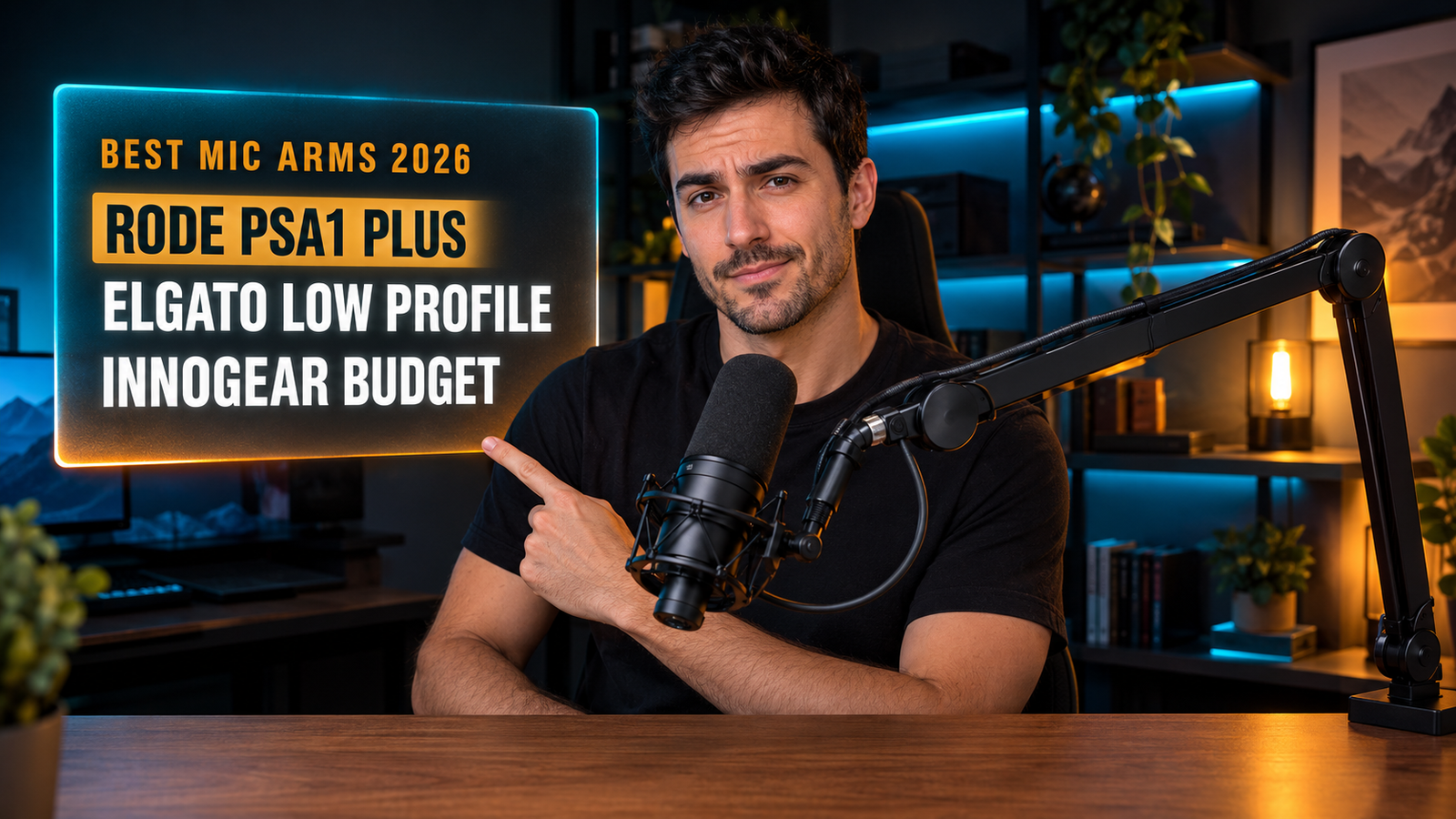
The RØDE PSA1+ is the best mic arm for desk use for most people, with 37 inches of reach and silent internal springs. For a low-profile arm that stays out of your camera frame, the Elgato Wave Mic Arm LP carries 4.4 lbs, and the InnoGear Low Profile handles 3.3 lbs for around $35.
How Much Weight Does Your Microphone Really Put on the Arm?
Load rating is the first specification to check, and microphone weight alone is not what you’re measuring. The shock mount, the pop filter and the cable all hang from the same arm.
The priciest arm here has the lowest ceiling. The RØDE PSA1+ is rated for 1.2kg (2.6 lbs), while the InnoGear Low Profile at a quarter of the price handles 1.5kg (3.3 lbs) and the Elgato Wave Mic Arm Pro reaches 3kg (6.6 lbs).
Broadcast microphones are where that matters. A Shure SM7B body weighs around 766g, and a shock mount plus cable pushes the assembly to roughly 1.1 to 1.3kg, which sits at or above the PSA1+ ceiling.
If you run a USB mic like a Blue Yeti or a HyperX QuadCast, every arm here carries it without complaint and you can choose on reach and looks instead. If you run an SM7B with a Cloudlifter hanging off the back, start with the 6.6 lb rating and work down. We’d rather buy twice the capacity we need than watch an arm creep downward mid-call.
Will the Clamp Fit Your Desk?
Clamp range is what disqualifies an arm before any other spec, and it’s usually buried near the bottom of a listing. Desks vary from 0.6 to 3 inches thick, and clamps don’t stretch.
The budget arm has the wider clamp. InnoGear’s low-profile model fits desks up to 2.75 inches thick, while the Elgato Wave Mic Arm LP’s padded clamp expands to 2.4 inches.
Edge shape matters as much as thickness. A rounded or beveled desk edge gives a clamp less flat surface to grip, and a glass top needs a protective pad whatever the listing says.
Measure the exact spot where the arm will mount, not the middle of the desk. If your desktop sits on a thick frame or has a built-in cable tray at the back, the clamp may not close at all, and the alternative is a desk-mount grommet version or a weighted base. Our guide to cable management for your desk covers the trays and clamps that compete for the same rear edge.
Does a Low-Profile Arm Actually Help?
Low-profile arms route the microphone from below rather than arching overhead, which keeps the hardware out of a camera shot and away from a monitor. Elgato designed the Wave Mic Arm LP to sit below the shoulder line for exactly that reason.
The lower arm gives up reach, not capacity. The LP extends 29.5 inches against 37 inches on the PSA1+, so a wide desk or a seat set far back can leave the microphone short of your mouth.
Monitor size is the deciding factor. A 34-inch ultrawide on a stand leaves little room for a traditional arm to swing over the top, while a single 24-inch screen rarely creates that conflict.
If you appear on camera, a low-profile arm removes the single most distracting object from the frame. If you only record audio, the traditional overhead design costs less and reaches further, and we’d take the extra 7.5 inches of reach over the cleaner silhouette.
Springs or Gas Spring: Which Mechanism Should You Choose?
Internal springs are the standard mechanism and gas springs are the premium one, and the practical difference is how much noise the arm makes while you move it. Both hold position once set.
Silence during adjustment matters more than silence at rest. A spring arm that creaks when you reposition it mid-recording puts that sound into the track, which is why RØDE moved the PSA1+ springs inside the arm body and Elgato uses gas suspension on the Pro.
One-handed movement is the other difference. A gas spring glides with a single push; a traditional spring arm often needs a hand on the base to stop it jumping.
If you set the arm once and leave it, a spring model does the job for less. If you push the mic aside every time you reach for a keyboard or a drink, the gas spring is what you’re paying for, and it’s the feature we’d prioritize over cable channels or finish.
Does Cable Routing Matter?
Internal cable routing keeps the XLR or USB cable out of sight and, more usefully, stops it dragging the arm out of position. A cable hanging freely adds tension that pulls a loaded arm sideways over time.
The channels are also where cheap arms get fiddly. Elgato uses magnetic covers on the Wave Mic Arm LP so the cable drops in without threading, while velcro-strap designs require unwrapping the whole arm every time you change a microphone.
Cable length is the detail people miss. Routing a cable through an arm, down a clamp and across a desk eats far more length than a direct run, so a 3-meter cable becomes a 2-meter cable in practice.
If you swap microphones between a USB model for calls and an XLR one for recording, magnetic channels save real time. Our guide to the best USB microphone for desk covers which microphones pair with each mount type and thread size.
Best Mic Arms for Desk: Comparison Table
| Product | Price | Best For | Rating |
|---|---|---|---|
| RØDE PSA1+ | ~$130 | Best overall | 9/10 |
| Elgato Wave Mic Arm LP | ~$150 | Low-profile setups | 8.5/10 |
| Elgato Wave Mic Arm Pro | ~$180 | Heavy microphones | 8.5/10 |
| InnoGear Low Profile | ~$35 | Best budget | 8/10 |
Detailed Reviews
RØDE PSA1+ — Best Overall
Thirty-seven inches of horizontal reach is the most in this guide, and it’s why the PSA1+ remains the default studio arm. RØDE rates it for microphones between 0.25 and 1.2kg (2.6 lbs), moves it on internal springs with damping so adjustment stays quiet, and routes cables through channels running the full length of the arm. A 360-degree rotation at the base lets you swing it behind the desk when it’s not in use.
If your desk is 60 inches wide and the mic has to reach from a rear corner to the center, that extra reach covers a distance the low-profile arms can’t.
Capacity is the limitation to check first: at 2.6 lbs it’s the lowest rating here, and an SM7B with a shock mount lands close to that ceiling. The traditional overhead shape also sits in a webcam frame, which matters if you stream. For a desk where audio is the point and the camera isn’t, it’s the one we’d buy.
Best for: Podcasters and recording setups that need maximum reach.
Real-world detail: Its 37-inch reach is 7.5 inches longer than the Elgato LP’s 29.5 inches.
Pros: 37-inch reach, silent internal spring damping, full-length cable channels, 360-degree rotation, established studio reputation.
Cons: Lowest load rating here at 2.6 lbs, overhead shape enters camera frame, premium price for the capacity.
Elgato Wave Mic Arm LP — Best Low Profile
Sitting below the shoulder line is this arm’s whole design brief. The Wave Mic Arm LP routes the microphone from desk level rather than arching overhead, carries up to 2kg (4.4 lbs), extends 29.5 inches horizontally, and clamps to desks up to 2.4 inches thick with a padded fitting. Magnetic cable channels snap open and closed, and 1/4-inch, 3/8-inch and 5/8-inch adapters cover almost every microphone thread.
If you run a 34-inch ultrawide and a webcam above it, a traditional arm fights both; this one travels underneath the screen and stays out of the shot.
Reach is the trade, at 7.5 inches shorter than the PSA1+, so a deep desk or a reclined chair can leave the mic short. It also costs more than the RØDE while using conventional springs rather than gas suspension. The 4.4 lb rating is nearly double the PSA1+ figure, which makes it the better buy for a broadcast mic despite the shorter arm.
Best for: Streamers and anyone on camera with a large monitor.
Real-world detail: Its padded clamp expands to 2.4 inches, so check desk thickness at the exact mounting point.
Pros: Low-profile path below the camera frame, 4.4 lb capacity, magnetic cable channels, three thread adapters, all-metal build.
Cons: 29.5-inch reach, pricier than the PSA1+, clamp narrower than the InnoGear’s.
Elgato Wave Mic Arm Pro — Best for Heavy Microphones
Six point six pounds of capacity is more than double what the RØDE handles. The Wave Mic Arm Pro supports up to 3kg using gas spring suspension rather than mechanical springs, which makes repositioning silent and possible with one hand, and it keeps the low-profile path and hidden cable channels of the LP. The padded clamp and the same set of thread adapters carry over.
If you run an SM7B with a shock mount and a Cloudlifter, that combined load sits comfortably inside this rating while sitting at the limit of most other arms.
Price is the obstacle at around $180, the most expensive option here, and gas springs add a sealed component that can’t be re-tensioned the way a mechanical spring can. For a light USB microphone, you’re paying for capacity you’ll never use. For a heavy broadcast chain, it’s the only arm in this guide with real margin, and we’d choose it over adding a counterweight to a lesser arm.
Best for: Broadcast microphones with shock mounts and inline preamps.
Real-world detail: Its 6.6 lb rating is 4 lbs more than the PSA1+ handles.
Pros: 6.6 lb capacity, silent gas spring adjustment, one-handed movement, hidden cable channels, low-profile design.
Cons: Around $180, overkill for light USB mics, sealed gas spring can’t be adjusted.
InnoGear Low Profile — Best Budget
Thirty-five dollars buys more capacity than a $130 arm. The InnoGear MU-LP26 is built from alloy steel, carries up to 1.5kg (3.3 lbs), extends to 25.6 inches, and fits desks up to 2.75 inches thick, the widest clamp range here. Multiple thread adapters cover HyperX, Blue, Fifine, Shure and Elgato microphones, and the low-profile shape keeps it clear of a webcam.
If you’re building a first streaming setup and the microphone cost $70, spending twice that on the arm holding it makes little sense.
Build quality is where the money shows. Steel construction is heavier and less refined than RØDE’s or Elgato’s aluminum, adjustment isn’t as smooth, and the finish scratches more easily. Cable management relies on clips rather than enclosed channels, so the cable is visible along the arm. For a USB microphone that stays in one position most of the day, none of that affects the sound, and it’s the arm we’d recommend to anyone starting out.
Best for: First setups and USB microphones on a tight budget.
Real-world detail: Its clamp fits desks up to 2.75 inches thick, wider than either Elgato model.
Pros: Around $35, 3.3 lb capacity, widest clamp range here, multiple thread adapters, low-profile shape.
Cons: Steel build feels less refined, clip-based cable management, 25.6-inch reach.
What to Look for When Choosing a Mic Arm for Your Desk
1. Weigh the whole assembly, not the microphone. Add the shock mount, pop filter and cable. An SM7B chain reaches 1.1 to 1.3kg, which exceeds several popular arms rated at 1.2kg.
2. Measure your desk at the mounting point. Clamps here fit 2.4 to 2.75 inches. Rounded edges, thick frames and rear cable trays all reduce the usable surface.
3. Match reach to desk depth. Arms run from 25.6 to 37 inches of horizontal reach. A deep desk or a reclined chair needs the longer ones.
4. Decide whether you appear on camera. Low-profile arms keep hardware out of the frame; overhead arms reach further for less money.
5. Check the thread adapters. Microphones use 1/4-inch, 3/8-inch and 5/8-inch mounts. Arms that include all three save you buying an adapter separately.
FAQ
How much weight can a mic arm hold?
Desk mic arms typically hold between 2.6 and 6.6 lbs depending on the model, and the rating doesn’t follow the price. The RØDE PSA1+ is rated for 1.2kg (2.6 lbs), while the Elgato Wave Mic Arm Pro handles 3kg (6.6 lbs). Always add the shock mount and cable to your microphone’s weight before comparing.
What mic arm works with a Shure SM7B?
An SM7B needs an arm rated for at least 1.3kg, since the 766g body plus a shock mount and cable pushes the assembly past most 1.2kg ratings. The Elgato Wave Mic Arm Pro at 3kg has clear margin, and arms rated around 1.5kg handle it with less. Arms at or below 1.1kg will sag over time.
Do mic arms fit thick desks?
Mic arm clamps typically fit desks between 2.4 and 2.75 inches thick, and thicker desktops need a grommet mount or a weighted base instead. Rounded or beveled desk edges also reduce the flat surface a clamp can grip. Measure at the exact spot where the arm will mount.
Are low-profile mic arms better?
Low-profile mic arms are better if you appear on camera or use a large monitor, because they route the microphone below the shoulder line instead of over the top of the screen. They generally offer less horizontal reach than traditional arms, around 25 to 30 inches against up to 37. For audio-only recording, a traditional arm costs less and reaches further.
Our Final Verdict
For most desks, the RØDE PSA1+ is the mic arm to buy: 37 inches of reach, silent internal spring damping and cable channels running the full length, in the design most studio setups have used for years.
If you appear on camera, the Elgato Wave Mic Arm LP stays below the shoulder line and carries 4.4 lbs. The Elgato Wave Mic Arm Pro is the only option here with real margin for a heavy broadcast chain at 6.6 lbs, and the InnoGear Low Profile delivers 3.3 lbs and the widest clamp range for around $35.