As an Amazon Associate we earn from qualifying purchases made through links on this page.
Look first at the shape, then the size, then the way you move it: a vertical mouse turns your hand to a handshake angle, a trackball stops your arm from moving at all, and a contoured mouse keeps a familiar grip. The right one depends on how you sit and work, not on the price.
That is what to look for in an ergonomic mouse in short. The mistake most people make is buying the most extreme shape first. A mouse your hand does not fit, or a design you never get used to, ends up back in a drawer.
We compared published specs, current amazon.com prices and owner feedback on the ergonomic mice that sell in the US, and this guide covers the four designs, the specs that matter and the mice that represent each one best.
A mouse cannot treat anything, and pain, numbness or tingling that lasts is a reason to see a doctor or a physical therapist. What a mouse changes is the position of your hand and forearm for the hours you use it.
The Four Designs, and What Each One Changes
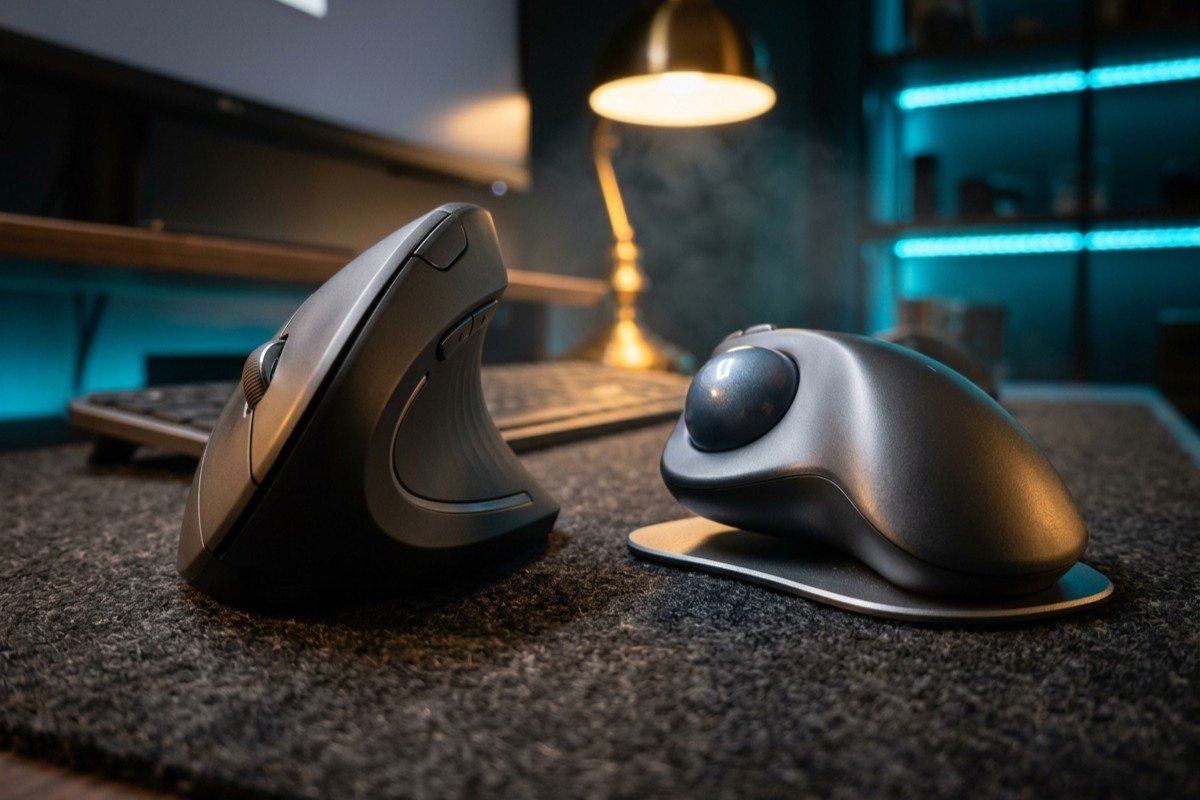
Vertical mice stand your hand on its side, at an angle close to a handshake. Instead of rotating your forearm flat, the way a standard mouse makes you, your palm faces inward. Logitech’s MX Vertical sits at 57 degrees, and Logitech says that position reduces muscle activity by 10% compared with a standard mouse.
Trackballs keep the mouse still and move the cursor with a ball. A thumb trackball like the MX Ergo S works with the thumb; a finger trackball like the Kensington Expert uses a large ball under the fingers. Either way, your arm stops moving across the desk.
Contoured mice keep the familiar flat grip but add a sculpted shape and a thumb rest, like the MX Master 3S. They are the smallest change, and the easiest to get used to.
Tilted mice sit between flat and vertical. The MX Ergo S can tilt to 20 degrees, which Logitech says reduces muscle strain by 27% compared with flat.
Fit Matters More Than Design
An ergonomic mouse that is the wrong size defeats the point. Too small, and you grip it with your fingertips; too large, and you stretch to reach the buttons.
Measure your hand from the base of your palm to the tip of your middle finger. Some vertical mice come in sizes: the Evoluent VM4R linked here is the right-hand regular size, while the MX Vertical comes in a single size. Logitech says the MX Ergo S is designed for medium to large hands.
Left-handed users have fewer options. Most vertical mice and thumb trackballs are right-handed only, while finger trackballs like the Kensington Expert are ambidextrous. Our ergonomic mice list more sizes and left-handed models.
Expect a Week of Adjustment
Every ergonomic design feels strange at first. Vertical mice take a few days to stop feeling like you are holding them sideways; trackballs take longer, because cursor control moves from your arm to your thumb or fingers.
The adjustment is why so many ergonomic mice get returned. Give a new design at least a week of regular use, and keep your old mouse nearby for precise work like photo editing while you adapt.
If you have never used one, a contoured mouse or a tilted trackball is the gentler first step. A fully vertical mouse or a finger trackball is the bigger change.
Where the Mouse Sits Matters as Much as Its Shape
The best-shaped mouse still strains your arm if it sits too far away. A full-size keyboard pushes the mouse several inches to the right, so your arm reaches sideways all day. A tenkeyless or compact keyboard brings it back toward the center of your body. Our tenkeyless mechanical keyboards cover that change.
Height matters too. The mouse should sit at the same height as the keyboard, with your elbow close to your side and your forearm roughly level. If your desk is too high, raising your chair and adding a footrest often helps more than any new mouse.
This is also where a trackball has a hidden advantage: because it does not move, it needs only its own footprint, so it fits beside a full-size keyboard or on a small desk without pushing your arm out.
Wireless Is Standard, but the Connection Varies
All five mice here are wireless, and they connect in different ways. Logitech’s mice pair over Bluetooth or a USB receiver and switch between computers with a button; the Kensington Expert uses Bluetooth or its own 2.4 GHz dongle; the Evoluent uses a USB receiver.
If you work on two computers, the Logitech mice are the easiest to move between them. If your computer has no Bluetooth, check that the version you buy includes a receiver.
The Specs That Matter Beyond Shape
Sensor speed. A higher DPI setting moves the cursor farther for the same hand movement. The MX Vertical’s 4,000 DPI sensor has a cursor speed switch, which Logitech says means 4 times less hand movement than a 1,000 DPI mouse.
Buttons. Programmable buttons cut down on repeated clicks and keyboard shortcuts. The Evoluent has six customizable buttons in Windows; the MX Ergo S has six as well, through Logi Options+.
Power. The MX Ergo S charges over USB-C and Logitech rates it at up to 120 days per charge; the Kensington Expert runs on two AA batteries. Our trackball mice for productivity go deeper into trackball specs.
Five Ergonomic Mice That Represent Each Design
The Logitech MX Vertical is the vertical mouse we would start with, at about $75. Its 57-degree angle puts your hand in a handshake position, its 4,000 DPI sensor has a speed switch, and it was designed with criteria set by ergonomists. Skip it if you have small hands and cannot try it first; it comes in a single size.
The Logitech MX Ergo S is the thumb trackball for people who want their arm to stay still, at about $100. It tilts up to 20 degrees, has 80% quieter clicks than its predecessor, charges over USB-C and pairs by Bluetooth or a receiver. Skip it if you are left-handed; it is right-handed only.
The Kensington Expert Wireless Trackball is the finger trackball, at about $90. A large 55 mm ball, a scroll ring and a detachable wrist rest come in an ambidextrous design that connects by Bluetooth or a 2.4 GHz dongle. Skip it if you dislike AA batteries or use a Windows ARM computer, which Kensington does not support.
The Evoluent VM4R is the classic fully vertical mouse, at about $109 from a third-party seller. It is right-handed in the regular size, wireless over USB, with four cursor speeds and six buttons customizable in Windows. Skip it if you use a Mac and want the extra buttons programmed; the customization is Windows-only.
The Logitech MX Master 3S is the contoured option for people who want the smallest change, at about $80. It keeps a familiar grip with a thumb rest, quiet clicks and a fast MagSpeed wheel. Note that this Bluetooth edition ships without a receiver. Our silent mice for office cover more quiet options.
Before You Buy
Which ergonomic mouse design should I start with?
A contoured mouse or a tilted trackball if you want the easiest adjustment, a vertical mouse if you are ready for a bigger change in hand position.
Are trackballs better than vertical mice?
Neither is better overall. A trackball stops arm movement; a vertical mouse changes hand angle while you still move the mouse. Which suits you depends on how you work and what feels comfortable after a week. Many people end up keeping one of each and switching during the day, which also varies the position of the hand.
Do ergonomic mice work on a Mac?
Most do. Logitech’s Options+ software supports macOS; the Evoluent’s button customization is Windows-only. Our mice for Mac cover Mac-specific picks.
The Call
Start with the shape that changes the least you can live with, in a size that fits your hand. For most people, that means the Logitech MX Vertical at about $75, or the MX Ergo S if you would rather keep your arm still.